
Package Tracker
AdaptiveBits
4.2 ★
9K ratings
100,000+
downloads
Free
+ in-app
In this package tracking app, you can add and monitor shipments using manual entry, automatic copying, or barcode scanning. Includes notifications for status updates and a detailed history of each item.
AppRecs review analysis
AppRecs rating 4.3. Trustworthiness 79 out of 100. Review manipulation risk 22 out of 100. Based on a review sample analyzed.
★★★★☆
4.3
AppRecs Rating
Ratings breakdown
5 star
67%
4 star
15%
3 star
6%
2 star
1%
1 star
11%
What to know
✓
Low review manipulation risk
22% review manipulation risk
✓
Credible reviews
79% trustworthiness score from analyzed reviews
✓
High user satisfaction
82% of sampled ratings are 4+ stars (4.2★ average)
About Package Tracker
Shopping online? From local or international sites?
Sending packages within the country and abroad? This app will help you organize the chaos!
Track your mail, packages, and letters.
Join the 250,000 users who have already downloaded and enjoy the app!
Main Features:
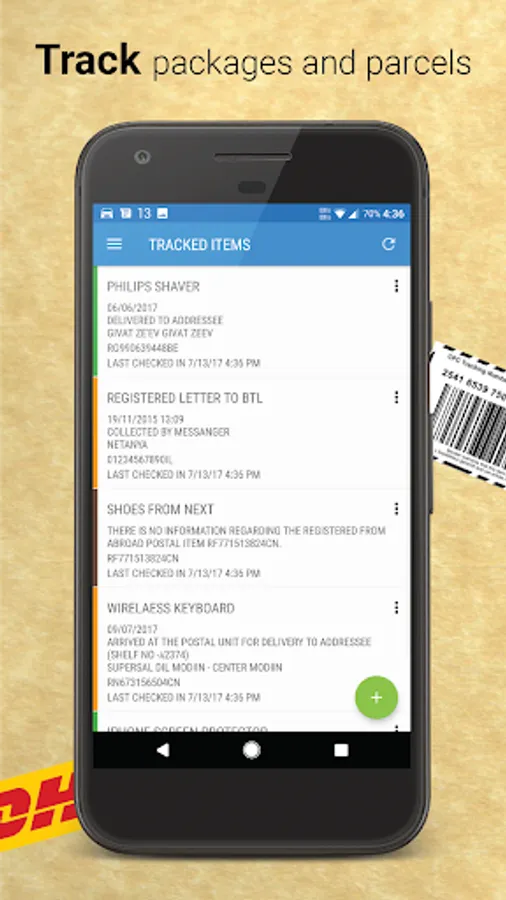
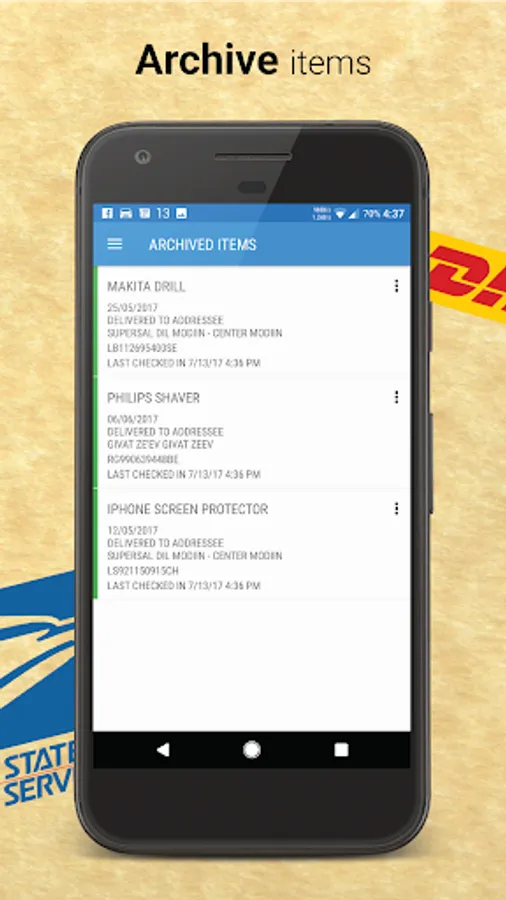
Track all your mail items in one organized place.
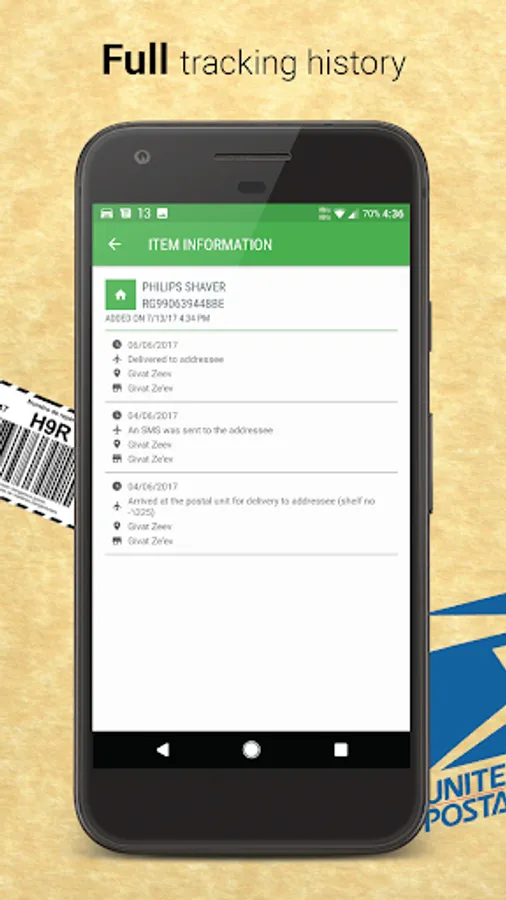
Complete history of the item, from purchase to delivery.
Notifications for package status changes.
Add a tracking number copied from other places on your phone (SMS, etc.).
Quick addition of a tracking number by scanning with a barcode reader.
Automatic status check of items, while preserving battery life.
Mail Tracking
A neatly organized list of items showing the most updated status of the item.
Track all types of mail, registered letters, courier mail, packages from abroad, and more.
Share the status with friends. Want someone to pick up your mail and they don't have all the necessary information?
Send them the information about the item easily, directly from the app.
Mail Item History
Want to know where the item was and when? No problem!
The app saves the item's history, where it was and when.
You can know the postal unit, city, update time, and the last status of the item.
Simple, Easy, and Quick Item Addition
You can add an item in three ways:
1. Manually – add the number by typing.
2. Automatically – copy any tracking number from your shopping app, SMS message, email, etc., enter the app, and it will add the item automatically.
3. Barcode Reader – enter the new item addition, click on the barcode button, and scan the barcode you have. The item will be added quickly and easily.
Automatic Update
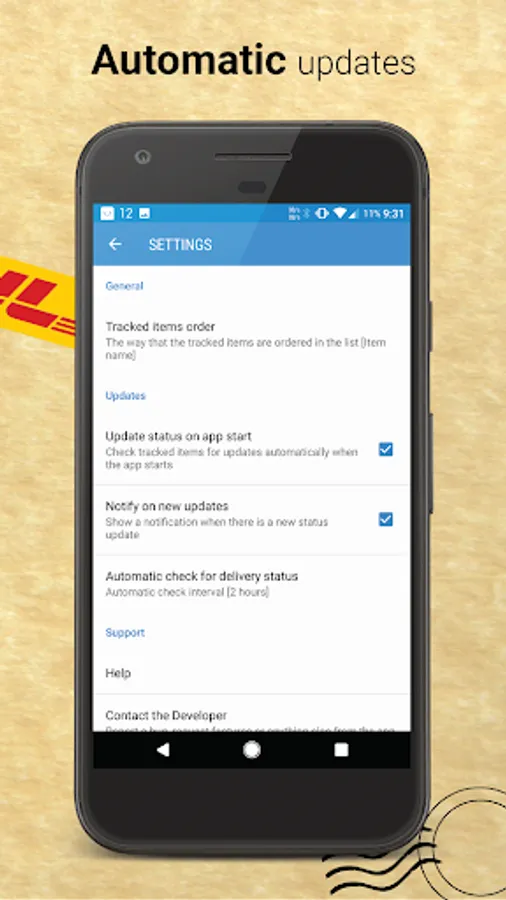
The app automatically updates the status of your items at intervals defined by you, fully considering and preserving battery life.
* Camera permissions for adding an item by scanning a barcode *
* The app is not affiliated with Israel Post and is not connected to it or any other body in any way *
Sending packages within the country and abroad? This app will help you organize the chaos!
Track your mail, packages, and letters.
Join the 250,000 users who have already downloaded and enjoy the app!
Main Features:
Track all your mail items in one organized place.
Complete history of the item, from purchase to delivery.
Notifications for package status changes.
Add a tracking number copied from other places on your phone (SMS, etc.).
Quick addition of a tracking number by scanning with a barcode reader.
Automatic status check of items, while preserving battery life.
Mail Tracking
A neatly organized list of items showing the most updated status of the item.
Track all types of mail, registered letters, courier mail, packages from abroad, and more.
Share the status with friends. Want someone to pick up your mail and they don't have all the necessary information?
Send them the information about the item easily, directly from the app.
Mail Item History
Want to know where the item was and when? No problem!
The app saves the item's history, where it was and when.
You can know the postal unit, city, update time, and the last status of the item.
Simple, Easy, and Quick Item Addition
You can add an item in three ways:
1. Manually – add the number by typing.
2. Automatically – copy any tracking number from your shopping app, SMS message, email, etc., enter the app, and it will add the item automatically.
3. Barcode Reader – enter the new item addition, click on the barcode button, and scan the barcode you have. The item will be added quickly and easily.
Automatic Update
The app automatically updates the status of your items at intervals defined by you, fully considering and preserving battery life.
* Camera permissions for adding an item by scanning a barcode *
* The app is not affiliated with Israel Post and is not connected to it or any other body in any way *
Package Tracker Screenshots
Tap to Rate:
Reviews for Package Tracker
M T
6/30/2025
6 לינואר 2025 - משהו השתבש בממשק עם הדואר בימים האחרונים.... וגם כעת 25 למרץ 2025. וחזרה לעצמה בעדכון.... ציון חמש ! כלי יומיומי מצויין.
eliran abuksis
5/4/2025
לא מעדכן פריטים שוב