Rotation Control
plus infotech
3.9 ★
store rating
500,000+
downloads
Free
+ in-app
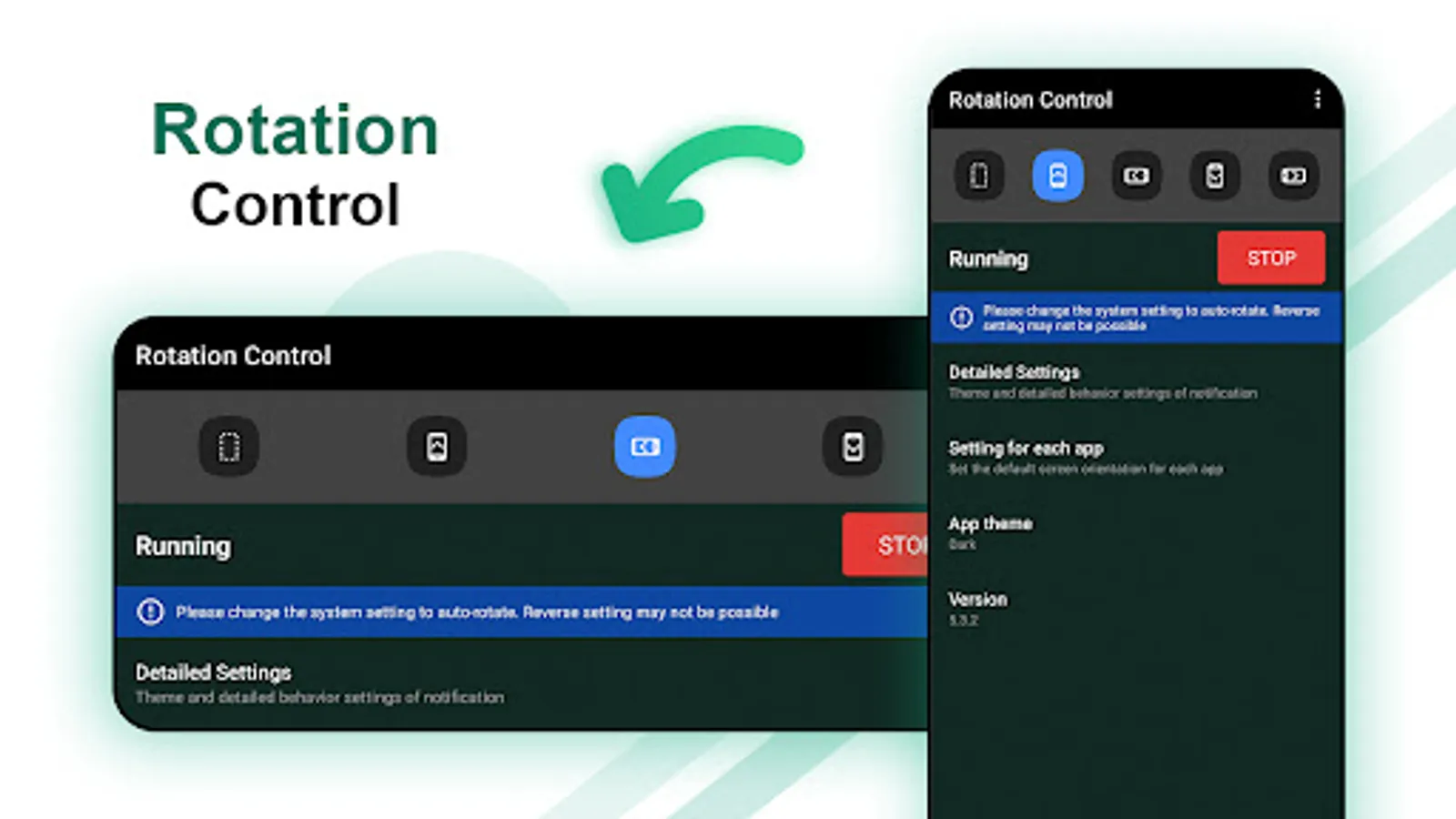
With this app, you can set the screen orientation to specific modes or rotate based on sensor data. Includes manual options, sensor-based rotation, and application-specific settings.
AppRecs review analysis
AppRecs rating 3.2. Trustworthiness 78 out of 100. Review manipulation risk 29 out of 100. Based on a review sample analyzed.
★★★☆☆
3.2
AppRecs Rating
Ratings breakdown
5 star
65%
4 star
6%
3 star
6%
2 star
2%
1 star
20%
What to know
⚠
Ad complaints
Many low ratings mention excessive ads
⚠
Pricing complaints
Many low ratings mention paywalls or pricing
⚠
Review quality concerns
72% of sampled 5-star reviews are very short
About Rotation Control
Rotation - Screen Orientation Manager application use to set mobile screen in a specific orientation (portrait / landscape) or rotates mobile screen according to the sensor.
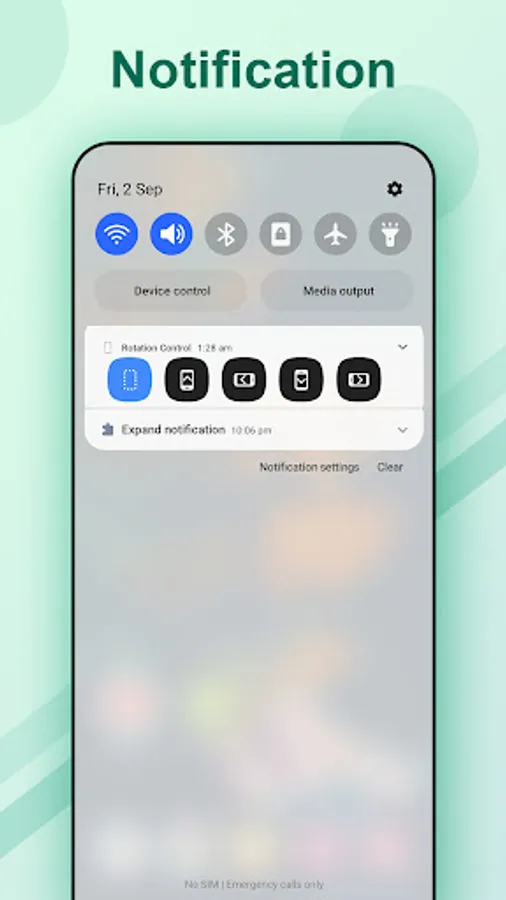
You can change the mobile screen orientation from the notification area. Rotation - Screen Orientation Manager is also possible to associate a specific application with the screen orientation and change settings when the application starts.
In Rotation - Screen Orientation Manager not all settings are available because some mobile screen orientations are not supported by some devices.
Because Rotation - Screen Orientation Manager app forcibly changes the display of the running application, it can become inoperable or, in the worst case, cause a crash.
Please use at your own risk.
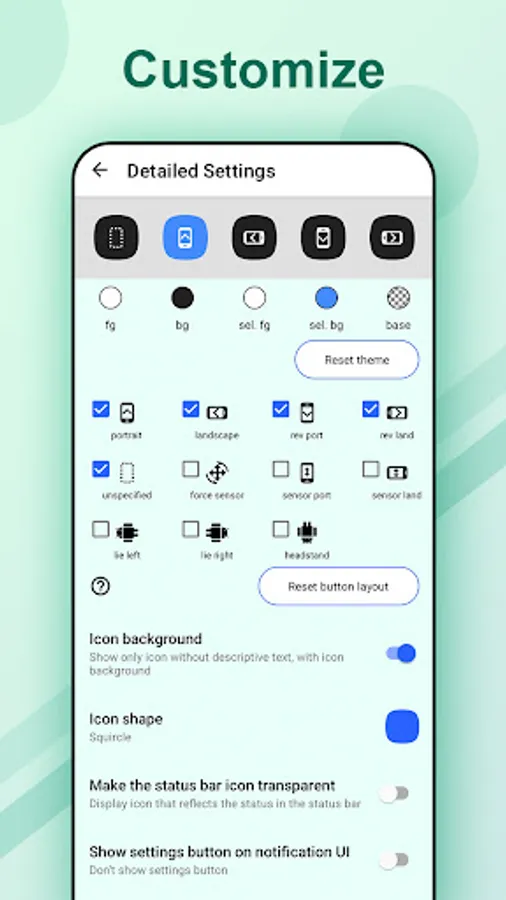
The following settings are possible
unspecified
- Unspecified orientation from this app. Device will be the original orientation of the displayed app
force sensor
- Rotate based on sensor information
portrait
- Set device screen to portrait
landscape
- Set device screen to landscape
rev port
- Set device screen to reverse portrait
rev land
- Set device screen to reverse landscape
sensor port
- Set device screen to portrait, automatically flip upside down by sensor
sensor land
- Set device screen to landscape, automatically flip upside down by sensor
lie left
- Rotate it 90 degrees to the left with respect to the sensor. If you lie on left lateral and use it, the top and bottom will match.
lie right
- Rotate it 90 degrees to the right with respect to the sensor. If you lie on right lateral and use it, the top and bottom will match.
headstand
- Rotate 180 degrees with respect to the sensor. If you use this by headstand, the top and bottom will match.
Trouble shooting
- If you can not fix in the opposite direction of the portrait / landscape, try changing the system setting to auto-rotate
You can change the mobile screen orientation from the notification area. Rotation - Screen Orientation Manager is also possible to associate a specific application with the screen orientation and change settings when the application starts.
In Rotation - Screen Orientation Manager not all settings are available because some mobile screen orientations are not supported by some devices.
Because Rotation - Screen Orientation Manager app forcibly changes the display of the running application, it can become inoperable or, in the worst case, cause a crash.
Please use at your own risk.
The following settings are possible
unspecified
- Unspecified orientation from this app. Device will be the original orientation of the displayed app
force sensor
- Rotate based on sensor information
portrait
- Set device screen to portrait
landscape
- Set device screen to landscape
rev port
- Set device screen to reverse portrait
rev land
- Set device screen to reverse landscape
sensor port
- Set device screen to portrait, automatically flip upside down by sensor
sensor land
- Set device screen to landscape, automatically flip upside down by sensor
lie left
- Rotate it 90 degrees to the left with respect to the sensor. If you lie on left lateral and use it, the top and bottom will match.
lie right
- Rotate it 90 degrees to the right with respect to the sensor. If you lie on right lateral and use it, the top and bottom will match.
headstand
- Rotate 180 degrees with respect to the sensor. If you use this by headstand, the top and bottom will match.
Trouble shooting
- If you can not fix in the opposite direction of the portrait / landscape, try changing the system setting to auto-rotate