QR Code Generator & Reader App
Uniqode Phygital, Inc.
10,000+
downloads
Free
AppRecs review analysis
AppRecs rating . Trustworthiness 55 out of 100. Review manipulation risk 52 out of 100. Based on a review sample analyzed.
★
AppRecs Rating
Ratings breakdown
5 star
100%
4 star
0%
3 star
0%
2 star
0%
1 star
0%
What to know
⚠
Questionable review patterns
52% review manipulation risk - some review patterns appear unusual
⚠
Unusually uniform ratings
100% of sampled ratings are 5 stars with very little variation
About QR Code Generator & Reader App
The QR Code Generator & Reader App is your all-in-one tool for fast scanning and creating fully customizable QR Codes on Android.
It works as a powerful QR and barcode scanner and a feature-rich QR Code maker — perfect for daily use, retail, marketing, education, events, payments, and personal sharing.
Scan anything instantly — product packaging, menus, bills, tickets, coupons, ID cards, app links, and more.
Create branded QR Codes with custom colors, shapes, borders, and templates whenever you need.
Why Choose The QR Code Generator & Reader App?
- Lightweight, fast, and battery-friendly
- Create custom QR Codes with colors, patterns, and templates
- Generate QR Codes for URL, SMS, Email, contact, text, and more
- Save and re-use previously created QR Codes
- Privacy-first: all scan data stays on your device
- Safe link preview before opening URLs
- Real-time autofocus for instant detection
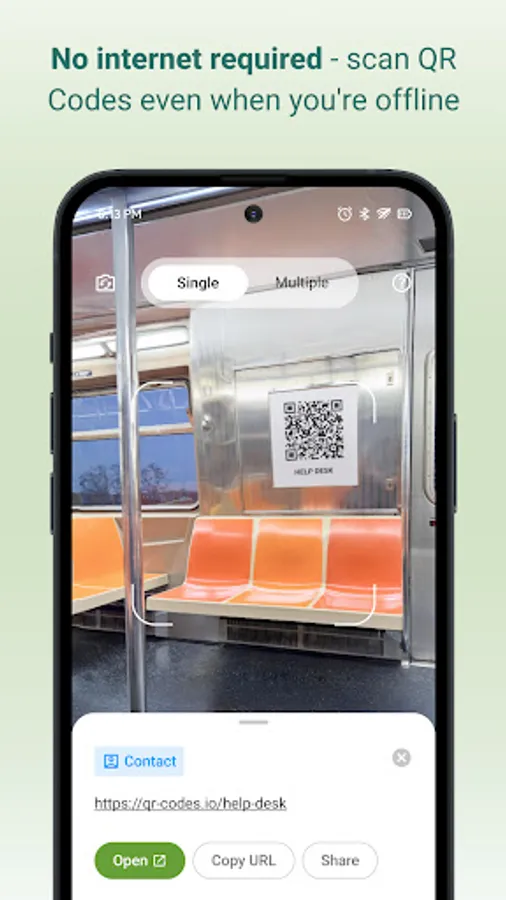
- Offline scanning — no internet required
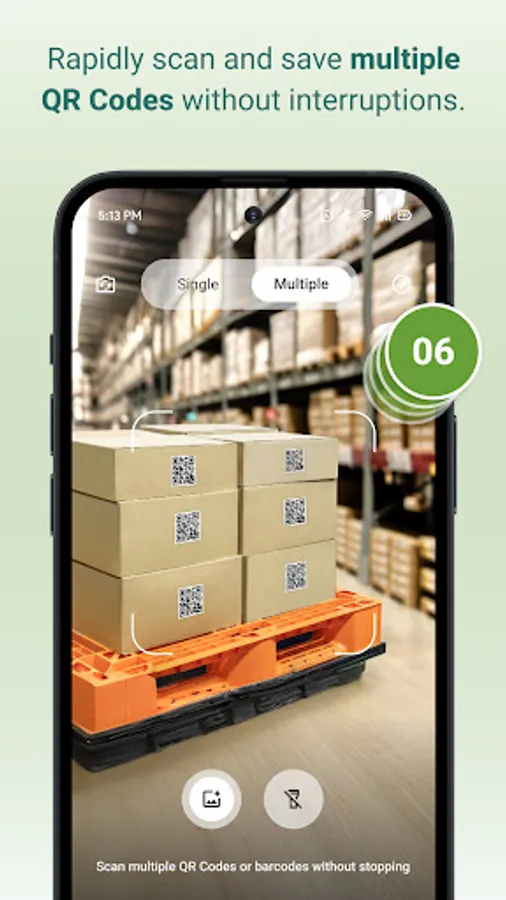
- Bulk scan mode for scanning many codes quickly
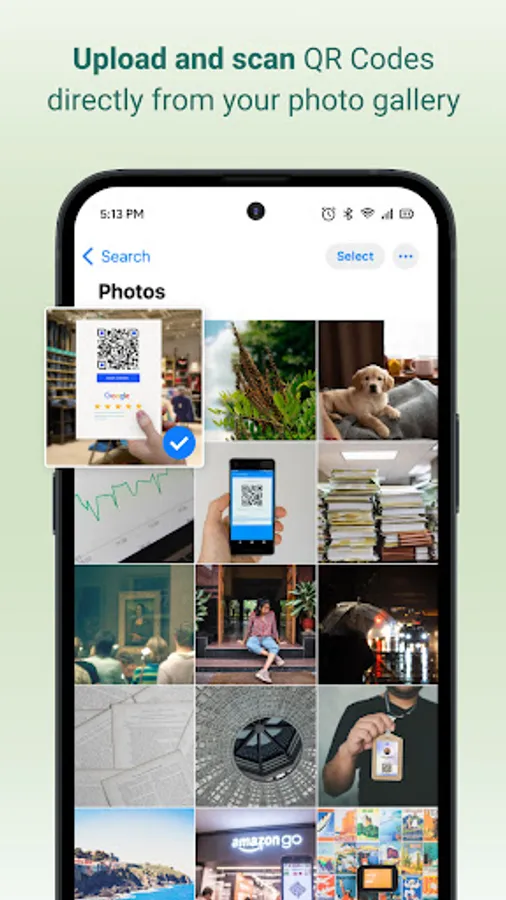
- Scan QR Codes from gallery images
- Works on small, blurry, low-light, or damaged codes
QR Code Generator — Features & Customization
Create unique, branded, high-quality QR Codes in seconds.
Customization Tools
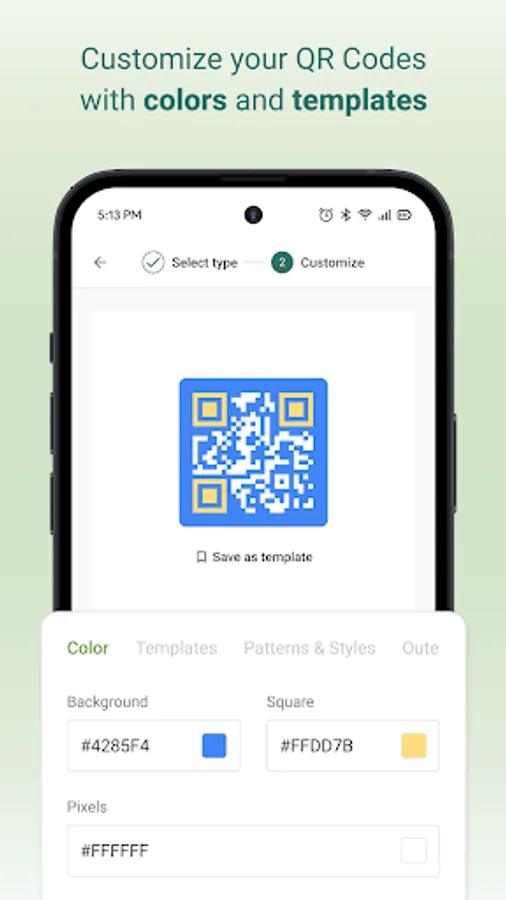
- Solid colors or gradients
- Multiple QR patterns: dots, squares, rounded
- Custom eye shapes and border styles
- Ready-made templates for business and personal use
Creator Features
- Real-time preview
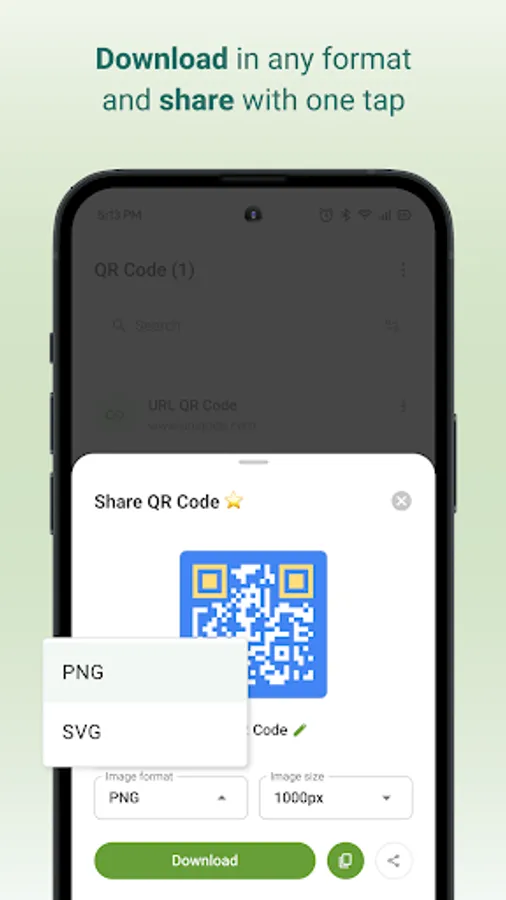
- High-resolution PNG/JPG downloads
- Save designs in history for future use
- Supports static QR types: URL, Contact card, Phone, Email, SMS, Text
Ideal for: menus, posters, packaging, business cards, brochures, event tickets, print marketing, and digital payments.
QR Code & Barcode Scanner — Fast & Accurate
The scanner detects QR Codes and barcodes instantly as soon as they appear in the camera frame — no buttons needed.
Scanner Features
- Auto-detection for all QR Codes and major barcodes
- Scan from gallery photos
- Flashlight for low-light scanning
- Bulk scan mode
- Quick actions: open link, save contact, copy text, call, send email, share, and more
- Clean scan details with formatting
- Searchable scan history + export options
- Supports UPC, EAN, ISBN, Code 128, Code 39, ITF, and more
- High accuracy even on angled, faded, or low-light codes
Supported Scan Types
- Website URLs
- Contact cards (vCard)
- Text
- Email
- Phone numbers
- SMS
- Wi-Fi networks
- Calendar events
- Location coordinates
- App links
- Business pages
- All common barcodes
How to Scan a QR Code
1. Open the app and tap Scan
2. Point the camera at the QR Code/Barcode
3. Detection happens instantly
4. Tap an action (open link, save contact, share, etc.)
5. View all past scans in History
How to Create a QR Code
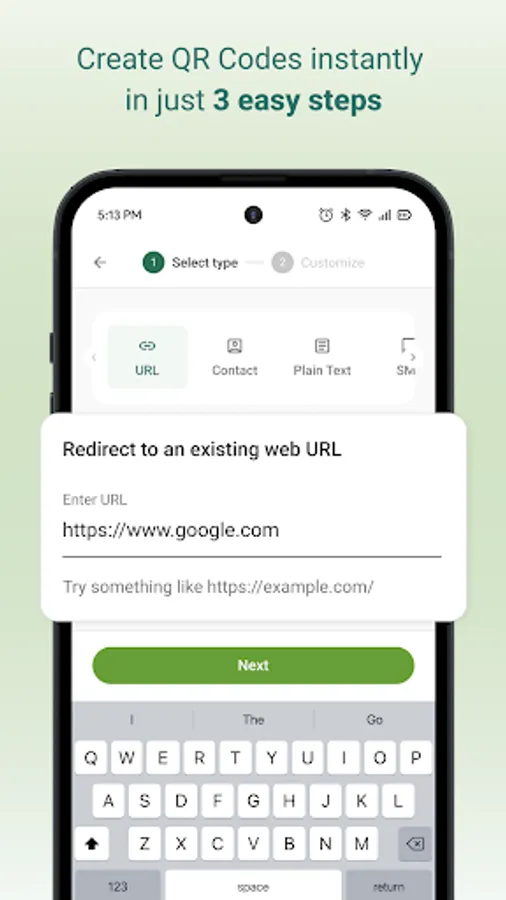
1. Tap Generate
2. Select a QR type (URL, SMS, Contact, Email, etc.)
3. Enter your details
4. Customize colors, patterns, and templates
5. Download, copy, or share instantly
Extra Tips
- Use good lighting for best accuracy
- Ensure printed QR Codes have strong contrast
- Keep QR Codes at least 2×2 cm
- Avoid blurry uploads when generating QR Codes
- Always test before printing or publishing
Safe, Private & Easy to Use
The QR Code Generator & Reader App stores all scans and designs locally on your device.
Nothing is uploaded or shared.
Only essential permissions are used — camera for scanning and storage for saving designs.
It works as a powerful QR and barcode scanner and a feature-rich QR Code maker — perfect for daily use, retail, marketing, education, events, payments, and personal sharing.
Scan anything instantly — product packaging, menus, bills, tickets, coupons, ID cards, app links, and more.
Create branded QR Codes with custom colors, shapes, borders, and templates whenever you need.
Why Choose The QR Code Generator & Reader App?
- Lightweight, fast, and battery-friendly
- Create custom QR Codes with colors, patterns, and templates
- Generate QR Codes for URL, SMS, Email, contact, text, and more
- Save and re-use previously created QR Codes
- Privacy-first: all scan data stays on your device
- Safe link preview before opening URLs
- Real-time autofocus for instant detection
- Offline scanning — no internet required
- Bulk scan mode for scanning many codes quickly
- Scan QR Codes from gallery images
- Works on small, blurry, low-light, or damaged codes
QR Code Generator — Features & Customization
Create unique, branded, high-quality QR Codes in seconds.
Customization Tools
- Solid colors or gradients
- Multiple QR patterns: dots, squares, rounded
- Custom eye shapes and border styles
- Ready-made templates for business and personal use
Creator Features
- Real-time preview
- High-resolution PNG/JPG downloads
- Save designs in history for future use
- Supports static QR types: URL, Contact card, Phone, Email, SMS, Text
Ideal for: menus, posters, packaging, business cards, brochures, event tickets, print marketing, and digital payments.
QR Code & Barcode Scanner — Fast & Accurate
The scanner detects QR Codes and barcodes instantly as soon as they appear in the camera frame — no buttons needed.
Scanner Features
- Auto-detection for all QR Codes and major barcodes
- Scan from gallery photos
- Flashlight for low-light scanning
- Bulk scan mode
- Quick actions: open link, save contact, copy text, call, send email, share, and more
- Clean scan details with formatting
- Searchable scan history + export options
- Supports UPC, EAN, ISBN, Code 128, Code 39, ITF, and more
- High accuracy even on angled, faded, or low-light codes
Supported Scan Types
- Website URLs
- Contact cards (vCard)
- Text
- Phone numbers
- SMS
- Wi-Fi networks
- Calendar events
- Location coordinates
- App links
- Business pages
- All common barcodes
How to Scan a QR Code
1. Open the app and tap Scan
2. Point the camera at the QR Code/Barcode
3. Detection happens instantly
4. Tap an action (open link, save contact, share, etc.)
5. View all past scans in History
How to Create a QR Code
1. Tap Generate
2. Select a QR type (URL, SMS, Contact, Email, etc.)
3. Enter your details
4. Customize colors, patterns, and templates
5. Download, copy, or share instantly
Extra Tips
- Use good lighting for best accuracy
- Ensure printed QR Codes have strong contrast
- Keep QR Codes at least 2×2 cm
- Avoid blurry uploads when generating QR Codes
- Always test before printing or publishing
Safe, Private & Easy to Use
The QR Code Generator & Reader App stores all scans and designs locally on your device.
Nothing is uploaded or shared.
Only essential permissions are used — camera for scanning and storage for saving designs.
QR Code Generator & Reader App Screenshots
Tap to Rate:
Reviews for QR Code Generator & Reader App
paras kashyap
12/26/2025
very nice