Daily Account Manager Book - I
Proviyon Proguard
100,000+
downloads
Free
+ in-app
AppRecs review analysis
AppRecs rating . Trustworthiness 0 out of 100. Review manipulation risk 0 out of 100. Based on a review sample analyzed.
★
AppRecs Rating
Ratings breakdown
5 star
42%
4 star
18%
3 star
10%
2 star
2%
1 star
28%
What to know
✓
Authentic reviews
Natural distribution, no red flags
⚠
Ad complaints
Many low ratings mention excessive ads
⚠
High negative review ratio
30% of sampled ratings are 1–2 stars
About Daily Account Manager Book - I
In this app user keep and manage his/her daily account transaction like CST GST bills food and travel, office, home personal N other track daily pocket expenses etc with safe n secure.
Any one like collage students, teacher, corporate business men or women, hotel, hostel or home rental can track there own income and expense day, month, year and category group wise transaction record.
Basic three menus with many useful features which are as following.
1. Timeline
2. Summary (Detail Custom Report)
3. Settings
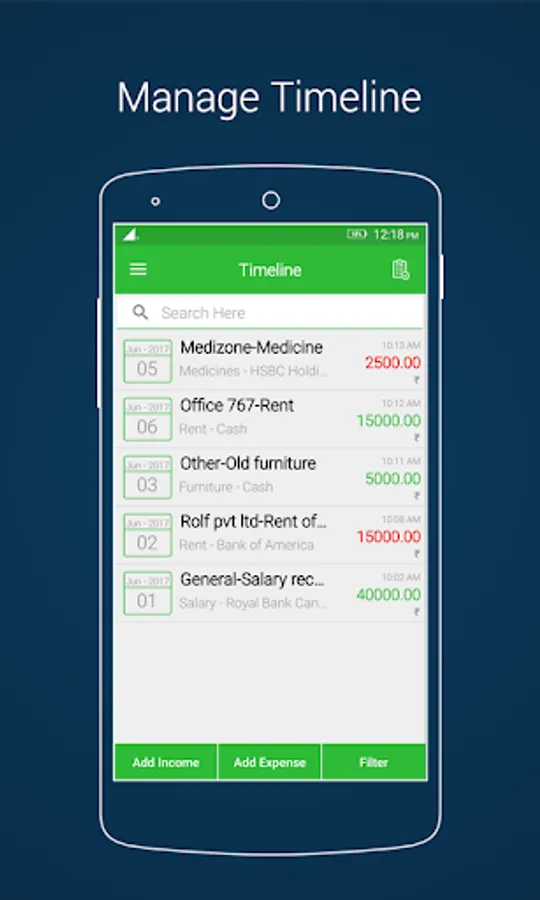
1. Timeline: In timeline user can keep and manage daily account records.
This section at bottom of page footer there are three buttons are available (A)Add Income,(B)Add Expense,(C)Filter(Custom search).
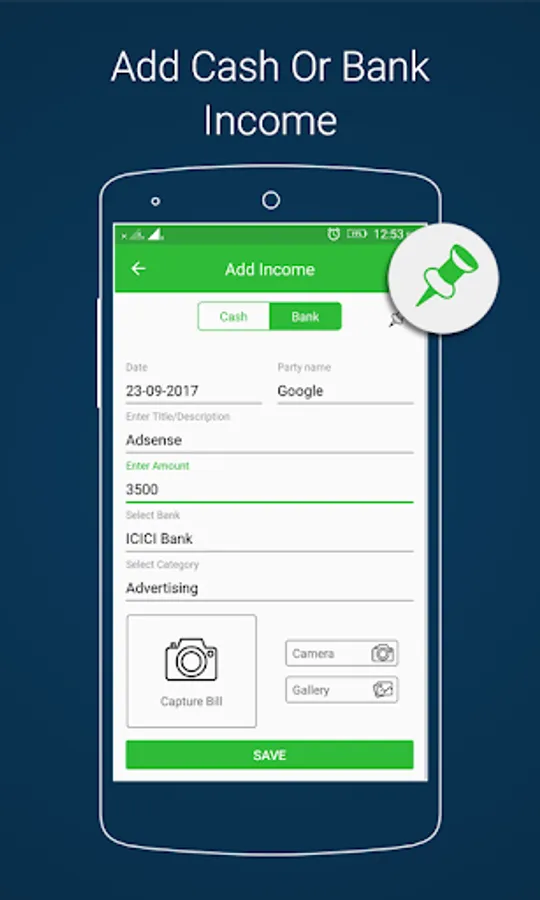
(A)Add Income
>Addition your savings income money by Add Income button option.
>Select your income type like "Cash" or "Bank".
>Select "Date" for your income. current date is shown by default.
>Select Account or Party or Person Name.
>Enter income "Title/Description".
>Enter income "Amount".
>Now user can select Income category from list and also add more own income category from top right corner + sign and from app settings.
>If users income type is bank then select bank from bank name list or also add more banks from top right corner + sign and from app settings.
Note : If user want to pinned transaction record then in this section top right show pin option. all pinned record shows in Pinned Transactions.
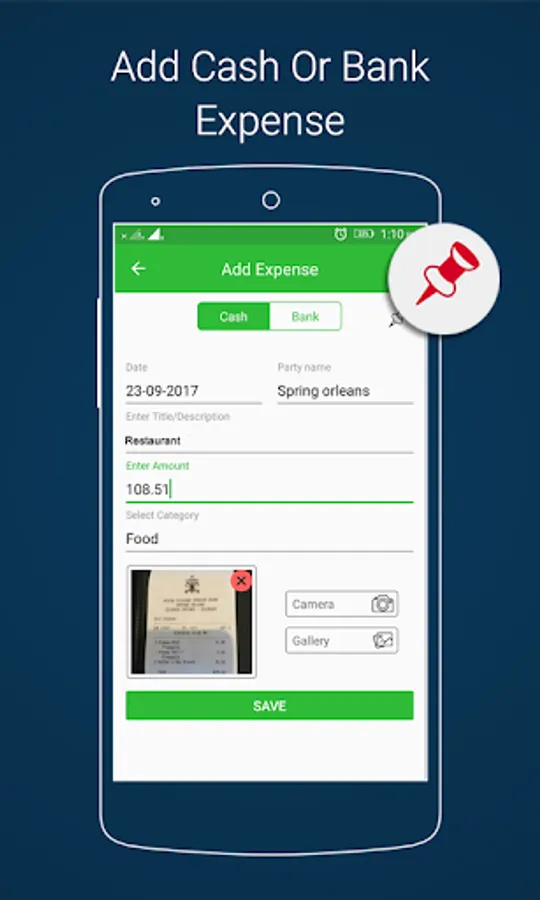
(B)Add Expense
>Addition your Expense money by Add Expense button option.
>Select your Expense type like "Cash" or "Bank".
>Select "Date" for your Expense. current date is shown by default.
>Select Account or Party or Person Name.
>Enter expense "Title/Description".
>Enter expense "Amount".
>Now user can select Expense category from list and also add more own Expense category from top right corner + sign and from app settings.
>If users Expense type is bank then select bank from bank name list or also add more banks from top right corner + sign and from app settings.
Note : If user want to pinned transaction record then in this section top right show pin option. all pinned record shows in Pinned Transactions.
(c)Filter
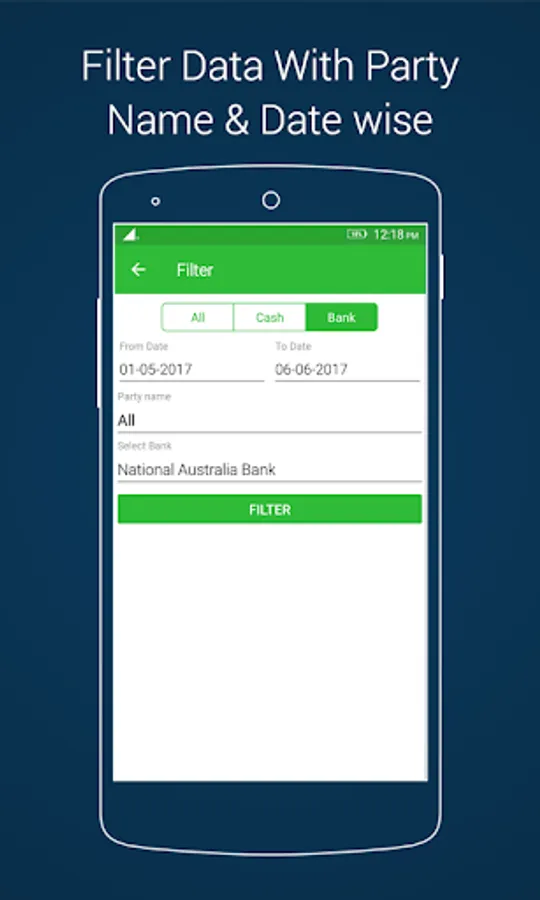
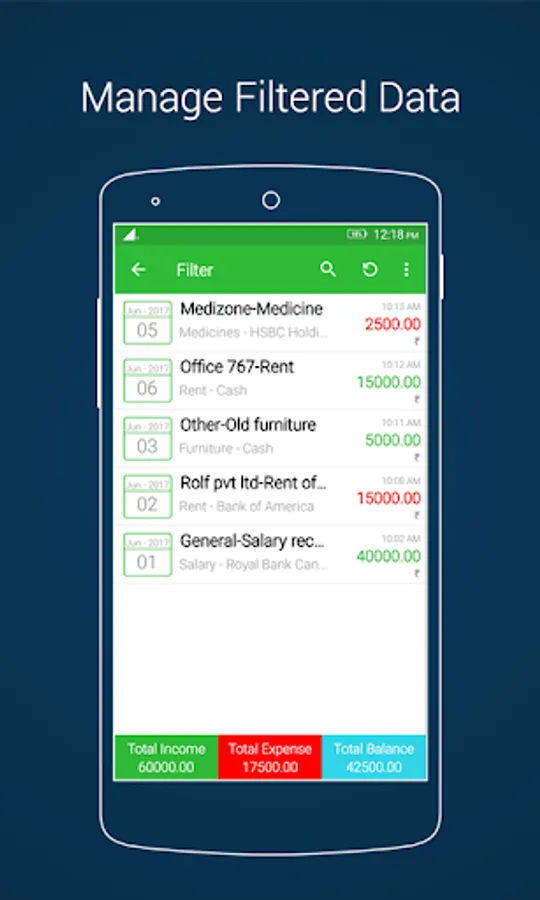
>User can search custom All,Cash,Bank transaction data with from to till date and party wise summary.
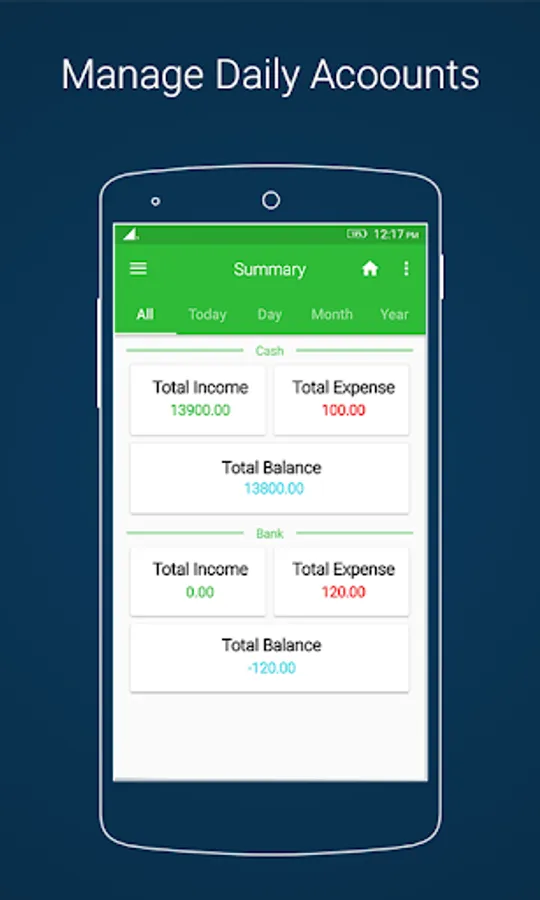
2. Summary:
Just swipe menu and click on Summary it'll shows you All,Today,Day,Month and Year wise account transaction data with search bar.
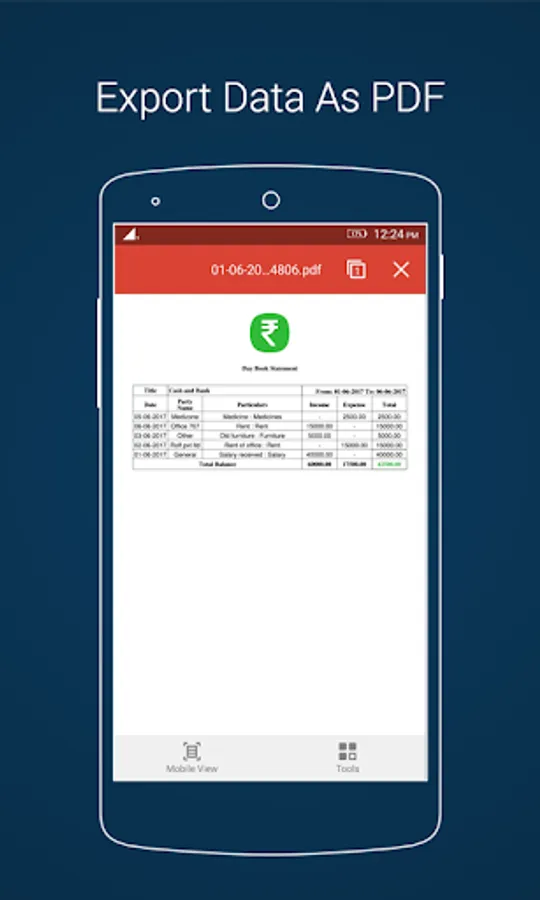
top right corner shows three dots just tap on it here four menu are define if you want to export summary report as PDF please click on it.
3. Settings:
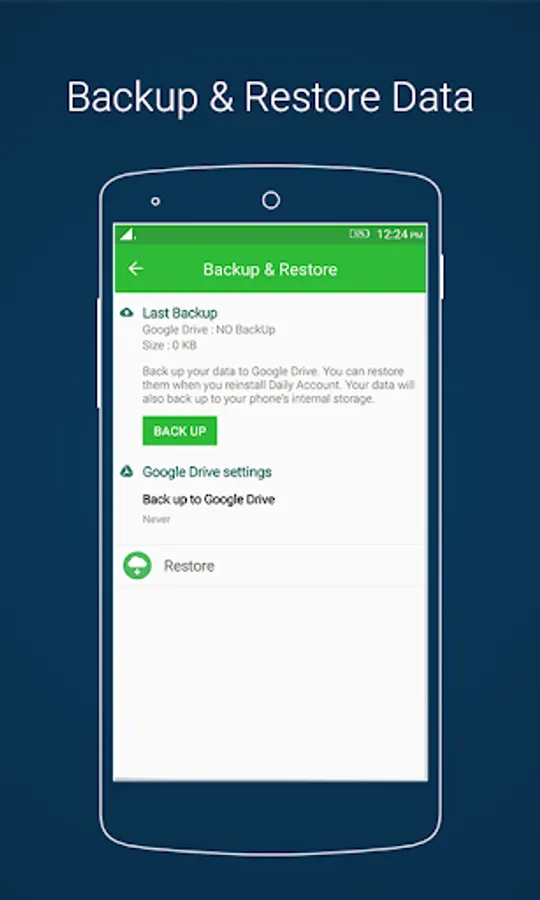
In this menu shows Income & Expense Category, Bank Name, Party Name, View PDF File, Select Language, Change Password with fingerprint if available, Change email and online Drive Data Backup & Restore options.
Unlimited free features like transactions, add bank, add income n expense category, add party, and unlimited export PDF files with account data backup and restore.
Keep your GST Accounting transaction records safe and secure.
If you have any problems or suggestions, please feel free to contact us !
Any one like collage students, teacher, corporate business men or women, hotel, hostel or home rental can track there own income and expense day, month, year and category group wise transaction record.
Basic three menus with many useful features which are as following.
1. Timeline
2. Summary (Detail Custom Report)
3. Settings
1. Timeline: In timeline user can keep and manage daily account records.
This section at bottom of page footer there are three buttons are available (A)Add Income,(B)Add Expense,(C)Filter(Custom search).
(A)Add Income
>Addition your savings income money by Add Income button option.
>Select your income type like "Cash" or "Bank".
>Select "Date" for your income. current date is shown by default.
>Select Account or Party or Person Name.
>Enter income "Title/Description".
>Enter income "Amount".
>Now user can select Income category from list and also add more own income category from top right corner + sign and from app settings.
>If users income type is bank then select bank from bank name list or also add more banks from top right corner + sign and from app settings.
Note : If user want to pinned transaction record then in this section top right show pin option. all pinned record shows in Pinned Transactions.
(B)Add Expense
>Addition your Expense money by Add Expense button option.
>Select your Expense type like "Cash" or "Bank".
>Select "Date" for your Expense. current date is shown by default.
>Select Account or Party or Person Name.
>Enter expense "Title/Description".
>Enter expense "Amount".
>Now user can select Expense category from list and also add more own Expense category from top right corner + sign and from app settings.
>If users Expense type is bank then select bank from bank name list or also add more banks from top right corner + sign and from app settings.
Note : If user want to pinned transaction record then in this section top right show pin option. all pinned record shows in Pinned Transactions.
(c)Filter
>User can search custom All,Cash,Bank transaction data with from to till date and party wise summary.
2. Summary:
Just swipe menu and click on Summary it'll shows you All,Today,Day,Month and Year wise account transaction data with search bar.
top right corner shows three dots just tap on it here four menu are define if you want to export summary report as PDF please click on it.
3. Settings:
In this menu shows Income & Expense Category, Bank Name, Party Name, View PDF File, Select Language, Change Password with fingerprint if available, Change email and online Drive Data Backup & Restore options.
Unlimited free features like transactions, add bank, add income n expense category, add party, and unlimited export PDF files with account data backup and restore.
Keep your GST Accounting transaction records safe and secure.
If you have any problems or suggestions, please feel free to contact us !
Daily Account Manager Book - I Screenshots
Tap to Rate:
Reviews for Daily Account Manager Book - I
yadav auto cool 9588864782 tech
10/2/2025
hello sir kindly send us any subricbed mode..if you hav...our data is stored their ..we are enot able to open it...kindly work on this appliaction
Ramesh Kudikala
9/16/2025
good app