
QPython Plugin for Tasker
QPythonLab
3.1 ★
30 ratings
500+
downloads
$2.99
In this app, users can create tasks in Tasker to automatically execute scripts via QPython. Includes script selection, plugin integration, and automation support.
AppRecs review analysis
AppRecs rating 3.1. Trustworthiness 0 out of 100. Review manipulation risk 0 out of 100. Based on a review sample analyzed.
★★★☆☆
3.1
AppRecs Rating
Ratings breakdown
5 star
22%
4 star
22%
3 star
22%
2 star
0%
1 star
33%
About QPython Plugin for Tasker
QPython Plugin for Tasker let you auto execute a script from Tasker.
Before start, you have to install both QPython (https://play.google.com/store/apps/details?id=org.qpython.qpy) / QPython 3S (https://play.google.com/store/apps/details?id=org.qpython.qpy3) and Tasker (https://play.google.com/store/apps/details?id=net.dinglisch.android.taskerm).
When you got QPython and Tasker ready. You can follow these steps start to use it.
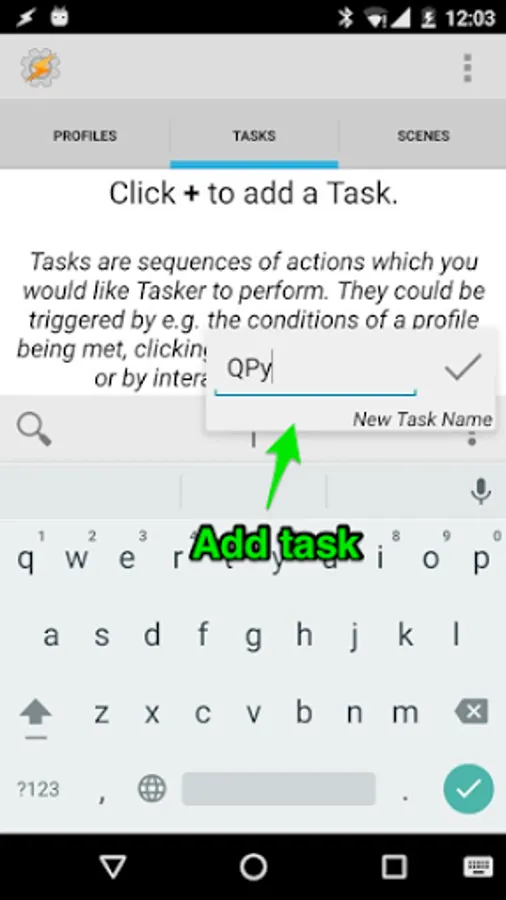
1 Open Tasker App and add a task
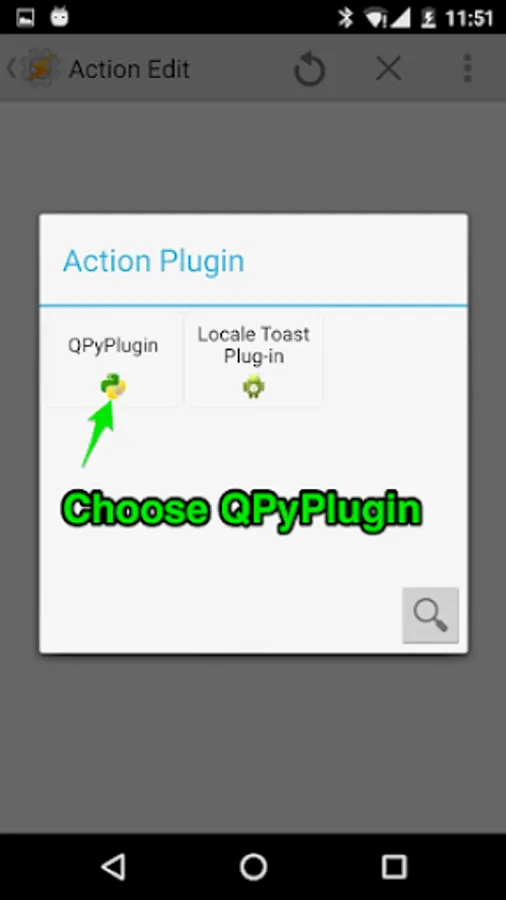
2 Choose the Plugin category
3 Use QPyPlugin
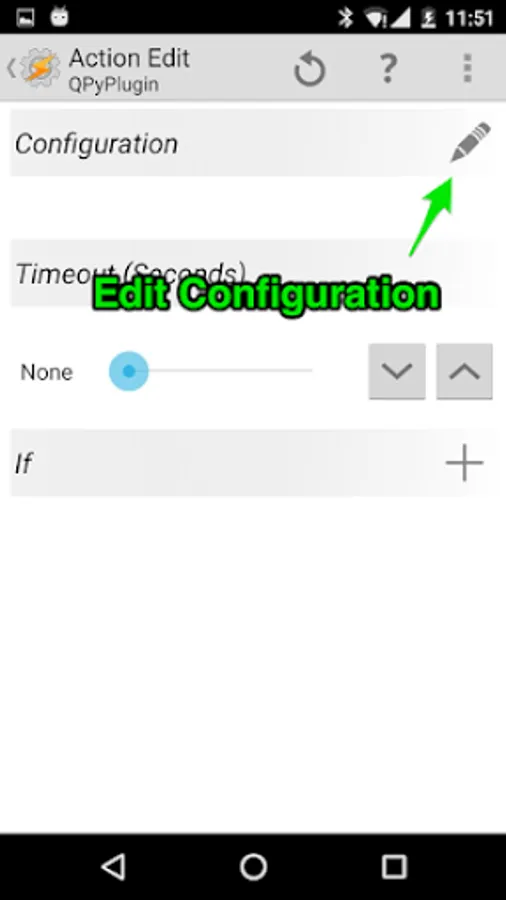
4 Edit the configuration and select the script you want
Before start, you have to install both QPython (https://play.google.com/store/apps/details?id=org.qpython.qpy) / QPython 3S (https://play.google.com/store/apps/details?id=org.qpython.qpy3) and Tasker (https://play.google.com/store/apps/details?id=net.dinglisch.android.taskerm).
When you got QPython and Tasker ready. You can follow these steps start to use it.
1 Open Tasker App and add a task
2 Choose the Plugin category
3 Use QPyPlugin
4 Edit the configuration and select the script you want
QPython Plugin for Tasker Screenshots


Tap to Rate: