SpokenWord Audiobook Player
Wiltech
4.1 ★
store rating
10,000+
downloads
Free
AppRecs review analysis
AppRecs rating 3.6. Trustworthiness 49 out of 100. Review manipulation risk 30 out of 100. Based on a review sample analyzed.
★★★☆☆
3.6
AppRecs Rating
Ratings breakdown
5 star
70%
4 star
3%
3 star
6%
2 star
11%
1 star
11%
What to know
✓
Authentic reviews
Natural distribution, no red flags
⚠
Ad complaints
Many low ratings mention excessive ads
About SpokenWord Audiobook Player
Innovative player specially designed for audiobooks and other long recordings, SpokenWord Audiobook Player features:
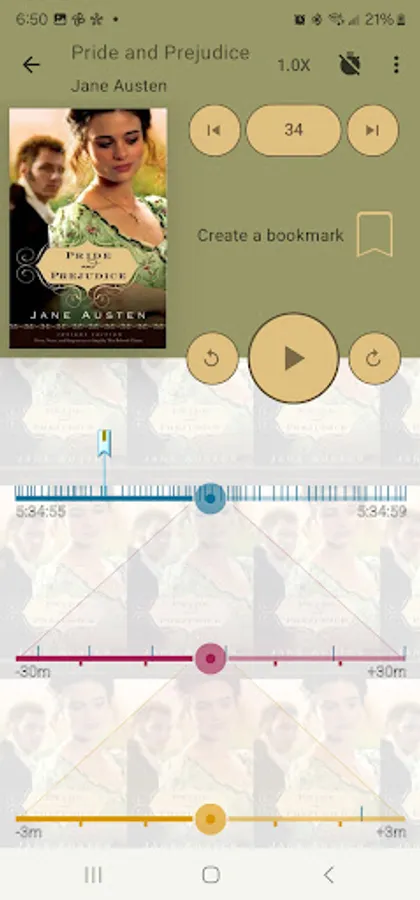
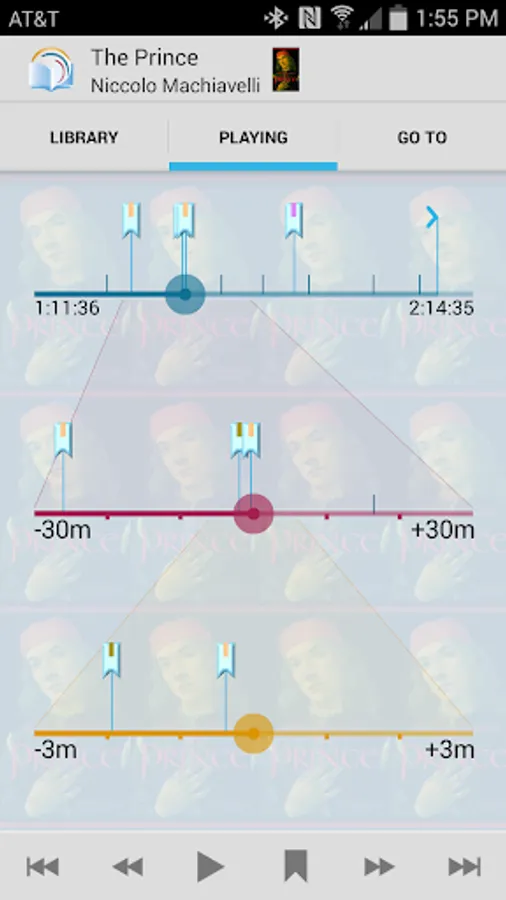
- Unique book navigation system with bars for coarse, fine, and finest navigation to switch to any position in the audiobook in a few, if not in one, touch.
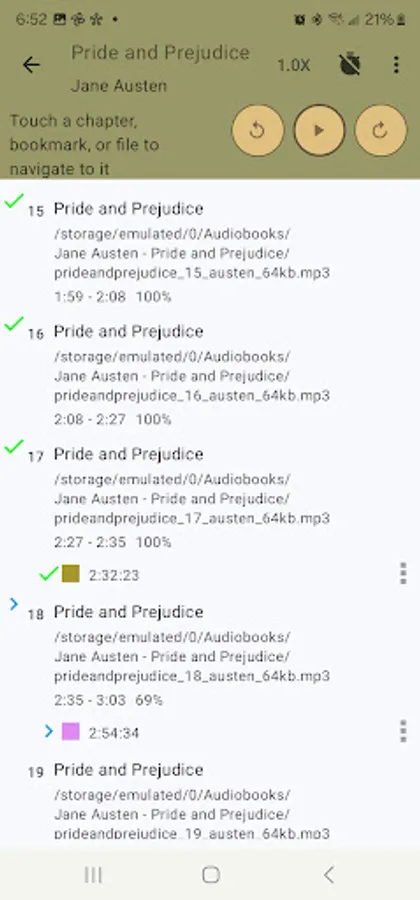
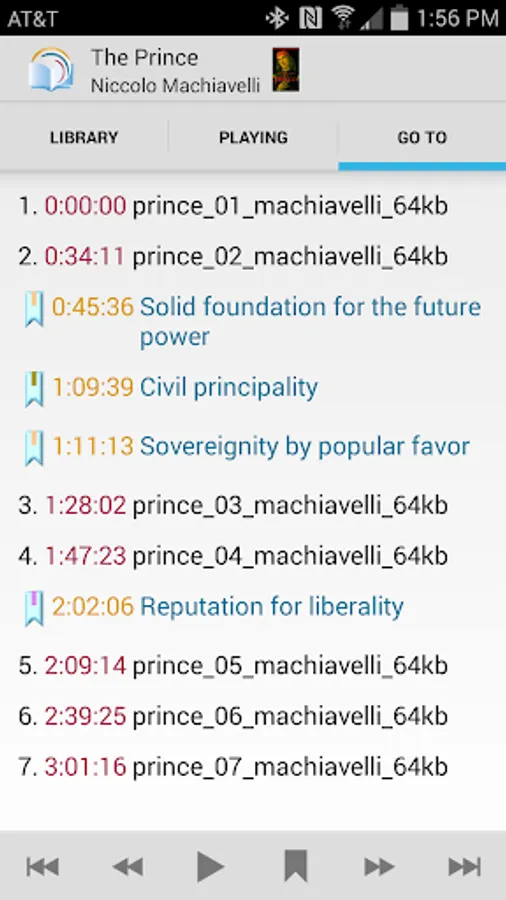
- Original concept of interactive visual time marks, when bookmarks, last point reached, and last point of interaction marks are shown right on the player screen navigation bars for one click navigation. No more traversing menus to find your bookmarks. No more loosing you current playback position after replaying previously stored bookmark, seeking for some content, or changing the playback position by mistake.
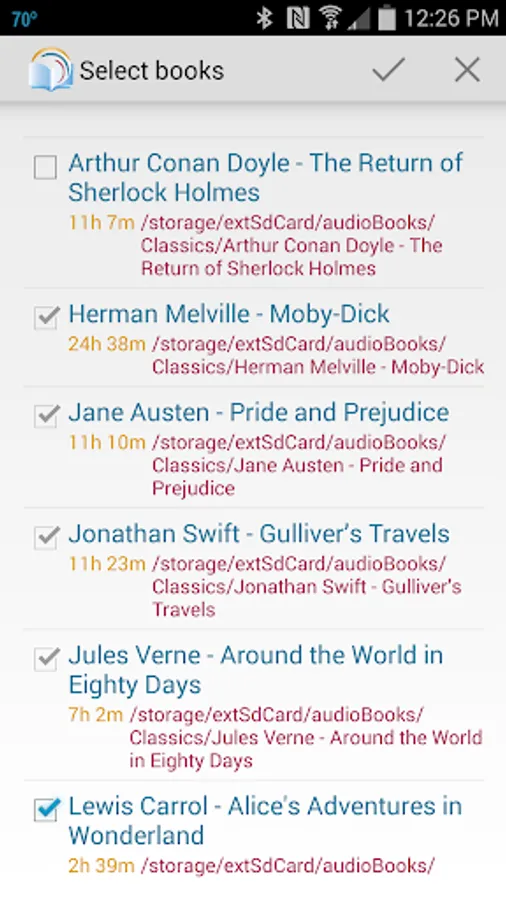
- Ability to import and play books stored in Dropbox.
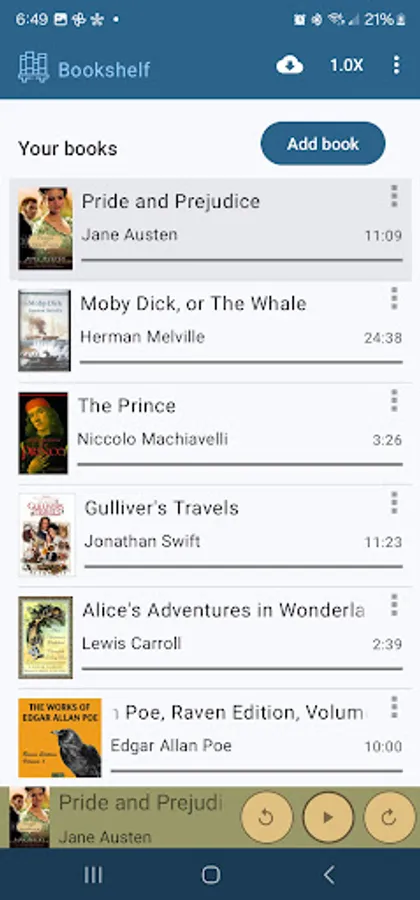
- Ability to play multi-folders books - a feature that many other audiobook players lack.
- Ability to sort audio files by tags and smart name sorting (when "Chapter 10" follows "Chapter 9").
- Ability to pause and resume playback from the lock screen.
- Notification with ability to play, pause, or rewind playback.
- Traditional playback controls (play / pause, rewind, fast forward, next and previous) and ways of navigation.
Enjoy the advanced navigation functionality for free for 45 days, after which you may either buy a full license for all your qualified Android devices or continue using the basic version of the application.
To use SpokenWord Audiobook Player:
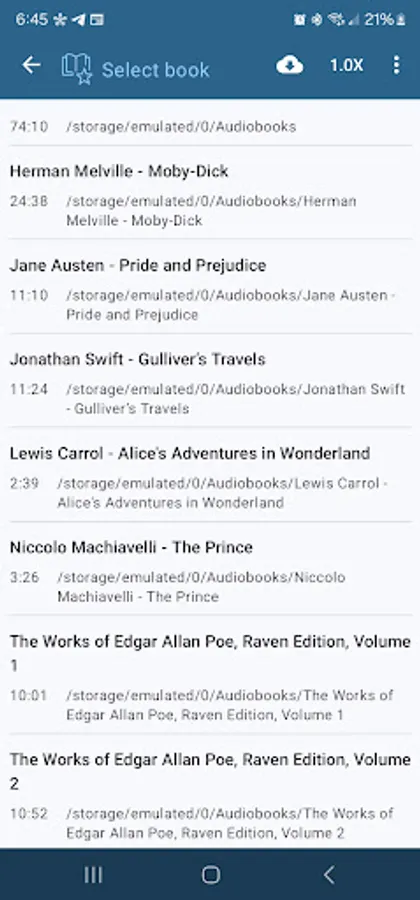
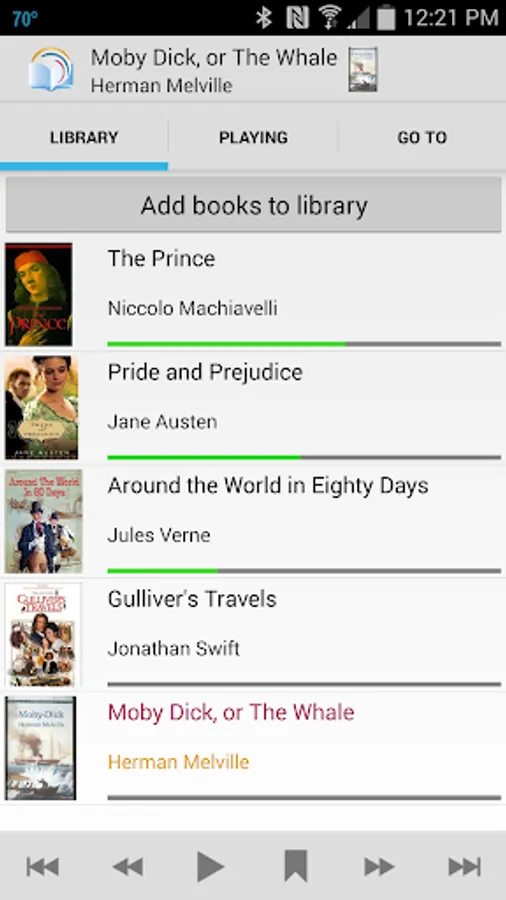
The audiobook files must be copied to your device and stored in a separate folder. The book folder may consist of audio files or sub-folders with audio files. If a book folder or its sub-folder contains an image file, it will be a first choice for a book cover, though you can use any image from your gallery for this purpose.
Alternative the book may be imported from a Dropbox folder.
SpokenWord Audiobook Player requires the following permissions:
access files on your device - to play audio files and load book covers
Also, to import audiobooks from Dropbox the app must be allowed to read files astored in Dropbox. Dropbox will ask you for the permission the first time you connect to it.
© 2014-2019 Wiltech
U.S. Pat. No. 9575642.
- Unique book navigation system with bars for coarse, fine, and finest navigation to switch to any position in the audiobook in a few, if not in one, touch.
- Original concept of interactive visual time marks, when bookmarks, last point reached, and last point of interaction marks are shown right on the player screen navigation bars for one click navigation. No more traversing menus to find your bookmarks. No more loosing you current playback position after replaying previously stored bookmark, seeking for some content, or changing the playback position by mistake.
- Ability to import and play books stored in Dropbox.
- Ability to play multi-folders books - a feature that many other audiobook players lack.
- Ability to sort audio files by tags and smart name sorting (when "Chapter 10" follows "Chapter 9").
- Ability to pause and resume playback from the lock screen.
- Notification with ability to play, pause, or rewind playback.
- Traditional playback controls (play / pause, rewind, fast forward, next and previous) and ways of navigation.
Enjoy the advanced navigation functionality for free for 45 days, after which you may either buy a full license for all your qualified Android devices or continue using the basic version of the application.
To use SpokenWord Audiobook Player:
The audiobook files must be copied to your device and stored in a separate folder. The book folder may consist of audio files or sub-folders with audio files. If a book folder or its sub-folder contains an image file, it will be a first choice for a book cover, though you can use any image from your gallery for this purpose.
Alternative the book may be imported from a Dropbox folder.
SpokenWord Audiobook Player requires the following permissions:
access files on your device - to play audio files and load book covers
Also, to import audiobooks from Dropbox the app must be allowed to read files astored in Dropbox. Dropbox will ask you for the permission the first time you connect to it.
© 2014-2019 Wiltech
U.S. Pat. No. 9575642.