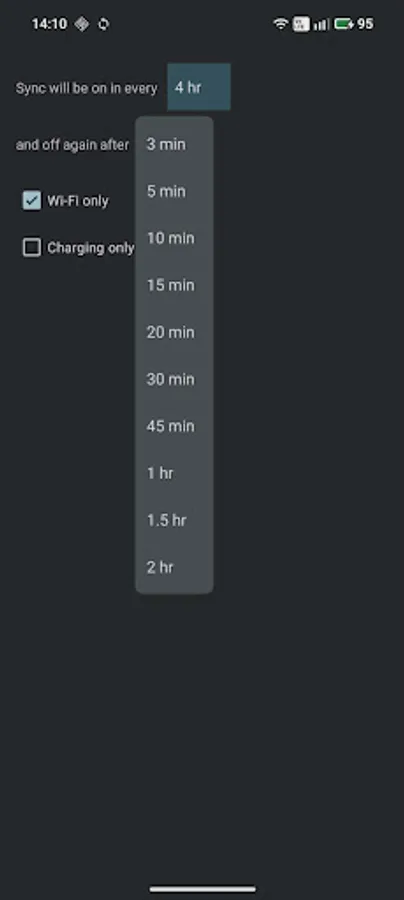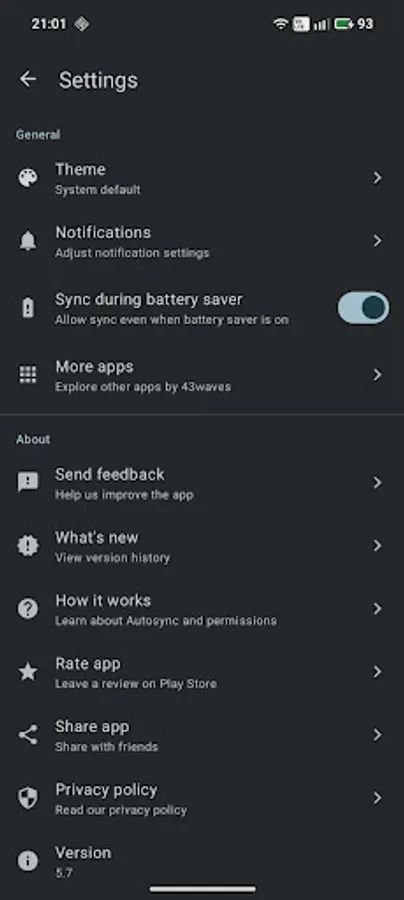
In this app, you can manage device sync settings to optimize battery life by setting conditions for automatic sync activation. Includes customizable sync modes, quick control options, and battery saver integration.
AppRecs review analysis
AppRecs rating 4.0. Trustworthiness 79 out of 100. Review manipulation risk 29 out of 100. Based on a review sample analyzed.
★★★★☆
4.0
AppRecs Rating
Ratings breakdown
5 star
66%
4 star
13%
3 star
6%
2 star
3%
1 star
12%
What to know
✓
Low review manipulation risk
29% review manipulation risk
✓
Credible reviews
79% trustworthiness score from analyzed reviews
⚠
Ad complaints
Many low ratings mention excessive ads
About Autosync
Autosync helps you save battery by controlling when your device syncs. Instead of constantly syncing in the background and draining your battery, Autosync lets you choose smart conditions for syncing.
🔋 SAVE BATTERY
Continuous background sync drains your battery. Autosync pauses sync until conditions you choose are met, then automatically enables it—saving power without missing important updates.
⚡ SYNC MODES
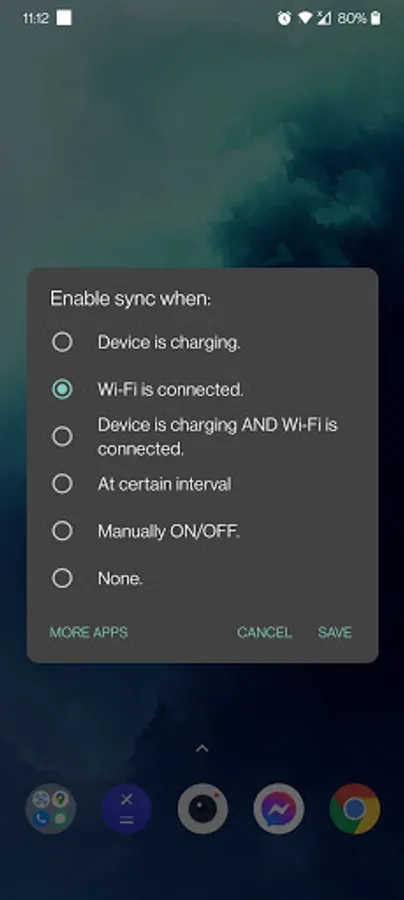
Choose how you want to sync:
• Charging — Sync only when plugged in. Perfect for overnight syncing.
• Wi-Fi — Sync only on Wi-Fi. Save mobile data and battery.
• Charging + Wi-Fi — Maximum battery savings. Sync only when both conditions are met.
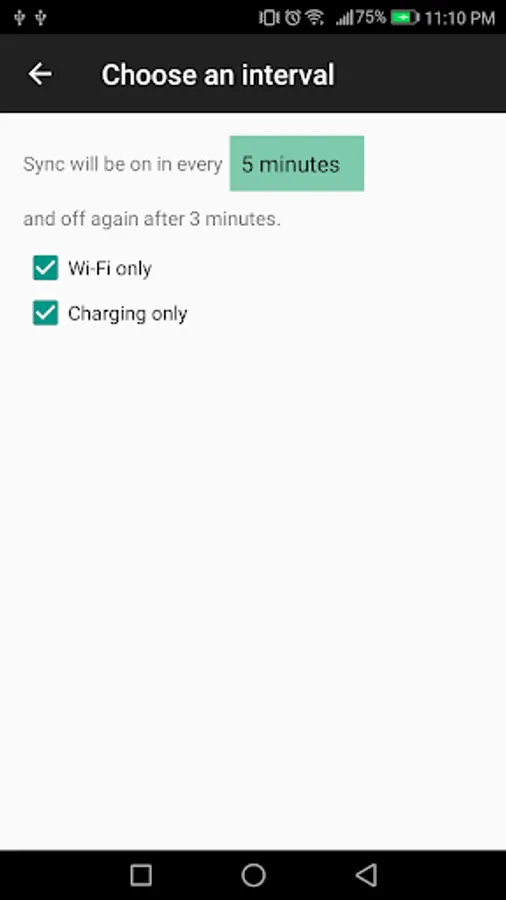
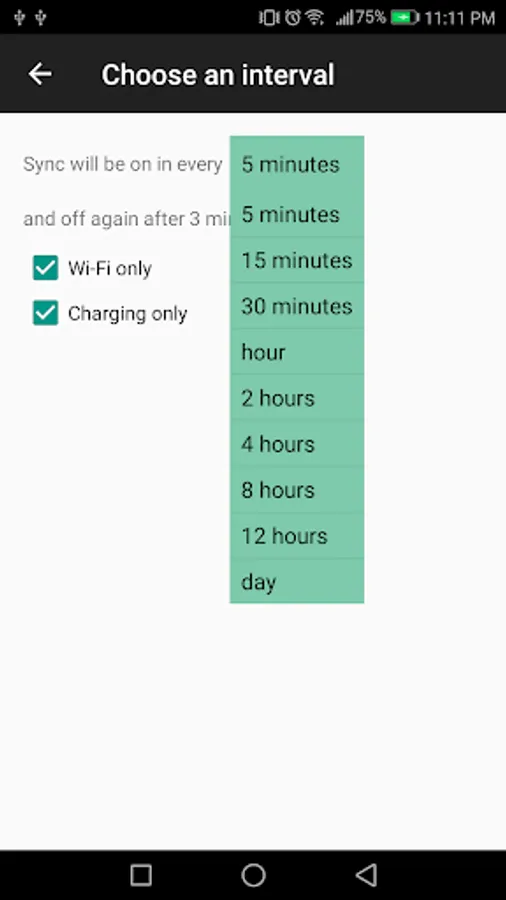
• Interval — Sync on a schedule (every 5 min to 24 hours). Choose how long sync stays on each time (3 min to 2 hours). Great for emails and calendars.
• Manual — Full control via notification toggle. Sync when you decide.
• None — Keep your current system settings.
📱 QUICK CONTROL
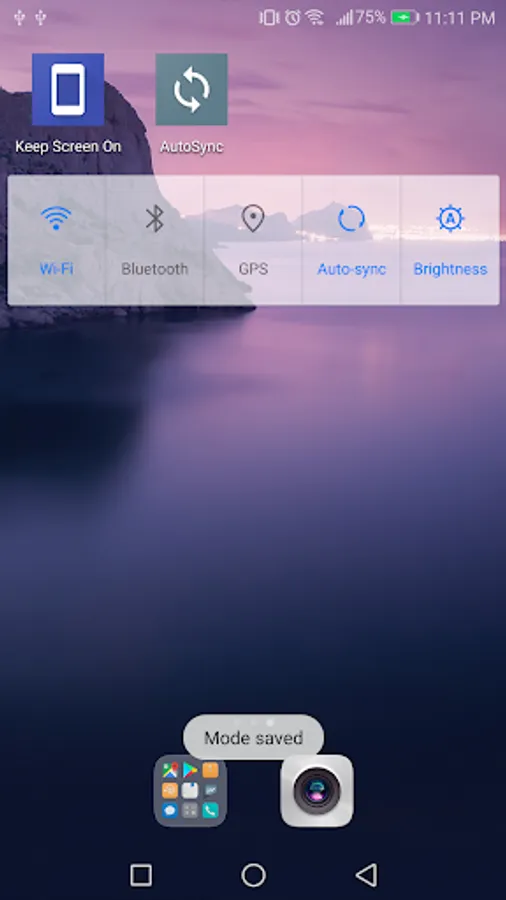
• Toggle sync on/off directly from the notification bar
• See current sync status at a glance
• Battery saver integration—pauses sync when battery saver is active (configurable in Settings)
🎨 MODERN DESIGN
• Clean Material Design 3 interface
• Light and dark theme support
• Follows your system theme automatically
🌍 AVAILABLE IN 15 LANGUAGES
English, Arabic, Chinese (Simplified & Traditional), French, German, Hindi, Indonesian, Italian, Japanese, Korean, Portuguese, Russian, Spanish, Turkish, and Vietnamese.
🔒 PRIVACY FOCUSED
• No account required
• No personal data collected
• Works entirely on your device
⚙️ HOW IT WORKS
Autosync controls Android's "master sync" setting—the same toggle you find in Settings > Accounts. When sync is off, apps won't sync in the background. When Autosync detects your chosen conditions (charging, Wi-Fi, etc.), it automatically enables sync so your apps can update.
Perfect for:
• Extending battery life on older devices
• Reducing mobile data usage
• Syncing emails and calendars on a schedule
• Having full control over when apps sync
Download Autosync today and take control of your battery life!
🔋 SAVE BATTERY
Continuous background sync drains your battery. Autosync pauses sync until conditions you choose are met, then automatically enables it—saving power without missing important updates.
⚡ SYNC MODES
Choose how you want to sync:
• Charging — Sync only when plugged in. Perfect for overnight syncing.
• Wi-Fi — Sync only on Wi-Fi. Save mobile data and battery.
• Charging + Wi-Fi — Maximum battery savings. Sync only when both conditions are met.
• Interval — Sync on a schedule (every 5 min to 24 hours). Choose how long sync stays on each time (3 min to 2 hours). Great for emails and calendars.
• Manual — Full control via notification toggle. Sync when you decide.
• None — Keep your current system settings.
📱 QUICK CONTROL
• Toggle sync on/off directly from the notification bar
• See current sync status at a glance
• Battery saver integration—pauses sync when battery saver is active (configurable in Settings)
🎨 MODERN DESIGN
• Clean Material Design 3 interface
• Light and dark theme support
• Follows your system theme automatically
🌍 AVAILABLE IN 15 LANGUAGES
English, Arabic, Chinese (Simplified & Traditional), French, German, Hindi, Indonesian, Italian, Japanese, Korean, Portuguese, Russian, Spanish, Turkish, and Vietnamese.
🔒 PRIVACY FOCUSED
• No account required
• No personal data collected
• Works entirely on your device
⚙️ HOW IT WORKS
Autosync controls Android's "master sync" setting—the same toggle you find in Settings > Accounts. When sync is off, apps won't sync in the background. When Autosync detects your chosen conditions (charging, Wi-Fi, etc.), it automatically enables sync so your apps can update.
Perfect for:
• Extending battery life on older devices
• Reducing mobile data usage
• Syncing emails and calendars on a schedule
• Having full control over when apps sync
Download Autosync today and take control of your battery life!