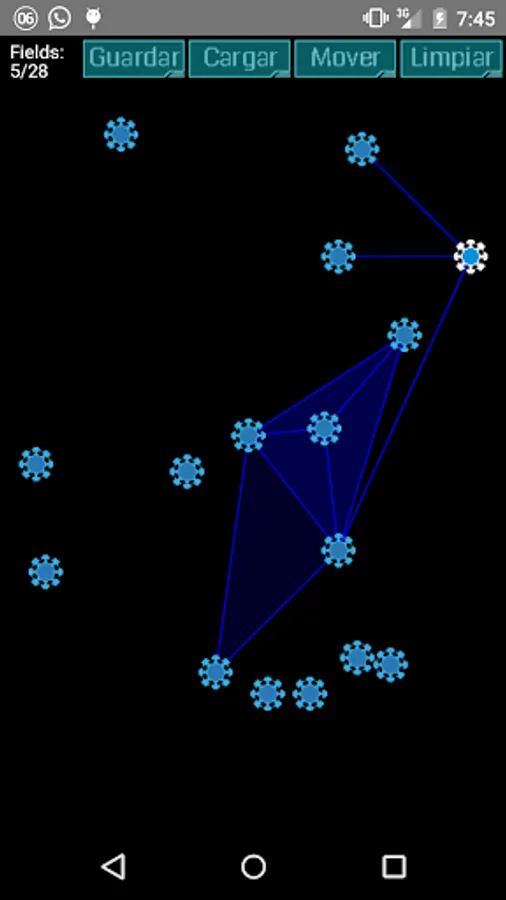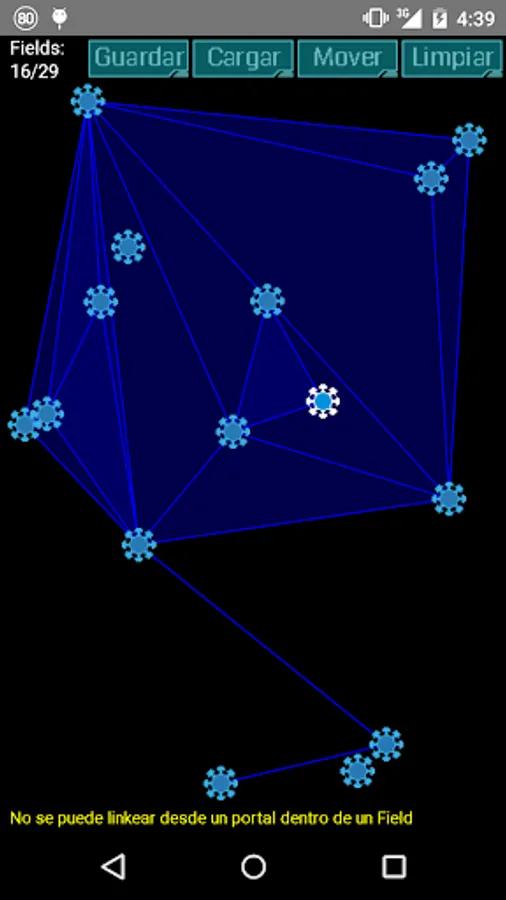
In this simulator, you can practice creating links between portals and forming control fields using specific rules. Includes indicators for control fields created, map coverage area, and action points.
AppRecs review analysis
AppRecs rating 3.4. Trustworthiness 0 out of 100. Review manipulation risk 0 out of 100. Based on a review sample analyzed.
★★★☆☆
3.4
AppRecs Rating
Ratings breakdown
5 star
44%
4 star
14%
3 star
14%
2 star
0%
1 star
29%
What to know
✓
Authentic reviews
Natural distribution, no red flags
About Linking
How many fields you are able to do?
This application is a simulator to practice making "Control Fields" on Ingress (www.ingress.com)
Basic Rules:
-Create a 'link' from a base portal to a target portal to connect then.
-Link 3 portals together to make a "field.
-A Link can't cut a existing link.
-You can make only 8 links from a portal (base), but it can receive countless links to other portals.
-You can't make a link from a portal within a field, but it can receive links.
-When you link at most two fields are created (the largest field on each side of the link).
Try to make the most fields, that is, make a perfect linking!
Three indicators are displayed on the screen:
1) CF: Displays the amount of Control Fields made. Can you make a perfect linking?
2) MU: These are not real MUs, but indicates the area of the covered map. There are several ways to make a perfect linking for the same map, but some ways generate more MUs.
3) AP: It is the calculation of Action Points that is obtained with the links and fields made.
This application is a simulator to practice making "Control Fields" on Ingress (www.ingress.com)
Basic Rules:
-Create a 'link' from a base portal to a target portal to connect then.
-Link 3 portals together to make a "field.
-A Link can't cut a existing link.
-You can make only 8 links from a portal (base), but it can receive countless links to other portals.
-You can't make a link from a portal within a field, but it can receive links.
-When you link at most two fields are created (the largest field on each side of the link).
Try to make the most fields, that is, make a perfect linking!
Three indicators are displayed on the screen:
1) CF: Displays the amount of Control Fields made. Can you make a perfect linking?
2) MU: These are not real MUs, but indicates the area of the covered map. There are several ways to make a perfect linking for the same map, but some ways generate more MUs.
3) AP: It is the calculation of Action Points that is obtained with the links and fields made.