
AppRecs review analysis
AppRecs rating . Trustworthiness 77 out of 100. Review manipulation risk 18 out of 100. Based on a review sample analyzed.
★
AppRecs Rating
Ratings breakdown
5 star
0%
4 star
0%
3 star
33%
2 star
0%
1 star
67%
What to know
✓
Low review manipulation risk
18% review manipulation risk
✓
Credible reviews
77% trustworthiness score from analyzed reviews
⚠
Mixed user feedback
Average 1.7★ rating suggests room for improvement
About SmartGuide - Accu-Chek CGM
The app’s main features at a glance:
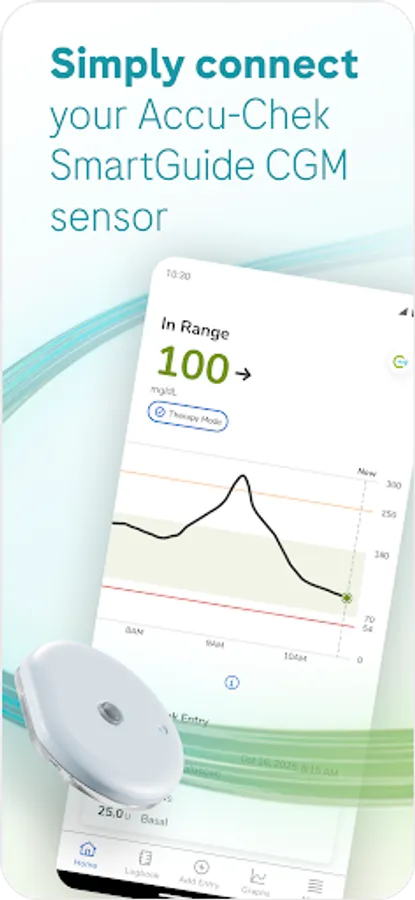
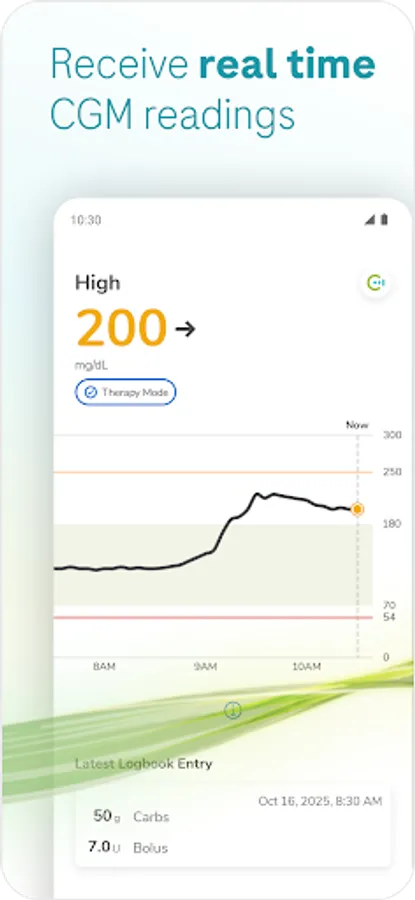
• Real-time CGM: Access real-time glucose values directly on your mobile device and on your Apple Watch.
• Home screen: Take a look at important information to help you manage your diabetes. This information can help you take the necessary action to optimize your glucose control.
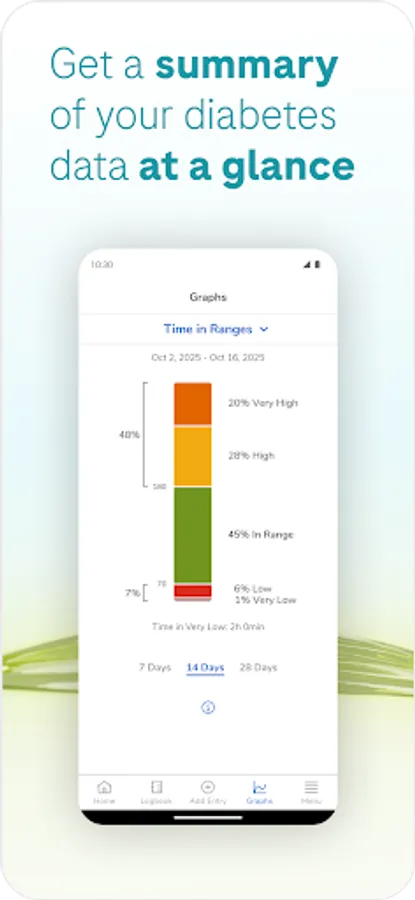
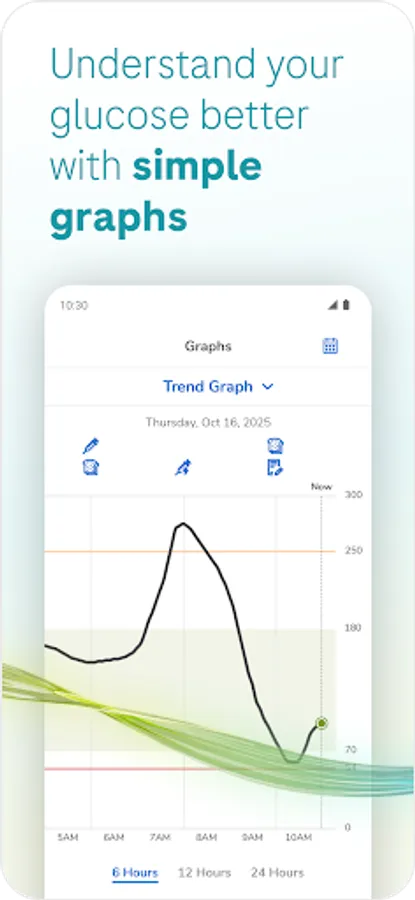
• Graphs and statistics: Review your historical glucose values and identify potential areas for improvement.
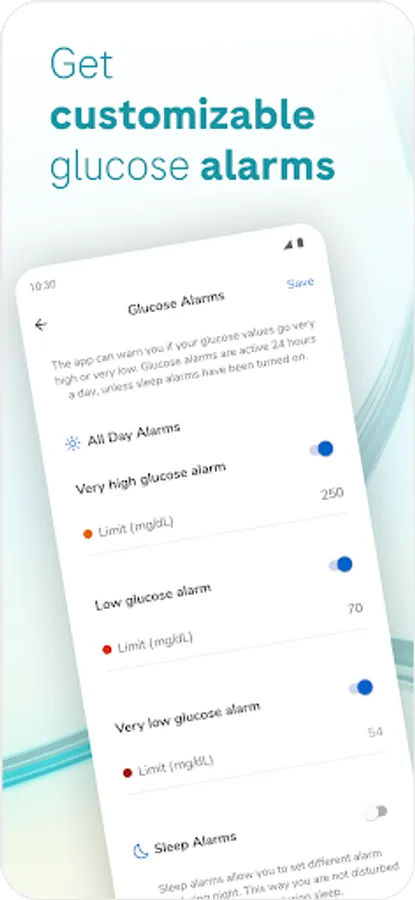
• Alarms: When alarms are turned on, you receive an alarm when your glucose value falls below or exceeds your defined limits. You can turn off these alarms if you don’t want to receive them.
• Customizable settings: Meet your personal needs and preferences through customizable settings.
What you need for using the app:
• An Accu-Chek SmartGuide device consisting of an applicator and a sensor
• A compatible mobile device
• A personal email address to register your Accu-Chek account
Who can use the app:
• Adults, 18 years of age and older
• People with diabetes
• Caregivers of people with diabetes
Download now to experience our way of continuous glucose monitoring!
You will then have continuous information to help manage your diabetes or make lifestyle changes.
SUPPORT
If you encounter problems, have questions, or need more information about the Accu-Chek SmartGuide app or Accu-Chek SmartGuide device, contact customer support. In the app, go to Menu > Contact Us.
NOTE
The continuous glucose monitoring app (CGM app) is intended for continuous display and read-out of real-time glucose values from a connected device sensor.
If you are not an intended user, proper and safe operation of the application can’t be guaranteed.
To help you get familiar with all the functions of the app, read the User’s Manual carefully. In the app, go to Menu > User’s Manual.
SUPPORTED MOBILE DEVICES
For the latest information on compatible mobile devices, see https://tools.accu-chek.com/documents/dms/index.html.
The app is an approved medical device with a CE mark (CE0123).
ACCU-CHEK and ACCU-CHEK SMARTGUIDE are trademarks of Roche.
Apple Watch, watchOS, and iPhone are trademarks of Apple Inc., registered in the U.S. and other countries.
App Store is a service mark of Apple Inc., registered in the U.S. and other countries.
IOS is a trademark or registered trademark of Cisco in the U.S. and other countries.
The Bluetooth® word mark and logos are registered trademarks owned by Bluetooth SIG, Inc. and any use of such marks by Roche is under license.
All other product names and trademarks are the property of their respective owners.
© 2025 Roche Diabetes Care
Roche Diabetes Care GmbH
Sandhofer Strasse 116
68305 Mannheim, Germany
www.accu-chek.com
• Real-time CGM: Access real-time glucose values directly on your mobile device and on your Apple Watch.
• Home screen: Take a look at important information to help you manage your diabetes. This information can help you take the necessary action to optimize your glucose control.
• Graphs and statistics: Review your historical glucose values and identify potential areas for improvement.
• Alarms: When alarms are turned on, you receive an alarm when your glucose value falls below or exceeds your defined limits. You can turn off these alarms if you don’t want to receive them.
• Customizable settings: Meet your personal needs and preferences through customizable settings.
What you need for using the app:
• An Accu-Chek SmartGuide device consisting of an applicator and a sensor
• A compatible mobile device
• A personal email address to register your Accu-Chek account
Who can use the app:
• Adults, 18 years of age and older
• People with diabetes
• Caregivers of people with diabetes
Download now to experience our way of continuous glucose monitoring!
You will then have continuous information to help manage your diabetes or make lifestyle changes.
SUPPORT
If you encounter problems, have questions, or need more information about the Accu-Chek SmartGuide app or Accu-Chek SmartGuide device, contact customer support. In the app, go to Menu > Contact Us.
NOTE
The continuous glucose monitoring app (CGM app) is intended for continuous display and read-out of real-time glucose values from a connected device sensor.
If you are not an intended user, proper and safe operation of the application can’t be guaranteed.
To help you get familiar with all the functions of the app, read the User’s Manual carefully. In the app, go to Menu > User’s Manual.
SUPPORTED MOBILE DEVICES
For the latest information on compatible mobile devices, see https://tools.accu-chek.com/documents/dms/index.html.
The app is an approved medical device with a CE mark (CE0123).
ACCU-CHEK and ACCU-CHEK SMARTGUIDE are trademarks of Roche.
Apple Watch, watchOS, and iPhone are trademarks of Apple Inc., registered in the U.S. and other countries.
App Store is a service mark of Apple Inc., registered in the U.S. and other countries.
IOS is a trademark or registered trademark of Cisco in the U.S. and other countries.
The Bluetooth® word mark and logos are registered trademarks owned by Bluetooth SIG, Inc. and any use of such marks by Roche is under license.
All other product names and trademarks are the property of their respective owners.
© 2025 Roche Diabetes Care
Roche Diabetes Care GmbH
Sandhofer Strasse 116
68305 Mannheim, Germany
www.accu-chek.com
SmartGuide - Accu-Chek CGM Screenshots

Tap to Rate:
Reviews for SmartGuide - Accu-Chek CGM
Adnan Osmanovic
12/25/2025
It works on Galaxy A14, but not on A54 5g. Visually the app is ok, clear, easy to use, but it doesn't work on my phone
Dino Kurtovic
12/18/2025
This aoo cannot connect to sensor. Does not work on Samsung A56 5G