AppRecs review analysis
AppRecs rating . Trustworthiness 74 out of 100. Review manipulation risk 30 out of 100. Based on a review sample analyzed.
★
AppRecs Rating
Ratings breakdown
5 star
67%
4 star
33%
3 star
0%
2 star
0%
1 star
0%
What to know
✓
Credible reviews
74% trustworthiness score from analyzed reviews
✓
High user satisfaction
67% of sampled ratings are 5 stars
About R&S MobileView
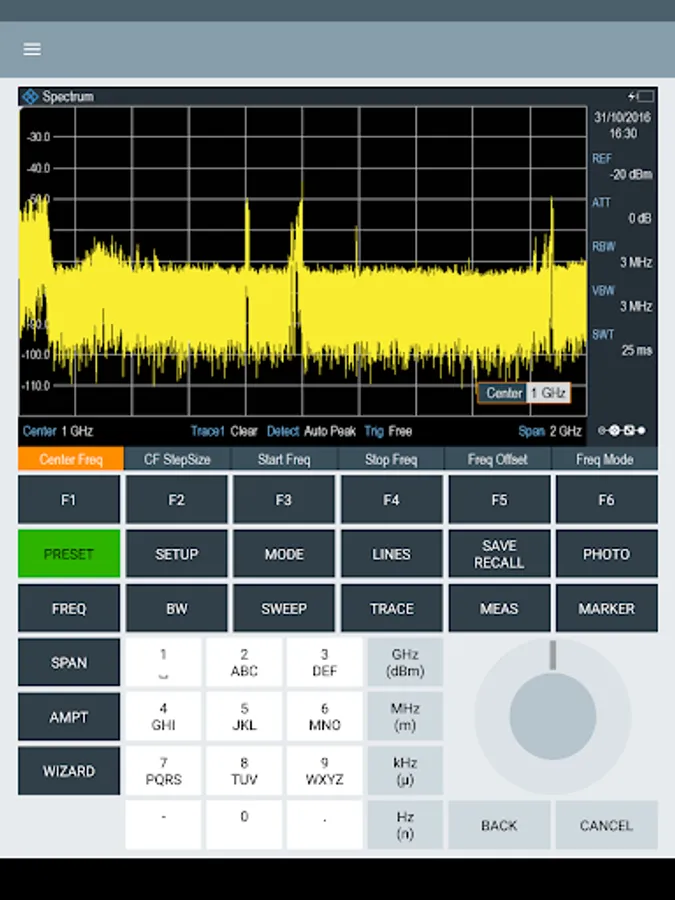
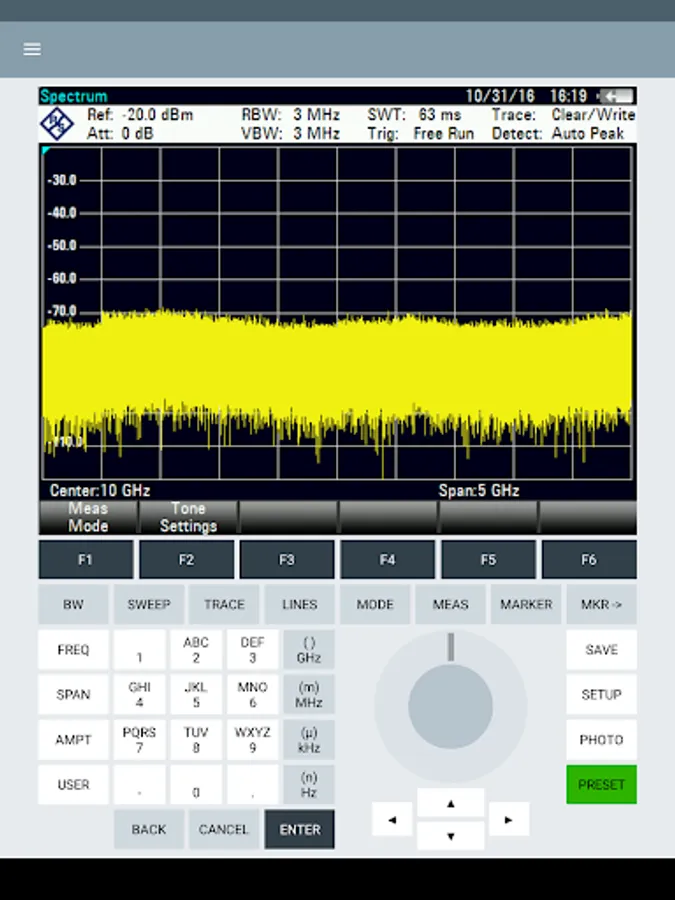
R&S Mobile View enables you to conveniently monitor and control Rohde & Schwarz
Value instruments on your Android tablet or smartphone. The built-in File Transfer utility
allows for easy file management between the instrument and your mobile device.
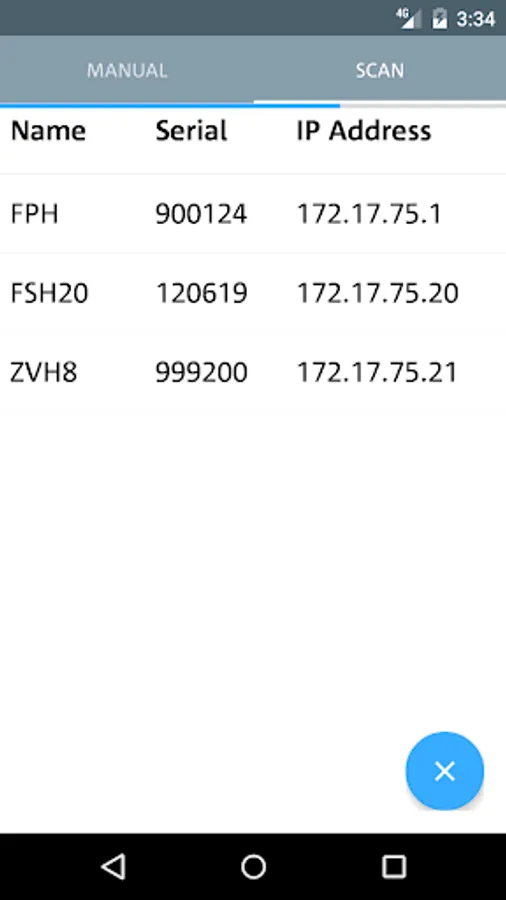
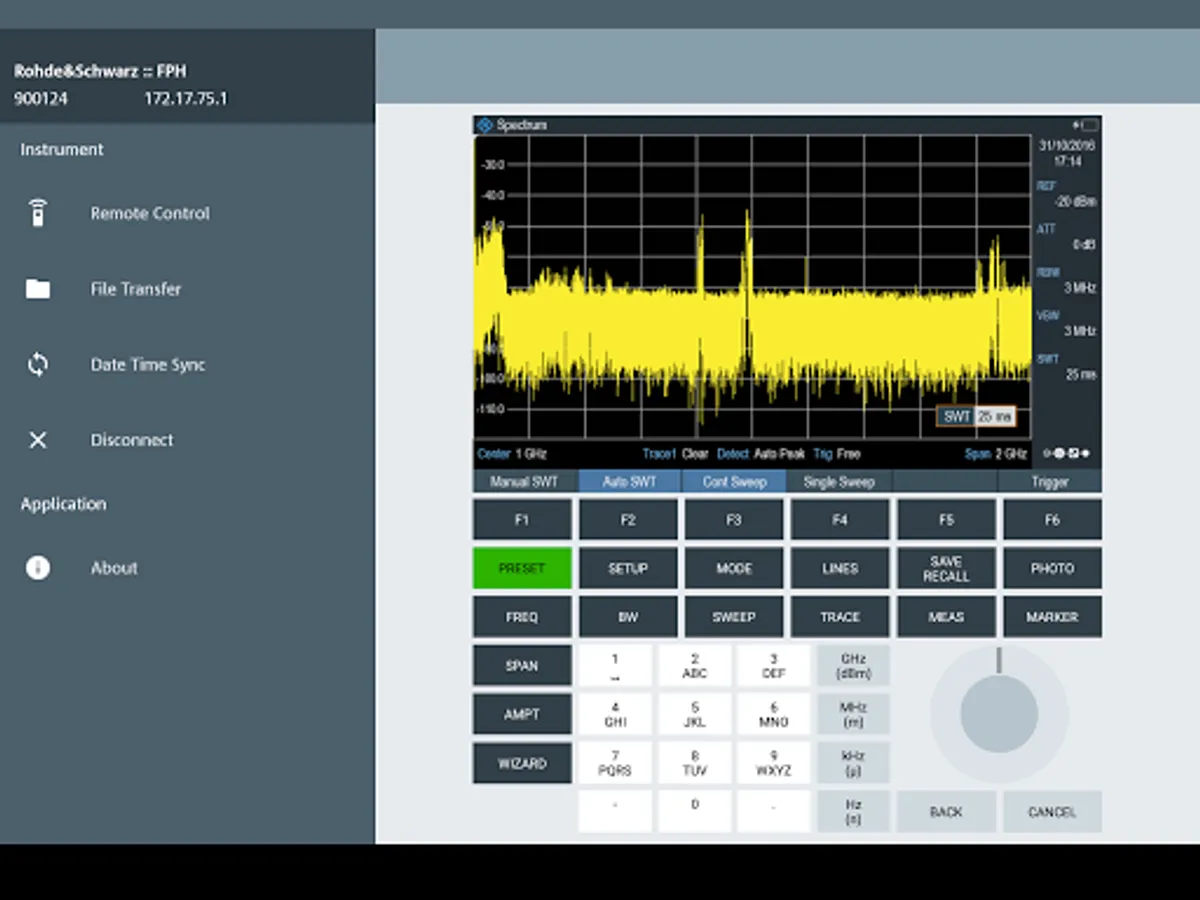
After starting R&S Mobile View you can easily connect to an instrument anywhere in the
world using its IP address or automatically scan for supported devices in your local
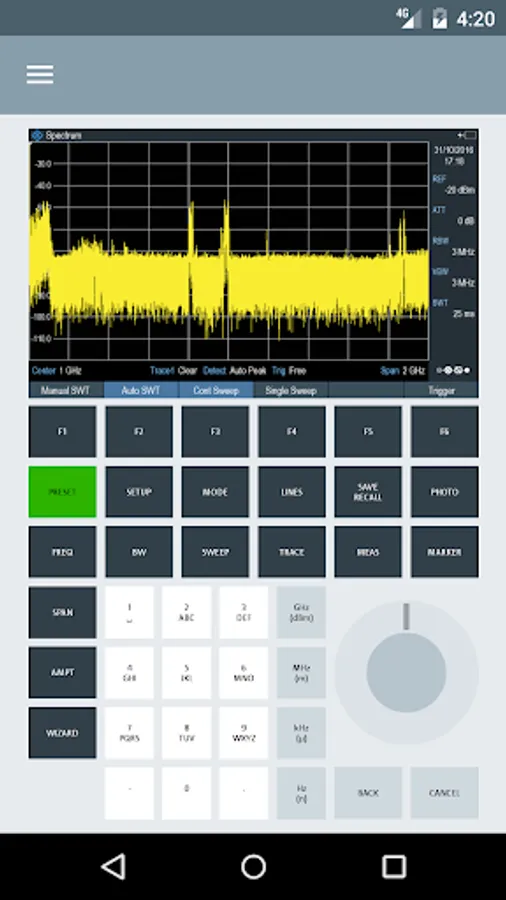
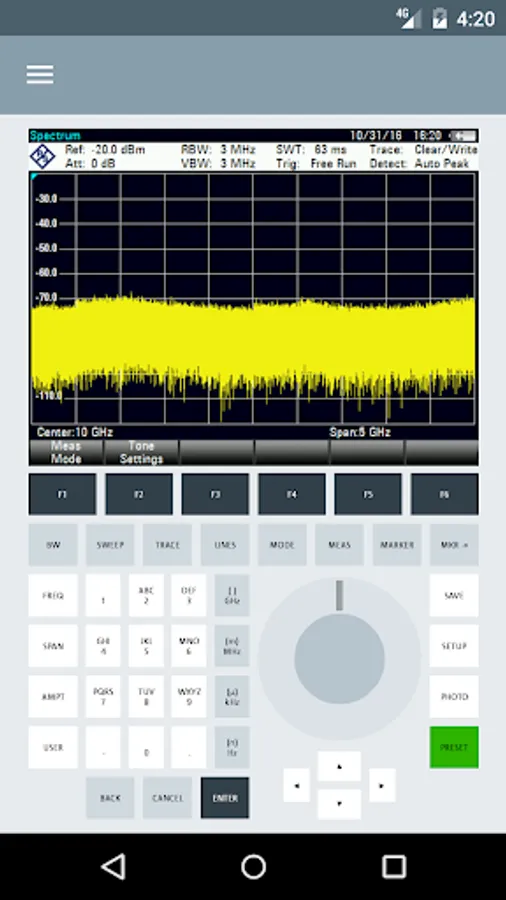
network. Once a connection has been established, you will automatically be presented
with the Remote Control environment tailored for your instrument type.
Navigating through the App is done using a menu which is easily accessible by swiping
from the left side of the screen. For larger screen sizes, this menu is shown by default
when in landscape mode.
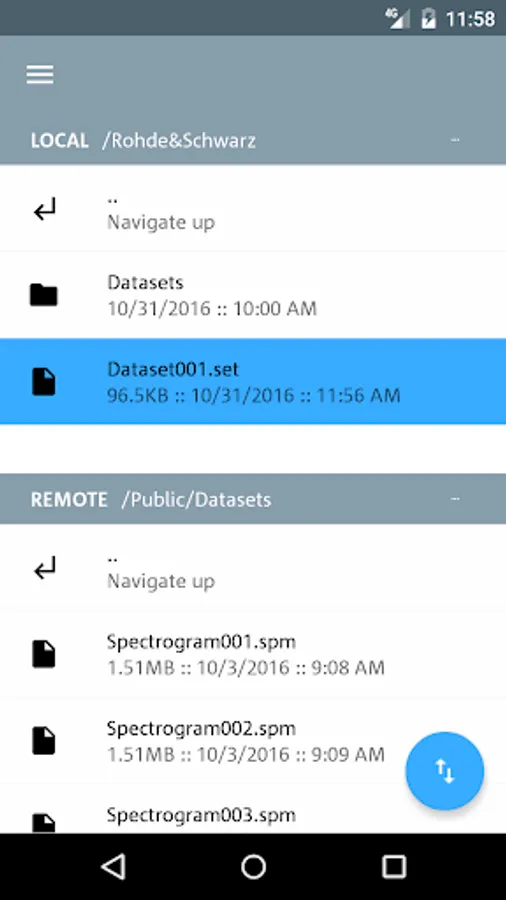
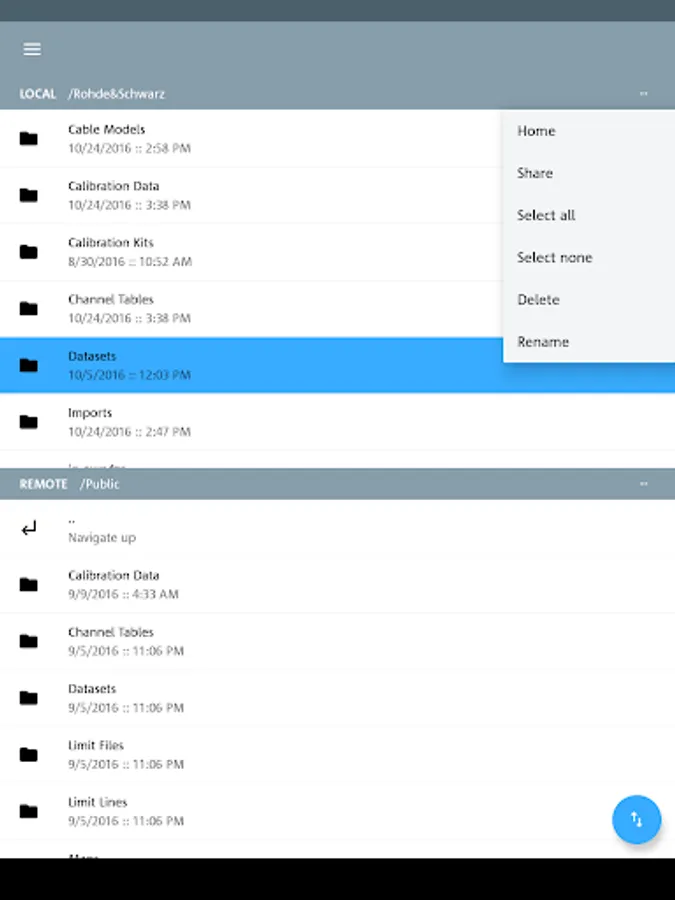
The File Transfer utility is accessible through the menu and consists of an upper region
displaying the local storage on your mobile device and a lower region displaying the file
system on your Rohde & Schwarz instrument.
To transfer a file or directory, simply long press a desired item and tap the blue transfer
button in the bottom-right corner. Further actions such as creating, removing and
sharing items are available through the dedicated popup-menus found on the right side
of the breadcrumb paths.
R&S Mobile View currently supports instrument series FSH4, ZVH, FSC, FPH, ZPH and ZNH.
Value instruments on your Android tablet or smartphone. The built-in File Transfer utility
allows for easy file management between the instrument and your mobile device.
After starting R&S Mobile View you can easily connect to an instrument anywhere in the
world using its IP address or automatically scan for supported devices in your local
network. Once a connection has been established, you will automatically be presented
with the Remote Control environment tailored for your instrument type.
Navigating through the App is done using a menu which is easily accessible by swiping
from the left side of the screen. For larger screen sizes, this menu is shown by default
when in landscape mode.
The File Transfer utility is accessible through the menu and consists of an upper region
displaying the local storage on your mobile device and a lower region displaying the file
system on your Rohde & Schwarz instrument.
To transfer a file or directory, simply long press a desired item and tap the blue transfer
button in the bottom-right corner. Further actions such as creating, removing and
sharing items are available through the dedicated popup-menus found on the right side
of the breadcrumb paths.
R&S Mobile View currently supports instrument series FSH4, ZVH, FSC, FPH, ZPH and ZNH.