PDF Scanner, Cam QuickScanner
Runtime Developers
10,000+
downloads
Free
AppRecs review analysis
AppRecs rating . Trustworthiness 77 out of 100. Review manipulation risk 29 out of 100. Based on a review sample analyzed.
★
AppRecs Rating
Ratings breakdown
5 star
78%
4 star
4%
3 star
2%
2 star
2%
1 star
13%
What to know
✓
Low review manipulation risk
29% review manipulation risk
✓
Credible reviews
77% trustworthiness score from analyzed reviews
✓
High user satisfaction
83% of sampled ratings are 4+ stars (4.3★ average)
About PDF Scanner, Cam QuickScanner
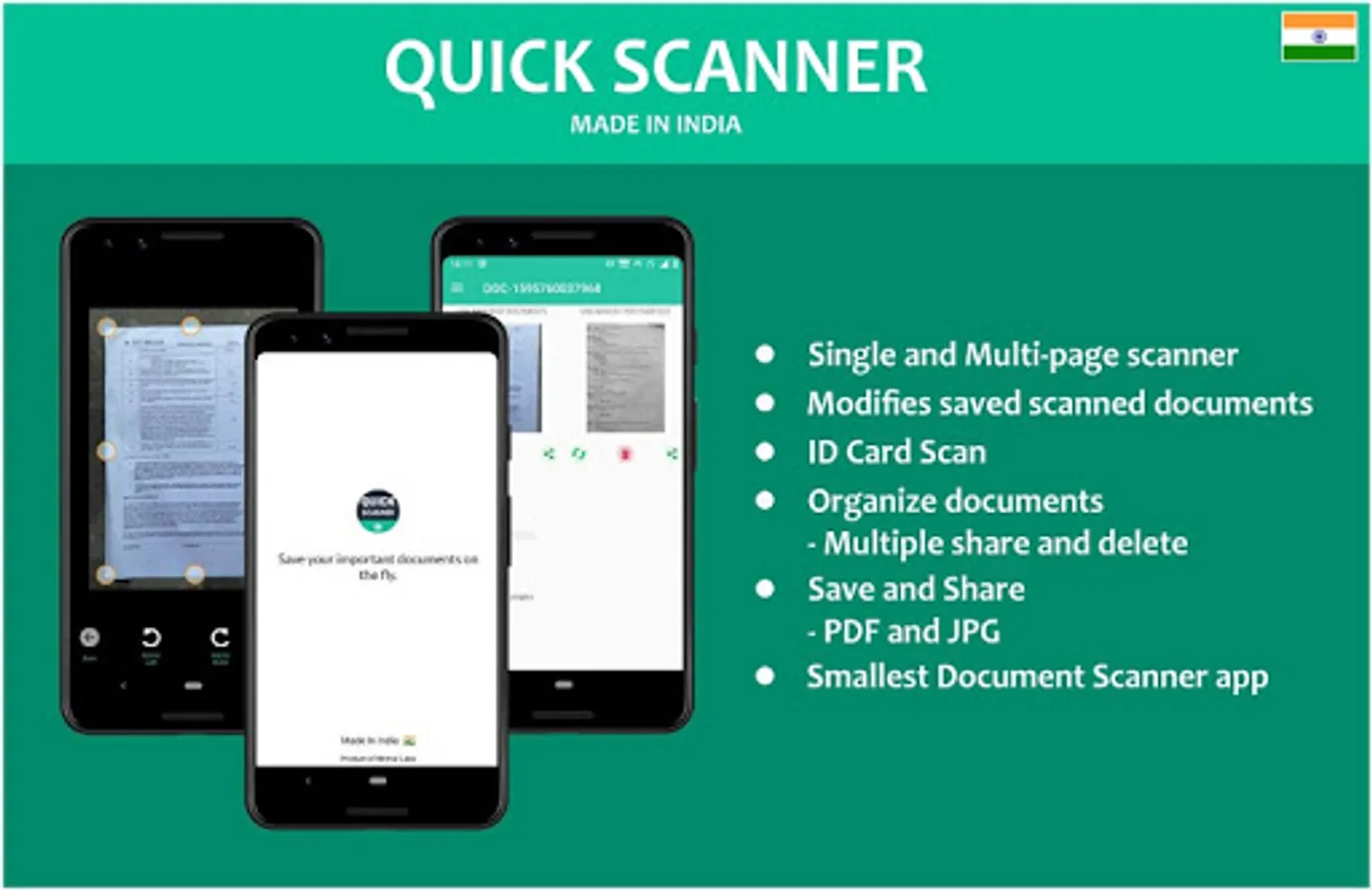
Quick Scanner App is the Best Indian Document scanner app. It turns your phone camera to a PDF/Image Scanner, Document Scanner and Image maker with Different Types.
How to scan documents with Quick Scanner App –
1. Download the App
2. Take a Picture of the Document
3. Adjust the edges and choose the scan mode
4. Voila! Your scanned Image is ready to be shared via email, social media or text
Features of Quick Scanner App –
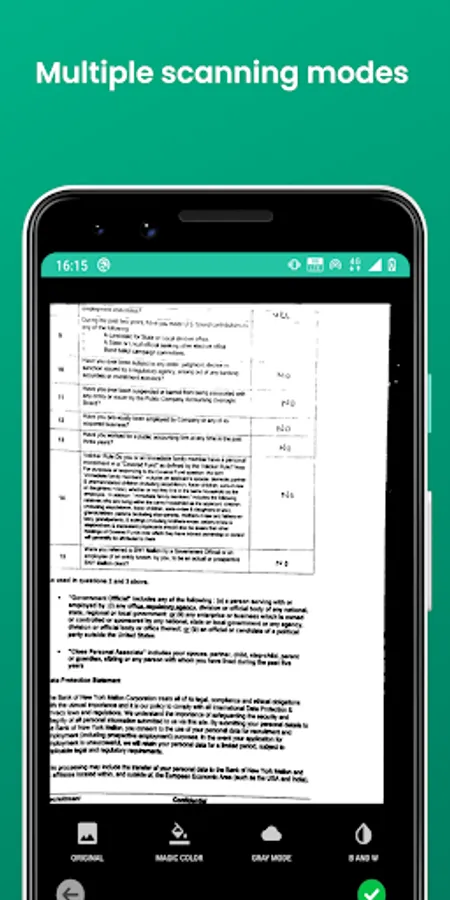
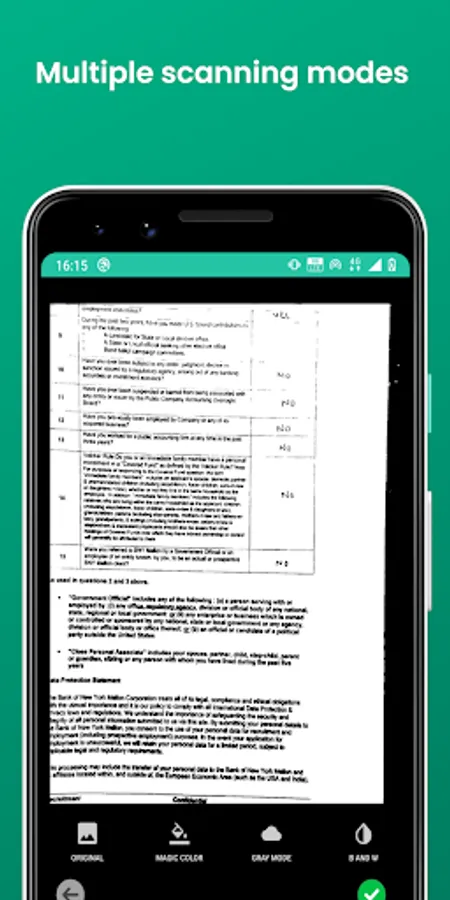
1. Three Scanning Modes – Black & White, Colour Scan, Grayscale
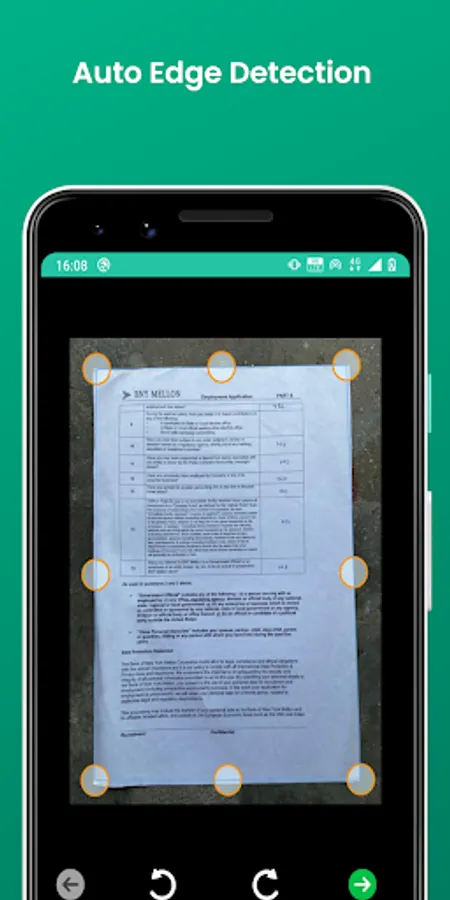
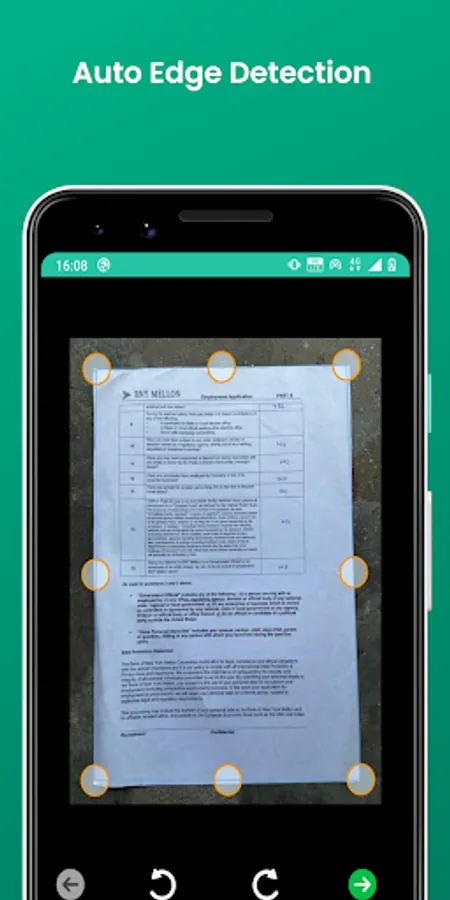
2. Page Edges detected automatically and can be manually adjusted
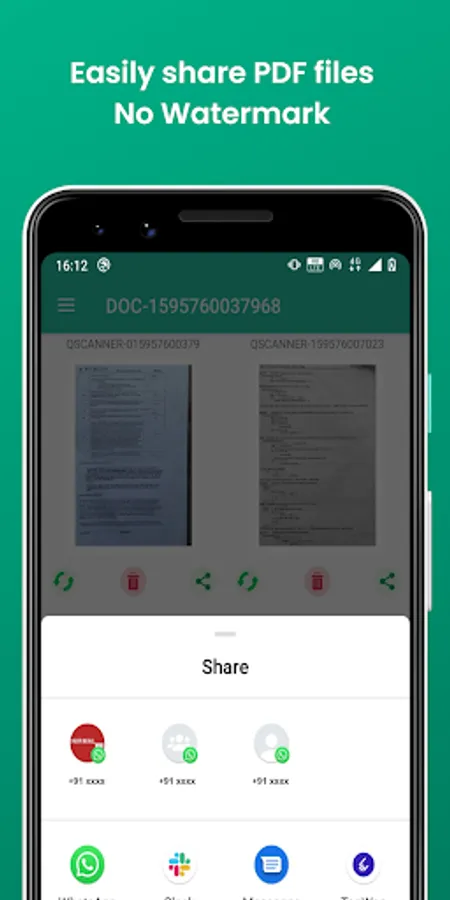
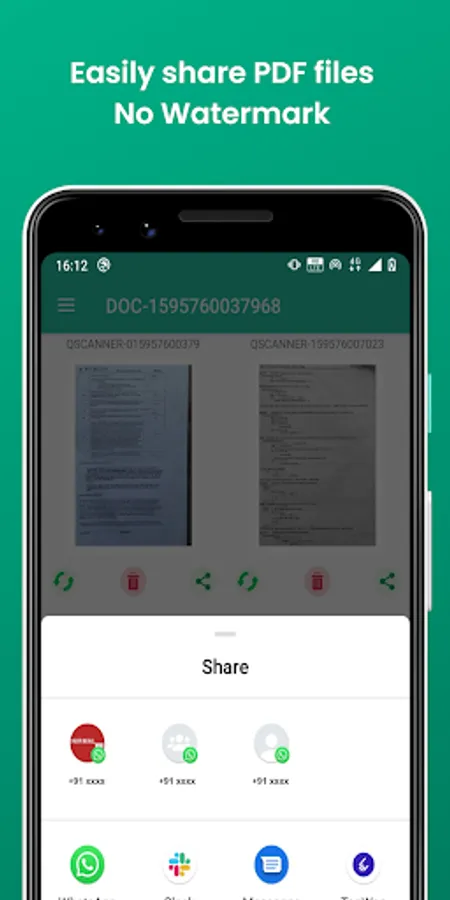
3. Share PDF/Image Files via Email, Social Media, Text etc.
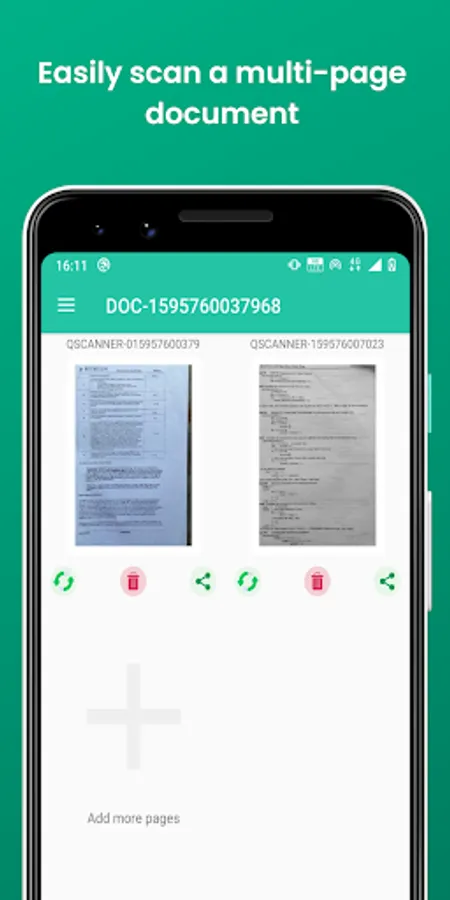
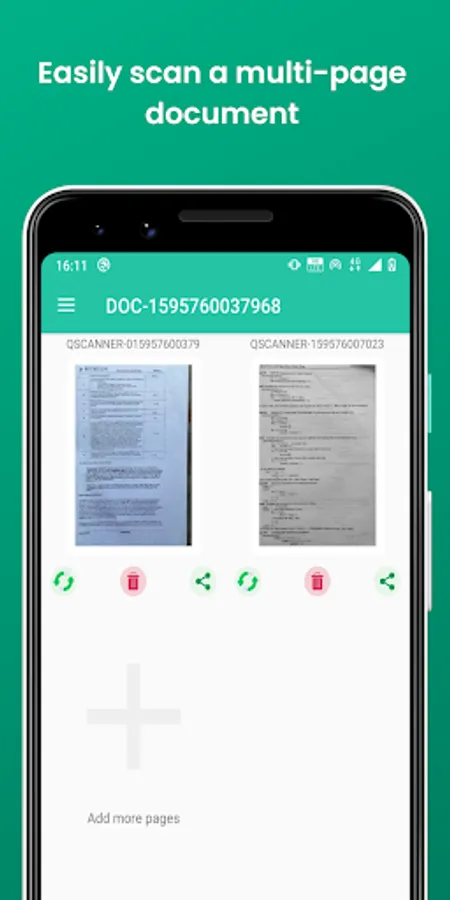
4. Scan multiple documents at once
5. Enhance scan quality
6. Camera Scanner, Document Scanner, Multi Page Scanner
Quick Scanner is 100% made in India by graduates of IITs and following are the benefits of Quick Scanner
App over other Document Scanning Apps –
1. Completely free to use
2. No watermark on scanned images
3. No Sign In Required
4. No Advertisements
Quick Scanner app users can easily scan –
1. Personal IDs, Insurance Documents, Medical Documents
2. Vehicle Documents, Bills & Invoices
3. Books, Articles
4. Official Documents, Contracts, Files, etc.
Features of the Quick Scanner
* Auto Smart Crop document
* QR Code Scanner
* Image to PDF and Image Converter
* Document Editting
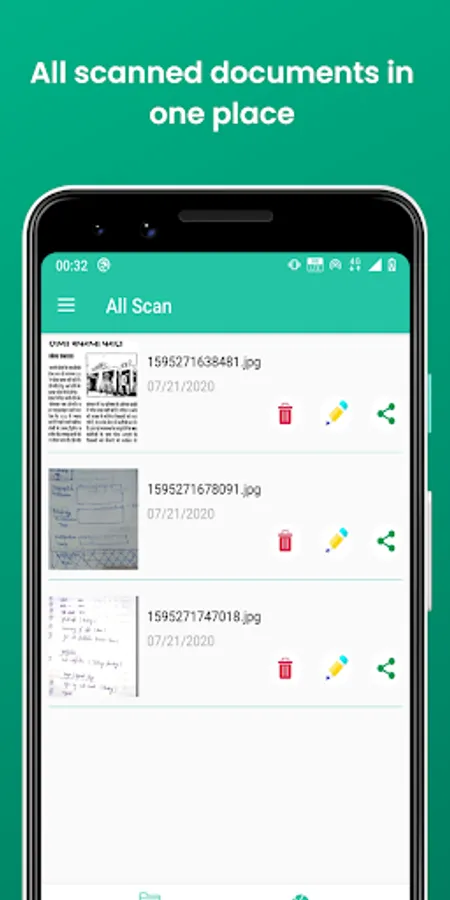
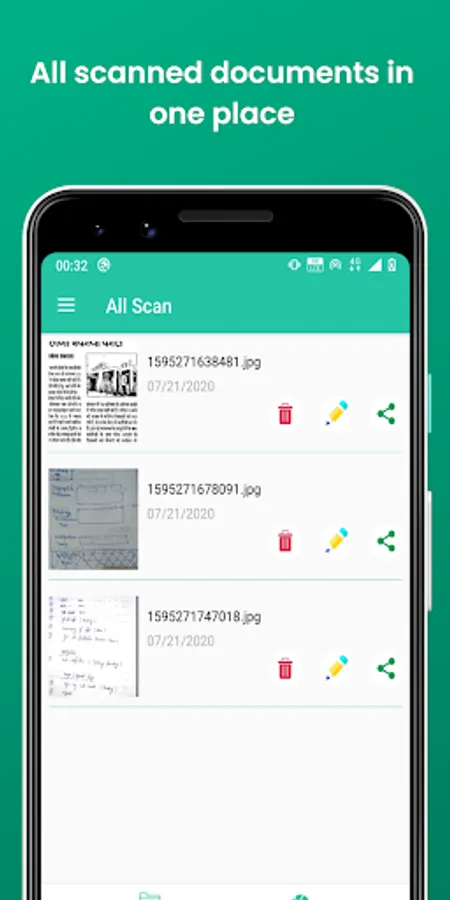
* Well Manage Scan files
* Extract Texts from Image
1. Batch Scanning
2. Export as PDF
3. Export multi Images selection as PDF
4. Image Filtering
• Scan your document, docs or important papers.
• Enhance the scan quality with magic colour.
• Scan documents easily with auto cropping.
• Optimize your PDF with Brightness & Contrast options.
• Turns your doc scans to bright and sharp PDF.
• Share PDF/JPG files.
• Upload documents to online drives like Google Drive, Dropbox etc.
• Apply custom watermark on all your documents.
• Use the app in 8 languages - Hindi, English, Kannada, Telugu, Marathi, Gujarati, Malayalam and Tamil - more coming soon - purely made in Bharat.
• Securely store your documents.
PDF Creator which makes scanning documents easy
• Best Indian alternative of Cam Scanner App - Convert your phone camera to an amazing document scanner.
• Free Doc Scanner - Easily scan assignments, notes, invoices, insurances, books and any type of paper.
• Indian alternative of Cam Scanner App - Easily convert images to PDF with this amazing Camera Scanner.
• Top Quality Night Scanning - Enhance documents with flashlight option for scanning during night or low light.
• India's best PDF Creator - Scan Images to PDF easily with Quick Scan.
• PDF Doc Scanner - Scan PDF with auto edge detection.
• 5 filters Doc Scan - Original, B/W, Gray, Magic Colour 1, Magic Colour 2.
• Easy Scan & Share - Scan Documents easily and share via email, cloud and other mediums.
• Amazing alternative of Cam Scanner App - Easily convert image to PDF and share.
• Clear & Simple Scanning - Remove grains, noises from the documents and make it a clean PDF.
• Fast Scanner App - Scan documents in blink of the eye with Quick Scanner.
How to scan documents with Quick Scanner App –
1. Download the App
2. Take a Picture of the Document
3. Adjust the edges and choose the scan mode
4. Voila! Your scanned Image is ready to be shared via email, social media or text
Features of Quick Scanner App –
1. Three Scanning Modes – Black & White, Colour Scan, Grayscale
2. Page Edges detected automatically and can be manually adjusted
3. Share PDF/Image Files via Email, Social Media, Text etc.
4. Scan multiple documents at once
5. Enhance scan quality
6. Camera Scanner, Document Scanner, Multi Page Scanner
Quick Scanner is 100% made in India by graduates of IITs and following are the benefits of Quick Scanner
App over other Document Scanning Apps –
1. Completely free to use
2. No watermark on scanned images
3. No Sign In Required
4. No Advertisements
Quick Scanner app users can easily scan –
1. Personal IDs, Insurance Documents, Medical Documents
2. Vehicle Documents, Bills & Invoices
3. Books, Articles
4. Official Documents, Contracts, Files, etc.
Features of the Quick Scanner
* Auto Smart Crop document
* QR Code Scanner
* Image to PDF and Image Converter
* Document Editting
* Well Manage Scan files
* Extract Texts from Image
1. Batch Scanning
2. Export as PDF
3. Export multi Images selection as PDF
4. Image Filtering
• Scan your document, docs or important papers.
• Enhance the scan quality with magic colour.
• Scan documents easily with auto cropping.
• Optimize your PDF with Brightness & Contrast options.
• Turns your doc scans to bright and sharp PDF.
• Share PDF/JPG files.
• Upload documents to online drives like Google Drive, Dropbox etc.
• Apply custom watermark on all your documents.
• Use the app in 8 languages - Hindi, English, Kannada, Telugu, Marathi, Gujarati, Malayalam and Tamil - more coming soon - purely made in Bharat.
• Securely store your documents.
PDF Creator which makes scanning documents easy
• Best Indian alternative of Cam Scanner App - Convert your phone camera to an amazing document scanner.
• Free Doc Scanner - Easily scan assignments, notes, invoices, insurances, books and any type of paper.
• Indian alternative of Cam Scanner App - Easily convert images to PDF with this amazing Camera Scanner.
• Top Quality Night Scanning - Enhance documents with flashlight option for scanning during night or low light.
• India's best PDF Creator - Scan Images to PDF easily with Quick Scan.
• PDF Doc Scanner - Scan PDF with auto edge detection.
• 5 filters Doc Scan - Original, B/W, Gray, Magic Colour 1, Magic Colour 2.
• Easy Scan & Share - Scan Documents easily and share via email, cloud and other mediums.
• Amazing alternative of Cam Scanner App - Easily convert image to PDF and share.
• Clear & Simple Scanning - Remove grains, noises from the documents and make it a clean PDF.
• Fast Scanner App - Scan documents in blink of the eye with Quick Scanner.
PDF Scanner, Cam QuickScanner Screenshots
Tap to Rate:
Reviews for PDF Scanner, Cam QuickScanner
krishna pawar
11/14/2023
Ok
Diamond Raz
8/30/2023
PDF Quality is very low #Diamond Raz