Super Handwriting Note
Shining Pic
3.8 ★
415 ratings
10,000+
downloads
Free
With this note-taking app, you can write and draw using customizable pens, insert shapes and images, and manage multiple pages. Includes options for background styles, font customization, and exporting notes.
AppRecs review analysis
AppRecs rating 3.8. Trustworthiness 74 out of 100. Review manipulation risk 29 out of 100. Based on a review sample analyzed.
★★★☆☆
3.8
AppRecs Rating
Ratings breakdown
5 star
43%
4 star
27%
3 star
8%
2 star
11%
1 star
11%
What to know
✓
Low review manipulation risk
29% review manipulation risk
✓
Credible reviews
74% trustworthiness score from analyzed reviews
⚠
Ad complaints
Many low ratings mention excessive ads
About Super Handwriting Note
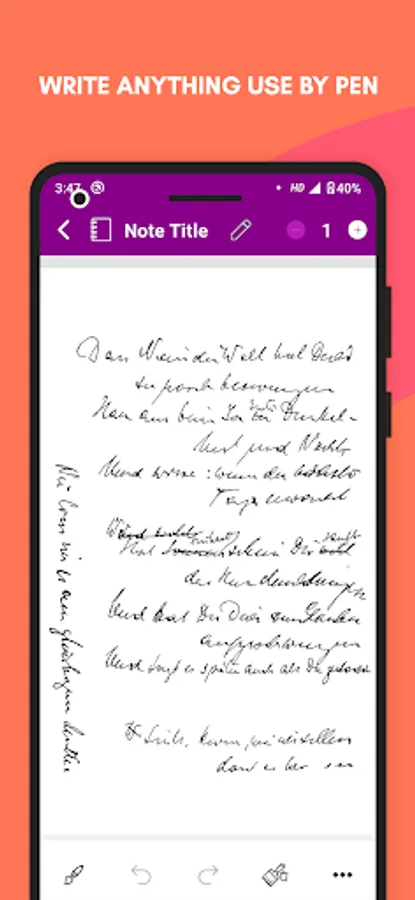
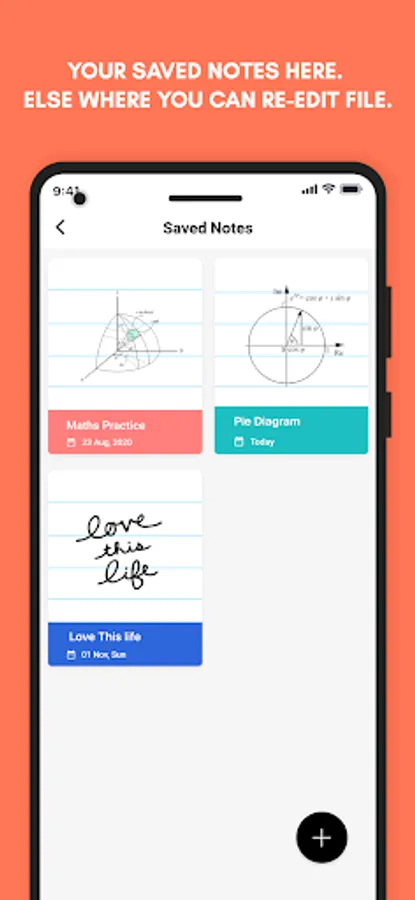
This notepad is like a paper notebook, here you can take notes with your handwriting input.
You can use this app for drawing, writing something like a grocery list, taking notes during lectures and meetings, capturing your ideas, etc.
Here you have to write notes using your finger, and you will get an outstanding writing experience. You will feel as if you are writing a note in your own handwriting, on a sheet of paper with an ink pen.
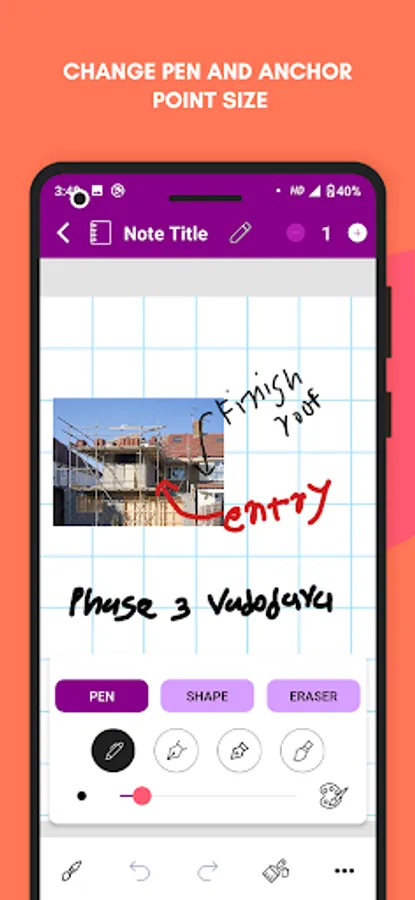
On a page, you can write and draw using the pen tool, here there are four types of pen styles, and you can customize its size and color. With the eraser, undo, and redo, you can correct your mistakes.
Using the Clear Drawing Paint option, you can clear the things in a note that you have drawn or written using the pen tool.
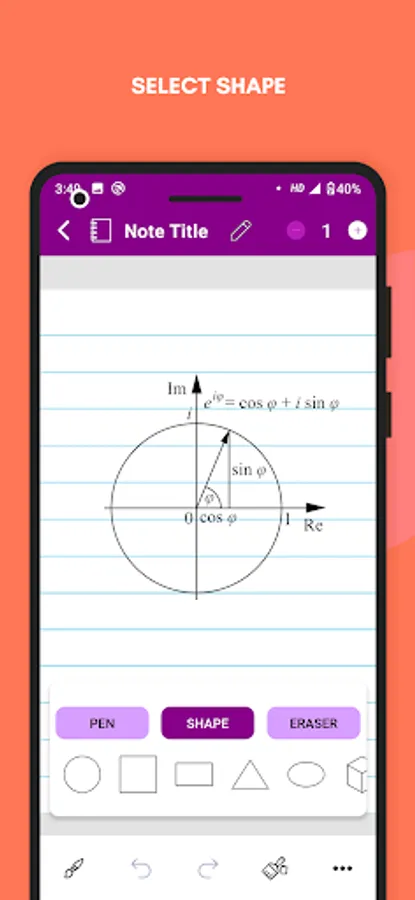
On a page, you can insert some elements like geometrical shapes, text, and images. You can resize and rotate these elements. For text here, you will get different font styles and colors too.
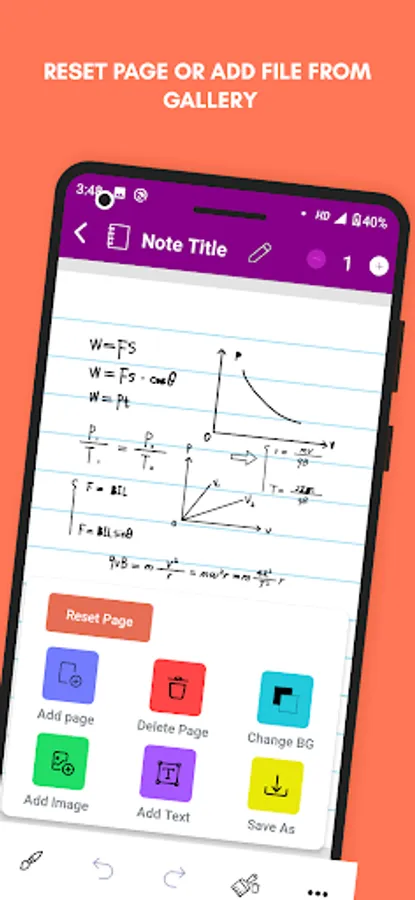
To remove everything present on the page, you have to tap the Reset Page button.
In a note, you can add multiple pages and make it like a paper notebook. From the Change BG option, you can change the page background format.
You can give a title to your note, and you can export it’s all pages or a single page in PNG, JPEG, and PDF. This app uses super vector graphics so you will get good clarity.
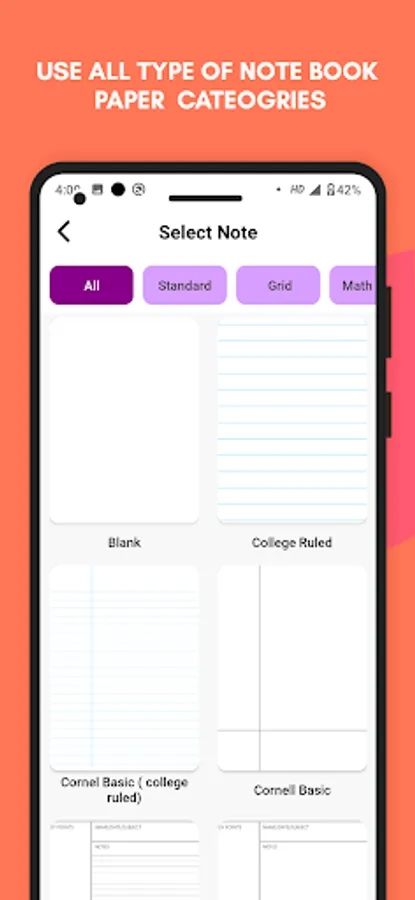
Here different formats of pages are divided into categories like:
📄 Standard:
- Blank
- College Ruled
- Cornel Basic (college ruled)
- Cornell Basic
- Cornell Styled (college ruled)
- Cornell Styled
- Narrow Ruled
- Wide Ruled
📉 Grid:
- Cross Grid (4-in)
- Cross Grid (5-in)
- Dot Grid (4-in)
- Dot Grid (5-in)
- Graph (1 cm)
- Graph (1 mm) - bold
- Graph (4sq-in) - bold
- Graph (4sq-in)
- Graph (5 mm)
- Graph (5sq-in) - bold
- Graph (5sq-in)
- Isometric Dots
- Isometric Grid
➗ Maths & Engineering:
- Engineering
- Log- Log
- Polar (degrees)
- Polar (radius)
- Polar
- Semi-log X (4-in) - bold
- Semi-log X (4-in)
- Semi-log X (5-in) - bold
- Semi-log X (5-in)
- Semi-log Y (4-in) - bold
- Semi-log Y (4-in)
- Semi-log Y (5-in) - bold
- Semi-log Y (5-in)
🏀 Sports:
- Baseball fields
- Baseball stat - Score sheet
- Basketball court HS
- Basketball Half - Court HS
- Football Field red zone
- Football Field
- Hockey rink international
- Hockey rink USA
- Soccer Field
- Soccer half - Field
🎼 Music:
- Bass staff
- Double staff
- Grand staff
- Staff
- Treble staff
☑️ Plans & Lists:
- Daily (Blank)
- Daily (College ruled)
- Daily (Dot grid)
- Monthly(5 Weeks)
- Monthly (6 Weeks)
- Task List (2 Columns)
- Task List
- Weekly (Blank)
- Weekly (College ruled)
- Weekly (Dot grid)
- Weekly Columns (5 Days)
- Weekly Columns (7 Days)
Download this note-taking app, write in a natural way or type the text, add shape and images to your notes, and export it to PNG, JPEG, or PDF.
You can use this app for drawing, writing something like a grocery list, taking notes during lectures and meetings, capturing your ideas, etc.
Here you have to write notes using your finger, and you will get an outstanding writing experience. You will feel as if you are writing a note in your own handwriting, on a sheet of paper with an ink pen.
On a page, you can write and draw using the pen tool, here there are four types of pen styles, and you can customize its size and color. With the eraser, undo, and redo, you can correct your mistakes.
Using the Clear Drawing Paint option, you can clear the things in a note that you have drawn or written using the pen tool.
On a page, you can insert some elements like geometrical shapes, text, and images. You can resize and rotate these elements. For text here, you will get different font styles and colors too.
To remove everything present on the page, you have to tap the Reset Page button.
In a note, you can add multiple pages and make it like a paper notebook. From the Change BG option, you can change the page background format.
You can give a title to your note, and you can export it’s all pages or a single page in PNG, JPEG, and PDF. This app uses super vector graphics so you will get good clarity.
Here different formats of pages are divided into categories like:
📄 Standard:
- Blank
- College Ruled
- Cornel Basic (college ruled)
- Cornell Basic
- Cornell Styled (college ruled)
- Cornell Styled
- Narrow Ruled
- Wide Ruled
📉 Grid:
- Cross Grid (4-in)
- Cross Grid (5-in)
- Dot Grid (4-in)
- Dot Grid (5-in)
- Graph (1 cm)
- Graph (1 mm) - bold
- Graph (4sq-in) - bold
- Graph (4sq-in)
- Graph (5 mm)
- Graph (5sq-in) - bold
- Graph (5sq-in)
- Isometric Dots
- Isometric Grid
➗ Maths & Engineering:
- Engineering
- Log- Log
- Polar (degrees)
- Polar (radius)
- Polar
- Semi-log X (4-in) - bold
- Semi-log X (4-in)
- Semi-log X (5-in) - bold
- Semi-log X (5-in)
- Semi-log Y (4-in) - bold
- Semi-log Y (4-in)
- Semi-log Y (5-in) - bold
- Semi-log Y (5-in)
🏀 Sports:
- Baseball fields
- Baseball stat - Score sheet
- Basketball court HS
- Basketball Half - Court HS
- Football Field red zone
- Football Field
- Hockey rink international
- Hockey rink USA
- Soccer Field
- Soccer half - Field
🎼 Music:
- Bass staff
- Double staff
- Grand staff
- Staff
- Treble staff
☑️ Plans & Lists:
- Daily (Blank)
- Daily (College ruled)
- Daily (Dot grid)
- Monthly(5 Weeks)
- Monthly (6 Weeks)
- Task List (2 Columns)
- Task List
- Weekly (Blank)
- Weekly (College ruled)
- Weekly (Dot grid)
- Weekly Columns (5 Days)
- Weekly Columns (7 Days)
Download this note-taking app, write in a natural way or type the text, add shape and images to your notes, and export it to PNG, JPEG, or PDF.
Super Handwriting Note Screenshots
Tap to Rate:
Reviews for Super Handwriting Note
alitwala rebecca
6/27/2025
l liked this app. In fact, it's OK easy and fast to use
L Donadonibus
2/26/2024
Great - ease of use if prefect!