With this app, you can control and lock screen orientation across your device with various rotation modes and force options. Includes settings for auto-rotation, force orientations, and notification bar controls.
AppRecs review analysis
AppRecs rating 4.5. Trustworthiness 0 out of 100. Review manipulation risk 0 out of 100. Based on a review sample analyzed.
★★★★☆
4.5
AppRecs Rating
Ratings breakdown
5 star
79%
4 star
10%
3 star
10%
2 star
0%
1 star
0%
What to know
✓
High user satisfaction
79% of sampled ratings are 5 stars
About Rotation Control Pro
★ ★ ★ App Description ★ ★ ★
- Screen orientation is fixed in a particular direction, it is freely available.
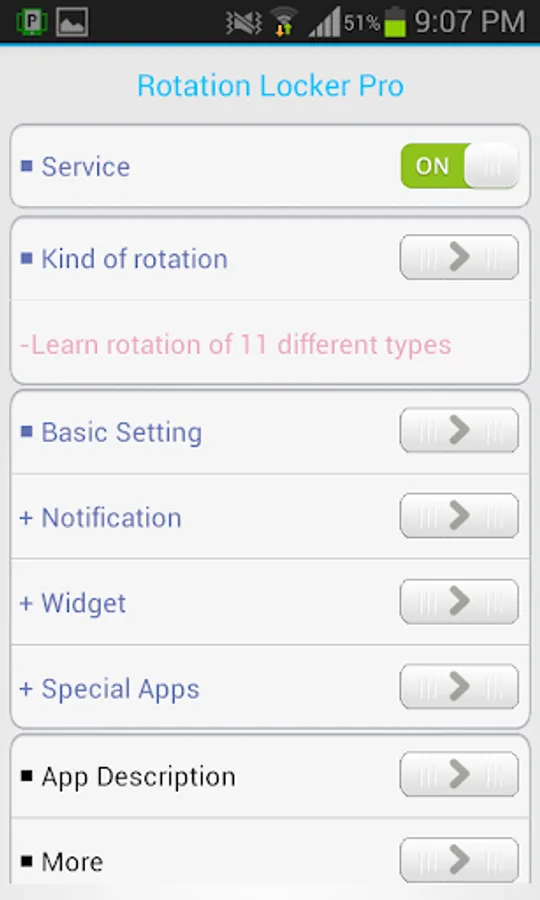
- Direction separated by 11 kinds of settings, and it can be changed by force.
- Even apps that are not supported in the horizontal direction or the other, it may be forced to switch.
★ ★ ★ Rotation Options ★ ★ ★
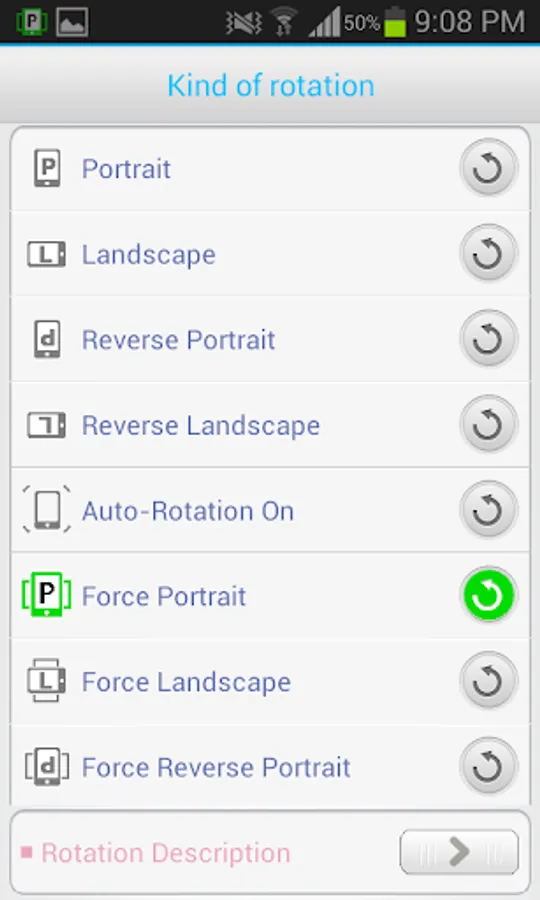
- Basic Rotation(1~4) - General mode and does not override the settings app
- Force Rotation(6~11) - It rotate entire screen of device. So can rotate All app.
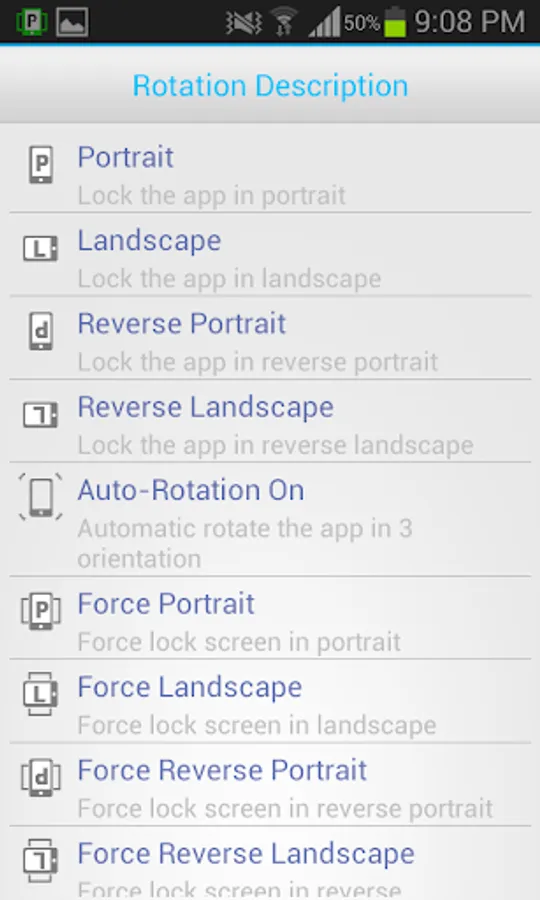
1 Portrait - lock the app in portrait
2. Landscape - lock the app in landscape
3. Reverse Portrait - lock the app in reverse portrait
4. Reverse Landscape - lock the app in reverse Landscape
5. Auto-Rotation - Automatically rotate the app in 3 orientations
6. Force Portrait - force lock the screen in portrait
7. Force Landscape - force lock the screen in landscape
8. Force Reverse Portrait - force lock the screen in reverse portrait
9. Force Reverse Landscape - force lock the screen in reverse Landscape
10. Force Auto-Turn - Automatically rotate the screen in all orientations
11. Force Landscape Auto-Turn - Automatically rotate the screen in all Landscape
★ ★ ★ Special Options ★ ★ ★
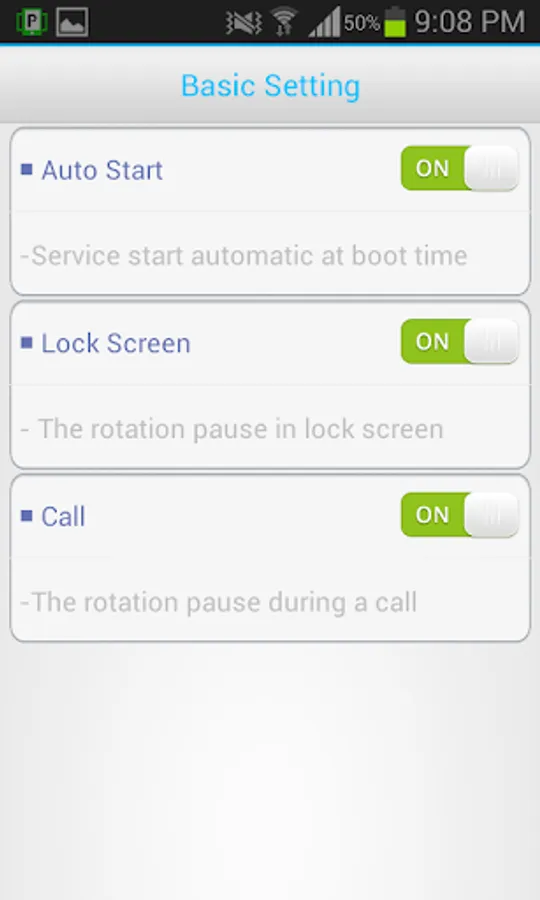
- Automatically start the service at boot time
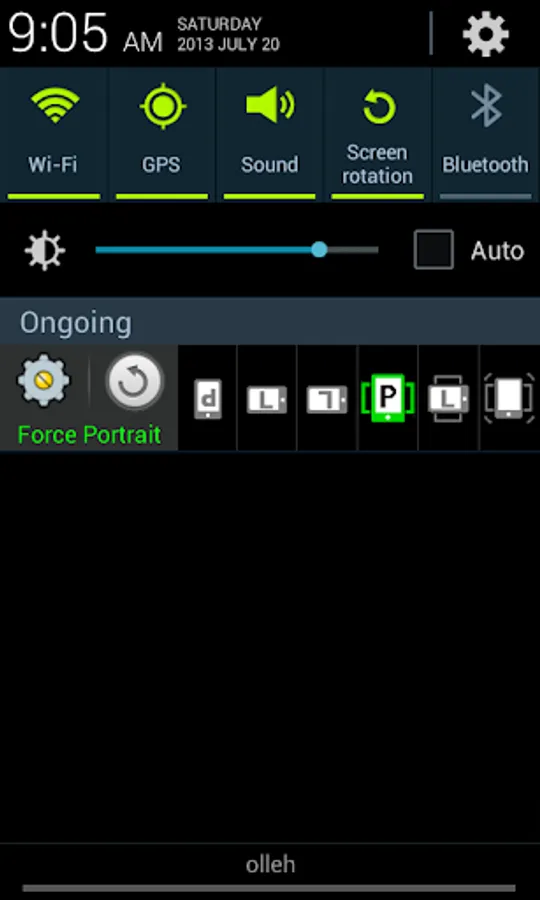
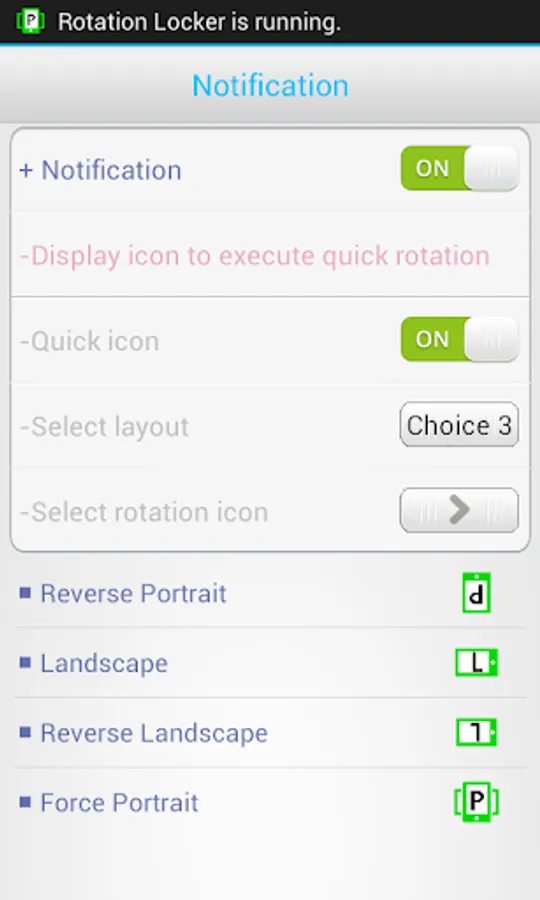
- Notification bar feature - layout provided by Fast Icon
- The rotation pause in Lock screen
- The rotation pause during a call
- All Notification bar toggle function
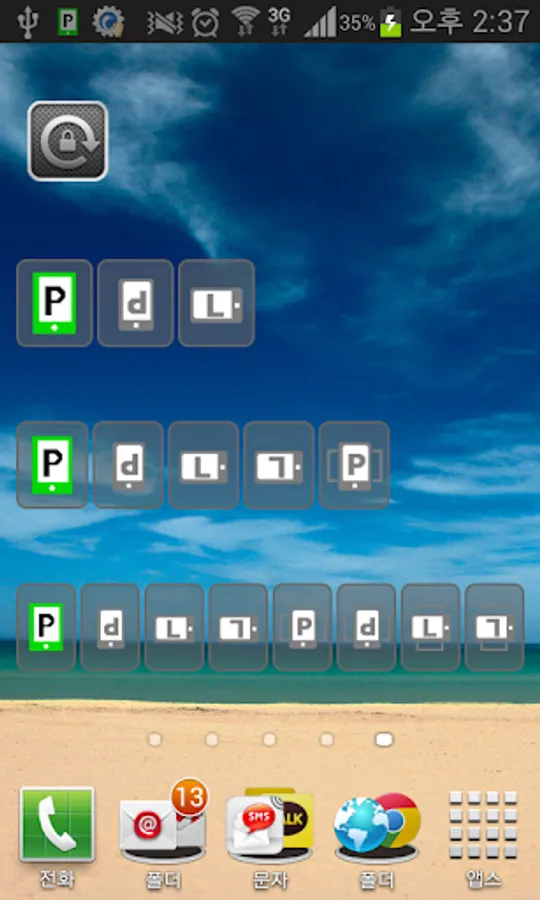
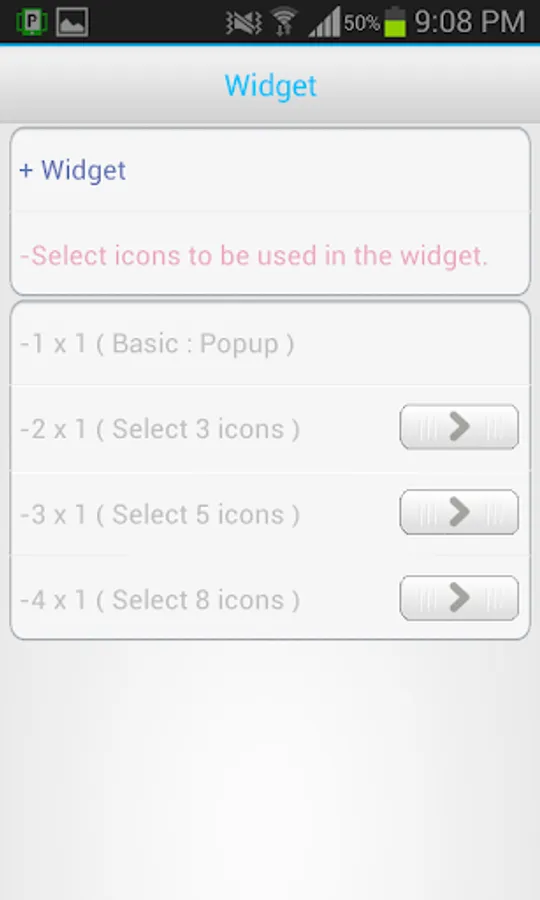
- Provides a pop-up and rotation option widget
- Sound, vibration when rotated
- Screen orientation is fixed in a particular direction, it is freely available.
- Direction separated by 11 kinds of settings, and it can be changed by force.
- Even apps that are not supported in the horizontal direction or the other, it may be forced to switch.
★ ★ ★ Rotation Options ★ ★ ★
- Basic Rotation(1~4) - General mode and does not override the settings app
- Force Rotation(6~11) - It rotate entire screen of device. So can rotate All app.
1 Portrait - lock the app in portrait
2. Landscape - lock the app in landscape
3. Reverse Portrait - lock the app in reverse portrait
4. Reverse Landscape - lock the app in reverse Landscape
5. Auto-Rotation - Automatically rotate the app in 3 orientations
6. Force Portrait - force lock the screen in portrait
7. Force Landscape - force lock the screen in landscape
8. Force Reverse Portrait - force lock the screen in reverse portrait
9. Force Reverse Landscape - force lock the screen in reverse Landscape
10. Force Auto-Turn - Automatically rotate the screen in all orientations
11. Force Landscape Auto-Turn - Automatically rotate the screen in all Landscape
★ ★ ★ Special Options ★ ★ ★
- Automatically start the service at boot time
- Notification bar feature - layout provided by Fast Icon
- The rotation pause in Lock screen
- The rotation pause during a call
- All Notification bar toggle function
- Provides a pop-up and rotation option widget
- Sound, vibration when rotated
Rotation Control Pro Screenshots
Tap to Rate: