Smart Routine
SoftPower Technology
Free
10+
downloads
About Smart Routine
Smart Routine is the ultimate time management tool designed to streamline your daily life. With Smart Routine, you can effortlessly create and organize your daily tasks, ensuring you stay on top of your schedule with ease.
How to use:-
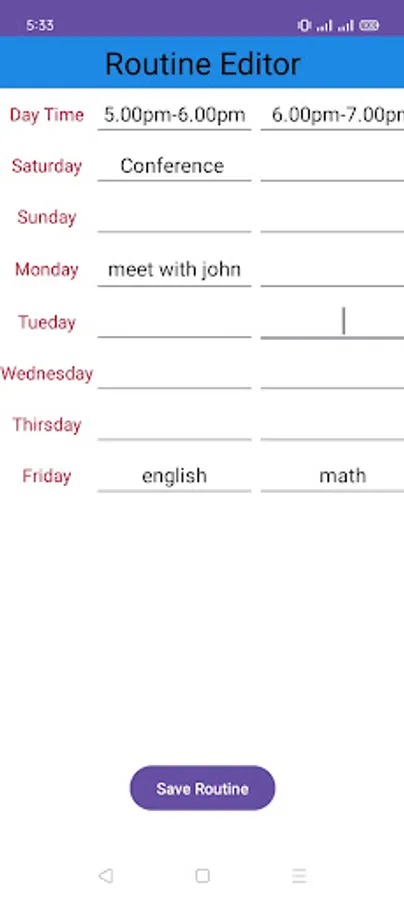
# you must make routine by Editor routine first.
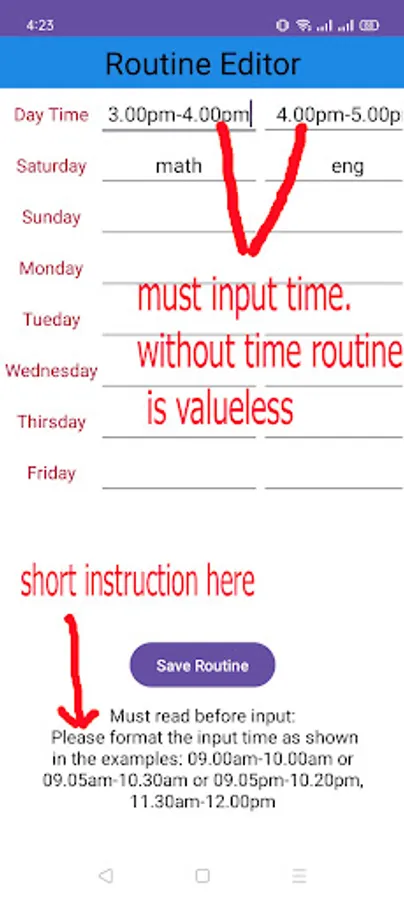
# you must input time this format hh.mm example 09.00am-10.00am or 09.05am-10.30am. must input time. without time routine is valueless.
# there have 8 period define. but you can use less but must use minimum one. if do not input subject/working title it display none.
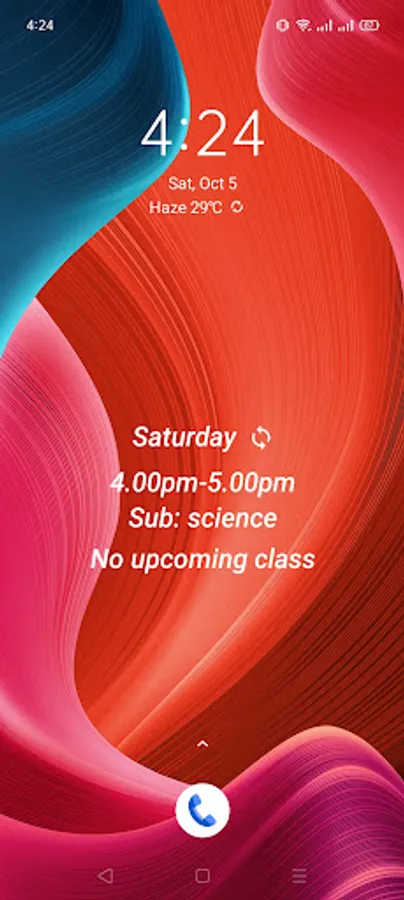
# to get routine data e.g current time subject and upcomming subject you need set widget in home screen. so that do not need open app.
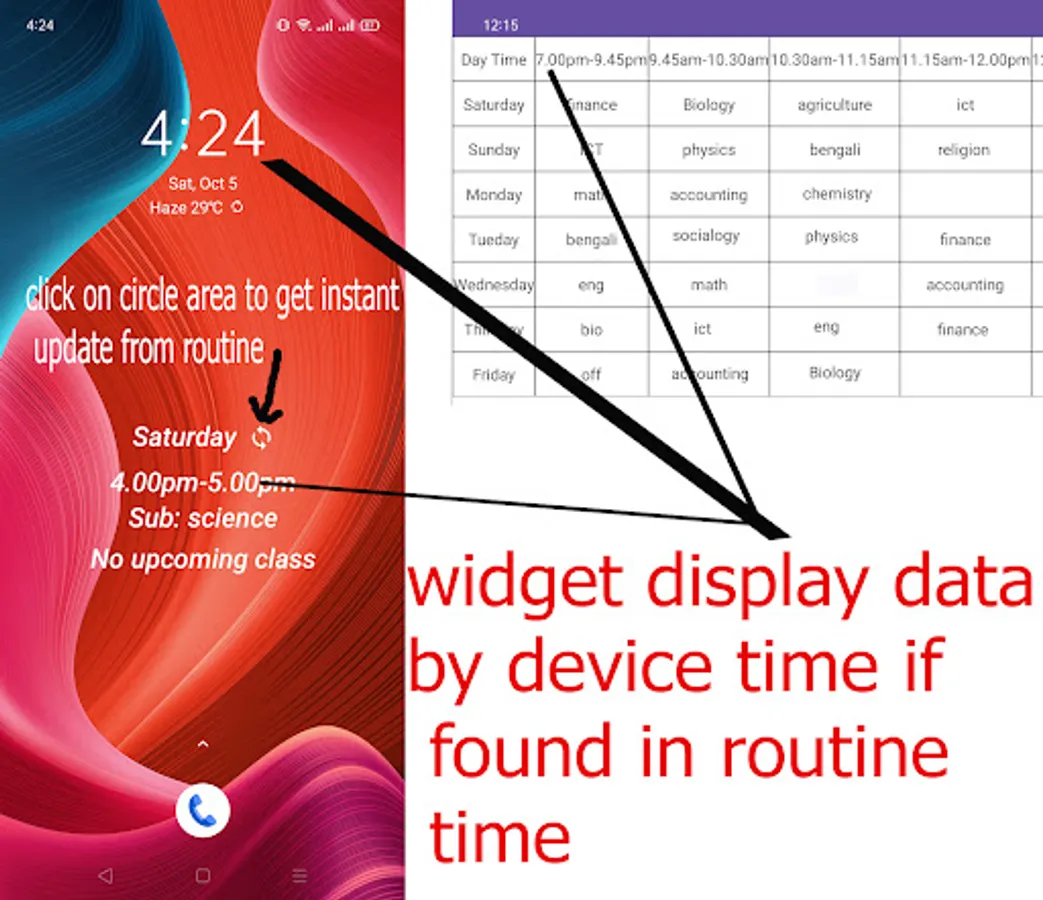
# widget may delay update by device time based data. so get instant update data you must click circle arrow or day name area in home screen widget.
Key Features:
# Intuitive Interface: Enjoy a user-friendly design that makes adding, editing, and managing tasks simple.
# Real-time Scheduling: Visualize your daily schedule in real-time, ensuring you're always aware of your upcoming tasks and deadlines.
# Customizable Routines: Create personalized routines to fit your unique lifestyle and preferences.
# Home Screen Widget: Access current and upcoming tasks right from your home screen without opening the app, minimizing distractions — a unique and standout feature of Smart Routine.
# Manual Refresh Widget: Update the widget data instantly with just one tap. Due to certain Android policies, such as battery optimization, background process limitations, and idle screen states, automatic updates may not always occur instant. This ensures Smart Routine operates efficiently without draining your device’s battery.
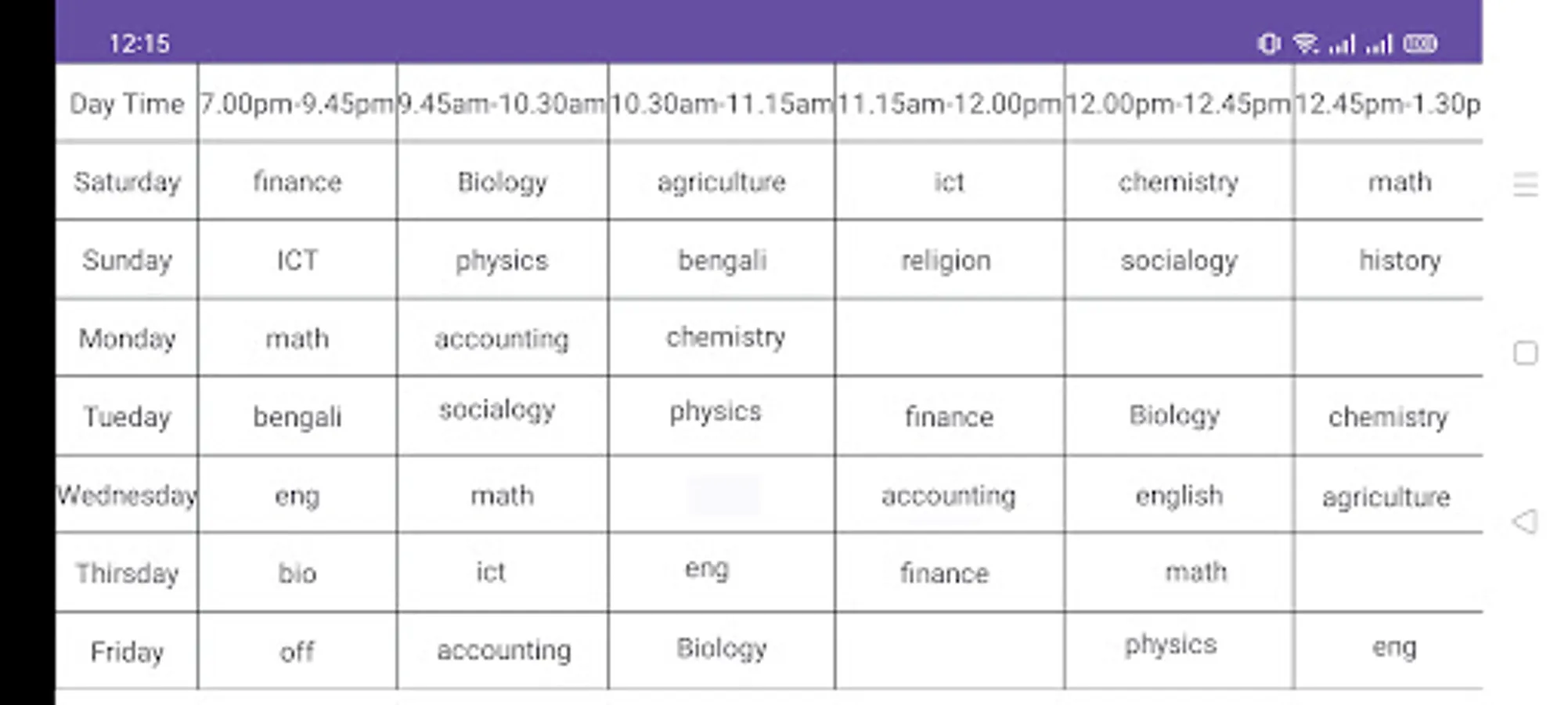
# Access full routine table: Access full routine table just on tap home screen to see full routine table.
Take control of your day with Smart Routine and experience the power of efficient time management.
How to use:-
# you must make routine by Editor routine first.
# you must input time this format hh.mm example 09.00am-10.00am or 09.05am-10.30am. must input time. without time routine is valueless.
# there have 8 period define. but you can use less but must use minimum one. if do not input subject/working title it display none.
# to get routine data e.g current time subject and upcomming subject you need set widget in home screen. so that do not need open app.
# widget may delay update by device time based data. so get instant update data you must click circle arrow or day name area in home screen widget.
Key Features:
# Intuitive Interface: Enjoy a user-friendly design that makes adding, editing, and managing tasks simple.
# Real-time Scheduling: Visualize your daily schedule in real-time, ensuring you're always aware of your upcoming tasks and deadlines.
# Customizable Routines: Create personalized routines to fit your unique lifestyle and preferences.
# Home Screen Widget: Access current and upcoming tasks right from your home screen without opening the app, minimizing distractions — a unique and standout feature of Smart Routine.
# Manual Refresh Widget: Update the widget data instantly with just one tap. Due to certain Android policies, such as battery optimization, background process limitations, and idle screen states, automatic updates may not always occur instant. This ensures Smart Routine operates efficiently without draining your device’s battery.
# Access full routine table: Access full routine table just on tap home screen to see full routine table.
Take control of your day with Smart Routine and experience the power of efficient time management.