Garifuna English Spanish
Joy for the world
500+
downloads
Free
AppRecs review analysis
AppRecs rating 3.8. Trustworthiness 75 out of 100. Review manipulation risk 21 out of 100. Based on a review sample analyzed.
★★★☆☆
3.8
AppRecs Rating
Ratings breakdown
5 star
0%
4 star
100%
3 star
0%
2 star
0%
1 star
0%
What to know
✓
Low review manipulation risk
21% review manipulation risk
✓
Credible reviews
75% trustworthiness score from analyzed reviews
✓
High user satisfaction
100% of sampled ratings are 4+ stars (4.0★ average)
About Garifuna English Spanish
The Word of God in three languages with audio for the New Testqments to be downloaded.
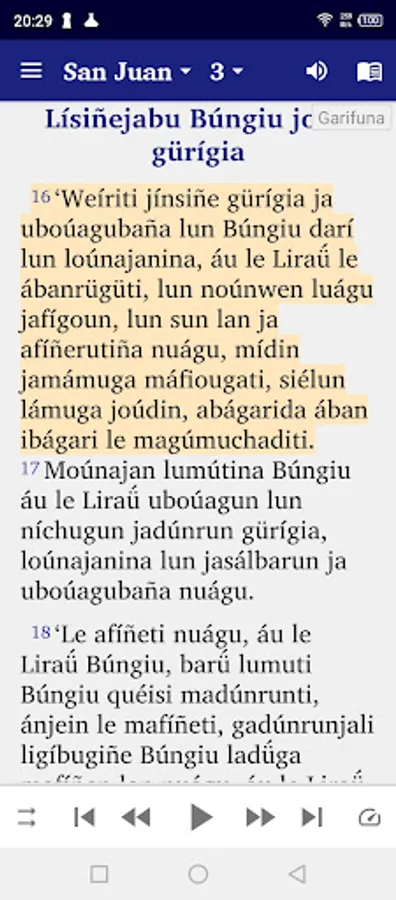
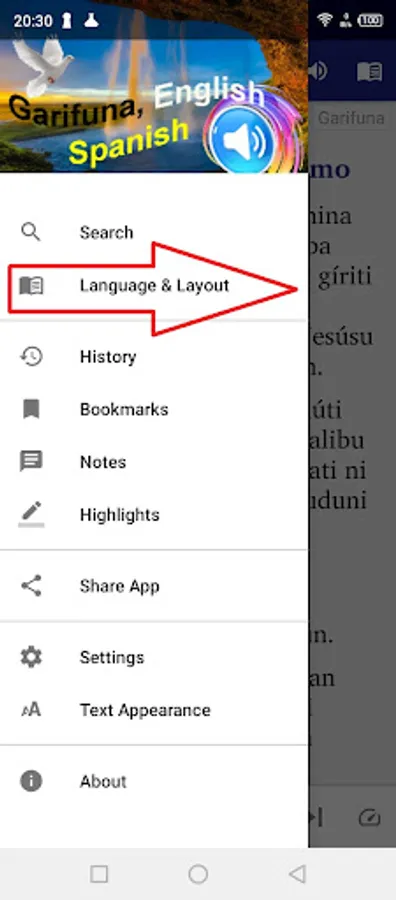
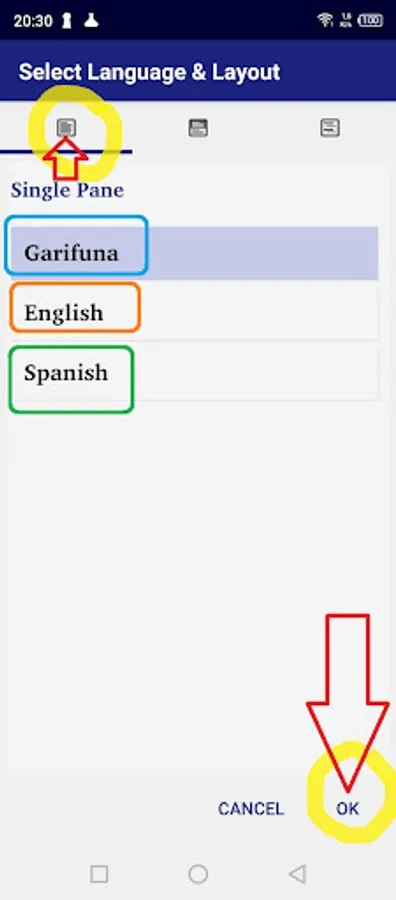
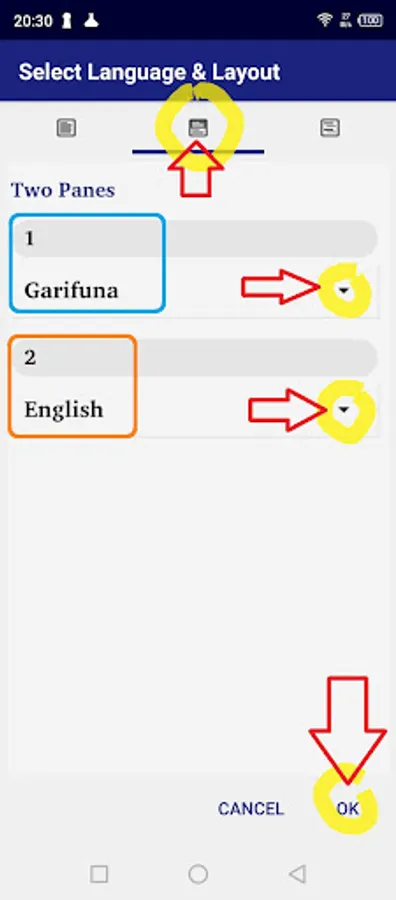
If you press the little “book” icon on the top right you can change the windows on the screen: Now choose either
- “single pane” if you want to see the only one language on the screen
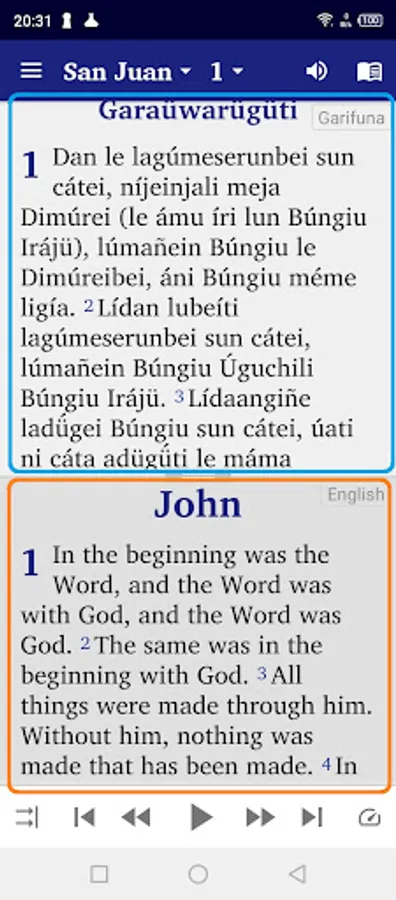
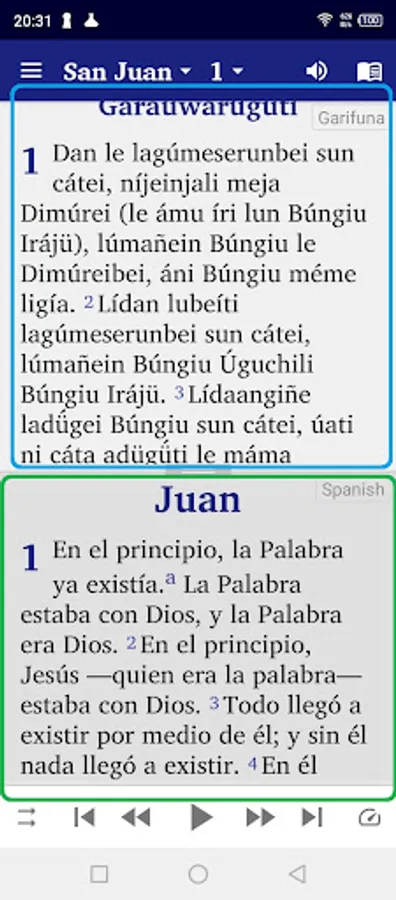
- "two panes" to display the the language of your choice at the top and an other version 1) Garifuna New Testament; 2) English Bible, 3) Spanish Bible at the bottom
- "verse by verse" to display a verse in your prefered language followed by the same verse in another language of your choice.
• Bookmark and highlight your favourite verses
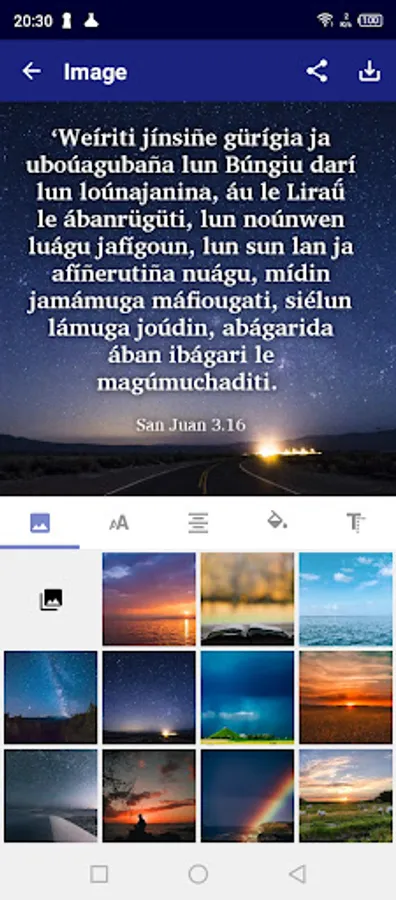
• When you tap on a verse, an image button is shown on the bottom toolbar. When this button is pressed, the ’Edit image’ screen appears. You can choose the background image, move the text around the image, change the font, text size, alignment, format and colour. The finished image can be saved to the device and shared with others.
• Give your phone permission to download the audio files for the New Testament texts. Once downloaded, the audio files will remain on your device for further use in offline mode.
• Write your personal notes
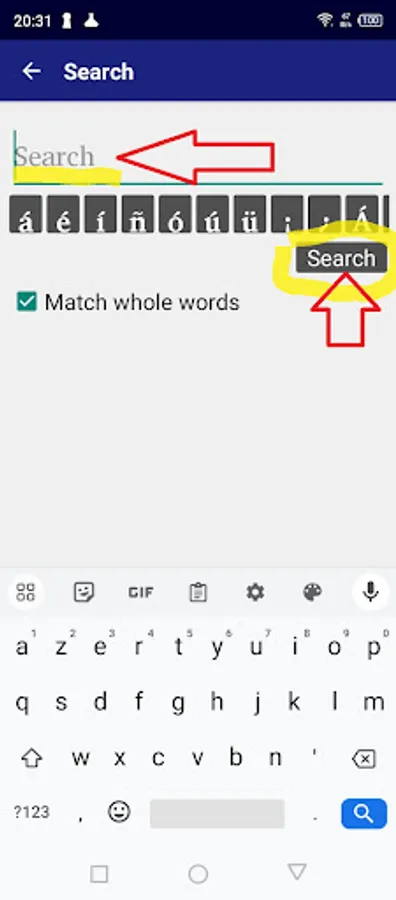
• Search for words in your Bible
• Swipe to navigate chapters
• Night Mode for reading during when dark (good for your eyes)
• Click and share Bible verses with your friends via WhatsApp, Facebook, E-mail, SMS etc.
• No additional font installation required. (Renders complex scripts well.)
• Friendly user interface with Navigation drawer menu
• Adjustable font size and easy to use interface
If you press the little “book” icon on the top right you can change the windows on the screen: Now choose either
- “single pane” if you want to see the only one language on the screen
- "two panes" to display the the language of your choice at the top and an other version 1) Garifuna New Testament; 2) English Bible, 3) Spanish Bible at the bottom
- "verse by verse" to display a verse in your prefered language followed by the same verse in another language of your choice.
• Bookmark and highlight your favourite verses
• When you tap on a verse, an image button is shown on the bottom toolbar. When this button is pressed, the ’Edit image’ screen appears. You can choose the background image, move the text around the image, change the font, text size, alignment, format and colour. The finished image can be saved to the device and shared with others.
• Give your phone permission to download the audio files for the New Testament texts. Once downloaded, the audio files will remain on your device for further use in offline mode.
• Write your personal notes
• Search for words in your Bible
• Swipe to navigate chapters
• Night Mode for reading during when dark (good for your eyes)
• Click and share Bible verses with your friends via WhatsApp, Facebook, E-mail, SMS etc.
• No additional font installation required. (Renders complex scripts well.)
• Friendly user interface with Navigation drawer menu
• Adjustable font size and easy to use interface