
About AVS Setup
AVS Setup allows you to configure a SurfaceInk AVS-based device. You can specify the access point and password for the device to associate with, as well as obtain a 6-character code to authorize the AVS Sample App with Amazon. The baseline case with a new device works like so:
* scans for a WiFi Hotspot (currently named 'Quartet')
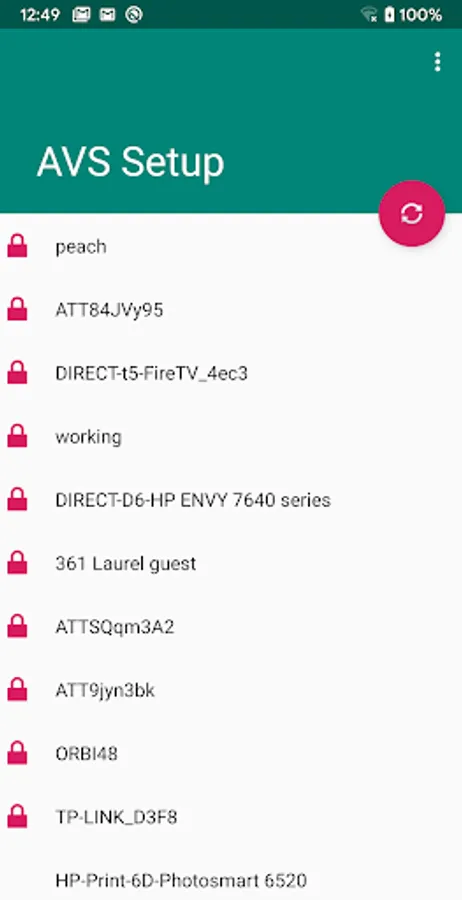
* connects to the Hotspot, and obtains a list of WiFi Access Points that the Hotspot can see
* allows you to select an Access Point, and enter the password
* sets up the device to use the selected Access Point and password, and reboots the device
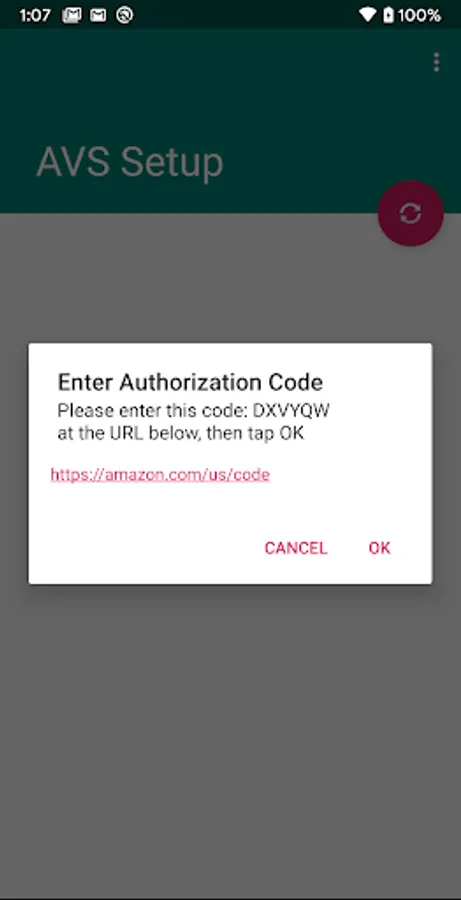
* once the device connects to the local network, the app will obtain the current 6-character User Code, and allow you to authorize the device with Amazon
* scans for a WiFi Hotspot (currently named 'Quartet')
* connects to the Hotspot, and obtains a list of WiFi Access Points that the Hotspot can see
* allows you to select an Access Point, and enter the password
* sets up the device to use the selected Access Point and password, and reboots the device
* once the device connects to the local network, the app will obtain the current 6-character User Code, and allow you to authorize the device with Amazon
AVS Setup Screenshots
Tap to Rate: