Bluetooth Speaker Booster
TS Systems
4.1 ★
1K ratings
100,000+
downloads
Free
+ in-app
With this app, you can adjust equalizer profiles for connected Bluetooth devices and manage sound settings automatically. Includes device-specific profiles, volume boost, and auto volume features.
AppRecs review analysis
AppRecs rating 4.1. Trustworthiness 79 out of 100. Review manipulation risk 27 out of 100. Based on a review sample analyzed.
★★★★☆
4.1
AppRecs Rating
Ratings breakdown
5 star
66%
4 star
12%
3 star
7%
2 star
1%
1 star
15%
What to know
✓
Low review manipulation risk
27% review manipulation risk
✓
Credible reviews
79% trustworthiness score from analyzed reviews
✓
High user satisfaction
77% of sampled ratings are 4+ stars (4.1★ average)
About Bluetooth Speaker Booster
Have you ever encountered that your bluetooth speaker sounds dull or has not enough bass? Then this app is for you!
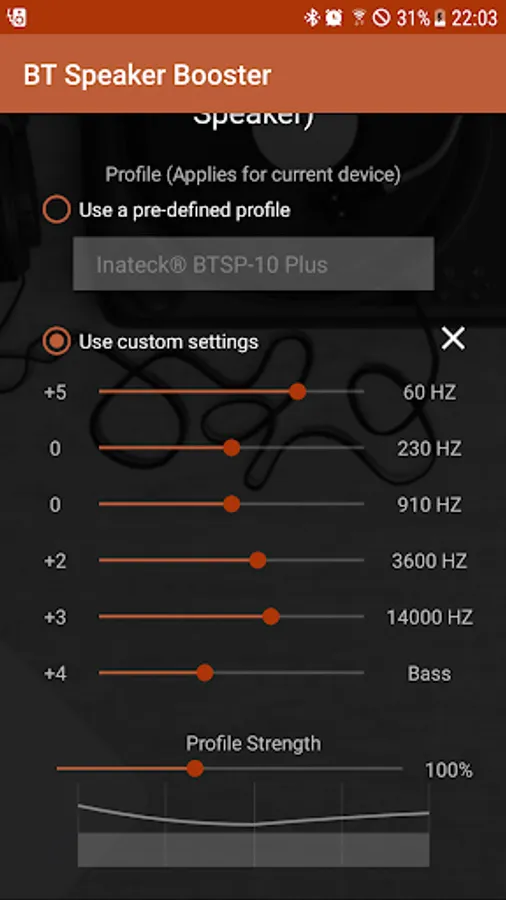
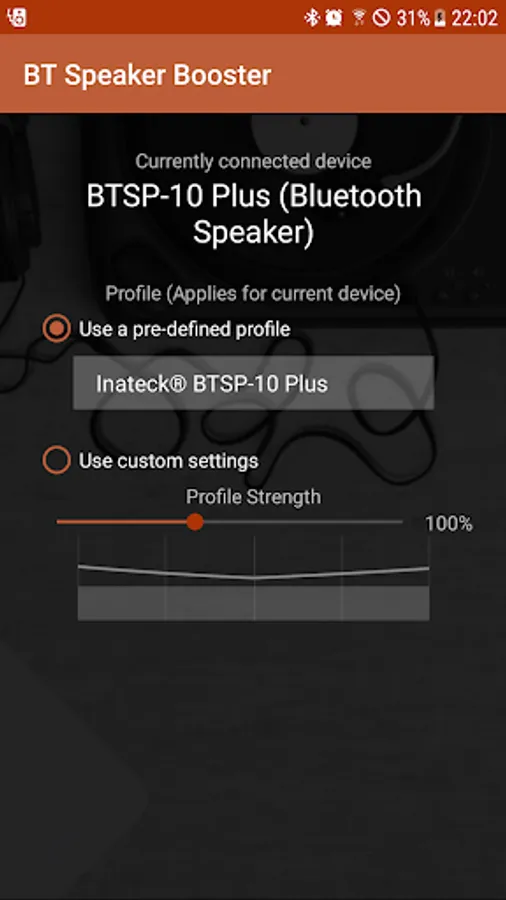
Compared to normal equalizer apps, this app stores individual profiles depending on what bluetooth audio device is connected. So you don't always have to switch your audio equalizer each time you connect to an other speaker (or headset, or car). The app will automatically inform you which device is currently connected and which profile is running.
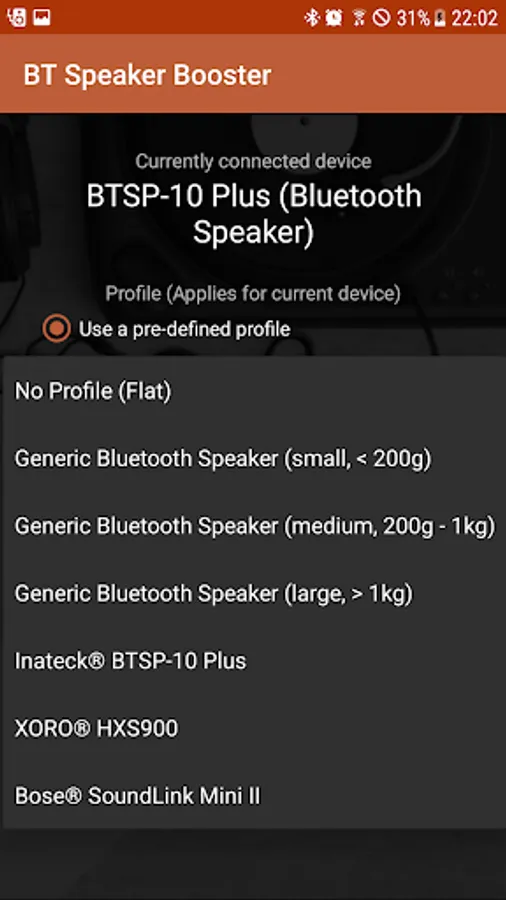
The app comes along with several profiles for different speaker types and also allows you to create custom equalizer profiles per device!
You can also change the profile strength to apply for each device individually.
Auto Volume (Beta):
You can set a default volume each time you re-connect with a device. This is useful e.g. if you connect to bluetooth audio in your car or other devices which offer an own volume control.
FAQ:
Why is my audio output getting quieter when applying profiles?
- In order to form the equalizer, some dynamic of the audio output must be used to ensure no sound issues. Reduce the profile strength if you need more volume or use the new Loudness feature.
Can I boost the audio volume with this app?
- You can use the Volume Boost feature to enhance the output volume. Use it carefully because it will push the output beyond the specified range.
- You can use a Loudness Compensation feature to change the eq depending on the output volume for a richer sound at lower and medium volumes
Compared to normal equalizer apps, this app stores individual profiles depending on what bluetooth audio device is connected. So you don't always have to switch your audio equalizer each time you connect to an other speaker (or headset, or car). The app will automatically inform you which device is currently connected and which profile is running.
The app comes along with several profiles for different speaker types and also allows you to create custom equalizer profiles per device!
You can also change the profile strength to apply for each device individually.
Auto Volume (Beta):
You can set a default volume each time you re-connect with a device. This is useful e.g. if you connect to bluetooth audio in your car or other devices which offer an own volume control.
FAQ:
Why is my audio output getting quieter when applying profiles?
- In order to form the equalizer, some dynamic of the audio output must be used to ensure no sound issues. Reduce the profile strength if you need more volume or use the new Loudness feature.
Can I boost the audio volume with this app?
- You can use the Volume Boost feature to enhance the output volume. Use it carefully because it will push the output beyond the specified range.
- You can use a Loudness Compensation feature to change the eq depending on the output volume for a richer sound at lower and medium volumes
Bluetooth Speaker Booster Screenshots
Tap to Rate:
Reviews for Bluetooth Speaker Booster
Arvie Gemongala
12/21/2025
quality
Uvais Alam
11/2/2025
this really works