Mobile SinglePoint
U.S. Bank Mobile
2.8 ★
77 ratings
10,000+
downloads
Free
With this banking app, you can view balances, transfer funds, and approve transactions. Includes transaction search, check fraud tools, and account management features.
AppRecs review analysis
AppRecs rating 2.8. Trustworthiness 0 out of 100. Review manipulation risk 0 out of 100. Based on a review sample analyzed.
★★☆☆☆
2.8
AppRecs Rating
Ratings breakdown
5 star
34%
4 star
9%
3 star
4%
2 star
8%
1 star
45%
What to know
✓
Authentic reviews
Natural distribution, no red flags
⚠
Mixed user feedback
Average 2.8★ rating suggests room for improvement
⚠
High negative review ratio
53% of sampled ratings are 1–2 stars
About Mobile SinglePoint
If you are a U.S. Bank corporate or business client, you can use Mobile SinglePoint to access your time-critical SinglePoint and SinglePoint Essentials services on the go. With the Mobile SinglePoint app, you can optimize your working capital while maintaining oversight of critical banking functions.
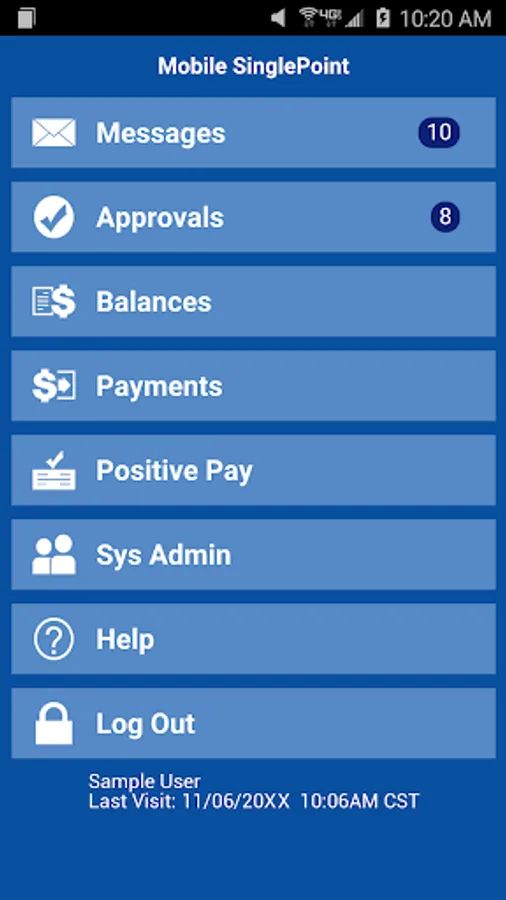
With Mobile SinglePoint, you can:
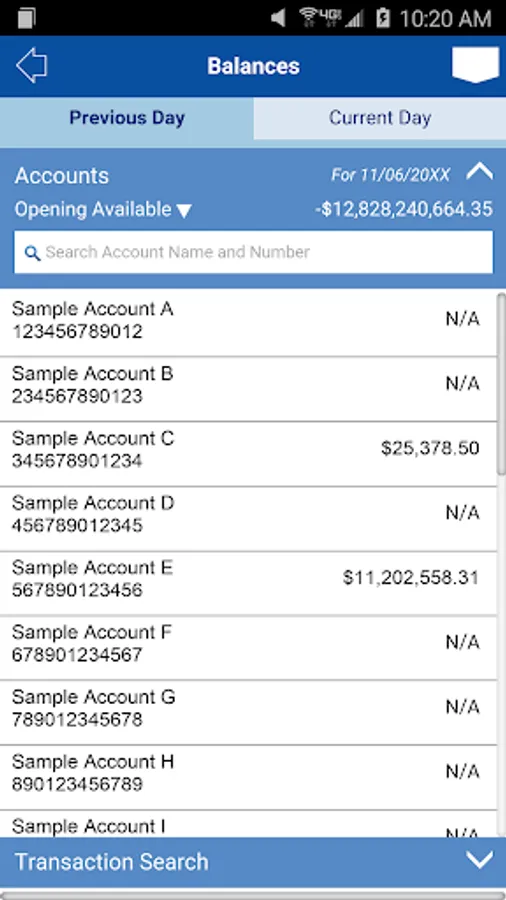
• View current and previous day balances or search for transactions within the Information Reporting database.
• Transfer funds between DDA accounts, loan accounts and trust accounts.
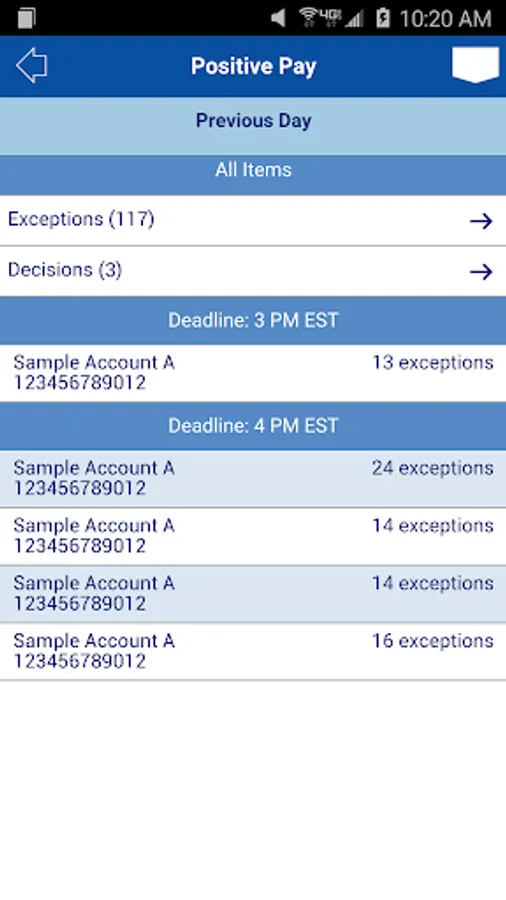
• Use Positive Pay; a check fraud tool that helps you make pay or return decisions quickly and confidently. You can also review exceptions for multiple accounts and view check images of exceptions.
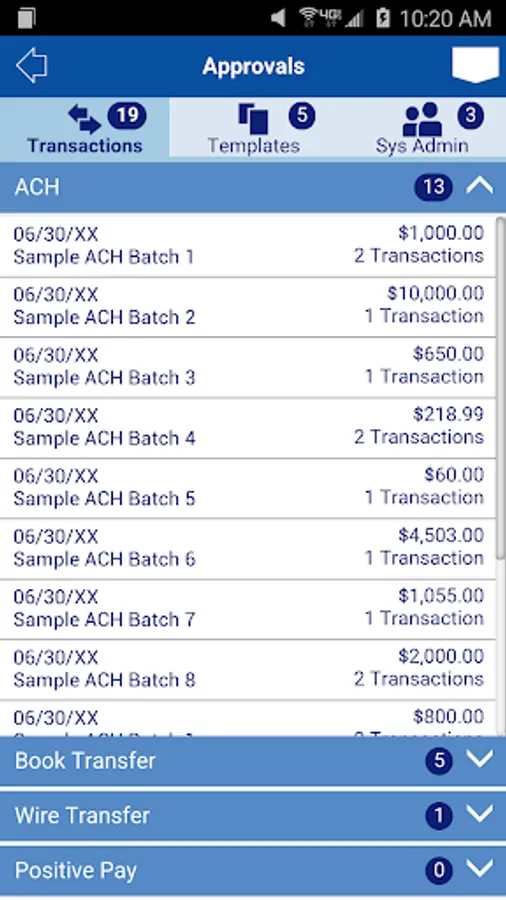
• Approve ACH batches and templates, wire transfers, wire transfer templates, and repeat codes; book transfers, and book templates. You can also approve Positive Pay decisions.
• Review bank messages quickly and conveniently.
System administrators
Approve password resets and control access to Mobile SinglePoint. The services, accounts and access entitlements each user has on SinglePoint or SinglePoint Essentials determines which functions are available through Mobile SinglePoint.
Please note:
The Mobile SinglePoint app is free to download. Your mobile carrier may charge access fees depending upon your individual plan. Web access is needed to use the mobile app. Check with your carrier for specific fees and charges. The Mobile SinglePoint app requires Android version 4.4 or later.
U.S. Bank is committed to protecting your security. Sensitive account information including your username and password are never stored on your mobile device and secure encryption is used to protect all transactions.
For personal banking, search for U.S. Bank in the App Store; Mobile SinglePoint® is designed for business clients only. You must be a SinglePoint® or SinglePoint® Essentials client to use this mobile application. Before using this application, your system administrator must assign the mobile entitlement to you. For more information about Mobile SinglePoint, contact a U.S. Bank Treasury Management Consultant or send a request to TreasuryManagementSolutions@USBank.com to locate a consultant in your area.
With Mobile SinglePoint, you can:
• View current and previous day balances or search for transactions within the Information Reporting database.
• Transfer funds between DDA accounts, loan accounts and trust accounts.
• Use Positive Pay; a check fraud tool that helps you make pay or return decisions quickly and confidently. You can also review exceptions for multiple accounts and view check images of exceptions.
• Approve ACH batches and templates, wire transfers, wire transfer templates, and repeat codes; book transfers, and book templates. You can also approve Positive Pay decisions.
• Review bank messages quickly and conveniently.
System administrators
Approve password resets and control access to Mobile SinglePoint. The services, accounts and access entitlements each user has on SinglePoint or SinglePoint Essentials determines which functions are available through Mobile SinglePoint.
Please note:
The Mobile SinglePoint app is free to download. Your mobile carrier may charge access fees depending upon your individual plan. Web access is needed to use the mobile app. Check with your carrier for specific fees and charges. The Mobile SinglePoint app requires Android version 4.4 or later.
U.S. Bank is committed to protecting your security. Sensitive account information including your username and password are never stored on your mobile device and secure encryption is used to protect all transactions.
For personal banking, search for U.S. Bank in the App Store; Mobile SinglePoint® is designed for business clients only. You must be a SinglePoint® or SinglePoint® Essentials client to use this mobile application. Before using this application, your system administrator must assign the mobile entitlement to you. For more information about Mobile SinglePoint, contact a U.S. Bank Treasury Management Consultant or send a request to TreasuryManagementSolutions@USBank.com to locate a consultant in your area.
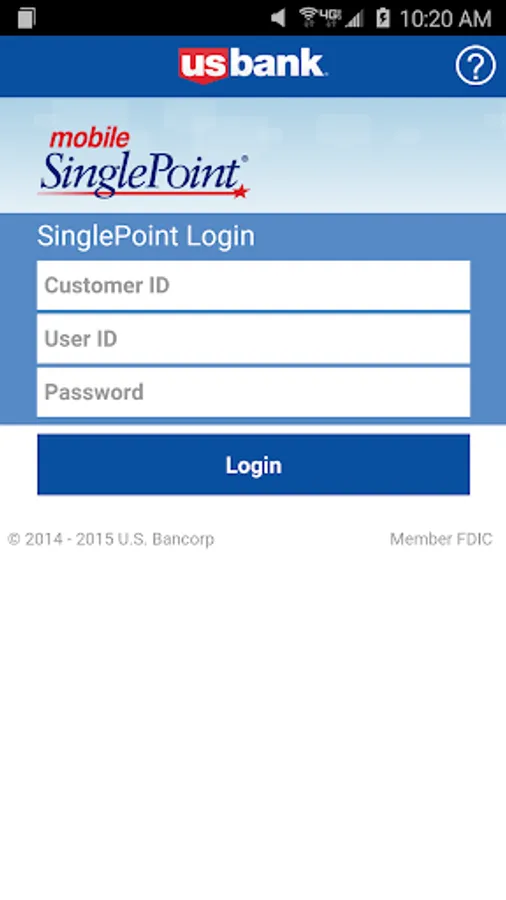
Mobile SinglePoint Screenshots
Tap to Rate:
Reviews for Mobile SinglePoint
Tiffany Lee
1/1/2026
can never log into this .... very frustrating when you access the bank for work religiously
Clell Cotton Jr
12/29/2025
Horrible. The login page won't load allow me to log in. never had this problem before there was an update to the app.