
ArtText Widget
vector123
3.7 ★
122 ratings
10,000+
downloads
Free
+ in-app
In this app, you can create personalized text widgets by editing content, applying themes, and customizing effects. Includes options for border styles, font effects, and easy home screen integration.
AppRecs review analysis
AppRecs rating 3.7. Trustworthiness 81 out of 100. Review manipulation risk 18 out of 100. Based on a review sample analyzed.
★★★☆☆
3.7
AppRecs Rating
Ratings breakdown
5 star
54%
4 star
7%
3 star
13%
2 star
7%
1 star
20%
What to know
✓
Low review manipulation risk
18% review manipulation risk
✓
Credible reviews
81% trustworthiness score from analyzed reviews
✓
Good user ratings
60% positive sampled reviews
About ArtText Widget
Welcome to ArtText Widget - Text Widget Tool
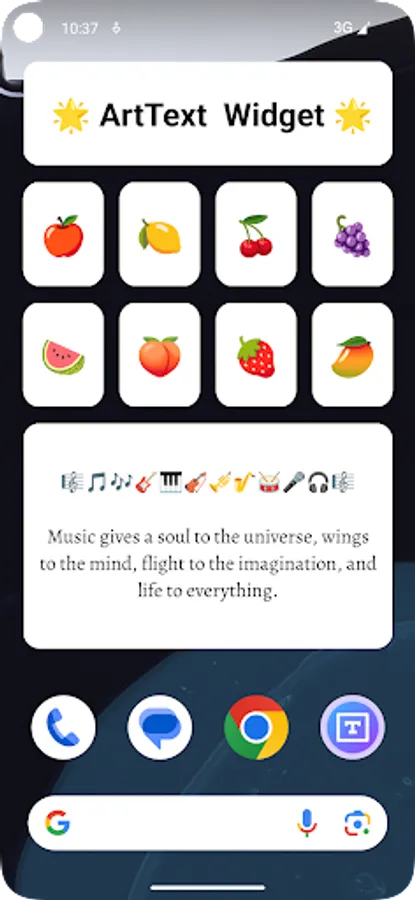
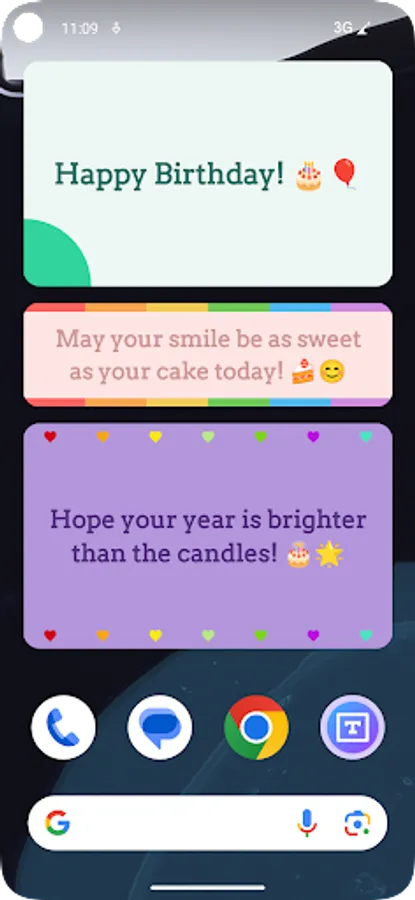
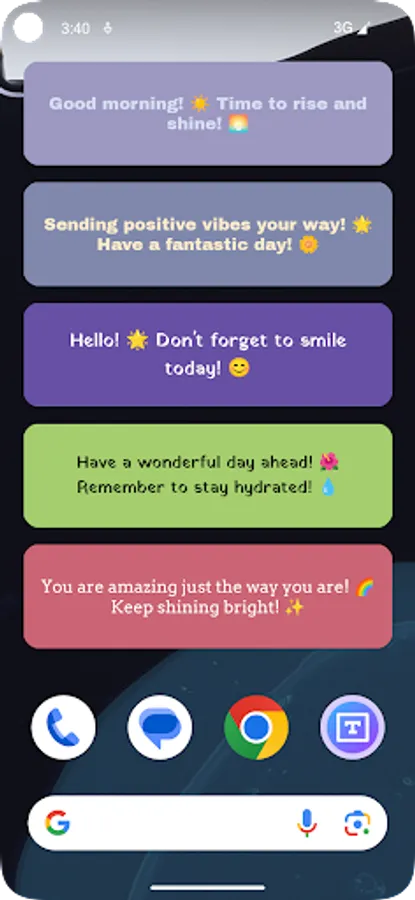
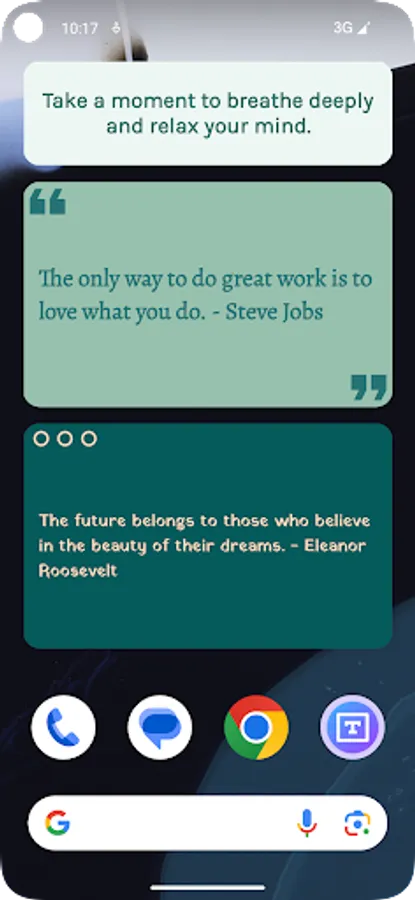
ArtText Widget is a powerful app that allows you to easily add personalized text widgets to your home screen. Whether you want to display inspirational quotes, daily reminders, or personal notes, ArtText Widget has you covered. With simple operations, you can create unique text widgets that seamlessly integrate with your home screen.
Key Features
Customize Text: Edit text content freely to share or remind yourself of your thoughts.
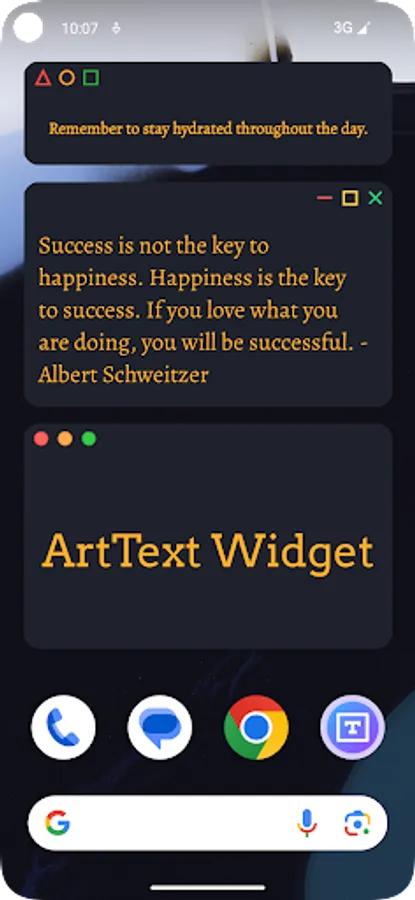
Rich Themes: Choose from various theme styles to suit different user preferences.
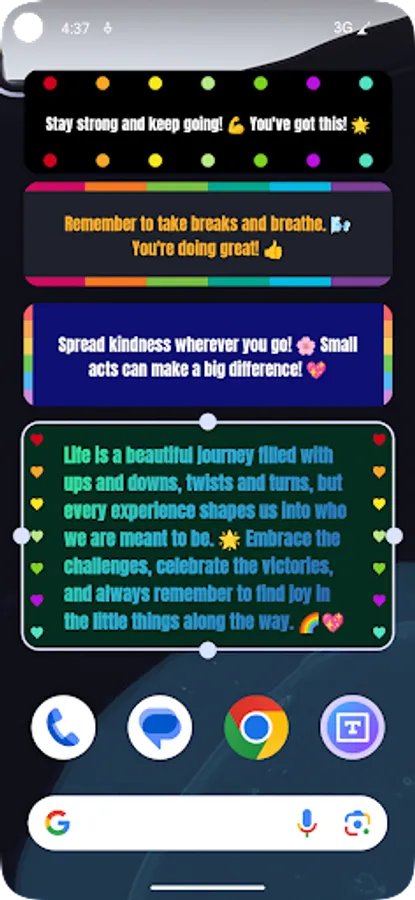
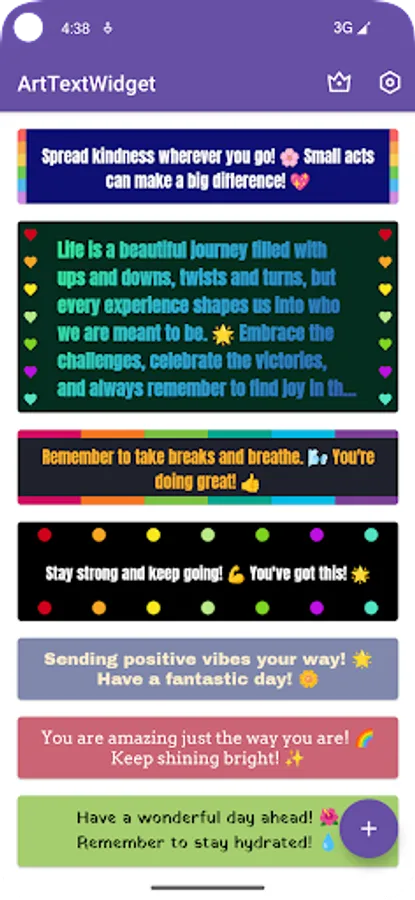
Border Decoration: Select different border styles to make text widgets stand out.
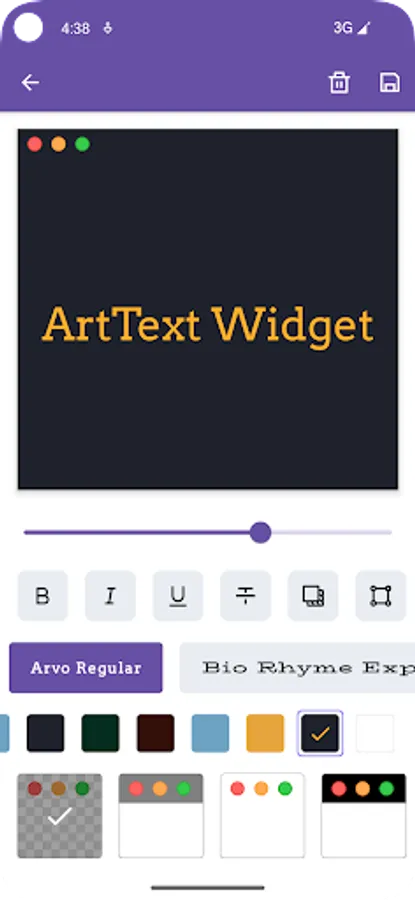
Font Effects: Support font shadow, italic, bold, hollow, and more effects to make text vivid.
Why Choose ArtText Widget?
Easy to Use: Intuitive interface for users to quickly create stunning text widgets, even for beginners.
Highly Customizable: Abundant editing options allow you to create unique text widgets according to personal preferences.
Space-saving: Text widgets occupy minimal space while providing important information on the home screen, helping you manage daily tasks and reminders more efficiently.
How to Use ArtText Widget?
1. Open the ArtText Widget app.
2. Select or create a new text widget.
3. Edit text content and choose theme styles, border decorations, and font effects according to personal preferences.
4. Add the text widget to your home screen.
Start Creating Now!
Download ArtText Widget to rejuvenate your home screen and adorn your life with unique text widgets! Showcase your creativity, share your thoughts, and make ArtText Widget a part of your life.
ArtText Widget is a powerful app that allows you to easily add personalized text widgets to your home screen. Whether you want to display inspirational quotes, daily reminders, or personal notes, ArtText Widget has you covered. With simple operations, you can create unique text widgets that seamlessly integrate with your home screen.
Key Features
Customize Text: Edit text content freely to share or remind yourself of your thoughts.
Rich Themes: Choose from various theme styles to suit different user preferences.
Border Decoration: Select different border styles to make text widgets stand out.
Font Effects: Support font shadow, italic, bold, hollow, and more effects to make text vivid.
Why Choose ArtText Widget?
Easy to Use: Intuitive interface for users to quickly create stunning text widgets, even for beginners.
Highly Customizable: Abundant editing options allow you to create unique text widgets according to personal preferences.
Space-saving: Text widgets occupy minimal space while providing important information on the home screen, helping you manage daily tasks and reminders more efficiently.
How to Use ArtText Widget?
1. Open the ArtText Widget app.
2. Select or create a new text widget.
3. Edit text content and choose theme styles, border decorations, and font effects according to personal preferences.
4. Add the text widget to your home screen.
Start Creating Now!
Download ArtText Widget to rejuvenate your home screen and adorn your life with unique text widgets! Showcase your creativity, share your thoughts, and make ArtText Widget a part of your life.
ArtText Widget Screenshots
Tap to Rate:
Reviews for ArtText Widget
D.B. Cooper
12/29/2025
A bit unintuitive. To successfully save edited widgets, it takes a lot of trial and error.
bmao4
12/21/2025
easy and fun to use with emoticons