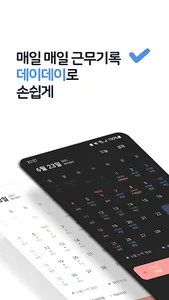
Dayday is a payroll management service that does not require an internet connection.
It is possible to store and manage work hours, hourly wages, monthly wages, etc. without signing up and logging in, and real-time synchronization of work information and community use are possible through an Internet connection and login. Start managing your payroll with a more convenient and neat design using Dayday.
main function
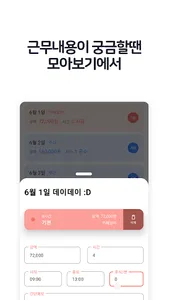
On the settings screen, click shift settings to register the desired shift.
Simply enter the time and register for work!
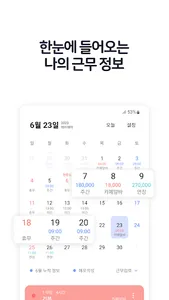
(Information displayed on the calendar, such as color, text, and overtime, can be freely changed at any time.)
Touch the desired date on the calendar and press the stop arrow on the screen.
If you touch the desired shift in the list of shifts you have registered, the shift input is completed.
(The quick menu that appears by pressing the stop arrow can always be set to visible or hidden in Settings.)
Use the memo function to leave as many notes as you want
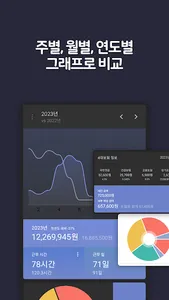
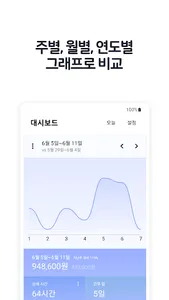
You can check the four major insurances and weekly, monthly, and annual work information in charts on the dashboard at a glance.
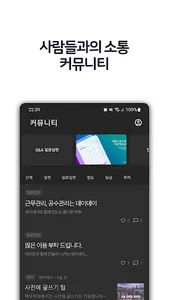
If you log in, you can use the Day Day community and real-time sync function.
Use sync to retain valuable information when changing devices or reinstalling apps.
[Optional access rights]
* You can use the app even if you do not agree to the optional access permission.
-Storage space: Save image files downloaded from the community to the gallery.
It is possible to store and manage work hours, hourly wages, monthly wages, etc. without signing up and logging in, and real-time synchronization of work information and community use are possible through an Internet connection and login. Start managing your payroll with a more convenient and neat design using Dayday.
main function
On the settings screen, click shift settings to register the desired shift.
Simply enter the time and register for work!
(Information displayed on the calendar, such as color, text, and overtime, can be freely changed at any time.)
Touch the desired date on the calendar and press the stop arrow on the screen.
If you touch the desired shift in the list of shifts you have registered, the shift input is completed.
(The quick menu that appears by pressing the stop arrow can always be set to visible or hidden in Settings.)
Use the memo function to leave as many notes as you want
You can check the four major insurances and weekly, monthly, and annual work information in charts on the dashboard at a glance.
If you log in, you can use the Day Day community and real-time sync function.
Use sync to retain valuable information when changing devices or reinstalling apps.
[Optional access rights]
* You can use the app even if you do not agree to the optional access permission.
-Storage space: Save image files downloaded from the community to the gallery.
Show More