Winner Launcher for Windows UE
Model X Apps
4.6 ★
12K ratings
1,000,000+
downloads
Free
+ in-app
AppRecs review analysis
AppRecs rating 4.1. Trustworthiness 76 out of 100. Review manipulation risk 31 out of 100. Based on a review sample analyzed.
★★★★☆
4.1
AppRecs Rating
Ratings breakdown
5 star
83%
4 star
5%
3 star
6%
2 star
2%
1 star
4%
What to know
✓
Credible reviews
76% trustworthiness score from analyzed reviews
✓
High user satisfaction
83% of sampled ratings are 5 stars
⚠
Ad complaints
Many low ratings mention excessive ads
About Winner Launcher for Windows UE
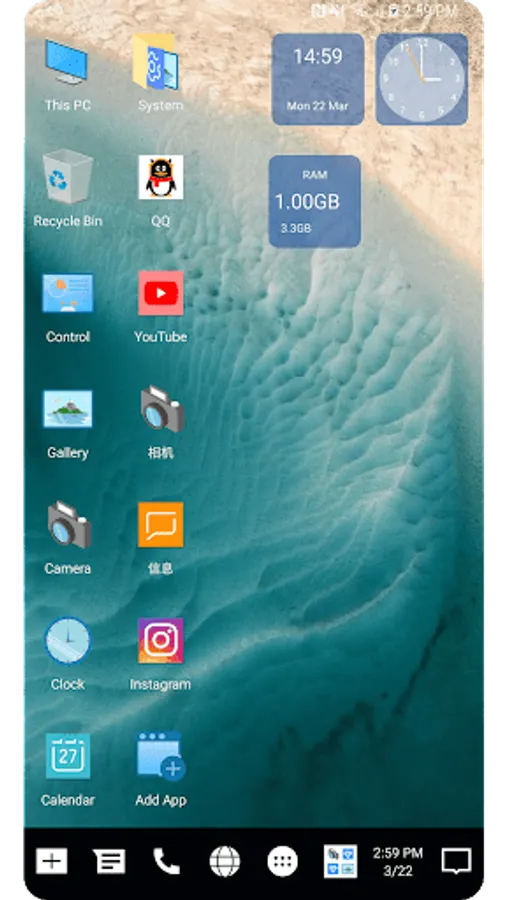
Winner Computer Launcher is a PC computer style launcher, it has many useful features and many cool themes, it let you use your phone with PC computer launcher experience. If you are looking for a computer style launcher on your Android, if you like the new style of PC launcher, then this computer style launcher is for you!
🔥 Winner Computer Launcher features:
+ Winner PC launcher style, provide your computer launcher experience
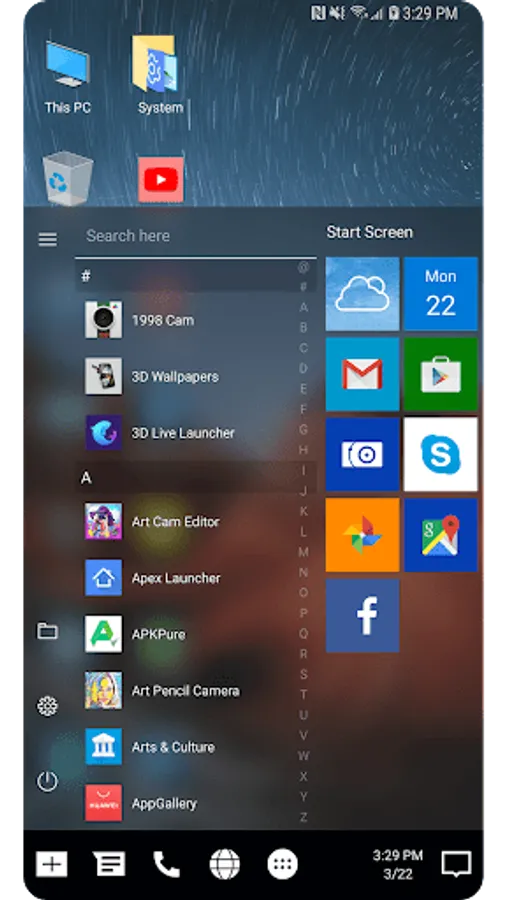
+ Computer launcher style Start menu, support swipe up on desktop to open Start menu
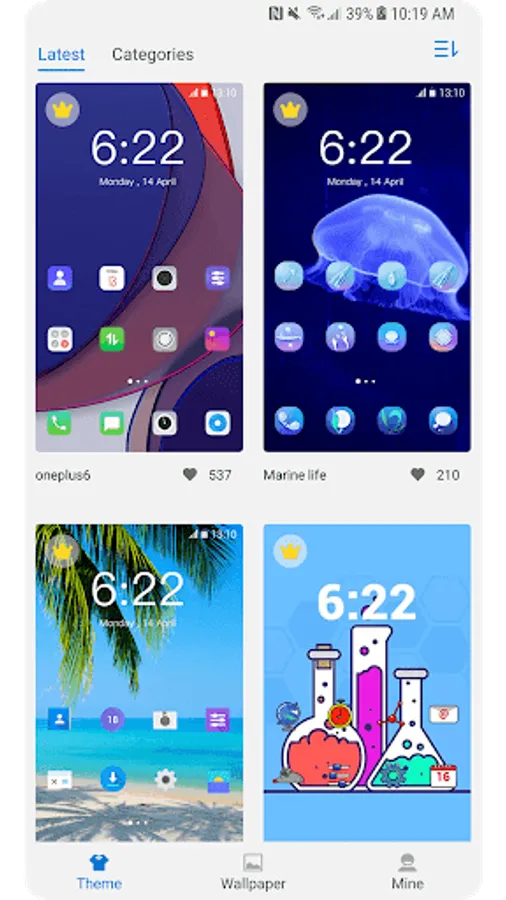
+ Winner Computer Launcher has 200+ themes
+ Winner Computer Launcher support almost all third party icon packs
+ Winner Computer Launcher has 50+ cool live wallpaper
+ Support auto put used apps to desktop and remove rare used app from desktop
+ Support change color of taskbar, icon label, etc.
+ Support change icon size and customize your desktop
+ Easy navigation to the all apps list
+ Pin the apps to the Start screen
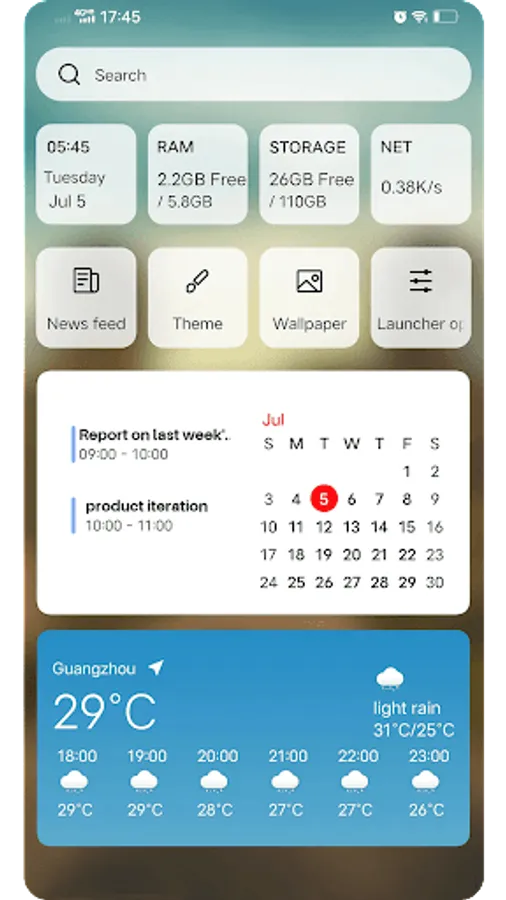
+ Winner Computer Launcher has a widget page for your to put widget
+ Winner Computer Launcher support create folder on desktop
+ Winner Computer Launcher support show recent apps folder on taskbar
+ Icon label shadow
+ Transparent taskbar
+ Action center
+ Calendar built in
+ Life at glance
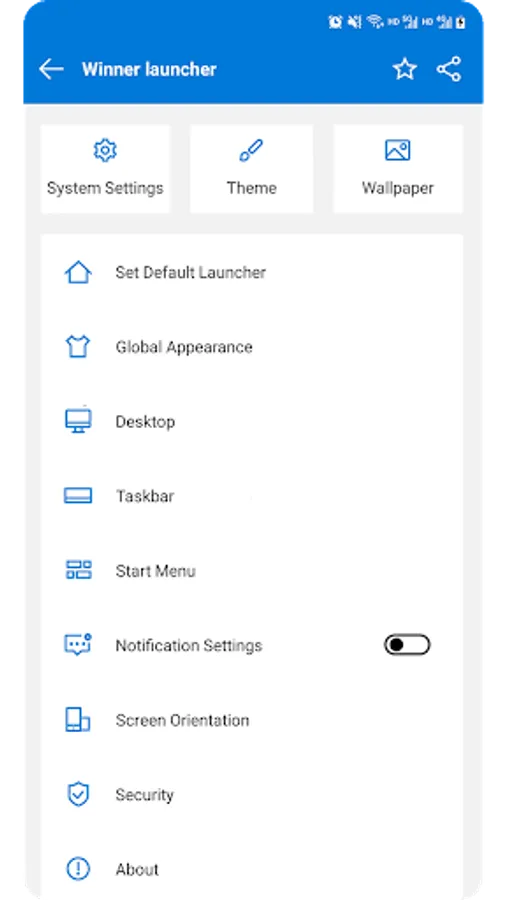
+ Quick settings
+ Hide apps
📢 Notice:
1. Android™ is a registered trademark of Google, Inc.
2. Windows™ is a registered trademark of Microsoft Corporation. This app's logo and name have been reviewed by Microsoft, Inc. (transmitted by AppDetex Managed Services)
3. Winner Computer Launcher is built to let our users use their phone like their familiar Win 10/ Win 11 PC, it has NO association with Microsoft.
4. Our app pass the security scanning of LOOKOUT, ESET, Google Play Protect and www.virustotal.com
❤️ Thanks for using Winner Computer Launcher, your comments are welcome!
🔥 Winner Computer Launcher features:
+ Winner PC launcher style, provide your computer launcher experience
+ Computer launcher style Start menu, support swipe up on desktop to open Start menu
+ Winner Computer Launcher has 200+ themes
+ Winner Computer Launcher support almost all third party icon packs
+ Winner Computer Launcher has 50+ cool live wallpaper
+ Support auto put used apps to desktop and remove rare used app from desktop
+ Support change color of taskbar, icon label, etc.
+ Support change icon size and customize your desktop
+ Easy navigation to the all apps list
+ Pin the apps to the Start screen
+ Winner Computer Launcher has a widget page for your to put widget
+ Winner Computer Launcher support create folder on desktop
+ Winner Computer Launcher support show recent apps folder on taskbar
+ Icon label shadow
+ Transparent taskbar
+ Action center
+ Calendar built in
+ Life at glance
+ Quick settings
+ Hide apps
📢 Notice:
1. Android™ is a registered trademark of Google, Inc.
2. Windows™ is a registered trademark of Microsoft Corporation. This app's logo and name have been reviewed by Microsoft, Inc. (transmitted by AppDetex Managed Services)
3. Winner Computer Launcher is built to let our users use their phone like their familiar Win 10/ Win 11 PC, it has NO association with Microsoft.
4. Our app pass the security scanning of LOOKOUT, ESET, Google Play Protect and www.virustotal.com
❤️ Thanks for using Winner Computer Launcher, your comments are welcome!
Winner Launcher for Windows UE Screenshots


Tap to Rate:
Reviews for Winner Launcher for Windows UE
Eknath Donn Koh
11/20/2025
Amazing
Shady Bronzy
9/30/2025
it's really cool try it and you will love it 😘