In this hiking app, you can record routes with details like distance, elevation, and time, and save or discard the trails. Includes features for viewing saved routes, uploading geotagged photos, sharing trails, and downloading routes via shared links.
AppRecs review analysis
AppRecs rating 4.7. Trustworthiness 0 out of 100. Review manipulation risk 0 out of 100. Based on a review sample analyzed.
★★★★☆
4.7
AppRecs Rating
Ratings breakdown
5 star
86%
4 star
0%
3 star
14%
2 star
0%
1 star
0%
What to know
✓
High user satisfaction
86% of sampled ratings are 5 stars
About Trail Meter
Overview
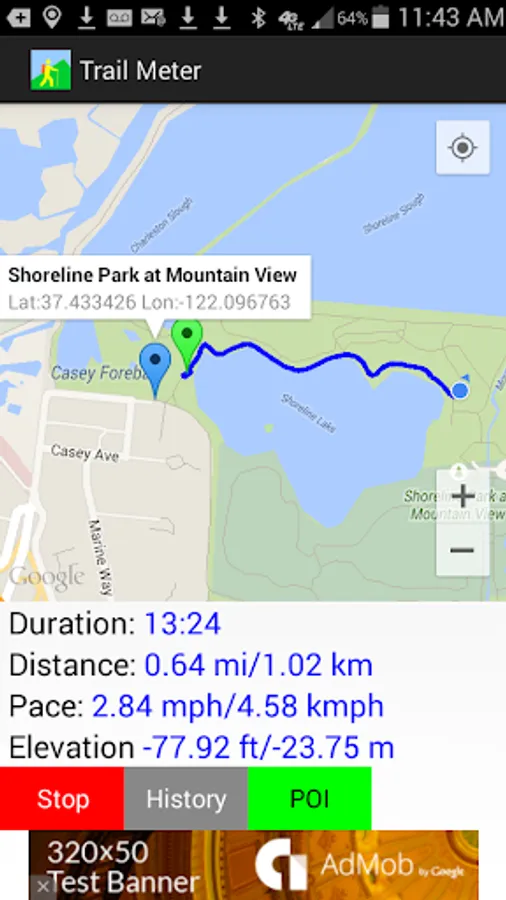
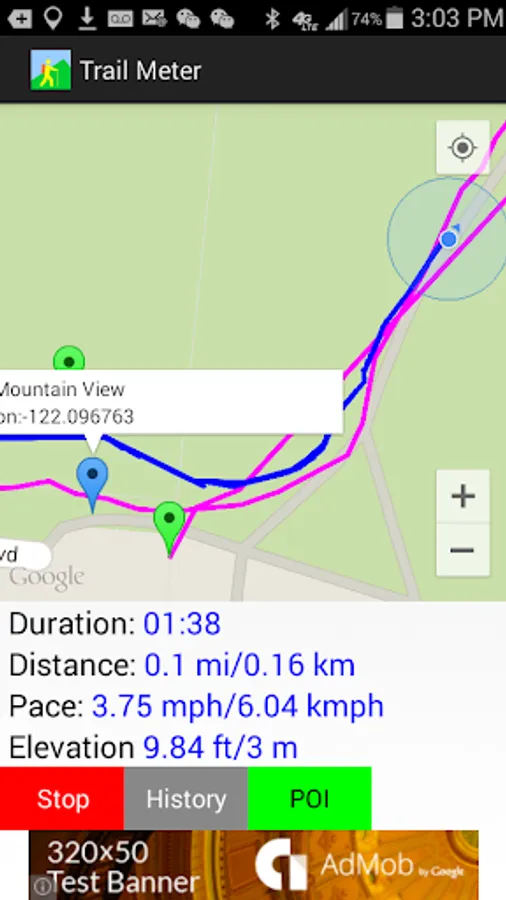
Trail Meter helps people record their hiking routes with distance, pace, duration, and elevation information.
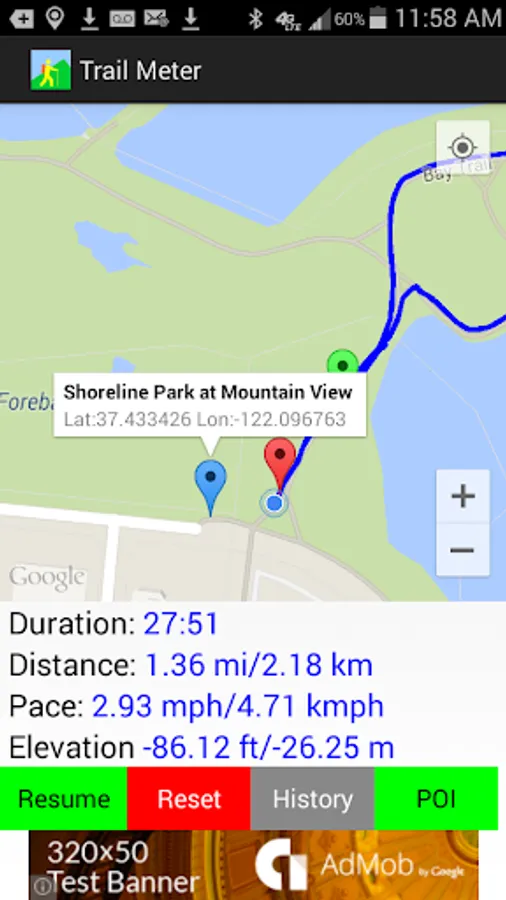
A green marker indicates the starting point, and a red marker indicates the end point. Address and geolocation information can be obtained by tapping each marker.
Users can choose to stop recording anytime and either save the route or discard it. Users can then choose to continue recording the same route or reset the app to a new start after saving the trail.
Saved History
By browsing the saved routes history, users can see previous hiking routes to track their progress.
Once the trail is saved to history, it can be followed later by clicking the "Trace" button and then the "Start" button to follow the original trail route. This functionality provides various benefits such as finding exactly where the trail was started and what places the user had been to. This helps the user avoid getting lost by knowing exactly which path to choose at each intersection.
Photos
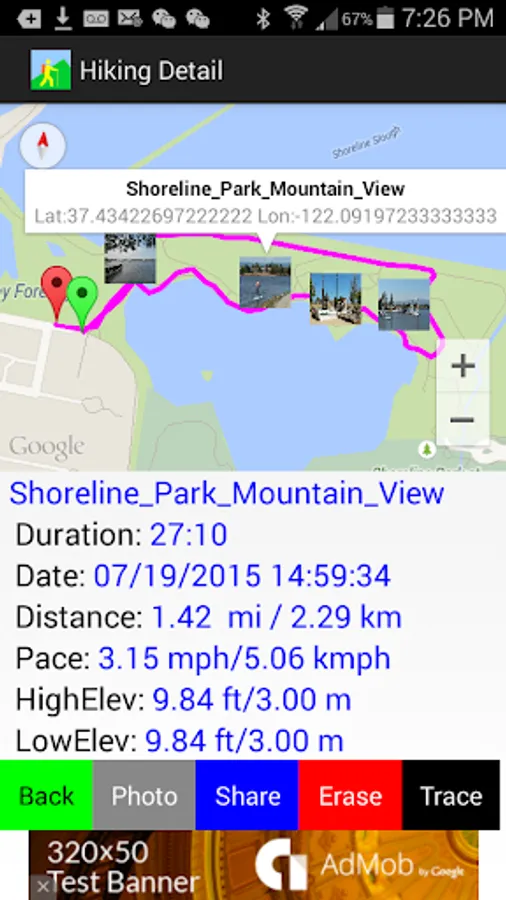
By clicking the photo button, which has a camera icon, the user can upload photos taken along the routes and tag the photo thumbnails on the exact geolocations where the photos were taken. In order for this to work, cameras that are equipped with GPS sensors need to have their location services enabled so that photos will have geolocation tags attached. For standalone cameras that do not have GPS capability, make sure that the camera's time setting is in sync with the phone's system time setting.
Share
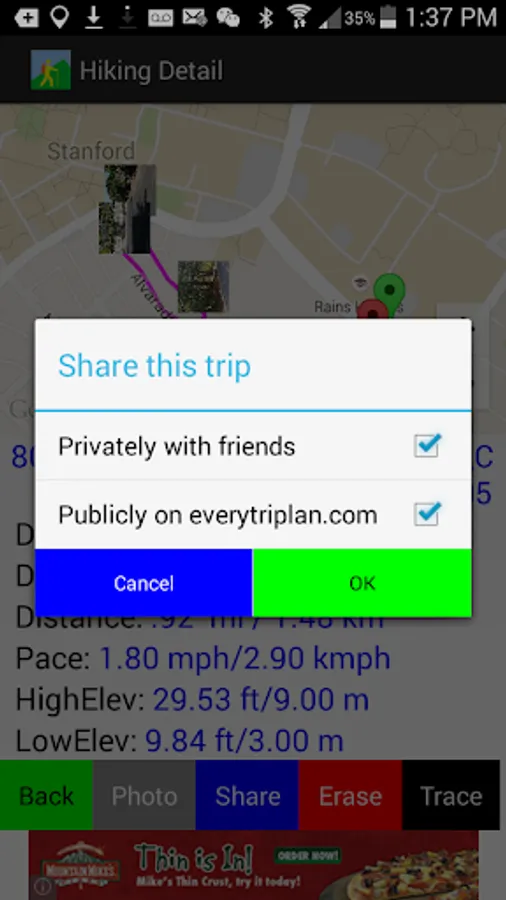
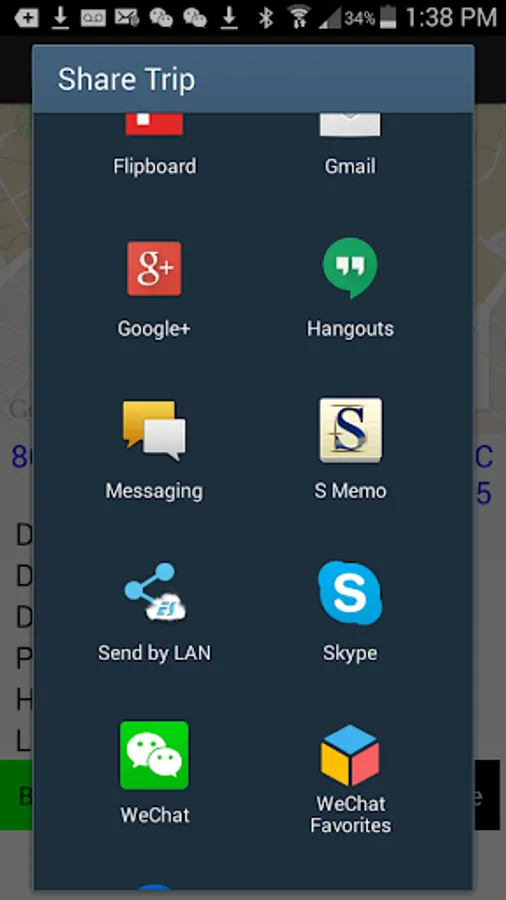
Clicking the share button enables sharing of trail links via email, messaging, social networks, etc. The user can share privately with friends or publicly on www.everytriplan.com to benefit other hikers.
The user's friends can download a trail to their phones via the shared link generated by the application. Users can also go directly to www.everytriplan.com to browse and search specific trails and download them to their phones locally.
Downloads
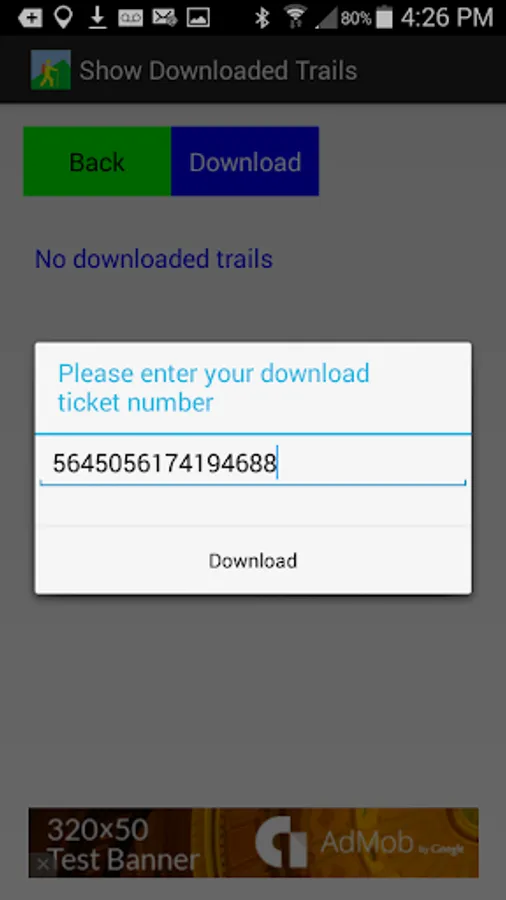
Obtaining the download ticket number of a trail is straightforward. From the trail detail page of the web site www.everytriplan.com, click the download button on the top. The ticket number will be displayed above the map image.
In the Trail Meter application, press the "+" button under the "Downloads" screen. A text input field will appear. Copy and paste or type the ticket number obtained from the above step to proceed with downloading.
Trace
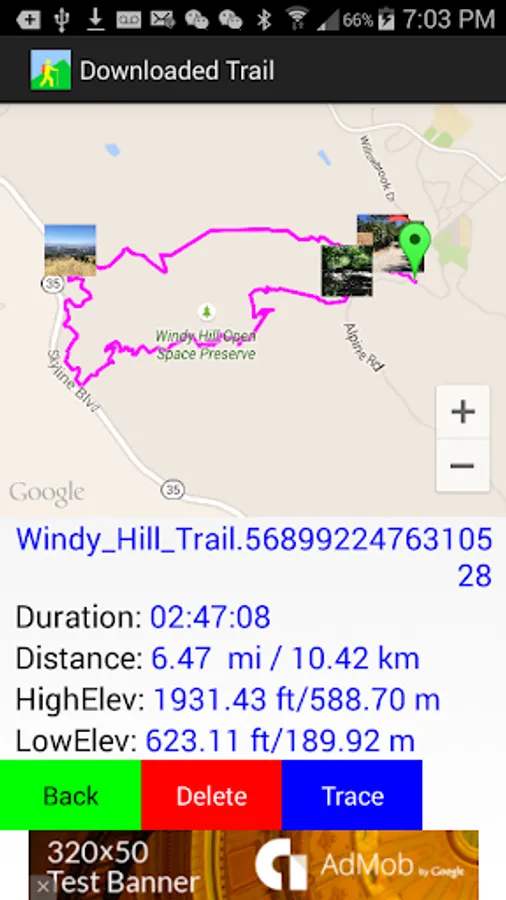
Saved history trails and downloaded trails can be followed by the user when clicking the "Trace" button from the trail detail screen. This works well in remote areas where there is no established trail, no cell phone service, or where no maps would be available on the phone. The original saved or downloaded trail routes could be useful guides and references to explore wilderness areas and to avoid getting lost. Tapping the photo thumbnails displays enlarged photos with exact latitude and longitude coordinates for better viewing.
Delete
To delete any trails that are under History and Downloads, click Delete button from trail detail page.
Set location coordinates
Set up waypoints by either (1) typing in the latitude/longitude coordinates, or (2) simply adding the current location while walking. The latter option can save the user from typing the latitude/longitude values as the app itself will automatically populate the current location values. With the first option, the user can get latitude/longitude values from the Internet and input these before a trip.
Location Services
Trail Meter requires using location services in the background. To save battery, in remote places where there is no cell service, battery life can be preserved significantly by turning on the airplane mode.
Trail Meter helps people record their hiking routes with distance, pace, duration, and elevation information.
A green marker indicates the starting point, and a red marker indicates the end point. Address and geolocation information can be obtained by tapping each marker.
Users can choose to stop recording anytime and either save the route or discard it. Users can then choose to continue recording the same route or reset the app to a new start after saving the trail.
Saved History
By browsing the saved routes history, users can see previous hiking routes to track their progress.
Once the trail is saved to history, it can be followed later by clicking the "Trace" button and then the "Start" button to follow the original trail route. This functionality provides various benefits such as finding exactly where the trail was started and what places the user had been to. This helps the user avoid getting lost by knowing exactly which path to choose at each intersection.
Photos
By clicking the photo button, which has a camera icon, the user can upload photos taken along the routes and tag the photo thumbnails on the exact geolocations where the photos were taken. In order for this to work, cameras that are equipped with GPS sensors need to have their location services enabled so that photos will have geolocation tags attached. For standalone cameras that do not have GPS capability, make sure that the camera's time setting is in sync with the phone's system time setting.
Share
Clicking the share button enables sharing of trail links via email, messaging, social networks, etc. The user can share privately with friends or publicly on www.everytriplan.com to benefit other hikers.
The user's friends can download a trail to their phones via the shared link generated by the application. Users can also go directly to www.everytriplan.com to browse and search specific trails and download them to their phones locally.
Downloads
Obtaining the download ticket number of a trail is straightforward. From the trail detail page of the web site www.everytriplan.com, click the download button on the top. The ticket number will be displayed above the map image.
In the Trail Meter application, press the "+" button under the "Downloads" screen. A text input field will appear. Copy and paste or type the ticket number obtained from the above step to proceed with downloading.
Trace
Saved history trails and downloaded trails can be followed by the user when clicking the "Trace" button from the trail detail screen. This works well in remote areas where there is no established trail, no cell phone service, or where no maps would be available on the phone. The original saved or downloaded trail routes could be useful guides and references to explore wilderness areas and to avoid getting lost. Tapping the photo thumbnails displays enlarged photos with exact latitude and longitude coordinates for better viewing.
Delete
To delete any trails that are under History and Downloads, click Delete button from trail detail page.
Set location coordinates
Set up waypoints by either (1) typing in the latitude/longitude coordinates, or (2) simply adding the current location while walking. The latter option can save the user from typing the latitude/longitude values as the app itself will automatically populate the current location values. With the first option, the user can get latitude/longitude values from the Internet and input these before a trip.
Location Services
Trail Meter requires using location services in the background. To save battery, in remote places where there is no cell service, battery life can be preserved significantly by turning on the airplane mode.