
In this video editing app, you can rotate videos by 90, 180, or 270 degrees and save the modified files. Includes options for previewing, selecting angles, and managing videos.
AppRecs review analysis
AppRecs rating 3.6. Trustworthiness 53 out of 100. Review manipulation risk 33 out of 100. Based on a review sample analyzed.
★★★☆☆
3.6
AppRecs Rating
Ratings breakdown
5 star
57%
4 star
6%
3 star
10%
2 star
2%
1 star
25%
What to know
✓
Good user ratings
63% positive sampled reviews
✓
Authentic reviews
Natural distribution, no red flags
About Fast Video Rotate
do some of your videos playback at the wrong orientation?
or do you just like watching your video sideways or upside down?
use this app to rotate any of your videos by 90, 180 or 270 degrees and change their playback orientation.
*** IMPORTANT NOTICE ***
the application does not have access to your removable sd card, if you have one. In case you need to rotate a video file located in your removable sd card, please first copy this file to your internal sd card using your file manager application.
*************************
the orientation change is carried out by modifying a flag in the header of the video file and so the process is very fast. it completes within a few seconds.
the application makes a copy of your original video and only modifies the orientation of the copied video. Hence, to the best of our knowledge, it is unlikely that the application will damage any of your video files, but please use the application at your own risk.
The process of backing up your original video may probably take some time depending on the size of the video.
There is a free trial version that you can use to change the orientation on one video file only and see if it works for you before you download the paid version.
************* WARNING *********************
some android video players do not make use of the orientation flag and so you will see no change in the playback orientation. However if you upload the new video to your PC and use QuickTime or to youtube or facebook it will most probably work.
********* Instructions *****************
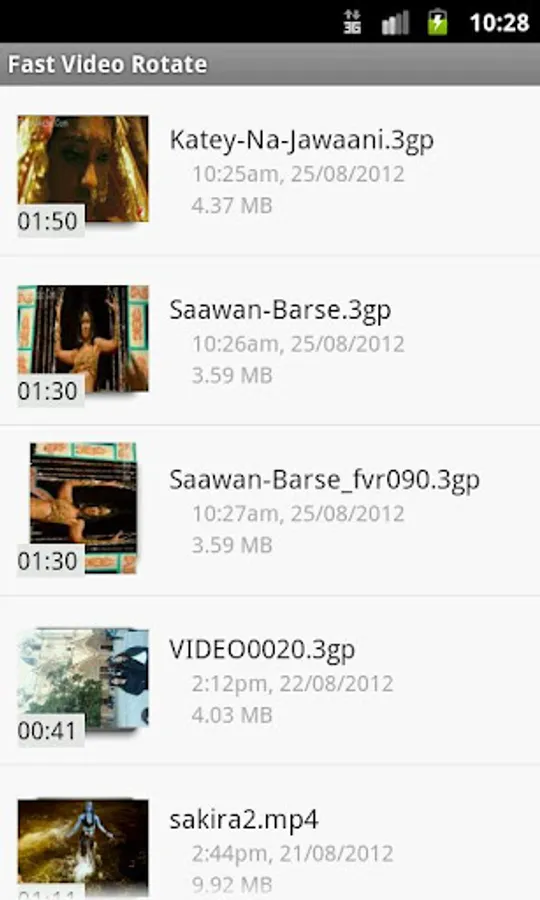
1.select a video from the displayed video list
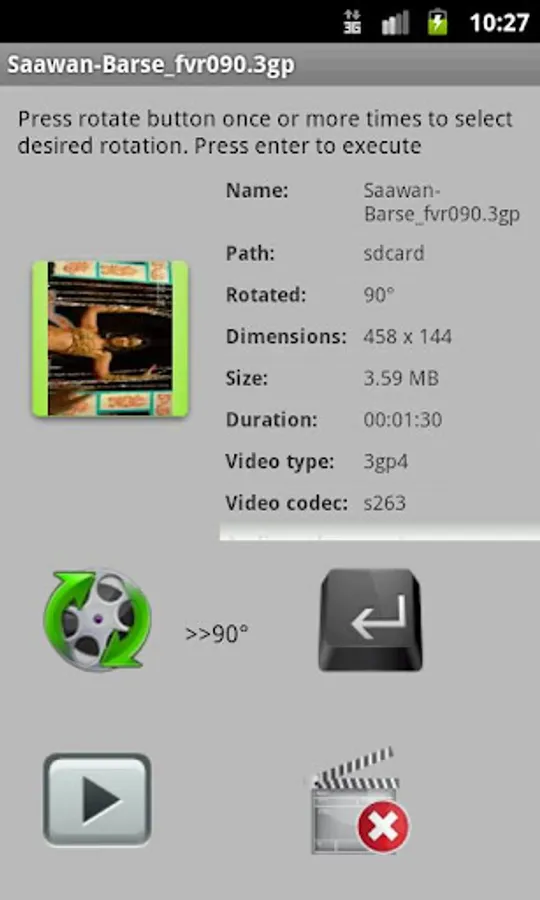
2.use the rotate button to choose the desired rotation angle
3.use the execute (Enter) button to apply the rotation
4.use the play button to playback the new video
a new video file will be created with the selected rotation and displayed in your list of videos.
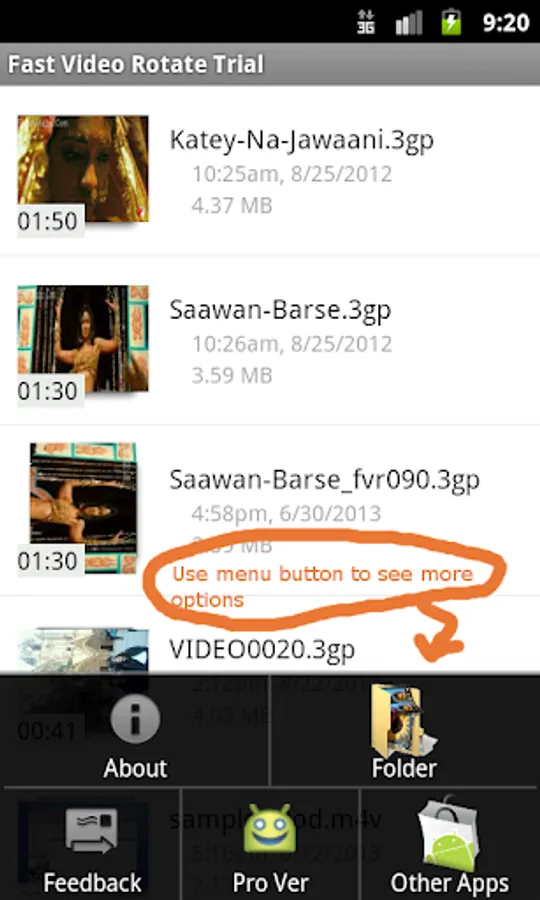
Use menu button to change folder and see more instructions.
In order to switch between sd cards press the two dots on the top of the folders list.
or do you just like watching your video sideways or upside down?
use this app to rotate any of your videos by 90, 180 or 270 degrees and change their playback orientation.
*** IMPORTANT NOTICE ***
the application does not have access to your removable sd card, if you have one. In case you need to rotate a video file located in your removable sd card, please first copy this file to your internal sd card using your file manager application.
*************************
the orientation change is carried out by modifying a flag in the header of the video file and so the process is very fast. it completes within a few seconds.
the application makes a copy of your original video and only modifies the orientation of the copied video. Hence, to the best of our knowledge, it is unlikely that the application will damage any of your video files, but please use the application at your own risk.
The process of backing up your original video may probably take some time depending on the size of the video.
There is a free trial version that you can use to change the orientation on one video file only and see if it works for you before you download the paid version.
************* WARNING *********************
some android video players do not make use of the orientation flag and so you will see no change in the playback orientation. However if you upload the new video to your PC and use QuickTime or to youtube or facebook it will most probably work.
********* Instructions *****************
1.select a video from the displayed video list
2.use the rotate button to choose the desired rotation angle
3.use the execute (Enter) button to apply the rotation
4.use the play button to playback the new video
a new video file will be created with the selected rotation and displayed in your list of videos.
Use menu button to change folder and see more instructions.
In order to switch between sd cards press the two dots on the top of the folders list.
Fast Video Rotate Screenshots
Tap to Rate:
Reviews for Fast Video Rotate
Harmik Andreas
1/26/2022
H265 not supposed! The app was working, but now dose not, and I guess it's because of H265. Hopefully an update would fix it, otherwise it's useless for new phones.
A Google user
4/7/2020
Perfect. No recoding which makes it amazingly fast!