Let's use the collection search page (hereinafter referred to as the official site) of the Yokohama City Library more conveniently!
* This application is an unofficial application. Please refrain from contacting the Yokohama City Library.
* To use this app, you need to register a book card number for the Yokohama City Library.
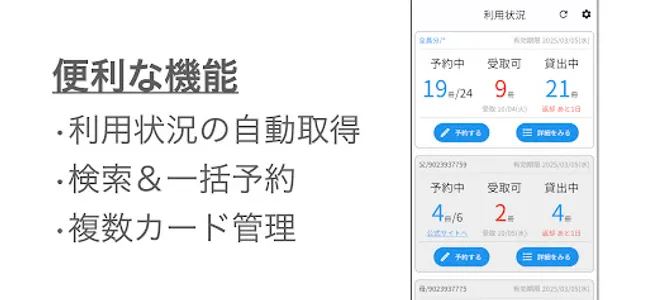
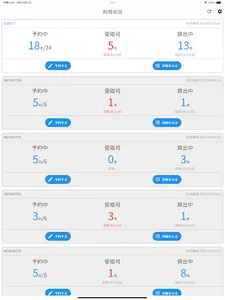
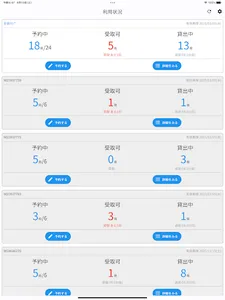
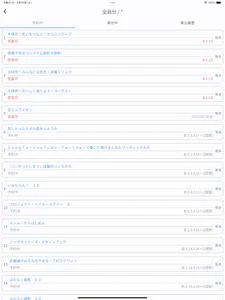
◆Automatic acquisition of usage status! Troublesome operation is unnecessary!
Since the current usage status is automatically obtained when the application is started, there is no need for troublesome operations.
When the home screen opens, the information you need is there!
◆We can manage library card of whole family in a mass!
If you register all family members, you can add them up and treat them as if they were a single book card, so you don't have to worry about individual usage.
You can use it without worrying about "Whose card has a reservation slot?"
◆ Prevent forgetting to go to the library!
Every morning at 8:00 a.m., push notifications let you know if there are any books you can pick up or if there are any books that are approaching the deadline for pick-up or return.
Let's go to the library when we receive the notice♪
Push notification type
・When the book arrives (can be received)
・When the deadline for receiving the book is 3 days away or until today
・When the due date for returning the book is 3 days or today
* If you don't need it, select this app from the settings app and turn off notifications.
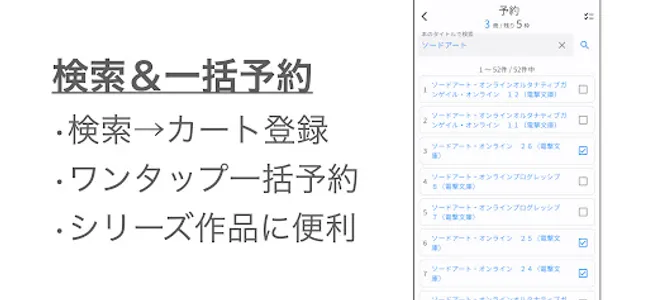
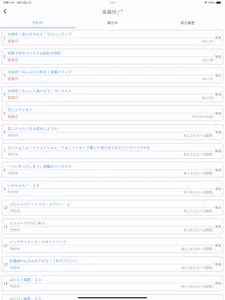
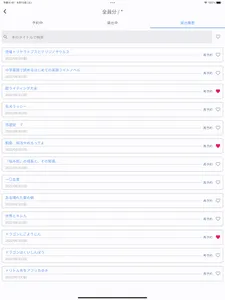
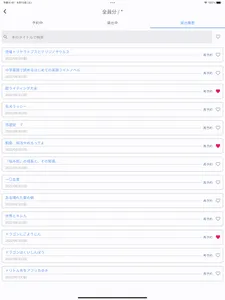
◆Cart registration from free word search and bulk reservation are supported!
Free word search by book title, add more books you want to reserve to the cart.
Finally, if you press the batch reservation button, the reservation will be completed with one tap!
Search → stressless because you don't have to repeat reservations.
Especially convenient when booking series works!
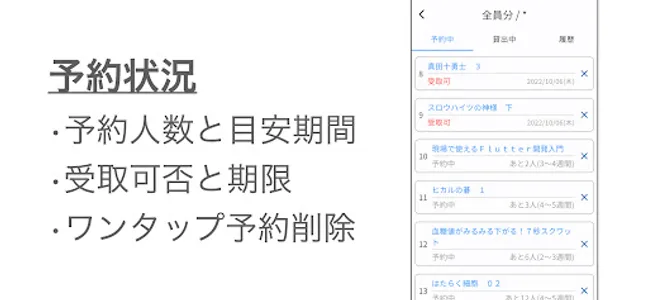
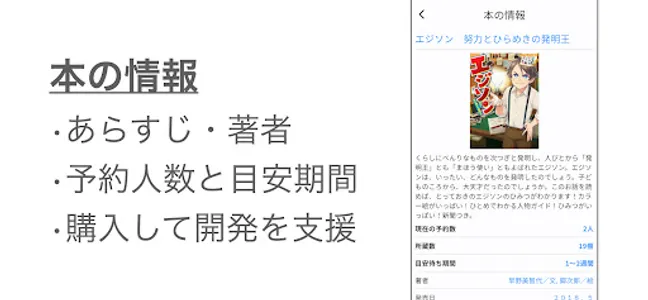
◆ You can make a reservation systematically by looking at the approximate period!
Automatically calculates how long it will take to borrow from the reservation order of the book you are reserving and the number of reservations for the book you are trying to reserve.
Let's use it for a planned reservation, such as 2 books that will take a long time and the remaining 4 books that will come in a short time!
・How to calculate the approximate waiting period
Estimated waiting period = (number of people waiting / number of affiliations) + 1 (weeks)
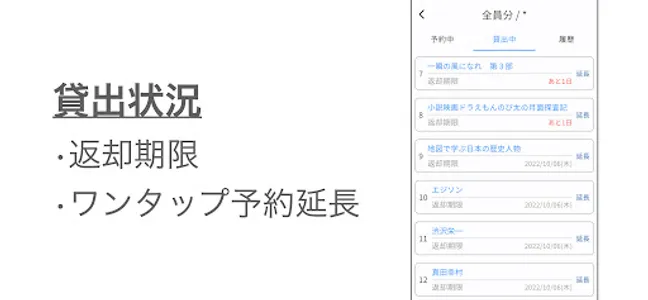
◆Convenient one-tap operation
Various registration processes can be completed with one-tap operation without moving to the official website.
With just one tap, you can easily log in to the official website, move to the page, and automatically process the designated registration process on the back side.
There is no need to worry about operation errors because there is no manual operation!
One-tap operation type
・Bulk reservation
・Reservation deletion
・Reservation extension
・Rebook
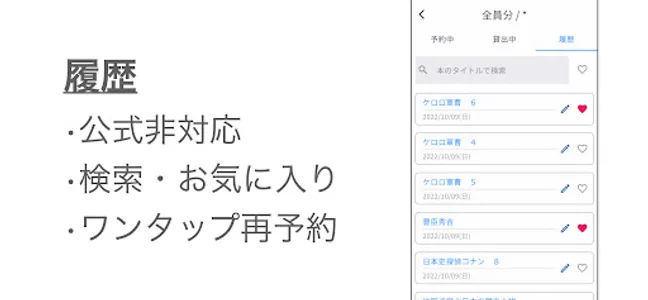
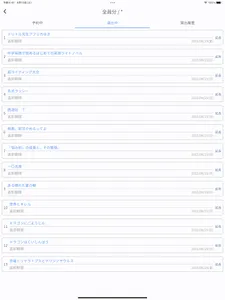
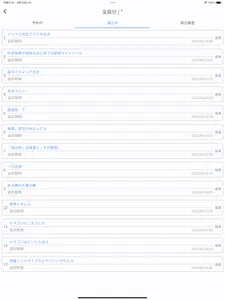
◆ There is a rental history that is not compatible with the official website!
Officially supports saving of non-compliant lending history.
If you think "I want to read that book again", you can reserve it immediately with one tap rebooking ♪
Since the history is saved on the terminal itself, it is a safe specification that will not be uploaded to the server.
*If you delete the app, the lending history will also be deleted.
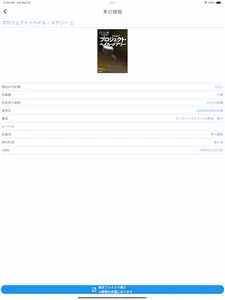
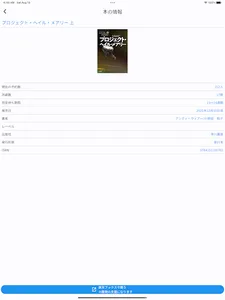
◆Purchase your favorite books and books that are inundated with reservations!
Books that you want to read over and over again, books that you like, books that you don't know when you can borrow them due to a flood of reservations,
Purchase a book from the book details screen! If you buy it, you will also support the developer and kill two birds with one stone!
◆ Automatically log in to the official website
For functions not supported by this application, go to the official website GO!
From the "Official site" button on the home screen, you can log in automatically without any input!
◆ Notes
・If the "Yokohama City Library Collection Search Page" is down due to maintenance, etc., this application cannot be used.
・This application may not be available due to changes in the specifications of the "Yokohama City Library Collection Search Page".
◆ List of Yokohama City Libraries
central library
Tsurumi Library
Kanagawa Library
middle library
south library
Konan Library
Hodogaya Library
Asahi Library
Isogo Library
Kanazawa Library
Kohoku Library
green library
Yamauchi Library
Tsuzuki Library
Totsuka Library
Sakae Library
Izumi Library
Seya Library
mobile library
Fujigaoka District C
Wakakusadai district C
Utsukushigaoka West District C
Nara district C
Oba Misuzugaoka District C
Aobadai Community House
Tana Station
Futamatagawa Station Administrative SC
Higashi-Totsuka Station Administration SC
Konandai district center
* This application is an unofficial application. Please refrain from contacting the Yokohama City Library.
* To use this app, you need to register a book card number for the Yokohama City Library.
◆Automatic acquisition of usage status! Troublesome operation is unnecessary!
Since the current usage status is automatically obtained when the application is started, there is no need for troublesome operations.
When the home screen opens, the information you need is there!
◆We can manage library card of whole family in a mass!
If you register all family members, you can add them up and treat them as if they were a single book card, so you don't have to worry about individual usage.
You can use it without worrying about "Whose card has a reservation slot?"
◆ Prevent forgetting to go to the library!
Every morning at 8:00 a.m., push notifications let you know if there are any books you can pick up or if there are any books that are approaching the deadline for pick-up or return.
Let's go to the library when we receive the notice♪
Push notification type
・When the book arrives (can be received)
・When the deadline for receiving the book is 3 days away or until today
・When the due date for returning the book is 3 days or today
* If you don't need it, select this app from the settings app and turn off notifications.
◆Cart registration from free word search and bulk reservation are supported!
Free word search by book title, add more books you want to reserve to the cart.
Finally, if you press the batch reservation button, the reservation will be completed with one tap!
Search → stressless because you don't have to repeat reservations.
Especially convenient when booking series works!
◆ You can make a reservation systematically by looking at the approximate period!
Automatically calculates how long it will take to borrow from the reservation order of the book you are reserving and the number of reservations for the book you are trying to reserve.
Let's use it for a planned reservation, such as 2 books that will take a long time and the remaining 4 books that will come in a short time!
・How to calculate the approximate waiting period
Estimated waiting period = (number of people waiting / number of affiliations) + 1 (weeks)
◆Convenient one-tap operation
Various registration processes can be completed with one-tap operation without moving to the official website.
With just one tap, you can easily log in to the official website, move to the page, and automatically process the designated registration process on the back side.
There is no need to worry about operation errors because there is no manual operation!
One-tap operation type
・Bulk reservation
・Reservation deletion
・Reservation extension
・Rebook
◆ There is a rental history that is not compatible with the official website!
Officially supports saving of non-compliant lending history.
If you think "I want to read that book again", you can reserve it immediately with one tap rebooking ♪
Since the history is saved on the terminal itself, it is a safe specification that will not be uploaded to the server.
*If you delete the app, the lending history will also be deleted.
◆Purchase your favorite books and books that are inundated with reservations!
Books that you want to read over and over again, books that you like, books that you don't know when you can borrow them due to a flood of reservations,
Purchase a book from the book details screen! If you buy it, you will also support the developer and kill two birds with one stone!
◆ Automatically log in to the official website
For functions not supported by this application, go to the official website GO!
From the "Official site" button on the home screen, you can log in automatically without any input!
◆ Notes
・If the "Yokohama City Library Collection Search Page" is down due to maintenance, etc., this application cannot be used.
・This application may not be available due to changes in the specifications of the "Yokohama City Library Collection Search Page".
◆ List of Yokohama City Libraries
central library
Tsurumi Library
Kanagawa Library
middle library
south library
Konan Library
Hodogaya Library
Asahi Library
Isogo Library
Kanazawa Library
Kohoku Library
green library
Yamauchi Library
Tsuzuki Library
Totsuka Library
Sakae Library
Izumi Library
Seya Library
mobile library
Fujigaoka District C
Wakakusadai district C
Utsukushigaoka West District C
Nara district C
Oba Misuzugaoka District C
Aobadai Community House
Tana Station
Futamatagawa Station Administrative SC
Higashi-Totsuka Station Administration SC
Konandai district center
Show More