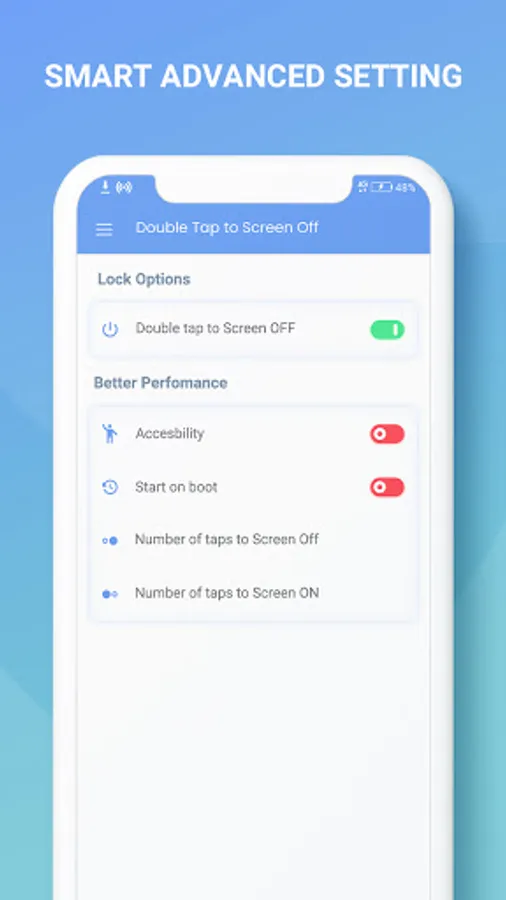
In this app, users can customize screen off actions by configuring the number of taps and toggling features. Includes device administrator access, overlay drawing, and performance settings.
AppRecs review analysis
AppRecs rating 3.5. Trustworthiness 80 out of 100. Review manipulation risk 31 out of 100. Based on a review sample analyzed.
★★★☆☆
3.5
AppRecs Rating
Ratings breakdown
5 star
50%
4 star
7%
3 star
4%
2 star
7%
1 star
32%
What to know
✓
Credible reviews
80% trustworthiness score from analyzed reviews
✓
Authentic reviews
Natural distribution, no red flags
⚠
High negative review ratio
39% of sampled ratings are 1–2 stars
About Double Tap Screen Off
Double Tap Screen Off app has a very simple design and straightforward functionalities. Double Tap Screen Off app is easy to understand, operate and bring into action. Double Tap Screen Off app allows the user to manually select the actions that would result based on their number of clicks on the screen.
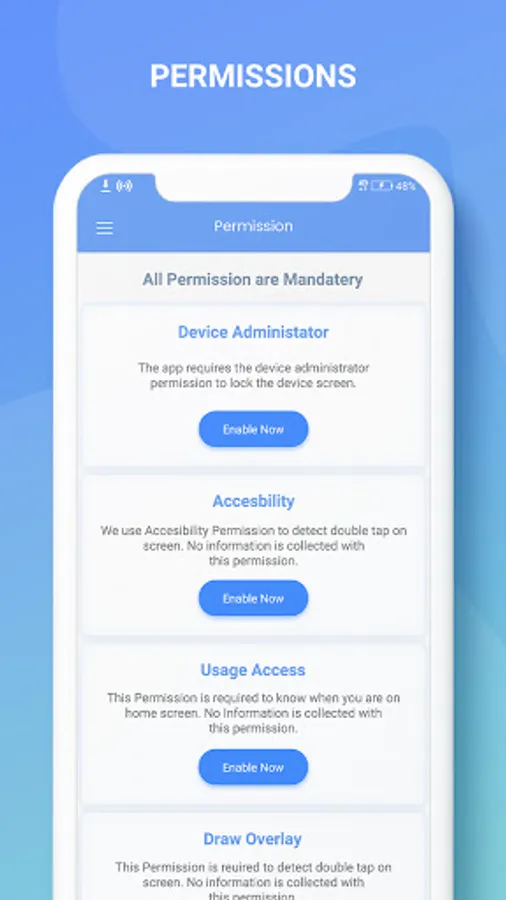
Access permission:-
- Device Administrator
Double Tap Screen Off app requires device administrator permission to lock the device screen. Click Enable Now.
- Accessibility
Double Tap Screen Off app uses Double Tap Screen Off permission to detect double tap on screen. No information is collected with this permission. Click Enable Now.
- Usage Access
Double Tap Screen Off app requires usage access permission to know when user is on home screen. Click Enable Now.
- Draw Overlay
Draw overlay permission is required by Double Tap Screen Off app to detect double tap on screen. Click Enable Now.
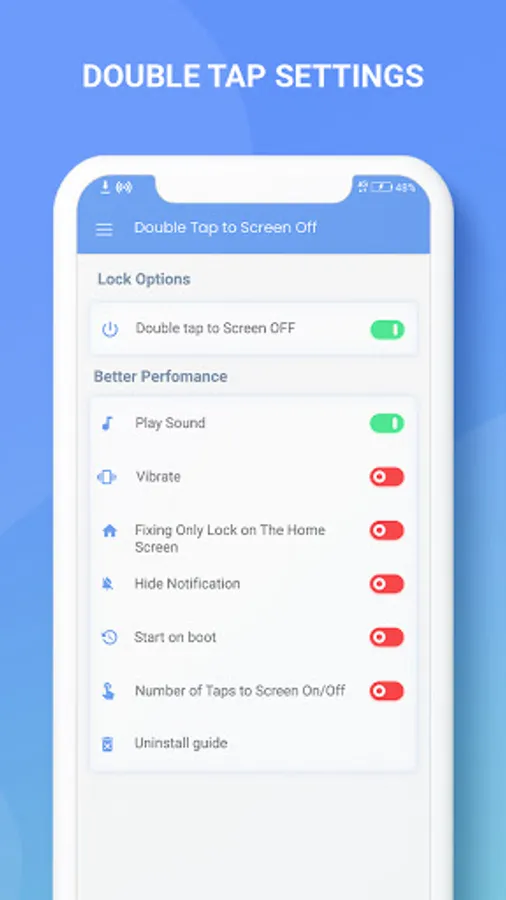
- Lock Options:
Toggle for activation of doublet tap on screen Off
Performance Toggle options:
- Play Sound
- Vibrate
- Fixing only Lock On Home Screen
- Hide Notification
- Start on boot
- Number of taps to screen off: 2, 3, 4, 5
- Uninstall Guide
Double Tap Screen Off is a feature-driven Android app designed for Android users to customize their screen off operations based on number of screen taps. Double Tap Screen Off app is a readily available application and has a quick installation process.
Double Tap Screen Off app reflects a user-friendly and flexible GUI. Double Tap Screen Off app is compatible with almost all screen resolutions of mobile and tablet devices.
Quickly install and simple yet useful Double Tap Screen Off app NOW!!!
Access permission:-
- Device Administrator
Double Tap Screen Off app requires device administrator permission to lock the device screen. Click Enable Now.
- Accessibility
Double Tap Screen Off app uses Double Tap Screen Off permission to detect double tap on screen. No information is collected with this permission. Click Enable Now.
- Usage Access
Double Tap Screen Off app requires usage access permission to know when user is on home screen. Click Enable Now.
- Draw Overlay
Draw overlay permission is required by Double Tap Screen Off app to detect double tap on screen. Click Enable Now.
- Lock Options:
Toggle for activation of doublet tap on screen Off
Performance Toggle options:
- Play Sound
- Vibrate
- Fixing only Lock On Home Screen
- Hide Notification
- Start on boot
- Number of taps to screen off: 2, 3, 4, 5
- Uninstall Guide
Double Tap Screen Off is a feature-driven Android app designed for Android users to customize their screen off operations based on number of screen taps. Double Tap Screen Off app is a readily available application and has a quick installation process.
Double Tap Screen Off app reflects a user-friendly and flexible GUI. Double Tap Screen Off app is compatible with almost all screen resolutions of mobile and tablet devices.
Quickly install and simple yet useful Double Tap Screen Off app NOW!!!