
Pie Launcher
Free
rated 4.0 stars
100,000+
downloads
About Pie Launcher
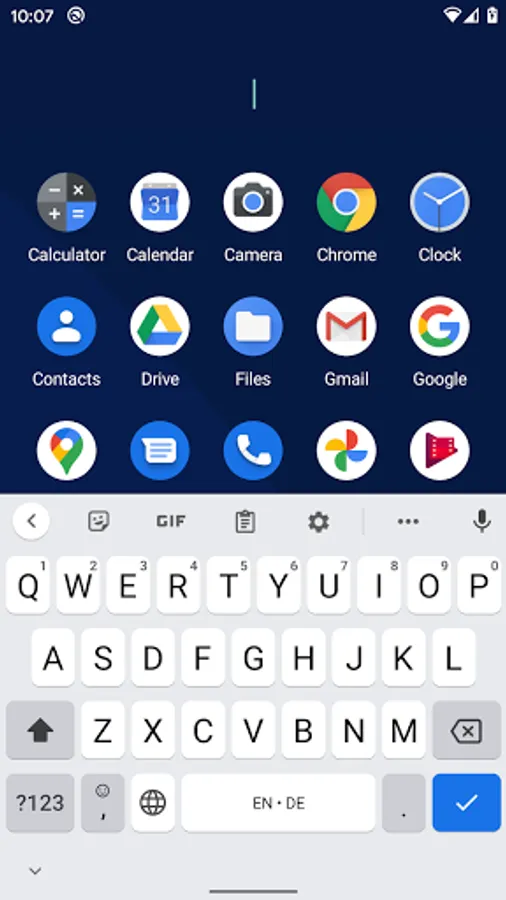
Or just tap and type the name of an app you don't use frequently.
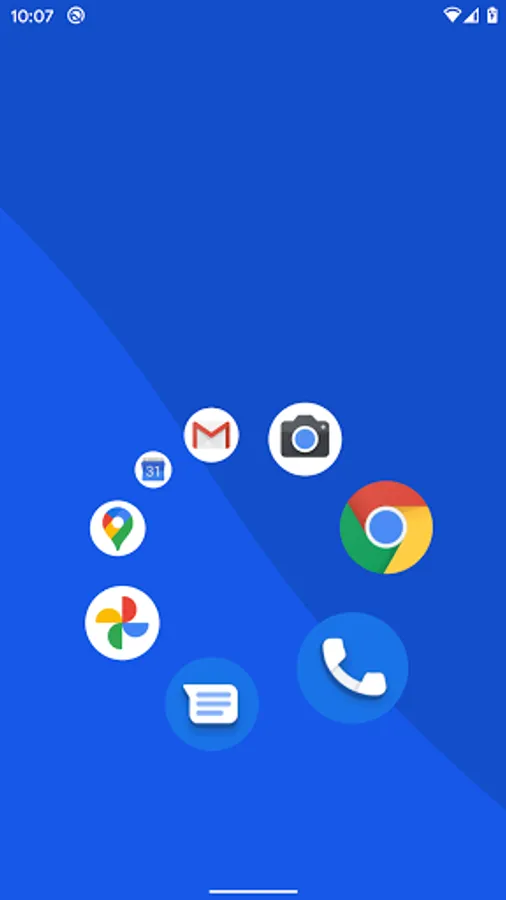
Long press an app in the listing of apps to enter the editor for the pie menu. Use 4, 6 or 8 icons in the pie menu to make the most out of it.
Once you get used to it, you can launch your most frequently used apps using muscle memory without even looking.
Apps you don't use regularly are quickly available with just one tap and by typing the first one or two letters of the app name.
This is open source: https://github.com/markusfisch/PieLauncher
Pie Launcher Screenshots
Reviews for Pie Launcher
phani rithvij
12/22/2025
Most practical and minimal launcher. Don't listen to the reviews which say that it is too minimal or not minimal enough, there is nothing to be gained by having folders etc. and nothing bad by having an app drawer. You have other options if you want extreme minimalism or lots of customisations. This is the perfect middleground and I have paid for Niagara, Smartlauncher etc. and this was the one I ended up with. (Install from the F-DROID app if you wish to own your device instead of google.)
Fabio Rodriguez
12/21/2025
One of the lightest and most original launchers I've tried. Using directional swipes to launch 8 apps is genius and very fast. However, the home screen feels slightly too bare. I would love to see something like an optional clock widget added to the UI to fill that empty space and improve the aesthetic. Highly recommended otherwise!
Sumeet Nikam
11/28/2025
Bravo!
Waran G
11/6/2025
everything perfect except the option to customize what apps comes in homscreen pie.
Rajvardhan Kumar
10/16/2025
very bad app
Tap to Rate: