Android System Widgets +
Benjamin Laws
4.8 ★
296 ratings
1,000+
downloads
$5.99
In this system widgets collection, you can monitor device information and customize widget appearance. Includes clock, battery, storage, RAM, net speed, flashlight, and customization options.
AppRecs review analysis
AppRecs rating 4.4. Trustworthiness 79 out of 100. Review manipulation risk 23 out of 100. Based on a review sample analyzed.
★★★★☆
4.4
AppRecs Rating
Ratings breakdown
5 star
95%
4 star
1%
3 star
0%
2 star
1%
1 star
3%
What to know
✓
Low review manipulation risk
23% review manipulation risk
✓
Credible reviews
79% trustworthiness score from analyzed reviews
✓
High user satisfaction
95% of sampled ratings are 5 stars
About Android System Widgets +
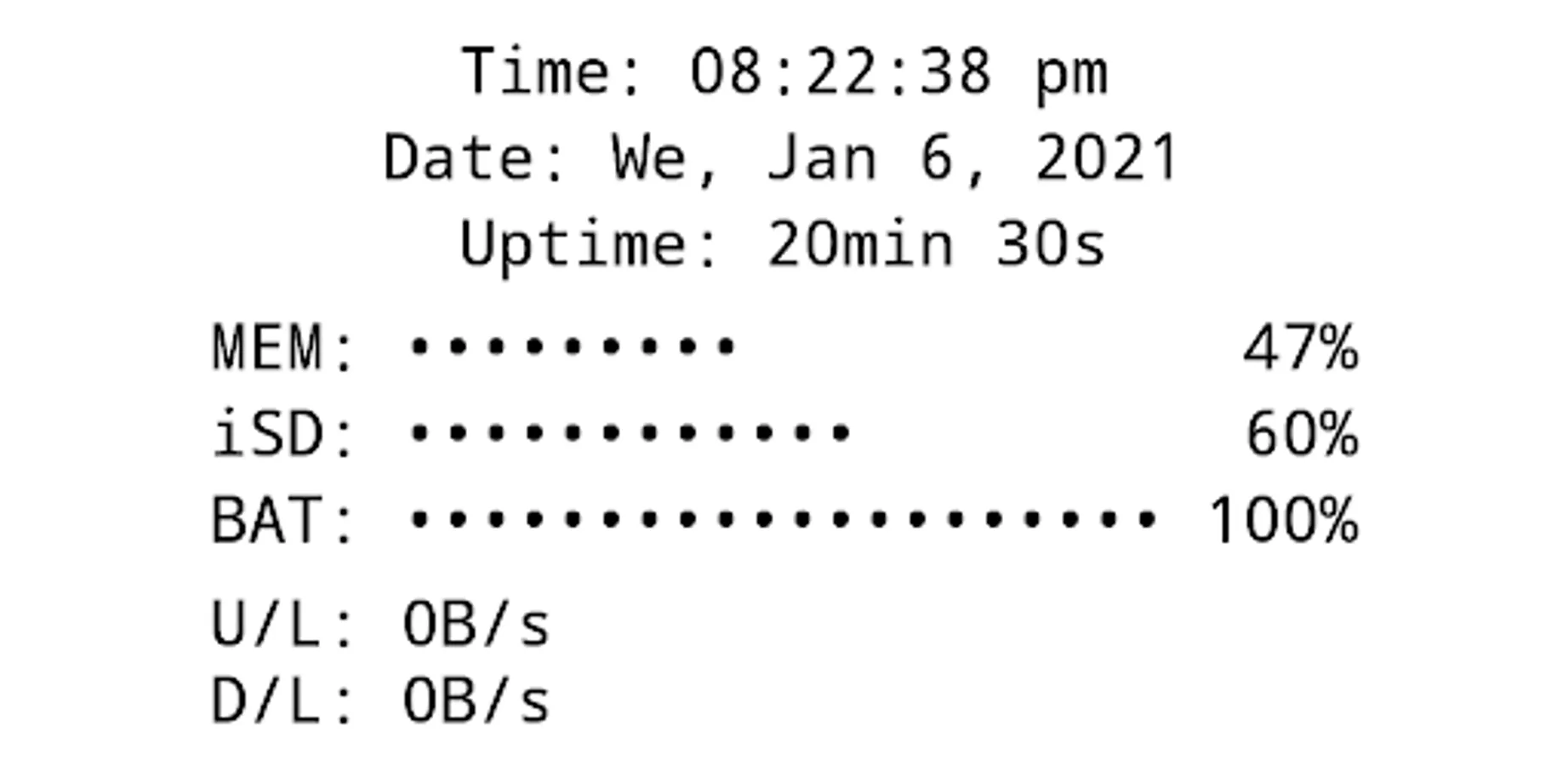
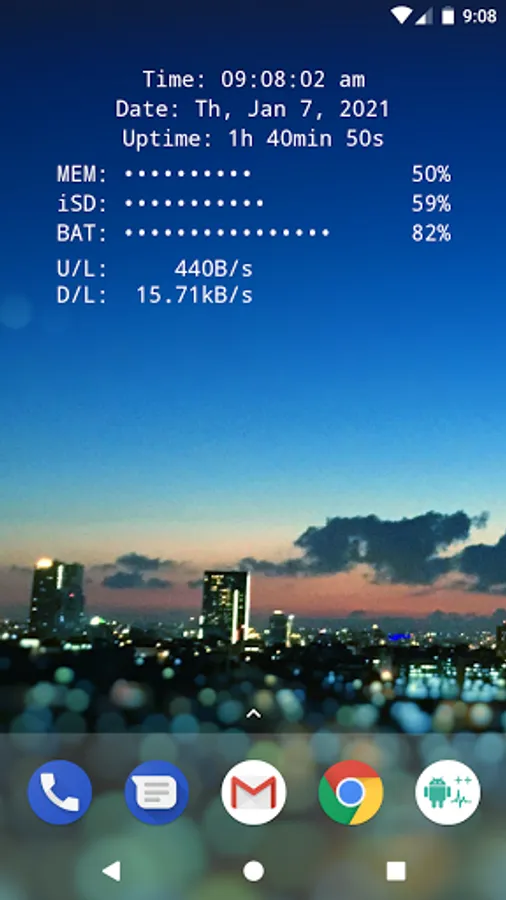
All essential info right on your home screen: Clock, Date, Uptime, RAM, Storage, Battery, Net Speed & Flashlight.
Included Widgets:
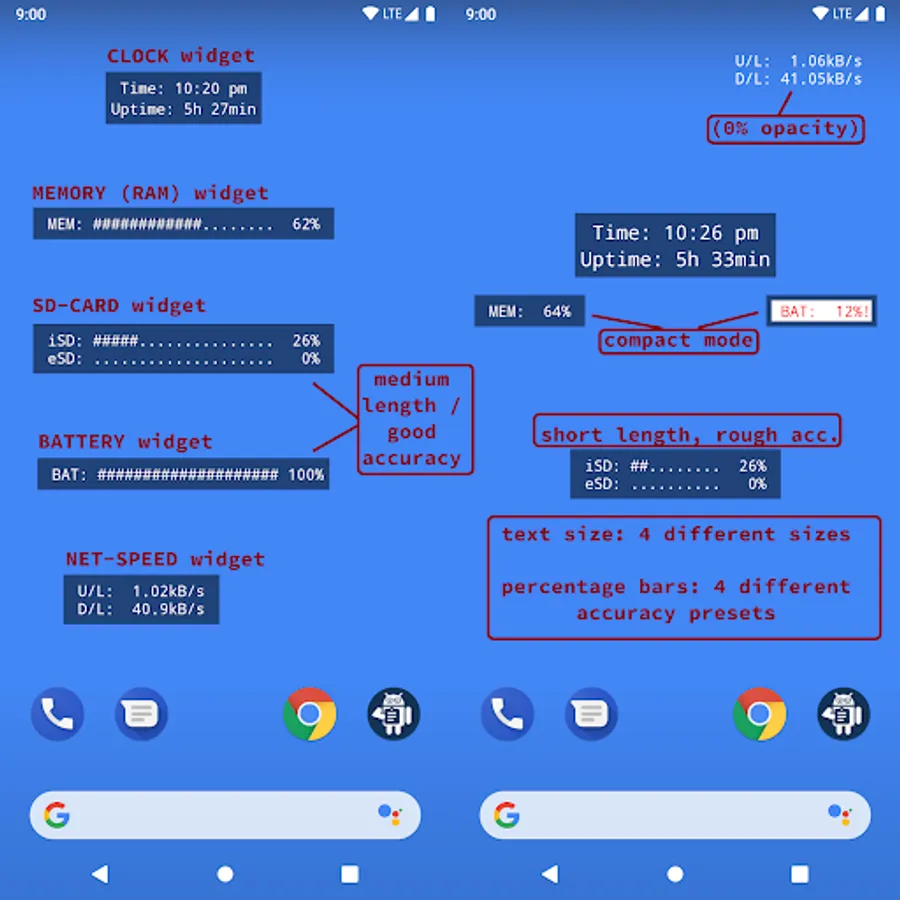
🕒 Clock / Date / Uptime
📈 Memory (RAM) Usage – monitor free & used RAM
💾 Storage / SD-Card Usage – available & used space
🔋 Battery – level + NEW: 🌡️ temperature (°C / °F)
🌐 Net Speed – current upload/download speed (NEW: switch Bytes/s ↔ Bits/s)
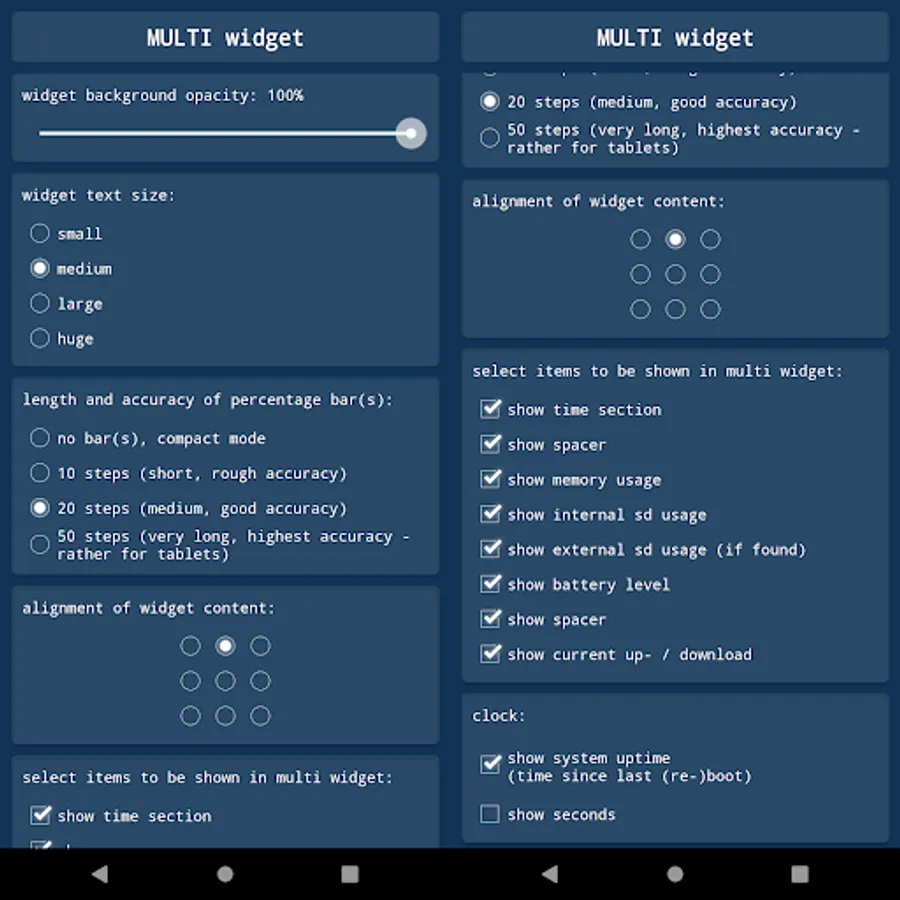
✨ Multi Widget – combine the above in one customizable widget
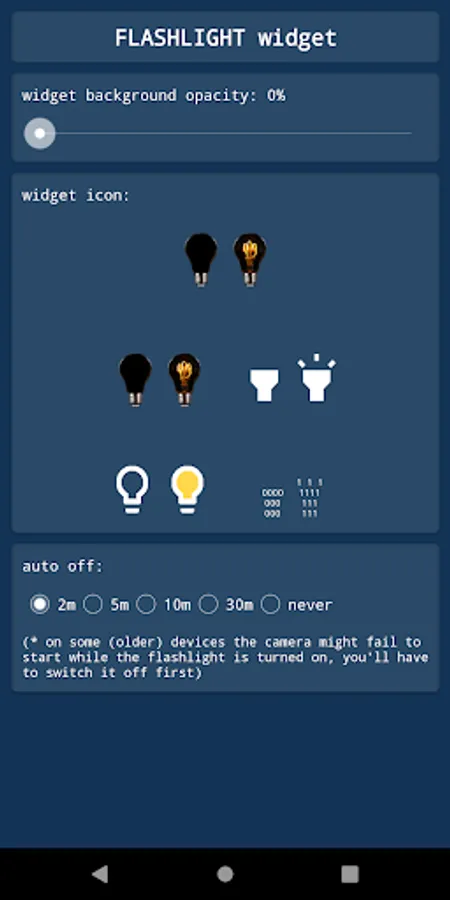
Flashlight Widget:
• Auto-off timer (2m, 5m, 10m, 30m, never)
• Choose from 4 flashlight icon sets
(Permission for camera & flashlight is required only to control the LED. The app cannot take pictures!)
Global Settings:
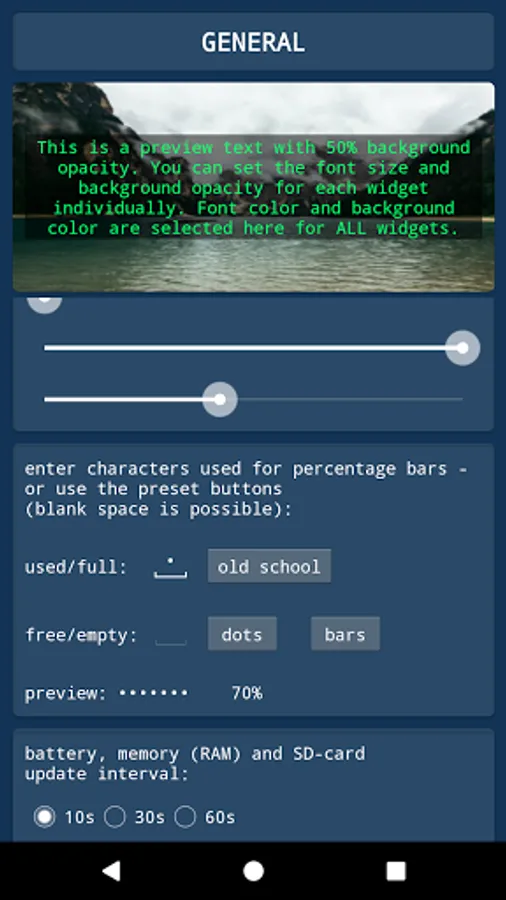
🎨 Font Color – free choice + NEW: color picker with HEX input
🖼️ Background Color – black or white
▓ Custom Characters – for percentage bar display
Widget Configuration Options:
• Background opacity
• Font size
• Percentage bar length & accuracy (or compact mode)
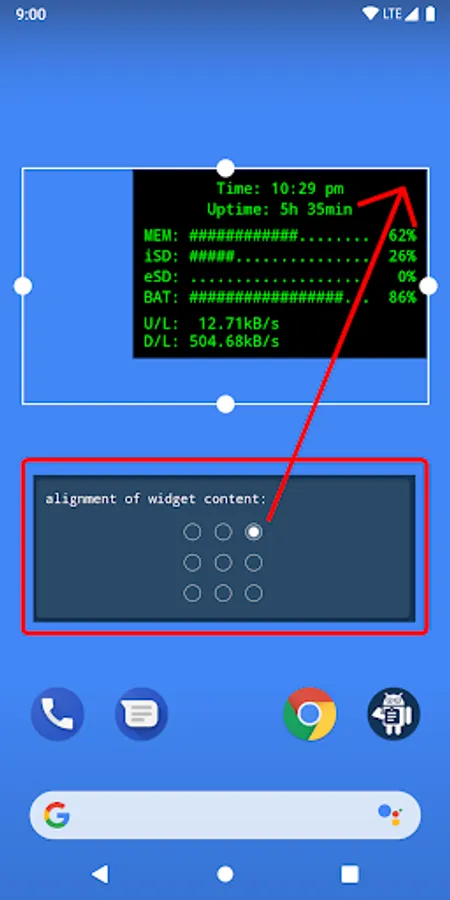
• Alignment of widget content (precise screen positioning)
Tapping Actions:
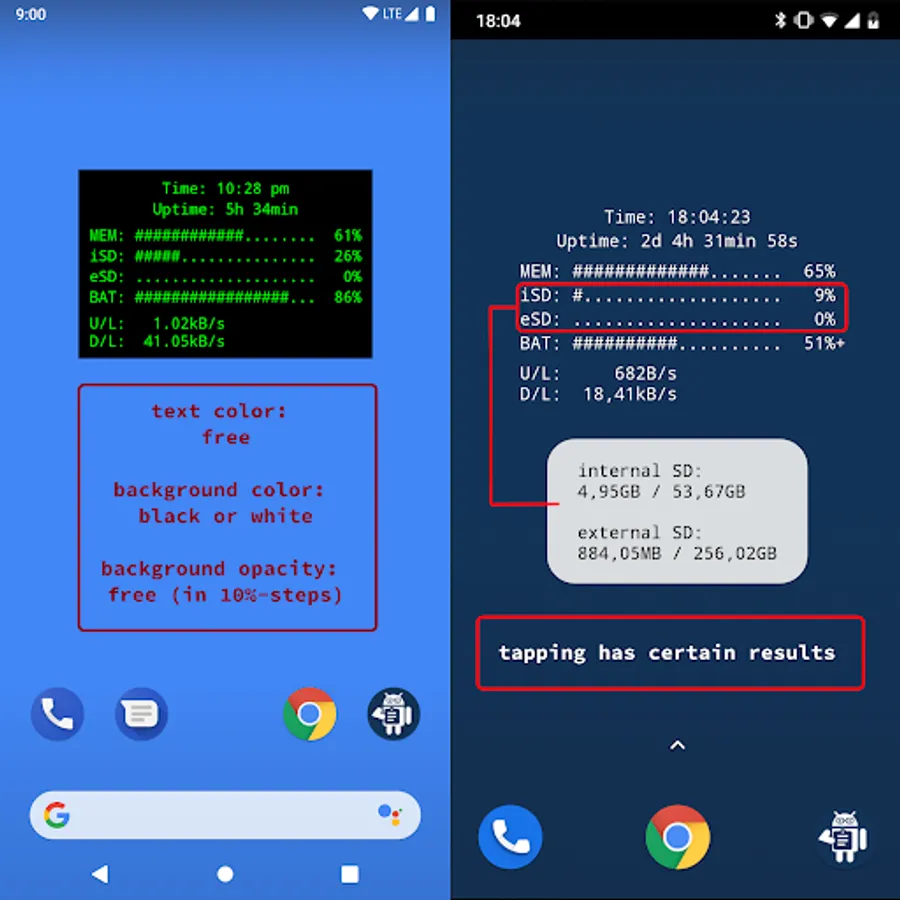
Tap on most widgets to see more details via toast/notification.
Example:
Internal SD:
753.22MB / 7.89GB
How To (Setup & Troubleshooting):
1. Open the app and adjust widget settings to your needs
2. Add the desired widgets to your home screen
👉 If widgets don’t load right after installation: restart your device or re-install the app.
👉 If widgets show "null" or don’t update: open the app once to initialize and make sure the Keep-Alive Service is enabled in General Settings.
Why Choose System Widgets?
✔️ All-in-one collection (RAM, Storage, Battery, Clock, Network/Internet Speed, Flashlight)
✔️ Highly customizable (colors, opacity, font size, alignment)
✔️ Lightweight, fast & no ads
📲 Get the System Widgets Collection now – make your Android home screen smarter and more useful!
Android System Widgets + Screenshots
Tap to Rate:
Reviews for Android System Widgets +
Dave Williams
10/18/2025
I paid for plus in order to get ram usage every 10 secs. So far so good, though I wish updates could be faster. Also you have done well displaying text in widgets. I would appreciate a simple text widget for which I could set the text via an intent. That would allow me to set the text from Tasker.
William O'neil Broach
9/2/2025
I've been a huge fan of this widget set forever. it's just nice.