AppRecs review analysis
AppRecs rating . Trustworthiness 75 out of 100. Review manipulation risk 22 out of 100. Based on a review sample analyzed.
★
AppRecs Rating
Ratings breakdown
5 star
0%
4 star
0%
3 star
0%
2 star
100%
1 star
0%
What to know
✓
Low review manipulation risk
22% review manipulation risk
✓
Credible reviews
75% trustworthiness score from analyzed reviews
⚠
Mixed user feedback
Average 2.0★ rating suggests room for improvement
About ETNA connect
Easily control and personalize your ETNA connected kitchen appliances with the ETNA connect app. Download the free ETNA connect app, connect your household and get the most out of your devices! Use the app for:
- Control and personalize your kitchen appliances
- All programs, extra options and timers in a clear app
- See the status of your devices at a glance
- Personalize your app with push notifications for what matters to you
- Personalize the app with your own favorite programs and start them at the touch of a button
- Makes controlling your devices even easier
- Extensive in-app Help section
With the ETNA connect app you control and manage your ETNA connected devices at any time, wherever you are.
Why set your dishwasher every day to the same program with the same functions at about the same time or with so many hours of delay? With the app you set a fixed time schedule for the desired program with any additional functions and all you have to do is put the detergent in the dishwasher and close the door, the app and the dishwasher do the rest! Ideal if you always run your dishwasher at night for the nightly rate.
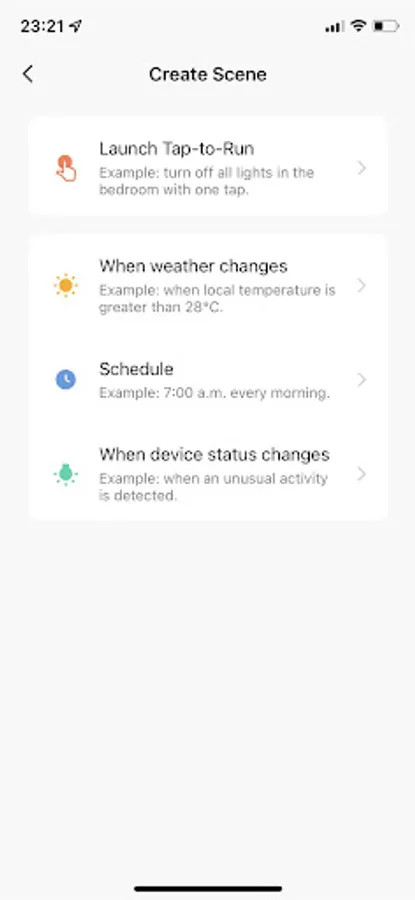
Would you rather have control over when you start the dishwasher? Make it easier and use the tap-to-run function to create and start your favorite programs at the touch of a button.
Personalize the app further with what matters to you! Think of push notifications when the dishwasher is ready, when the salt or rinse aid has run out or in the event of an error code due to, for example, a clogged drain, etc. Do you have solar panels? Set a push notification when the weather turns to sunny and go start your dishwasher to take advantage of your free power. Or go one step further and set a time frame in which the dishwasher can start when the weather turns to sunny. Make sure that you always have detergent in the dishwasher and that the door is closed. Accidentally leave the door open? No worries, you will receive a message that the dishwasher cannot start because the door is open!
Share control of the connected devices and add users to the devices in your household. Decide for yourself whether other users are 'common members' who can only use the app or are 'administrators' who can also create and adapt smart settings.
Requirements for ETNA connect:
1. The router must have a 2.4 GHz network. Our devices cannot connect to a 5 GHz network.
2. Make sure your WiFi router is compatible with older standards up to WiFi 5 (802.11ac). If necessary, turn off the WiFi 6 (802.11ax) 2.4 GHz mode.
3. Make sure your password is highly encrypted with WPA2-PSK (AES).
4. Make sure DHCP and broadcasting (network name must be visible) are enabled.
Find extensive information about the ETNA connect app and the ETNA connect kitchen appliances at www.etna.nl/connected
- Control and personalize your kitchen appliances
- All programs, extra options and timers in a clear app
- See the status of your devices at a glance
- Personalize your app with push notifications for what matters to you
- Personalize the app with your own favorite programs and start them at the touch of a button
- Makes controlling your devices even easier
- Extensive in-app Help section
With the ETNA connect app you control and manage your ETNA connected devices at any time, wherever you are.
Why set your dishwasher every day to the same program with the same functions at about the same time or with so many hours of delay? With the app you set a fixed time schedule for the desired program with any additional functions and all you have to do is put the detergent in the dishwasher and close the door, the app and the dishwasher do the rest! Ideal if you always run your dishwasher at night for the nightly rate.
Would you rather have control over when you start the dishwasher? Make it easier and use the tap-to-run function to create and start your favorite programs at the touch of a button.
Personalize the app further with what matters to you! Think of push notifications when the dishwasher is ready, when the salt or rinse aid has run out or in the event of an error code due to, for example, a clogged drain, etc. Do you have solar panels? Set a push notification when the weather turns to sunny and go start your dishwasher to take advantage of your free power. Or go one step further and set a time frame in which the dishwasher can start when the weather turns to sunny. Make sure that you always have detergent in the dishwasher and that the door is closed. Accidentally leave the door open? No worries, you will receive a message that the dishwasher cannot start because the door is open!
Share control of the connected devices and add users to the devices in your household. Decide for yourself whether other users are 'common members' who can only use the app or are 'administrators' who can also create and adapt smart settings.
Requirements for ETNA connect:
1. The router must have a 2.4 GHz network. Our devices cannot connect to a 5 GHz network.
2. Make sure your WiFi router is compatible with older standards up to WiFi 5 (802.11ac). If necessary, turn off the WiFi 6 (802.11ax) 2.4 GHz mode.
3. Make sure your password is highly encrypted with WPA2-PSK (AES).
4. Make sure DHCP and broadcasting (network name must be visible) are enabled.
Find extensive information about the ETNA connect app and the ETNA connect kitchen appliances at www.etna.nl/connected
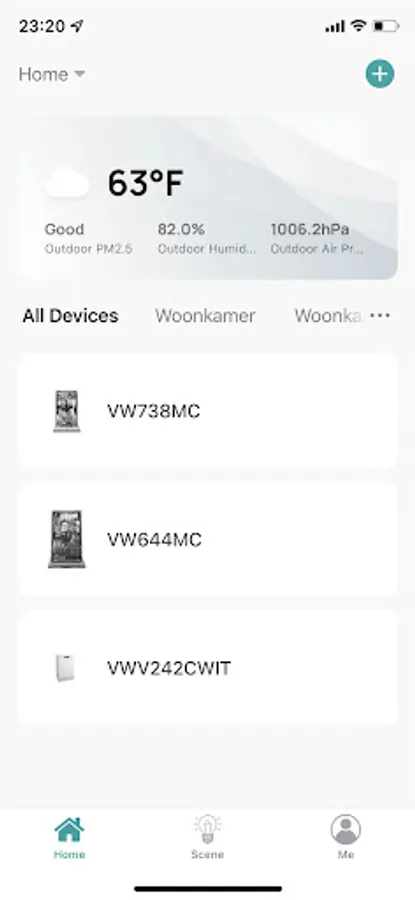
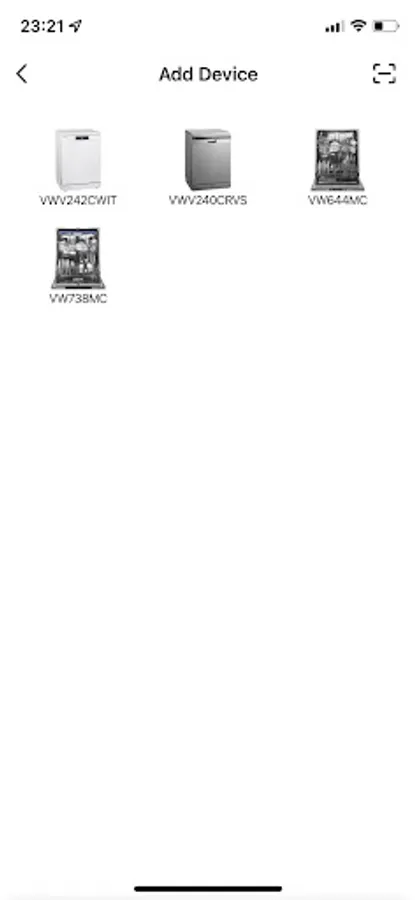
ETNA connect Screenshots

Tap to Rate:
Reviews for ETNA connect
John-Paul Kloosterman
11/16/2025
It eventually works. You have to lower your Wi-Fi to 2.4 Gz and reset your dishwasher. The reason for installing this app is to get rid of the dishwasher end cycle sounds. Well the app doesn't have that option. So back to delayed start. Don't install this app for your dishwasher, it is easier to use the buttons.