Antidelete :Deleted Edited Msg
isunny
4.2 ★
18K ratings
5,000,000+
downloads
Free
In this messaging app, you can read WhatsApp messages even after they are deleted or edited and view all messages without blue ticks. Includes notification monitoring and message storage features.
AppRecs review analysis
AppRecs rating 4.2. Trustworthiness 76 out of 100. Review manipulation risk 33 out of 100. Based on a review sample analyzed.
★★★★☆
4.2
AppRecs Rating
Ratings breakdown
5 star
67%
4 star
11%
3 star
8%
2 star
0%
1 star
14%
What to know
✓
Credible reviews
76% trustworthiness score from analyzed reviews
✓
High user satisfaction
78% of sampled ratings are 4+ stars (4.2★ average)
✓
Authentic reviews
Natural distribution, no red flags
About Antidelete :Deleted Edited Msg
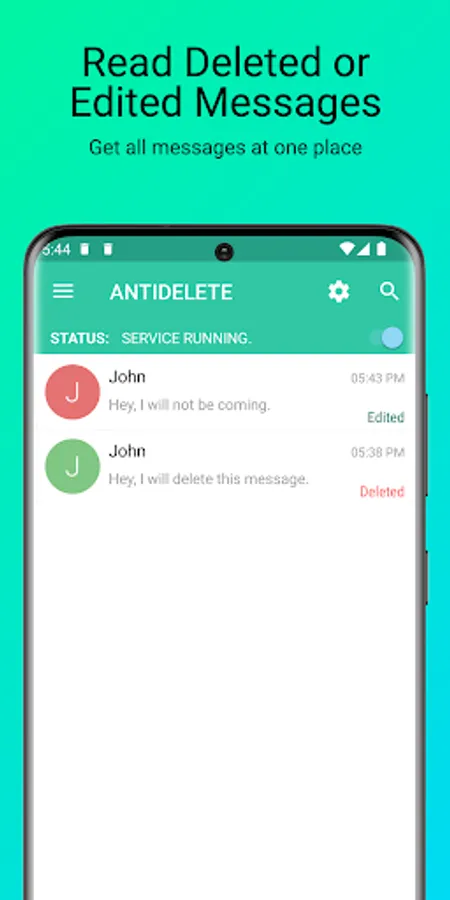
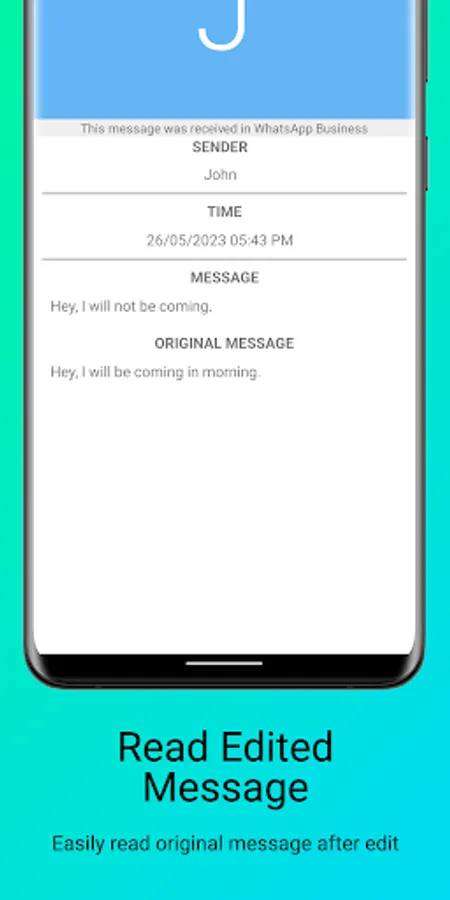
Want to read a WhatsApp message even if someone deletes or edits it after sending it? Through Antidelete, you can do exactly that! You can read the chat message even after the sender deletes or edits it, and you can also read all messages without the blue tick!
Key Features:
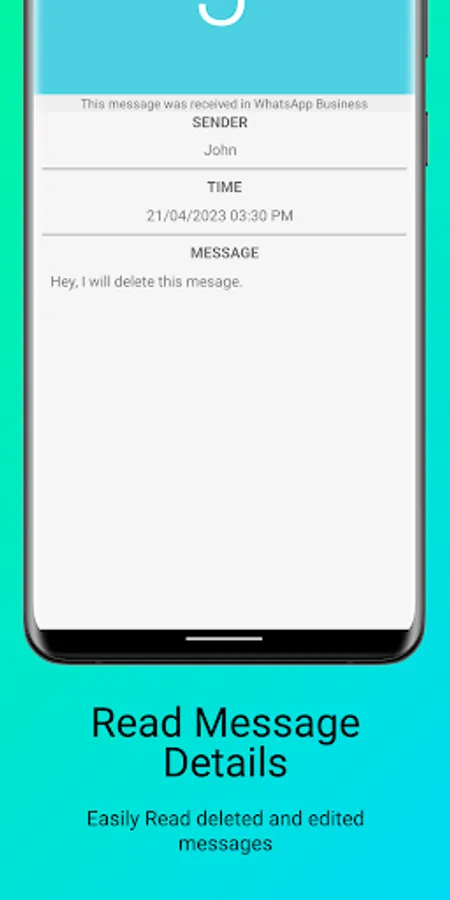
→ Read deleted and edited messages easily.
→ Read full WhatsApp messages without the blue tick, last seen, or online status.
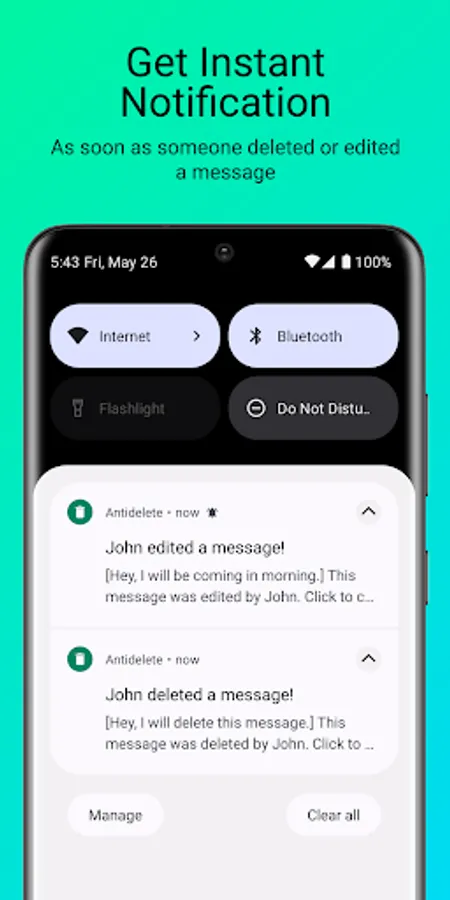
→ Instant notification if someone deletes or edits a message.
→ Supports WhatsApp and WhatsApp Business chat easily.
→ Easy to start and view deleted and edited WhatsApp chat.
How it works:
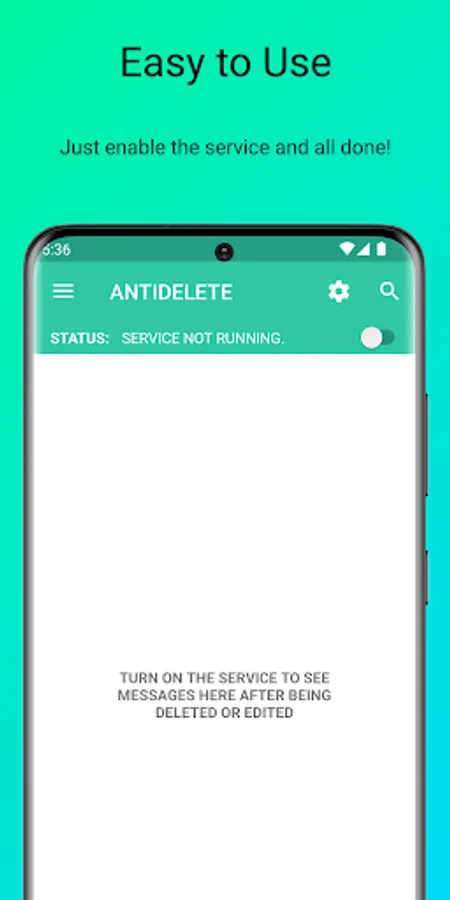
1. Open the Antidelete app and start the service by clicking on the toggle on the top right.
2. Give the notification listener permission (required for notification history).
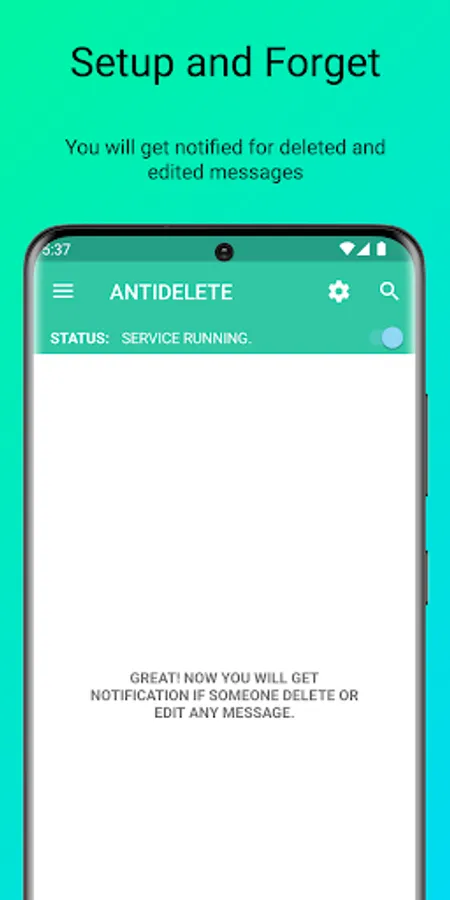
3. Enable the service now, and the status will change to "SERVICE RUNNING."
4. Now the app will securely store every message, including both deleted and edited ones.
5. You will get an instant notification if someone deletes or edits their message. You can click on the notification to read the deleted or edited message.
Supported Apps:
✔ WhatsApp Messenger
✔ WhatsApp Business
Note and Limitations:
• If you have muted a conversation, stopped WhatsApp notifications completely, or are actively viewing a message, you will not receive a notification, making it impossible for the app to detect it.
• Xiaomi, Oppo, Vivo, Huawei, or devices with power-saving mode require users to whitelist the Antidelete app; otherwise, it may not work properly.
• To ensure the smooth functioning of the Antidelete app, please consider whitelisting it from the battery optimizer.
• The app will function when WhatsApp is running in the background and a notification is received.
• If you find that the Antidelete app is not saving new messages, try restarting your phone, as it can solve notification listener issues.
• Recovery of previously old deleted chats or messages for WhatsApp (WAMR) is not possible with Antidelete app. This app stores messages after you install it and can only recover deleted messages afterward.
• Unattainable to store or recover media, files, voice notes, audio, videos, documents, and stickers!
Support:
If you have any queries, suggestions for improvements, bug complaints, or any other feedback, you can reach out to us via email at support@isunny.in
Disclaimer:
WhatsApp™ is a trademark of WhatsApp Inc. Antidelete for WhatsApp is not associated with, sponsored by, or endorsed by WhatsApp Inc.
All the trademarks featured in the app are the property of their respective owners.
Antidelete :Deleted Edited Msg Screenshots
Tap to Rate:
Reviews for Antidelete :Deleted Edited Msg
Eyad Hassan
12/28/2025
poor ... can't recover deleted messages from the sender
Pachhi Nayak
12/27/2025
bestt