
일본어 JLPT, 일단공부
JeongHean Kim
4.7 ★
3K ratings
100,000+
downloads
Free
+ in-app
In this language learning app, you can study Japanese vocabulary by JLPT level with pronunciation guides and writing order. Includes features such as daily word sets, quizzes, and favorites for difficult words.
AppRecs review analysis
AppRecs rating 4.7. Trustworthiness 71 out of 100. Review manipulation risk 30 out of 100. Based on a review sample analyzed.
★★★★☆
4.7
AppRecs Rating
Ratings breakdown
5 star
83%
4 star
12%
3 star
0%
2 star
0%
1 star
4%
What to know
✓
Low review manipulation risk
30% review manipulation risk
✓
Credible reviews
71% trustworthiness score from analyzed reviews
✓
High user satisfaction
83% of sampled ratings are 5 stars
About 일본어 JLPT, 일단공부
Japanese JLPT app, Idan Study (Japanese Word Study)
Provided functions
- Provides pronunciation and writing order of hiragana and katakana
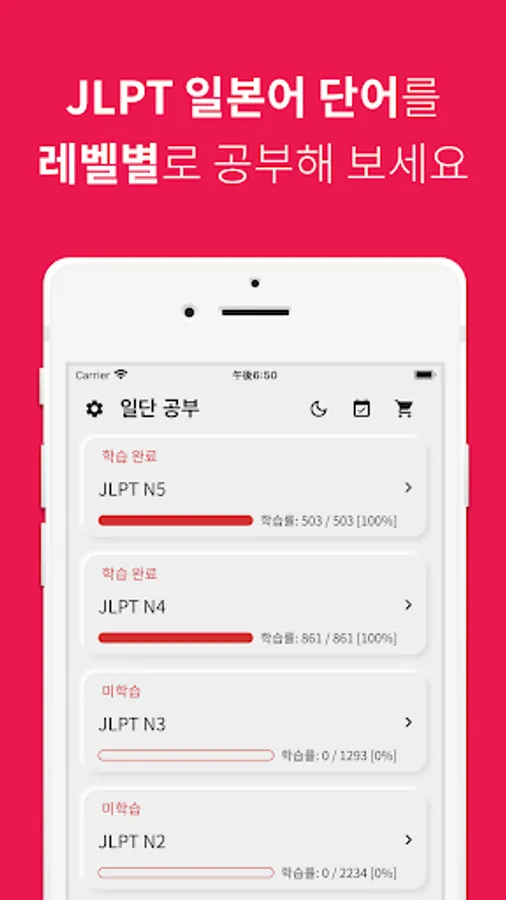
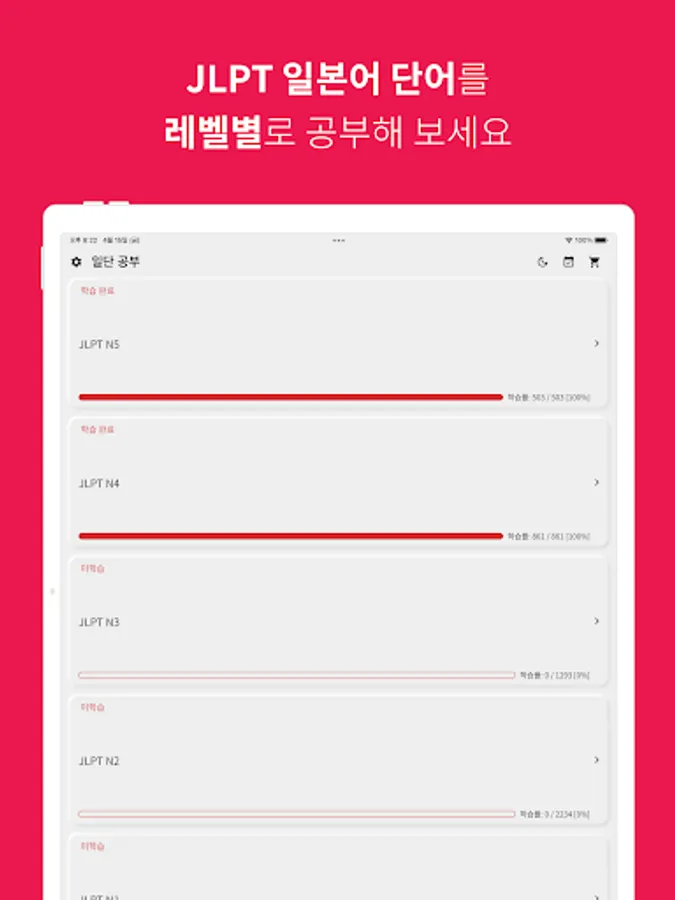
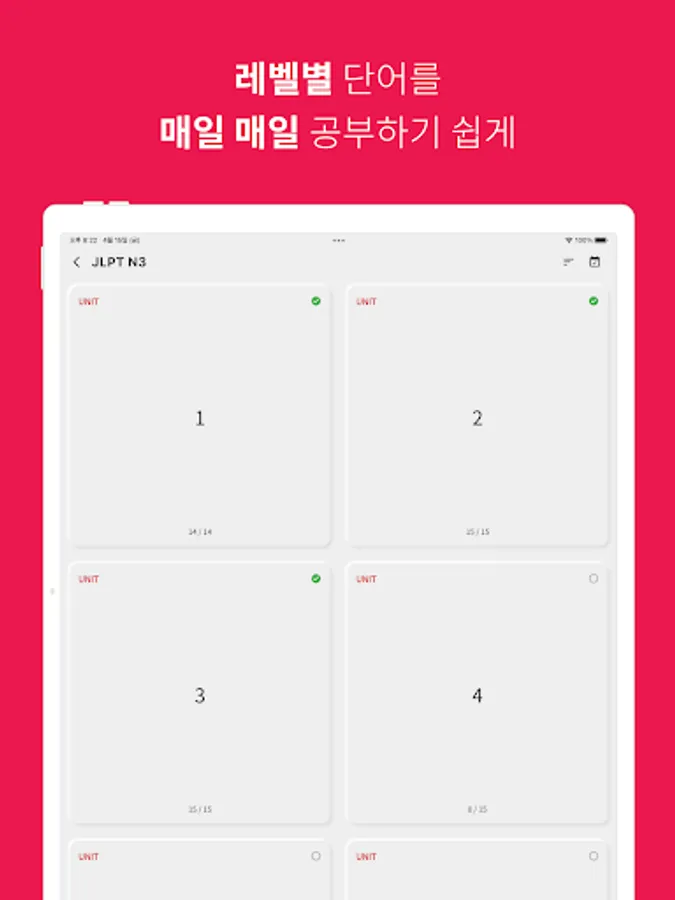
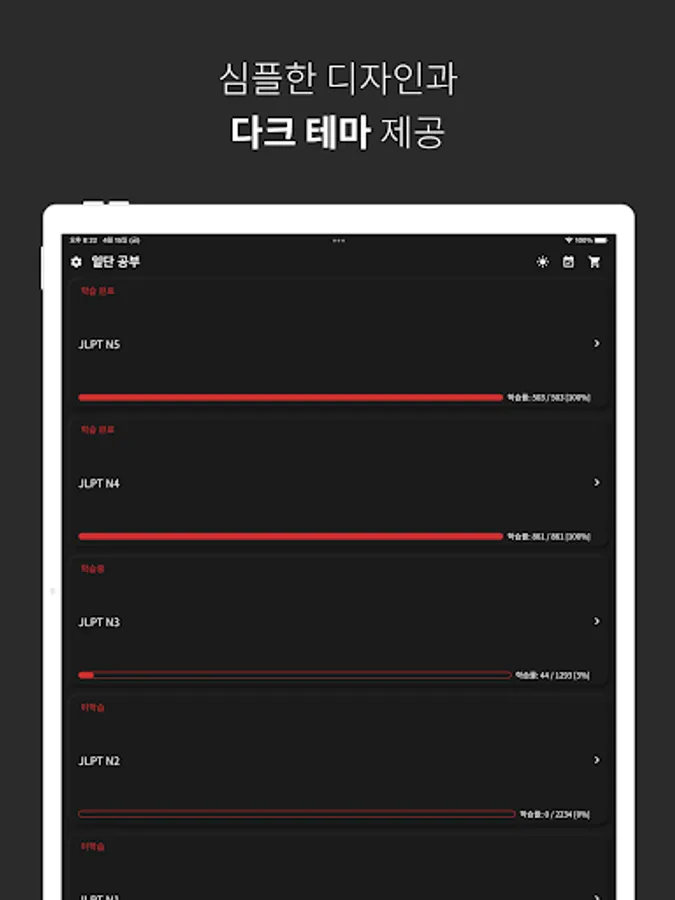
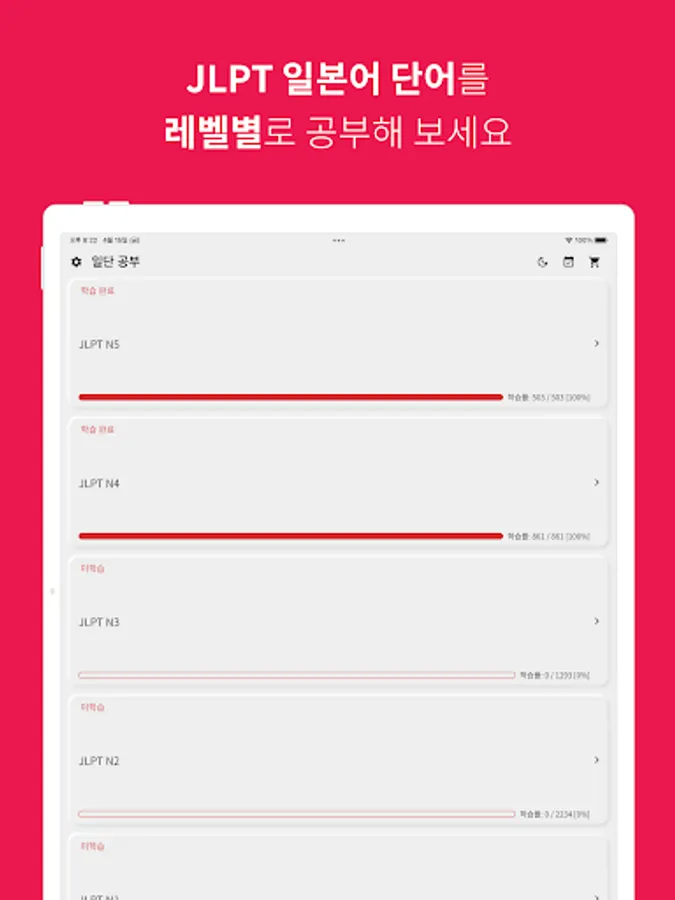
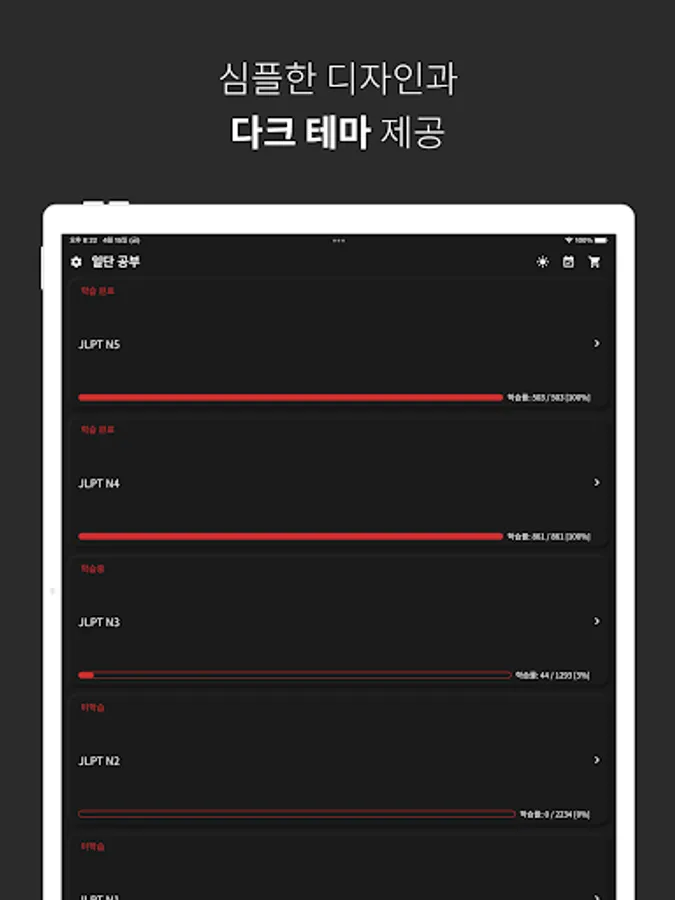
- Provides Japanese words by JLPT level (N5~N1)
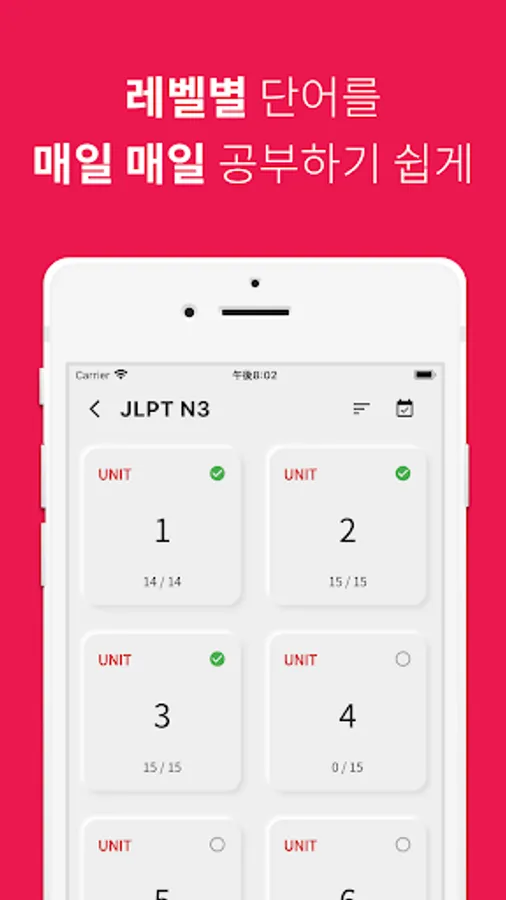
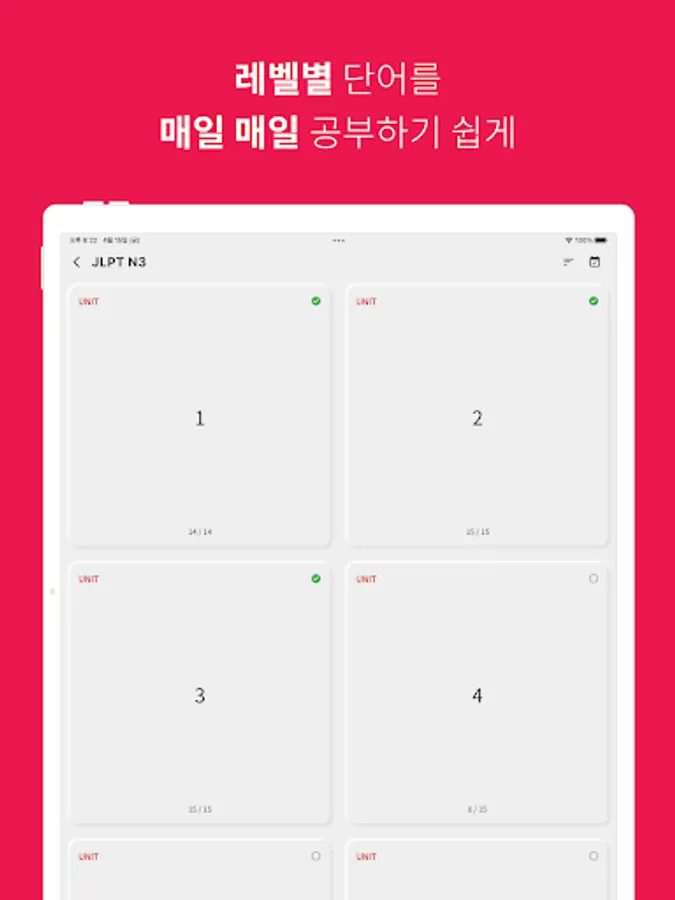
- Provides Japanese words divided into the amount to memorize per day
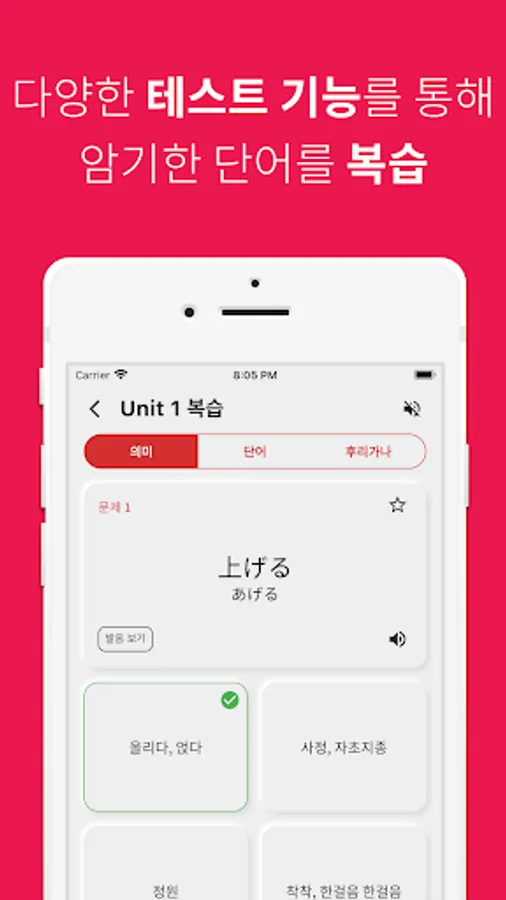
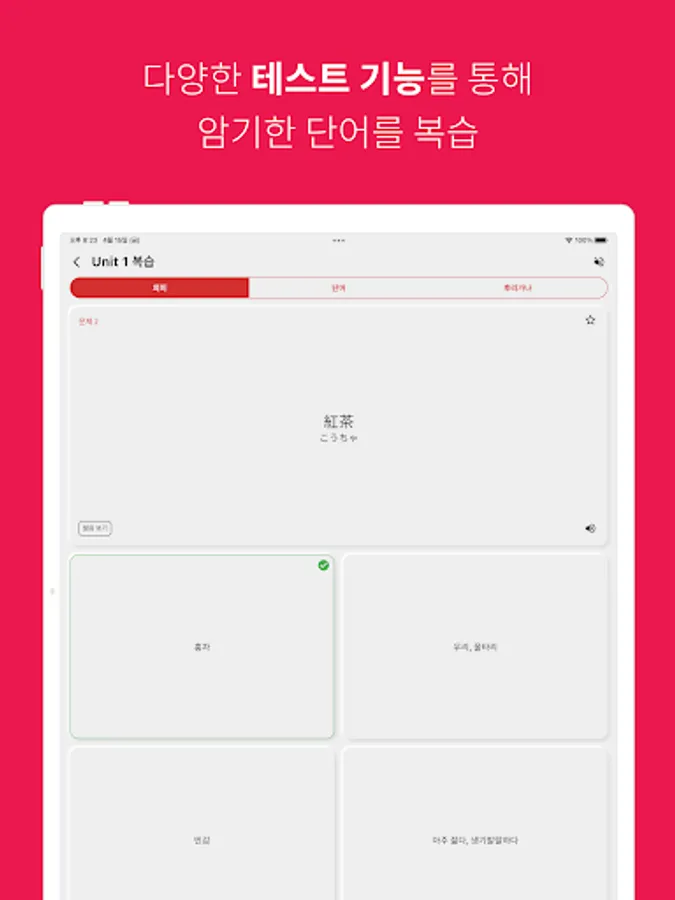
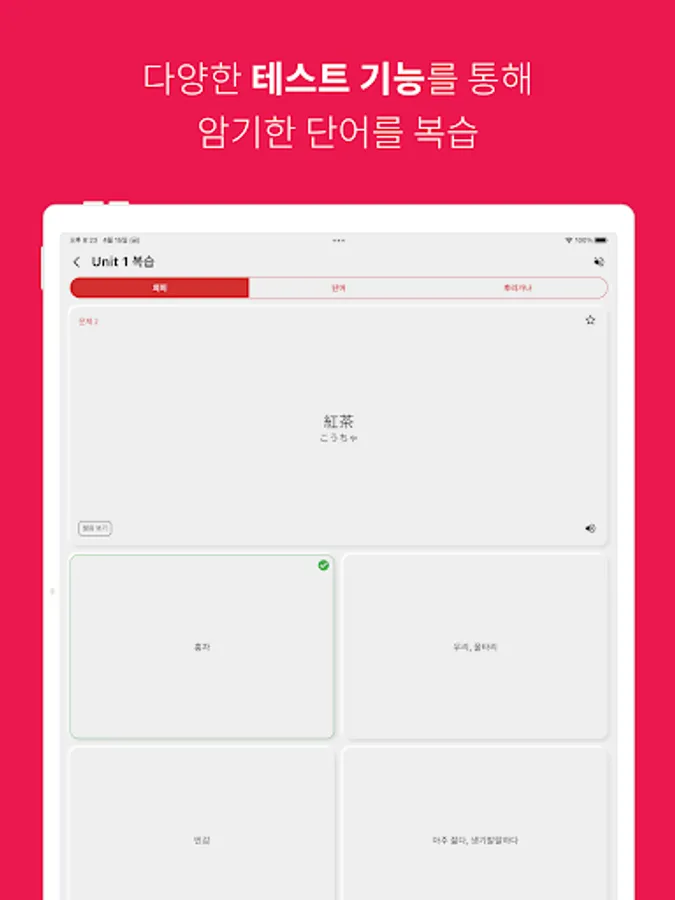
- You can check the Japanese words memorized that day through a test
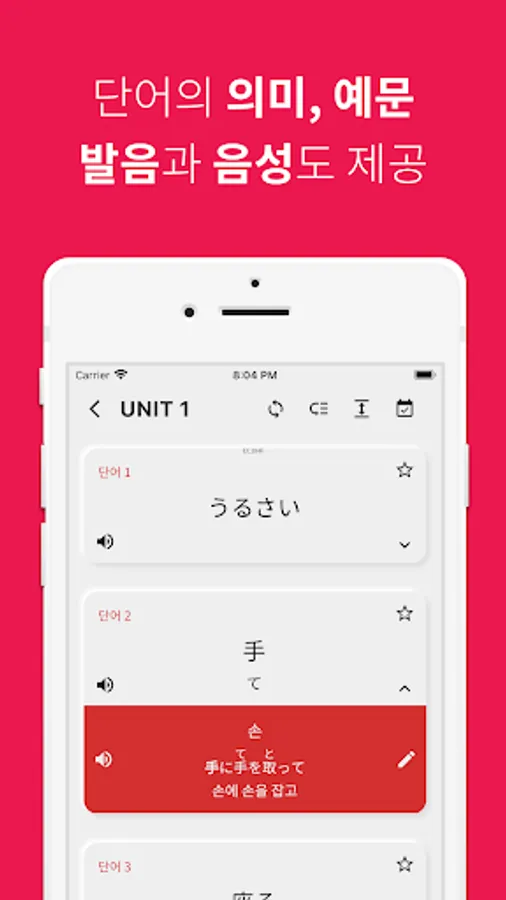
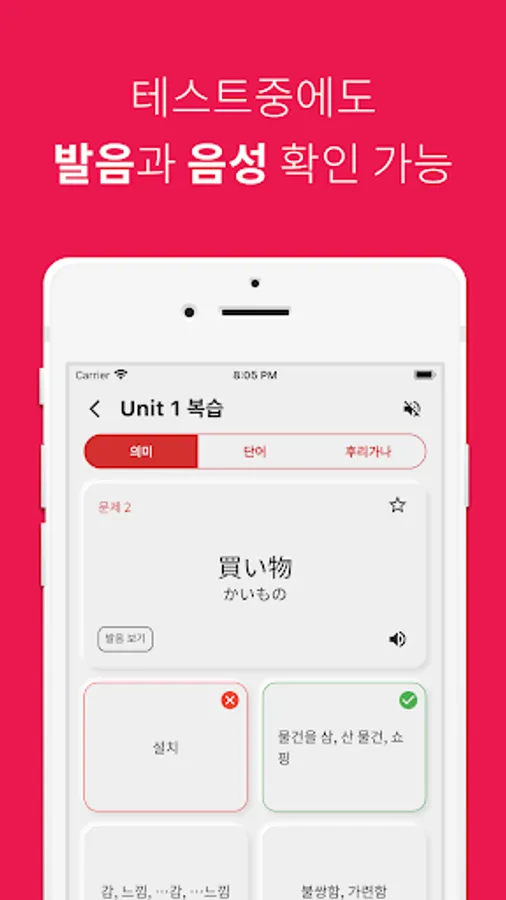
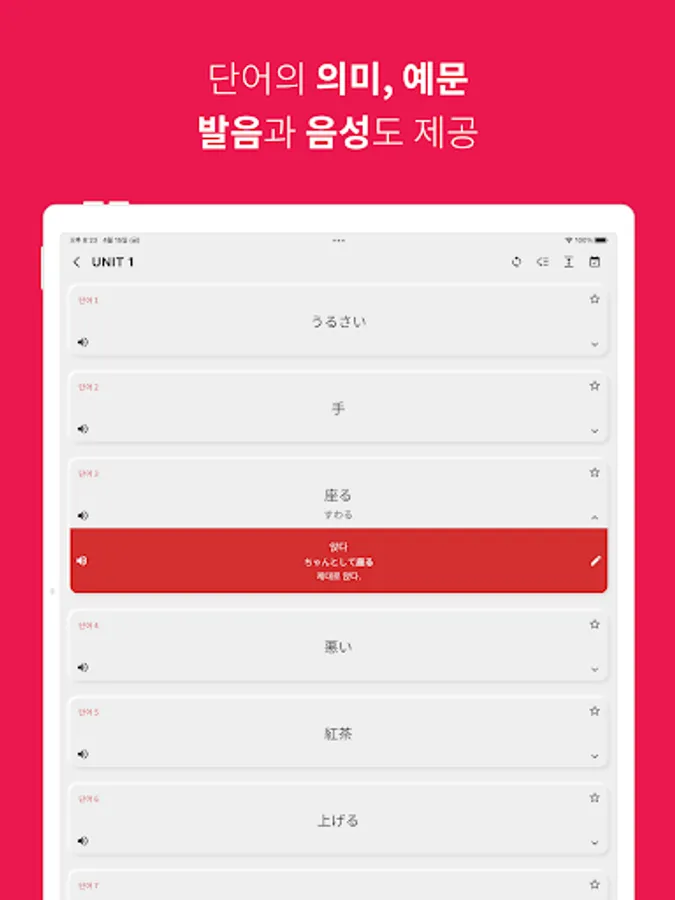
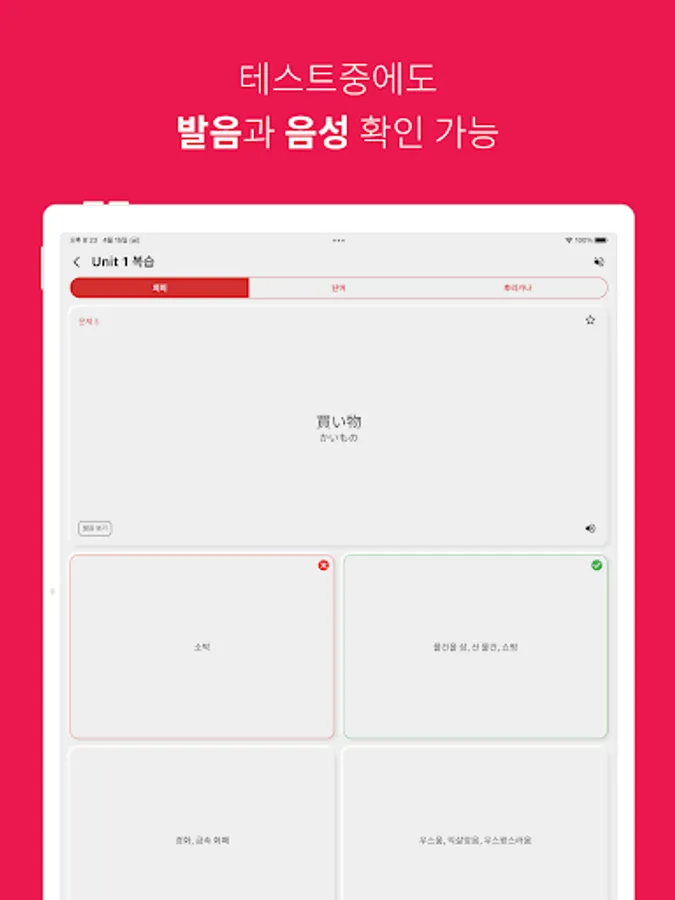
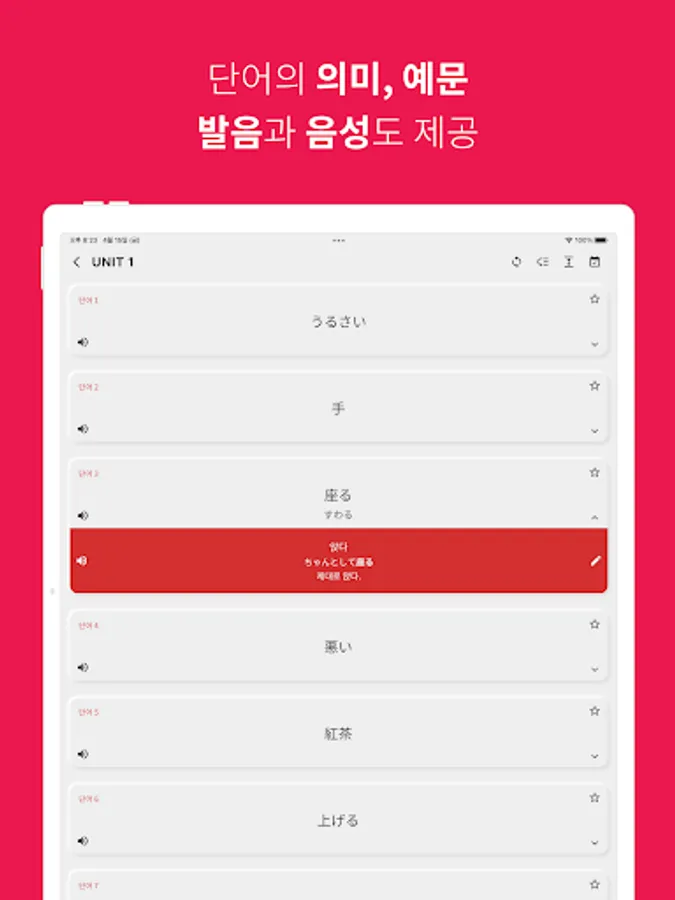
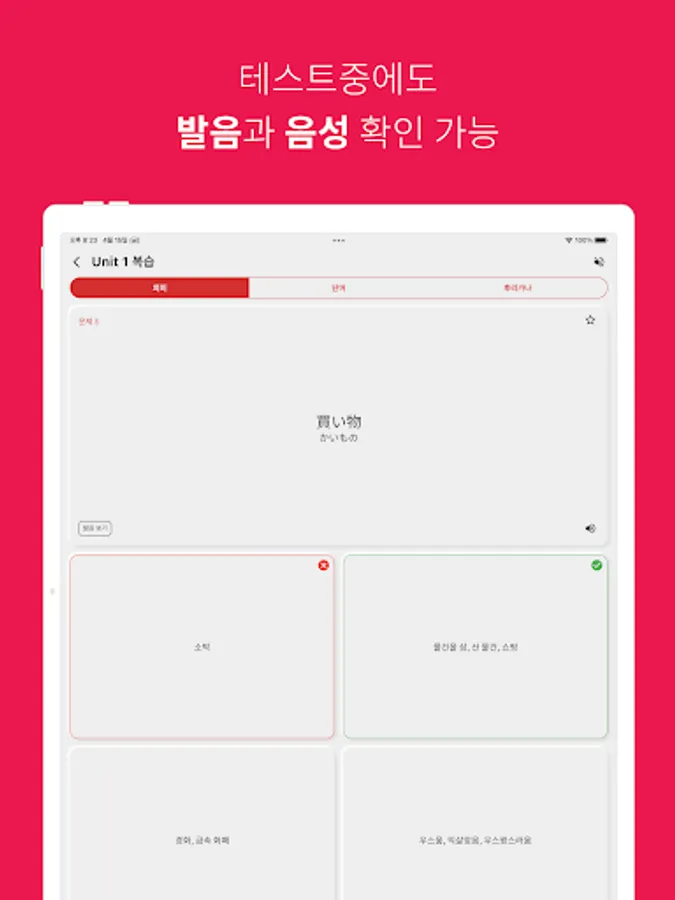
- Provides Japanese kanji pronunciation in hiragana/katakana and voice
- Provides a function to review all Japanese words by unit, JLPT level, and all Japanese words
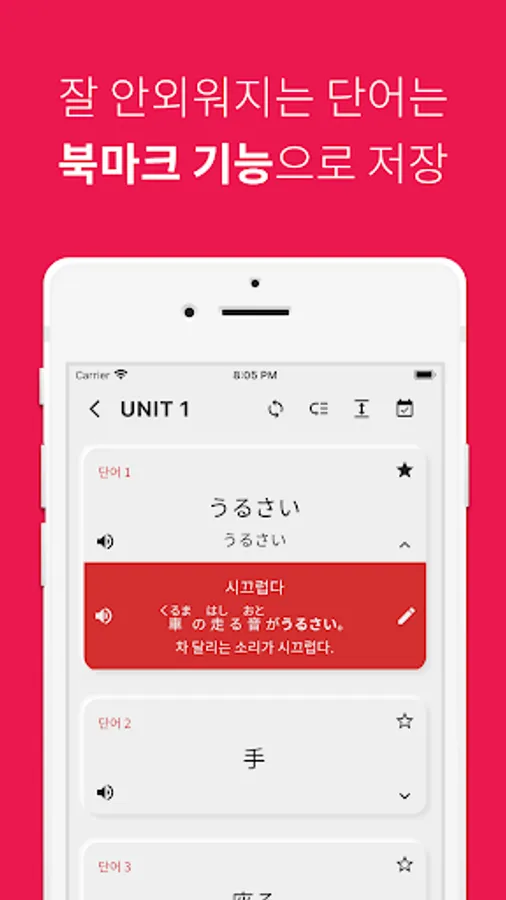
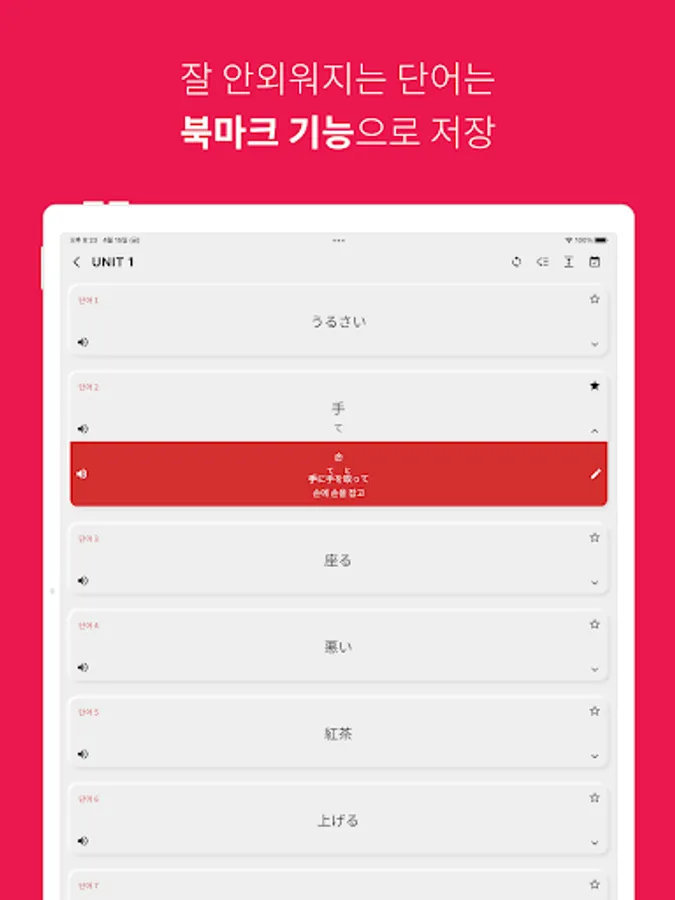
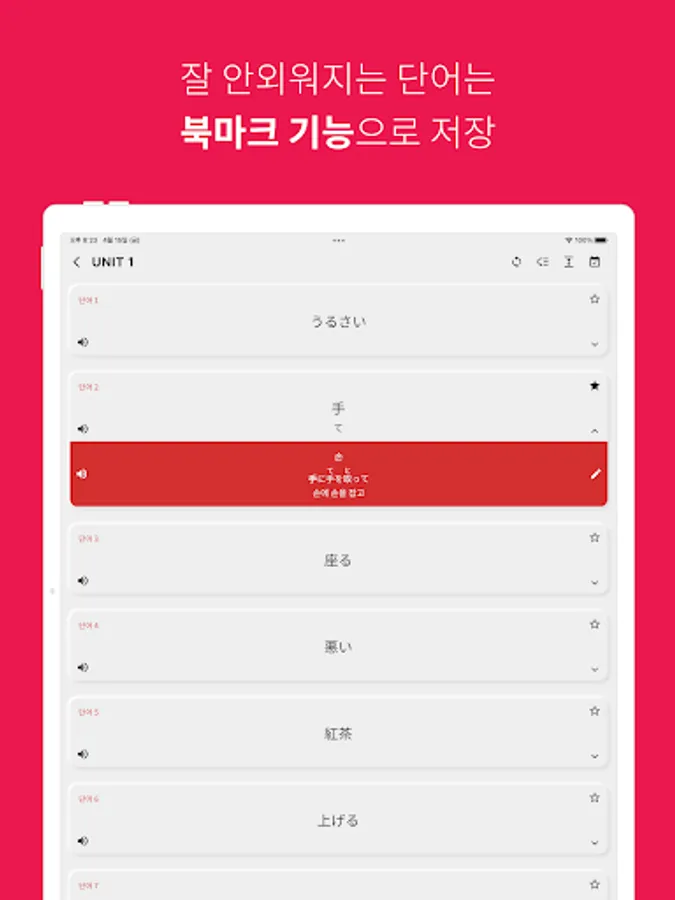
- Favorites: You can add Japanese words that you have difficulty memorizing to your favorites by pressing the star-shaped button.
- Copy function: Long-press a word in the word list to copy the word. You can search the copied word on the Internet, etc. to study more deeply.
- Set/reset learning progress: You can set or reset the learning progress by long-pressing a level or unit.
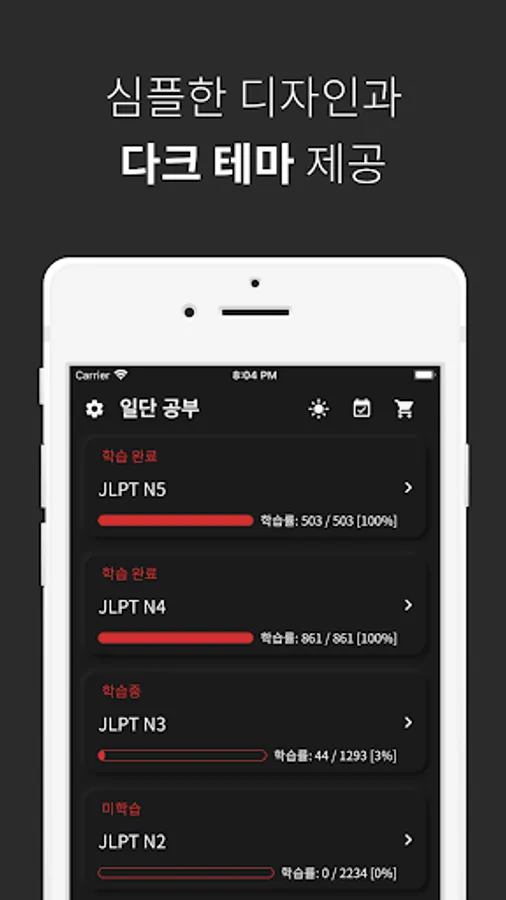
- Furigana/Yomigana test: You can take a test to match the meaning of a Japanese word as well as a test to match furigana/yomigana. - Dark theme support
- Japanese example sentence support
- Japanese Kanji detailed function: Japanese Kanji, pronunciation, Korean Kanji, meaning, and writing method are provided.
Ildan Study provides Japanese words divided by JLPT level (N5~N1).
In order for anyone to easily study every day, Japanese words are divided by the amount of words that can be memorized per day and provided.
In addition, you can check the Japanese words you studied that day through a test.
Are you just starting Japanese? Do you not know how to read Kanji yet?
Don't worry. Ildan Study shows you the pronunciation of Japanese Kanji in Hiragana/Katakana and also supports Japanese voice.
Even if you do not have prior knowledge of Japanese, you can study Japanese by listening and watching.
Repetition is the key to studying words! You can review the Japanese words you studied by unit, JLPT level, and entire unit.
We support more frequent review of words that you frequently make mistakes. The more you use the app, the more customized your vocabulary becomes.
All words are installed with the app when you download it. So you can study Japanese anytime, anywhere.
Let's study Japanese for now.
Subscription payment
- Remove ads from the app for the price of a cup of coffee every month and study with all the examples.
Voice support issue
JLPT Japanese, Study for Now provides Japanese voice using the TTS (Text To Speech) engine.
There is an issue where Japanese voice support is not properly supported on some Androids (Galaxy). For smooth voice support, we recommend downloading Speech Recognition & Synthesis and Japanese voice data.
For more information, please go to Settings > Pronunciation section in the app > Click the arrow button next to "Is the pronunciation not heard properly?"
Provided functions
- Provides pronunciation and writing order of hiragana and katakana
- Provides Japanese words by JLPT level (N5~N1)
- Provides Japanese words divided into the amount to memorize per day
- You can check the Japanese words memorized that day through a test
- Provides Japanese kanji pronunciation in hiragana/katakana and voice
- Provides a function to review all Japanese words by unit, JLPT level, and all Japanese words
- Favorites: You can add Japanese words that you have difficulty memorizing to your favorites by pressing the star-shaped button.
- Copy function: Long-press a word in the word list to copy the word. You can search the copied word on the Internet, etc. to study more deeply.
- Set/reset learning progress: You can set or reset the learning progress by long-pressing a level or unit.
- Furigana/Yomigana test: You can take a test to match the meaning of a Japanese word as well as a test to match furigana/yomigana. - Dark theme support
- Japanese example sentence support
- Japanese Kanji detailed function: Japanese Kanji, pronunciation, Korean Kanji, meaning, and writing method are provided.
Ildan Study provides Japanese words divided by JLPT level (N5~N1).
In order for anyone to easily study every day, Japanese words are divided by the amount of words that can be memorized per day and provided.
In addition, you can check the Japanese words you studied that day through a test.
Are you just starting Japanese? Do you not know how to read Kanji yet?
Don't worry. Ildan Study shows you the pronunciation of Japanese Kanji in Hiragana/Katakana and also supports Japanese voice.
Even if you do not have prior knowledge of Japanese, you can study Japanese by listening and watching.
Repetition is the key to studying words! You can review the Japanese words you studied by unit, JLPT level, and entire unit.
We support more frequent review of words that you frequently make mistakes. The more you use the app, the more customized your vocabulary becomes.
All words are installed with the app when you download it. So you can study Japanese anytime, anywhere.
Let's study Japanese for now.
Subscription payment
- Remove ads from the app for the price of a cup of coffee every month and study with all the examples.
Voice support issue
JLPT Japanese, Study for Now provides Japanese voice using the TTS (Text To Speech) engine.
There is an issue where Japanese voice support is not properly supported on some Androids (Galaxy). For smooth voice support, we recommend downloading Speech Recognition & Synthesis and Japanese voice data.
For more information, please go to Settings > Pronunciation section in the app > Click the arrow button next to "Is the pronunciation not heard properly?"
일본어 JLPT, 일단공부 Screenshots



Tap to Rate:
Reviews for 일본어 JLPT, 일단공부
DOHYEON KIM
11/1/2025
최고입니다 이걸로 jlpt 단어 마스터 합니다
L E
6/23/2025
...? 아니 혼자 개발하셨다고요? 진짜 대단하시네 덕분에 공부 편리하게 하고 있습니다 감사합니다