
REPAYit
REPAY-Realtime Electronic Payments
3.2 ★
60 ratings
10,000+
downloads
Free
In this financial app, users can log in as merchants or customers to manage accounts, view payment history, and schedule payments. Includes account access, transaction details, and payment management features.
AppRecs review analysis
AppRecs rating 2.9. Trustworthiness 81 out of 100. Review manipulation risk 15 out of 100. Based on a review sample analyzed.
★★☆☆☆
2.9
AppRecs Rating
Ratings breakdown
5 star
45%
4 star
5%
3 star
10%
2 star
3%
1 star
36%
What to know
✓
Low review manipulation risk
15% review manipulation risk
⚠
Pricing complaints
Many low ratings mention paywalls or pricing
⚠
High negative review ratio
40% of sampled ratings are 1–2 stars
About REPAYit
User Authentication :
Log in as a merchant using the provided merchant code on the merchant screen. Choose between customer login and create login options on the welcome screen. Customer login facilitated through Auth0 and Legacy login methods.
Home Screen Feature :
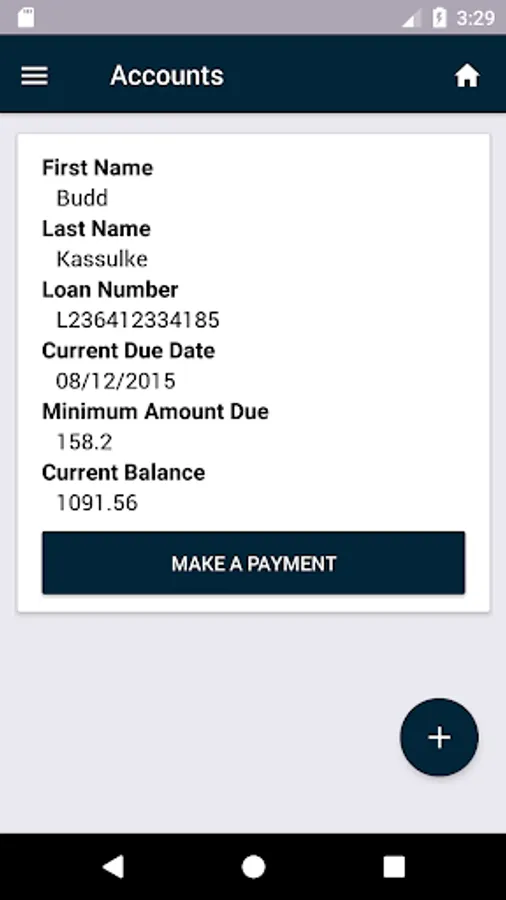
Access accounts, payment history, and scheduled payments from the left-side drawer. Comprehensive insights and control over financial activities are available in this section.
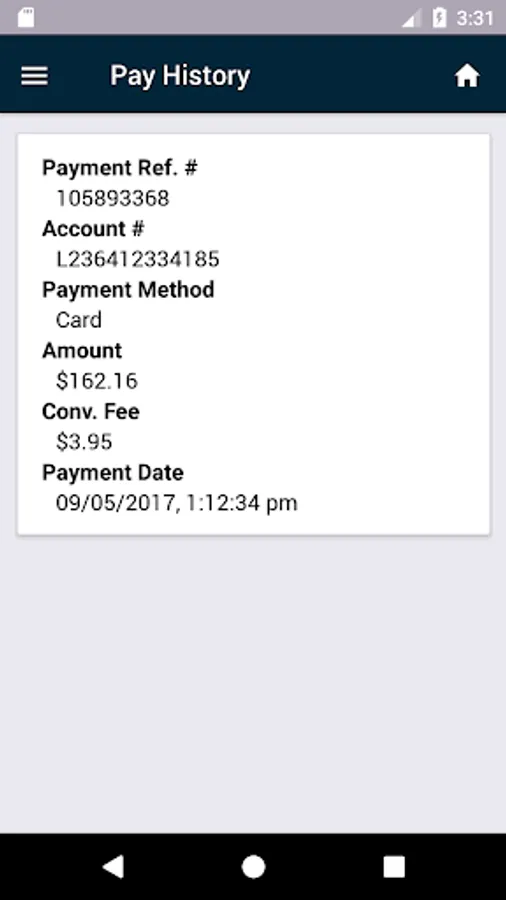
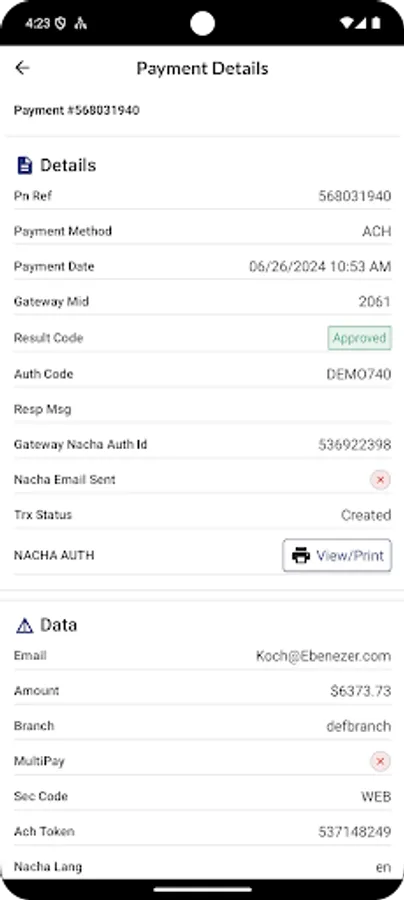
Payment History :
View payment records with a detailed breakdown of transactions. Navigate to the payment details screen for enhanced transparency and record-keeping.
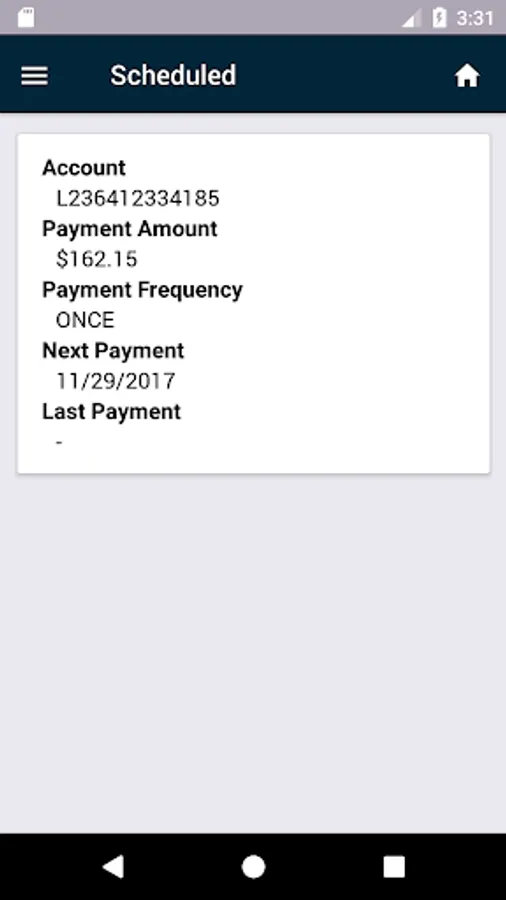
Scheduled Payment :
Access a list of scheduled payments and manage them efficiently. Delete specific scheduled payments or skip single/multiple payments as needed.
Personalization :
Switch between dark and light modes from the right-side drawer. Personalize the visual experience according to individual preferences.
Make a Payment :
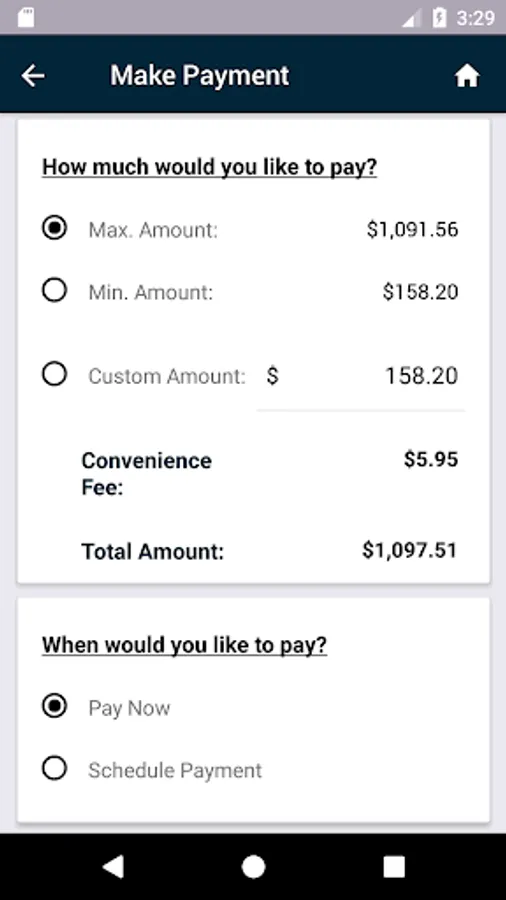
Conveniently make payments using the 'Make a Payment' feature on the home screen. Customize payments, select multiple payments, and choose payment methods with ease.
Payment Methods :
Choose from various payment methods, including bank account, credit, or debit card. Save bank account and card details for future transactions, enhancing efficiency.
Bank Account Payment :
Input details such as name and bank account number. Save bank account details for future transactions, streamlining the payment process.
Debit/Credit Card Payment :
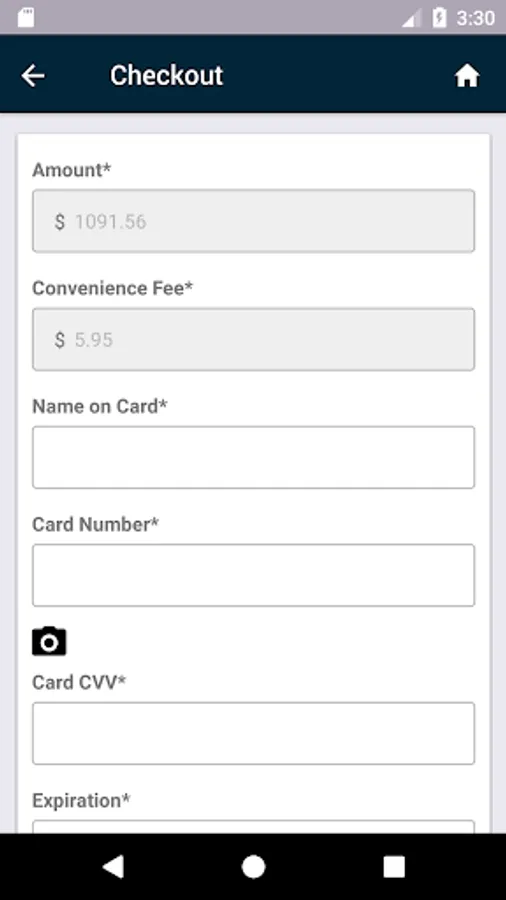
Specify card brand and fill in cardholder details. Save card details for future transactions, providing a time-saving solution.
Review and Confirm :
Review payment details before finalising the transaction. Ensure accuracy and transparency in the payment process.
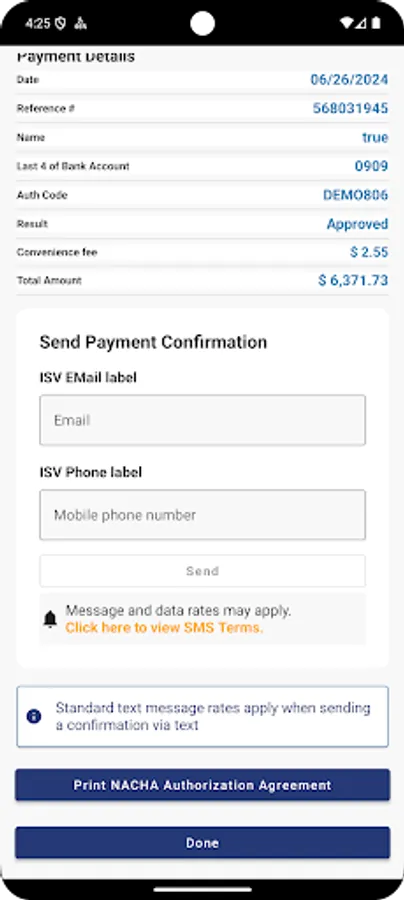
Payment Success :
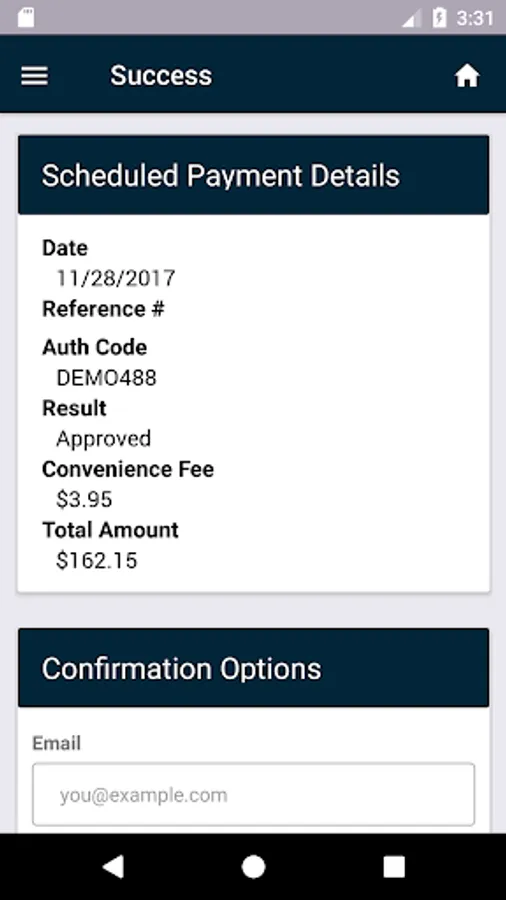
Receive a summary on the Payment Success screen with details of the processed transaction.
Log in as a merchant using the provided merchant code on the merchant screen. Choose between customer login and create login options on the welcome screen. Customer login facilitated through Auth0 and Legacy login methods.
Home Screen Feature :
Access accounts, payment history, and scheduled payments from the left-side drawer. Comprehensive insights and control over financial activities are available in this section.
Payment History :
View payment records with a detailed breakdown of transactions. Navigate to the payment details screen for enhanced transparency and record-keeping.
Scheduled Payment :
Access a list of scheduled payments and manage them efficiently. Delete specific scheduled payments or skip single/multiple payments as needed.
Personalization :
Switch between dark and light modes from the right-side drawer. Personalize the visual experience according to individual preferences.
Make a Payment :
Conveniently make payments using the 'Make a Payment' feature on the home screen. Customize payments, select multiple payments, and choose payment methods with ease.
Payment Methods :
Choose from various payment methods, including bank account, credit, or debit card. Save bank account and card details for future transactions, enhancing efficiency.
Bank Account Payment :
Input details such as name and bank account number. Save bank account details for future transactions, streamlining the payment process.
Debit/Credit Card Payment :
Specify card brand and fill in cardholder details. Save card details for future transactions, providing a time-saving solution.
Review and Confirm :
Review payment details before finalising the transaction. Ensure accuracy and transparency in the payment process.
Payment Success :
Receive a summary on the Payment Success screen with details of the processed transaction.
REPAYit Screenshots
Tap to Rate:
Reviews for REPAYit
John Songer
9/17/2025
keeps telling me incorrect amount in field.
Joshua Coble
10/11/2024
Awesome experience!!!