Scanbot SDK: Document Scanning
Scanbot Scanner SDK
4.1 ★
109 ratings
50,000+
downloads
Free
With this document scanning SDK, you can capture high-quality images of physical documents and export them in various formats. Includes automatic cropping, perspective correction, and offline processing.
AppRecs review analysis
AppRecs rating 4.1. Trustworthiness 72 out of 100. Review manipulation risk 32 out of 100. Based on a review sample analyzed.
★★★★☆
4.1
AppRecs Rating
Ratings breakdown
5 star
76%
4 star
0%
3 star
0%
2 star
12%
1 star
12%
What to know
✓
Credible reviews
72% trustworthiness score from analyzed reviews
✓
High user satisfaction
76% of sampled ratings are 4+ stars (4.1★ average)
✓
Authentic reviews
No red flags detected
About Scanbot SDK: Document Scanning
Turn any smartphone, tablet, or wearable device into an easy-to-use & reliable Document Scanner that creates high-quality images of documents in just 2 seconds. Avoid the clunky processes of manual document submission and review by transforming any physical document into high-quality digital input for your backend systems.
This App demonstrates the scanning quality & reliability of the Scanbot Document Scanner SDK, which over 200 enterprises worldwide have already integrated into their mobile and web apps. Working completely offline on your end-users devices, the SDK is never connected to any third-party servers – providing its customers with absolute data security.
Our cutting-edge machine learning- and computer vision-based Document Scanning technology offers all the features your app needs to provide its users with a seamless scanning experience that enables anyone to easily capture sharp and crisp images of documents:
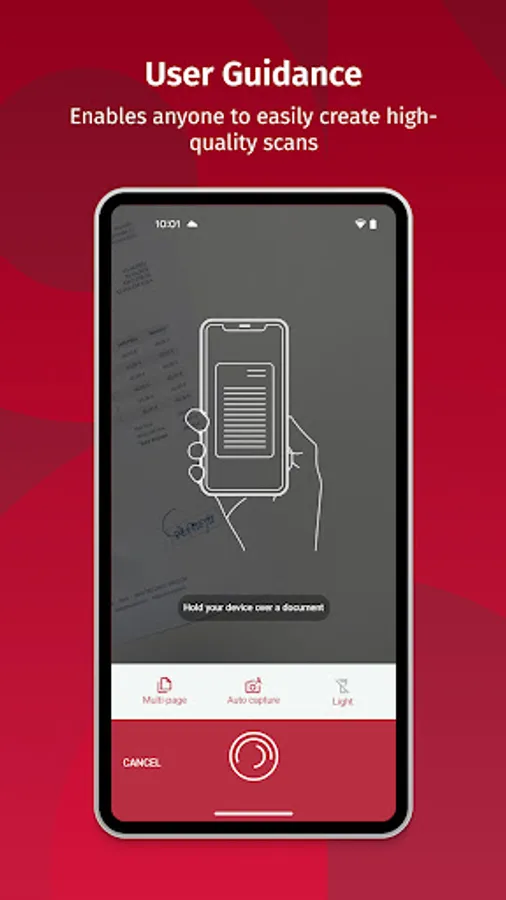
SELF-EXPLAINING USER GUIDANCE
We developed a self-explaining user guidance that enables even non-tech-savvy people to capture high-quality scans with their devices easily. It will enhance your user experience and generate your app's "WOW" effect.
AUTOMATIC CAPTURING & CROPPING
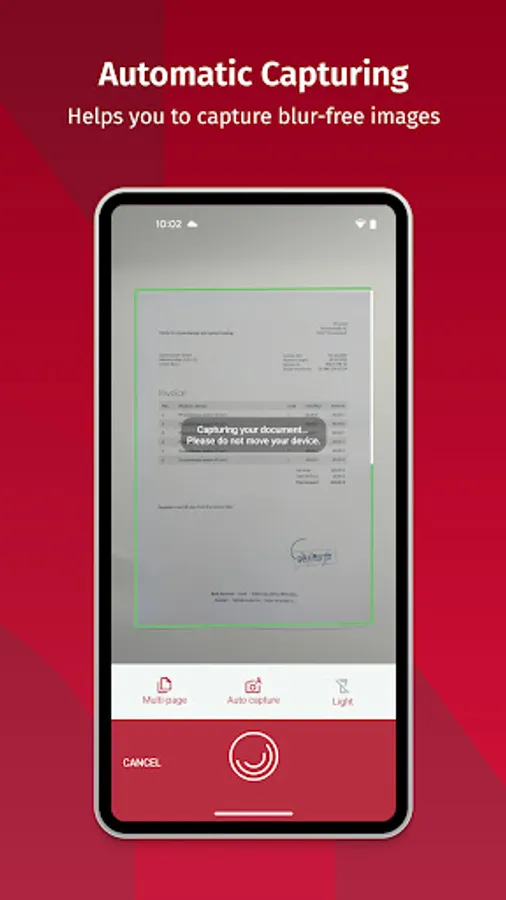
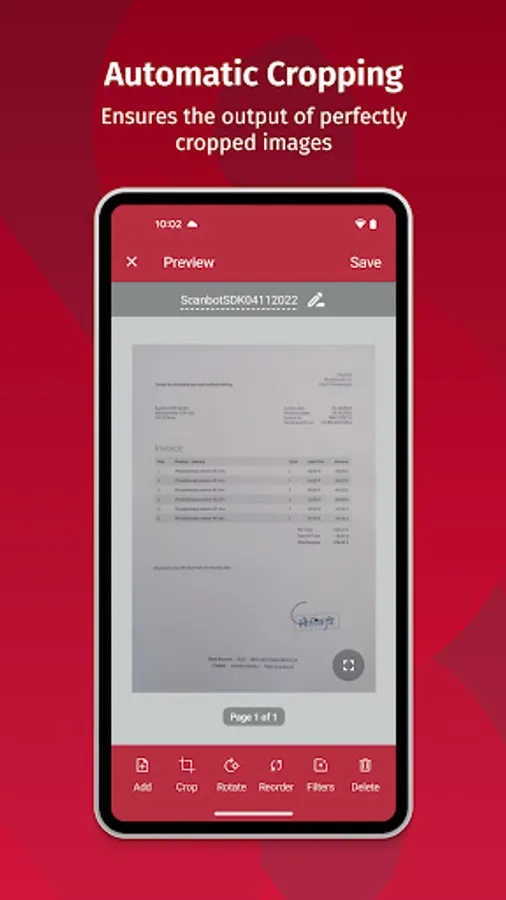
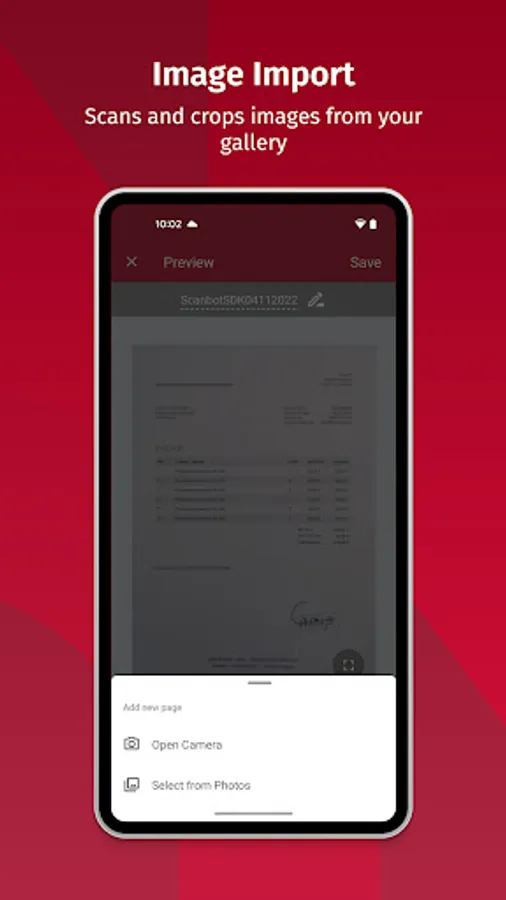
With our automatic capturing and cropping functionalities, all your users have to do is hold their device over a document to create the perfect scan for your backend. The Scanbot SDK does the rest - blurry and badly cropped images with disturbing backgrounds become a thing of the past.
PERSPECTIVE CORRECTION
We know that it can be difficult to position the camera perfectly above the document. This is why we developed an algorithm that automatically straightens every scan. It supports your users with scans taken from a bad angle and facilitates backend processes.
MULTIPLE EXPORT FORMATS
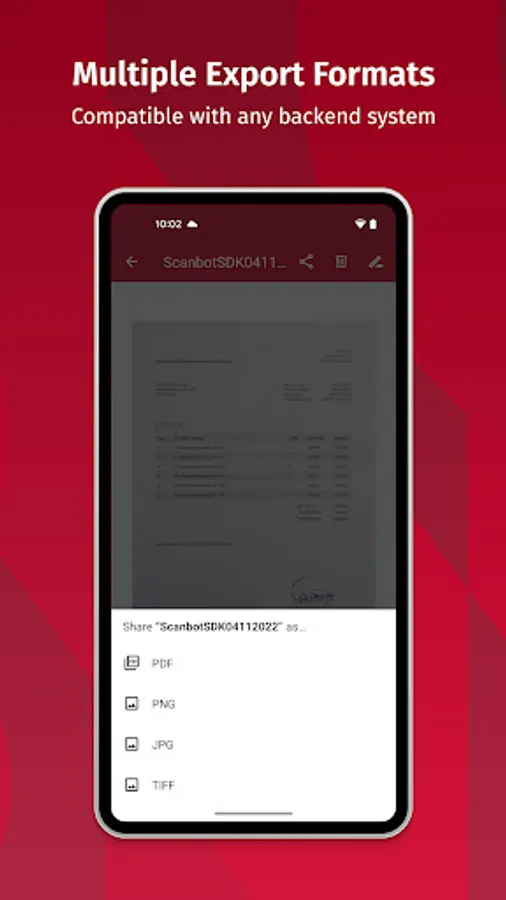
PDF, JPG, PNG, or TIFF – our export formats are compatible with any backend system that processes the scans your users create.
IMAGE OPTIMIZATION FILTERS
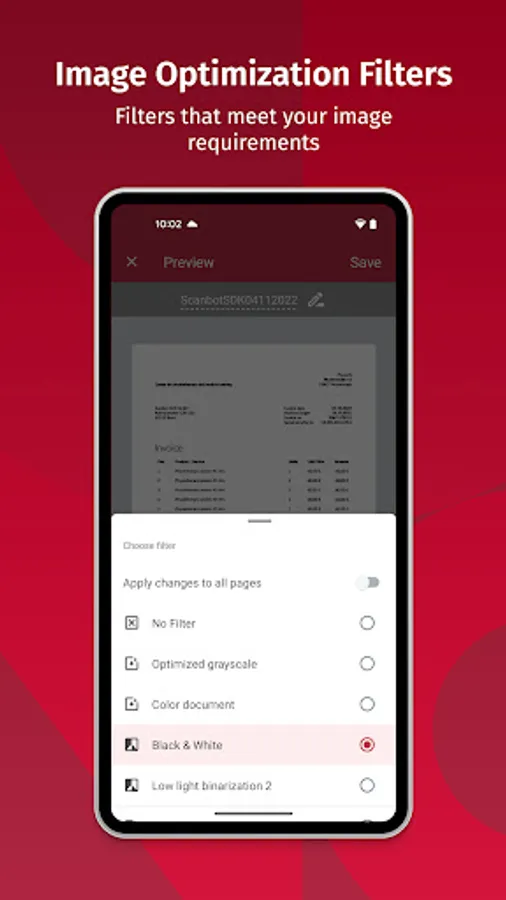
Working with over 200 enterprise customers, we have learned that each use case has unique image requirements. That's why we built Image Optimization Filters for various industry-specific use cases (e.g., Optimized Greyscale, Color Document, Black & White, Low Light Binarization, and many more).
SINGLE- AND MULTI-PAGE MODES
With our SDK, you can enable your users to scan single or multi-page documents without leaving the scan screen.
Do you want to test the Scanbot SDK in your mobile or web app? No Problem! You can simply sign up for a free 7-day Trial License at https://scanbot.io/trial/. Our support engineers will support you on your way to a hassle-free integration of Mobile Data Capture into your apps.
The Scanbot SDK is trusted by 200+ enterprises worldwide and valued by developers and users alike. Learn more about the Scanbot SDK on our website https://scanbot.io/.
This App demonstrates the scanning quality & reliability of the Scanbot Document Scanner SDK, which over 200 enterprises worldwide have already integrated into their mobile and web apps. Working completely offline on your end-users devices, the SDK is never connected to any third-party servers – providing its customers with absolute data security.
Our cutting-edge machine learning- and computer vision-based Document Scanning technology offers all the features your app needs to provide its users with a seamless scanning experience that enables anyone to easily capture sharp and crisp images of documents:
SELF-EXPLAINING USER GUIDANCE
We developed a self-explaining user guidance that enables even non-tech-savvy people to capture high-quality scans with their devices easily. It will enhance your user experience and generate your app's "WOW" effect.
AUTOMATIC CAPTURING & CROPPING
With our automatic capturing and cropping functionalities, all your users have to do is hold their device over a document to create the perfect scan for your backend. The Scanbot SDK does the rest - blurry and badly cropped images with disturbing backgrounds become a thing of the past.
PERSPECTIVE CORRECTION
We know that it can be difficult to position the camera perfectly above the document. This is why we developed an algorithm that automatically straightens every scan. It supports your users with scans taken from a bad angle and facilitates backend processes.
MULTIPLE EXPORT FORMATS
PDF, JPG, PNG, or TIFF – our export formats are compatible with any backend system that processes the scans your users create.
IMAGE OPTIMIZATION FILTERS
Working with over 200 enterprise customers, we have learned that each use case has unique image requirements. That's why we built Image Optimization Filters for various industry-specific use cases (e.g., Optimized Greyscale, Color Document, Black & White, Low Light Binarization, and many more).
SINGLE- AND MULTI-PAGE MODES
With our SDK, you can enable your users to scan single or multi-page documents without leaving the scan screen.
Do you want to test the Scanbot SDK in your mobile or web app? No Problem! You can simply sign up for a free 7-day Trial License at https://scanbot.io/trial/. Our support engineers will support you on your way to a hassle-free integration of Mobile Data Capture into your apps.
The Scanbot SDK is trusted by 200+ enterprises worldwide and valued by developers and users alike. Learn more about the Scanbot SDK on our website https://scanbot.io/.
Scanbot SDK: Document Scanning Screenshots
Tap to Rate:
Reviews for Scanbot SDK: Document Scanning
Kimberly Erwin
12/18/2025
too many ads
zachary vincent
11/29/2025
I enjoyed this app because it helps me through developer mode to understand it more