About Screen Shot
Outline
This app is a screen capture app that can be screenshots by easy operation. You can scribble and email screenshots.
How to use
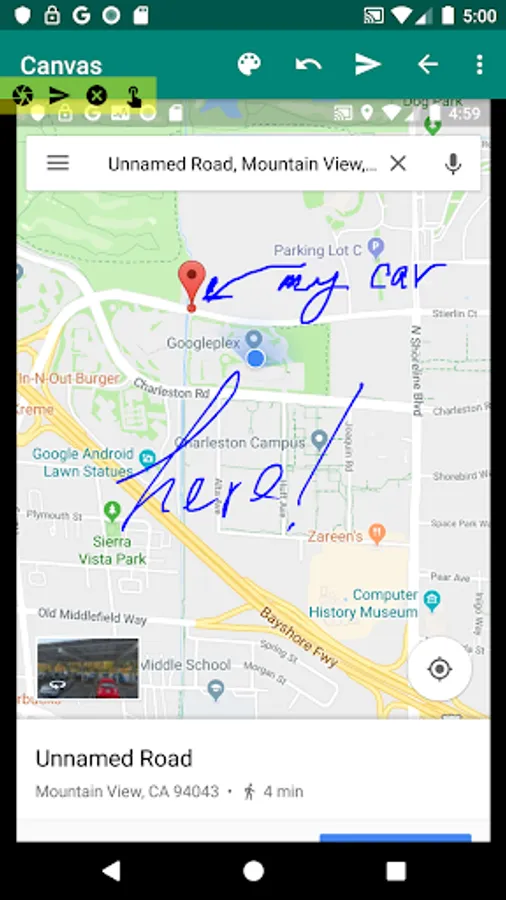
When you want to let other people know your current location, launch the map app, google map, take a screenshot, and send an email or write that you are here by hand on the map.
It can also be used to remember where to park your car. You can take a photo with the Camera app, take a screenshot,doodle it by hand, and email it to other people.
ScreenShot screen
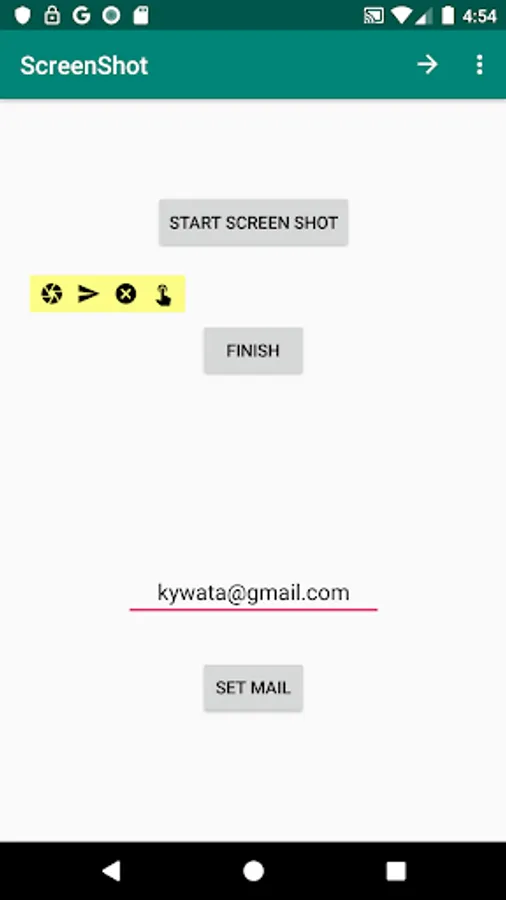
[START SCREEN SHOT]
The yellow floating widget starts.
[FINISH]
The app ends.
[Mail EditText]
Please enter your email address. When you start the app again, the app remembers your email address. You won't have to enter your email address next time.
[SET Mail]
If you press the button, the email address you enter will be remembered in the app.
MenuBar screen
[BackWard]
Return to the Canvas screen.
[Canvas]
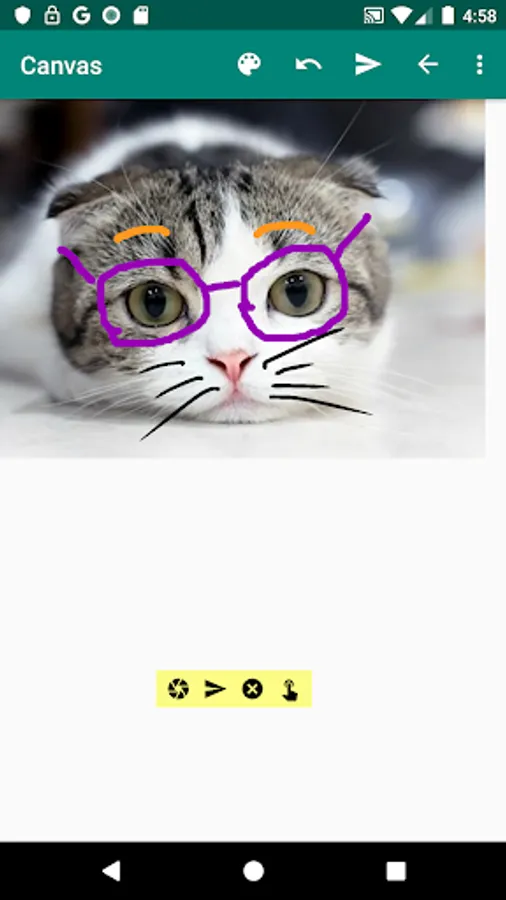
Return to the Canvas screen. Now scribble by hand on the screenshot screen.
[Reset]
The screenshot screen, text color, line weight, and email address are reset.
Canvas screen
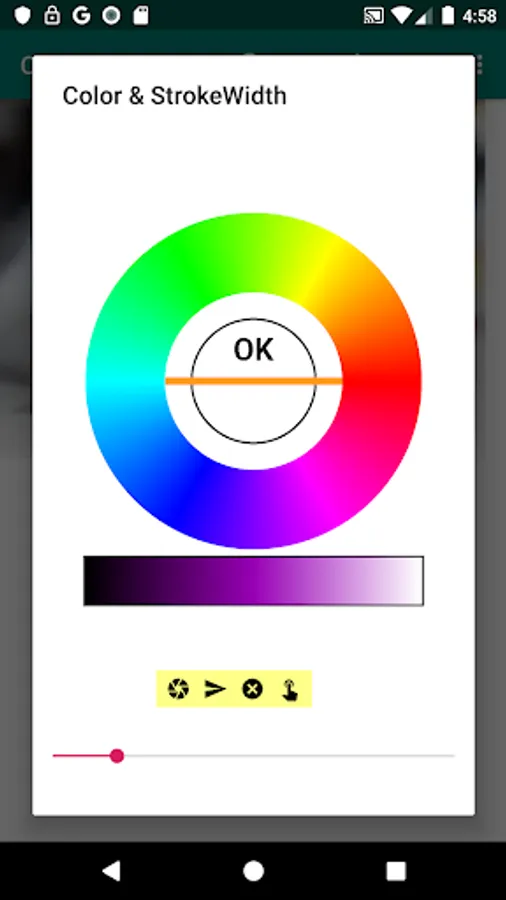
[Color and Strike Width]
You can choose any color and thickness.
[Undo]
You can redo the drawn line.
[Mail]
You can email to the email address that the app remembers.
[Forward]
Return to the ScrennShot screen.
[ScrennShot]
Return to the ScrennShot screen.
[Delete Canvas]
Delete the saved screenshot screen. The screenshot screen will be an image of the cat.
[Finish]
The app ends.
FloatingWidget screen
[ScreenShot]
Capture the display screen and display the canvas screen. On the canvas screen, you can doodle by hand.
[mail]
Capture the display screen and email it as it is.
[Finish]
The app ends.
[Drag]
You can move the FloatingWidget anywhere.
youtube https://www.youtube.com/watch?v=RRsdAJohbx8
https://kywataapp.blogspot.com/2019/08/20190807scrennshot.html
This app is a screen capture app that can be screenshots by easy operation. You can scribble and email screenshots.
How to use
When you want to let other people know your current location, launch the map app, google map, take a screenshot, and send an email or write that you are here by hand on the map.
It can also be used to remember where to park your car. You can take a photo with the Camera app, take a screenshot,doodle it by hand, and email it to other people.
ScreenShot screen
[START SCREEN SHOT]
The yellow floating widget starts.
[FINISH]
The app ends.
[Mail EditText]
Please enter your email address. When you start the app again, the app remembers your email address. You won't have to enter your email address next time.
[SET Mail]
If you press the button, the email address you enter will be remembered in the app.
MenuBar screen
[BackWard]
Return to the Canvas screen.
[Canvas]
Return to the Canvas screen. Now scribble by hand on the screenshot screen.
[Reset]
The screenshot screen, text color, line weight, and email address are reset.
Canvas screen
[Color and Strike Width]
You can choose any color and thickness.
[Undo]
You can redo the drawn line.
[Mail]
You can email to the email address that the app remembers.
[Forward]
Return to the ScrennShot screen.
[ScrennShot]
Return to the ScrennShot screen.
[Delete Canvas]
Delete the saved screenshot screen. The screenshot screen will be an image of the cat.
[Finish]
The app ends.
FloatingWidget screen
[ScreenShot]
Capture the display screen and display the canvas screen. On the canvas screen, you can doodle by hand.
[mail]
Capture the display screen and email it as it is.
[Finish]
The app ends.
[Drag]
You can move the FloatingWidget anywhere.
youtube https://www.youtube.com/watch?v=RRsdAJohbx8
https://kywataapp.blogspot.com/2019/08/20190807scrennshot.html