AppRecs review analysis
AppRecs rating 4.1. Trustworthiness 57 out of 100. Review manipulation risk 45 out of 100. Based on a review sample analyzed.
★★★★☆
4.1
AppRecs Rating
Ratings breakdown
5 star
86%
4 star
0%
3 star
0%
2 star
0%
1 star
14%
What to know
⚠
Questionable review patterns
45% review manipulation risk - some review patterns appear unusual
⚠
Limited rating diversity
86% high ratings in sampled reviews
About Synappx Go
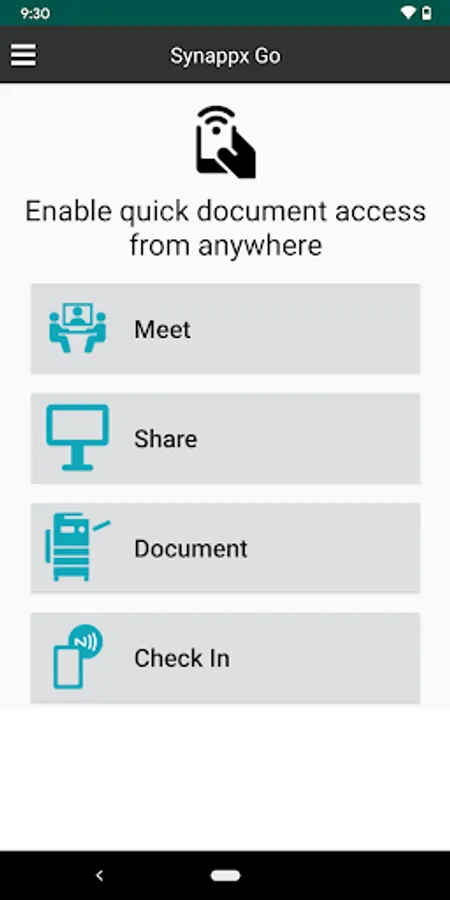
Synappx Go enhances the experience across Sharp multifunction printers (MFPs), Sharp displays and interactive whiteboards through a consistent user experience, giving users remote operation capabilities for efficient collaboration in the office.
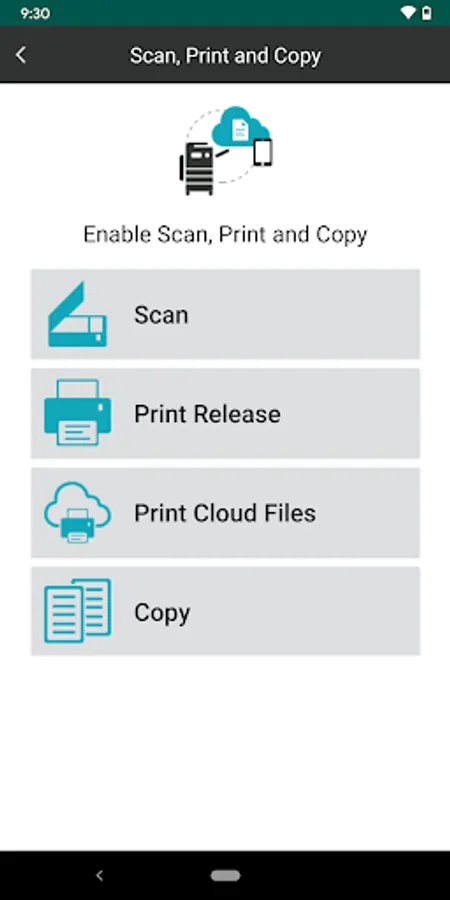
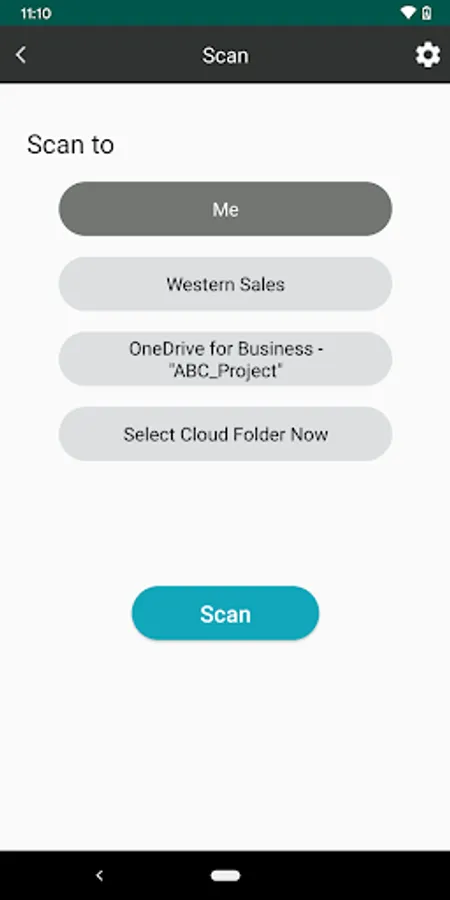
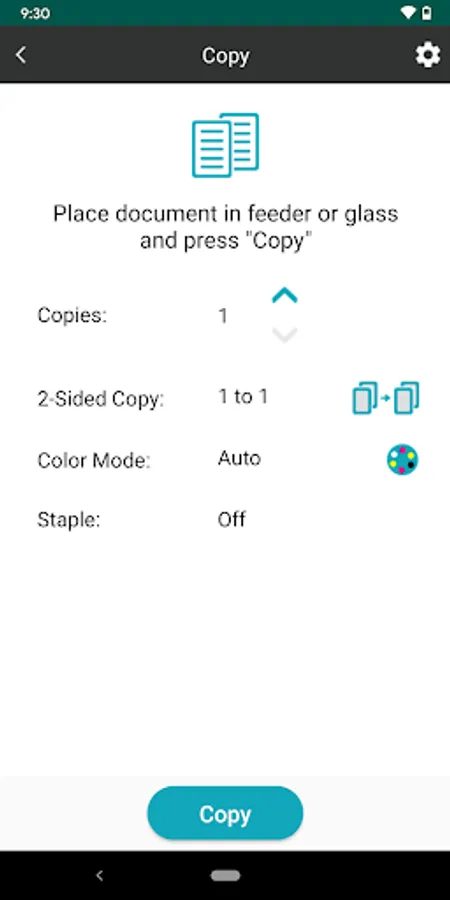
For Sharp MFPs, Synappx Go helps simplify document copying, scanning and printing. No need to touch and learn the commonly shared printers. Just a tap on the NFC tag or a QR code. Contact your authorized Sharp service provider to install the application and set up your Sharp MFP(s).
•The Synappx MFP Lite (No Login) feature enables simple copy and scan to email functions by scanning a QR Code. Synappx Go Lite does not require agent install or NFC tags.
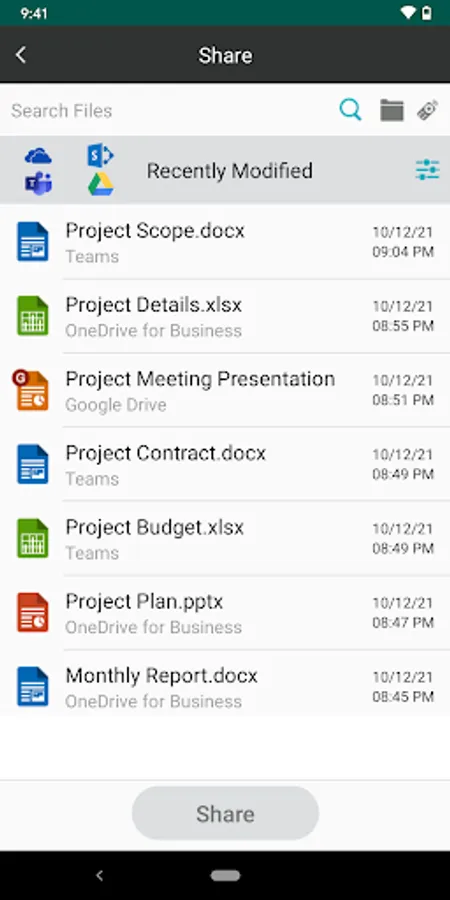
• The full Synappx Go application unlocks access to scan/print from cloud storage services, print release, share to display and other collaboration features.
For Sharp displays, Synappx Go enables collaboration from users mobile devices that helps organizations create a dynamic collaboration space to bring both on-site and remote team members together, making hybrid meetings more efficient.
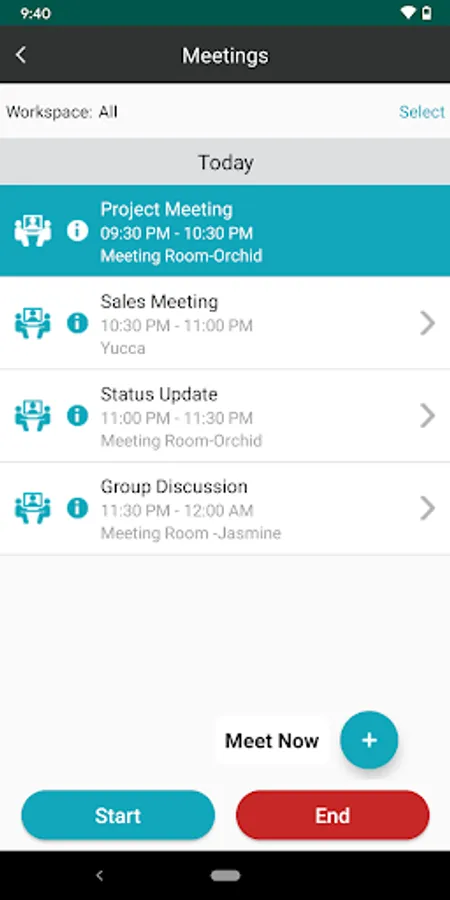
• Users can start ad-hoc or scheduled meetings with Microsoft Teams, Zoom, Google Meet and GoToConnect by tapping the NFC tag or scanning the QR code.
• Synappx automatically connects to in-room audio and camera solutions to instantly engage with both in-room and remote attendees.
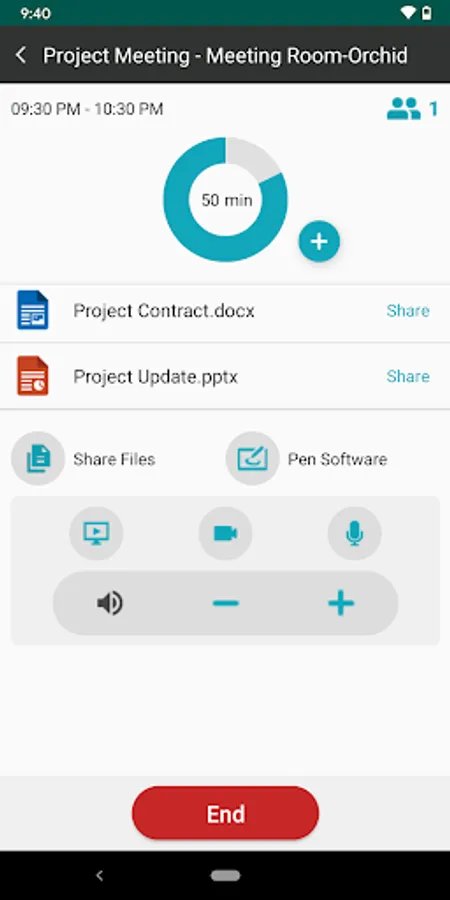
• Remote operation of web conference features such as volume, microphone, screen share, camera and trackpad are available from the app.
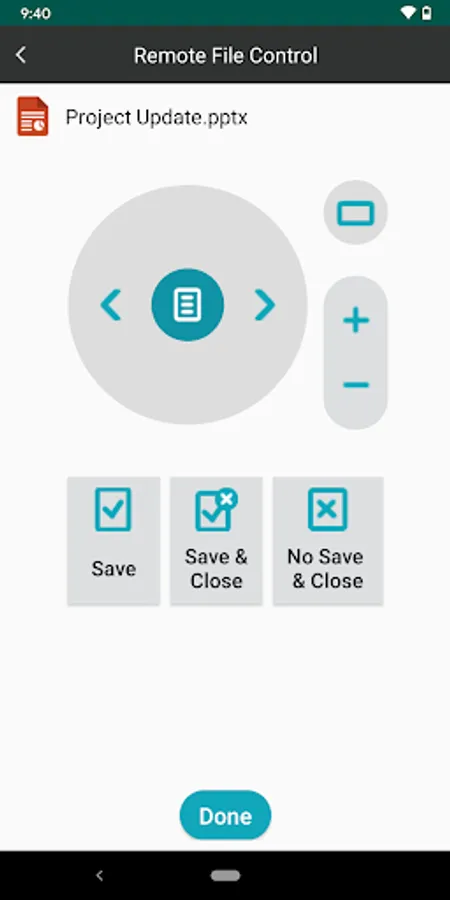
• Synappx Go gives you access to cloud storage folders allowing you to share your documents onto the display to edit and save back to their location
• The trackpad brings mouse-like control to the fingertips of the users. Open and close any dialog boxes/pop-ups/applications/browsers, control video playback (ie. YouTube), and toggle through open applications quickly
• If the meeting is still going but you need to leave, simply click “Leave” to end the session just for you.
• When the meeting is over click “End” to close all apps, disconnect the display audio and video, and to end the web conference.
This application requires Synappx Go service accounts. Synappx Go collaboration features require Synappx Go Workspace mode.
Please refer to the Synappx Go support site for details and a list of supported technologies.
For more information, go to https://business.sharpusa.com/synappx-support/Synappx-Go/What-Is-Synappx-Go
For more information about the Collaboration features, go to https://business.sharpusa.com/synappx-support/Synappx-Collaboration-Hub/What-Is-Synappx-Collaboration-Hub
For more information about the MFP Lite (No Login) version, go to https://business.sharpusa.com/synappx-support/Synappx-Go/Synappx-Go-No-Login-Version/Admin-Setup
Feature requests, ideas, questions, go to https://business.sharpusa.com/synappx-support/feedback
For Sharp MFPs, Synappx Go helps simplify document copying, scanning and printing. No need to touch and learn the commonly shared printers. Just a tap on the NFC tag or a QR code. Contact your authorized Sharp service provider to install the application and set up your Sharp MFP(s).
•The Synappx MFP Lite (No Login) feature enables simple copy and scan to email functions by scanning a QR Code. Synappx Go Lite does not require agent install or NFC tags.
• The full Synappx Go application unlocks access to scan/print from cloud storage services, print release, share to display and other collaboration features.
For Sharp displays, Synappx Go enables collaboration from users mobile devices that helps organizations create a dynamic collaboration space to bring both on-site and remote team members together, making hybrid meetings more efficient.
• Users can start ad-hoc or scheduled meetings with Microsoft Teams, Zoom, Google Meet and GoToConnect by tapping the NFC tag or scanning the QR code.
• Synappx automatically connects to in-room audio and camera solutions to instantly engage with both in-room and remote attendees.
• Remote operation of web conference features such as volume, microphone, screen share, camera and trackpad are available from the app.
• Synappx Go gives you access to cloud storage folders allowing you to share your documents onto the display to edit and save back to their location
• The trackpad brings mouse-like control to the fingertips of the users. Open and close any dialog boxes/pop-ups/applications/browsers, control video playback (ie. YouTube), and toggle through open applications quickly
• If the meeting is still going but you need to leave, simply click “Leave” to end the session just for you.
• When the meeting is over click “End” to close all apps, disconnect the display audio and video, and to end the web conference.
This application requires Synappx Go service accounts. Synappx Go collaboration features require Synappx Go Workspace mode.
Please refer to the Synappx Go support site for details and a list of supported technologies.
For more information, go to https://business.sharpusa.com/synappx-support/Synappx-Go/What-Is-Synappx-Go
For more information about the Collaboration features, go to https://business.sharpusa.com/synappx-support/Synappx-Collaboration-Hub/What-Is-Synappx-Collaboration-Hub
For more information about the MFP Lite (No Login) version, go to https://business.sharpusa.com/synappx-support/Synappx-Go/Synappx-Go-No-Login-Version/Admin-Setup
Feature requests, ideas, questions, go to https://business.sharpusa.com/synappx-support/feedback
Synappx Go Screenshots
Tap to Rate:
Reviews for Synappx Go
Bryan Schacht
10/31/2022
Works great! With the new version I can use my mobile to remotely control new apps and close pesky dialogs when presenting.
A Google user
3/6/2020
App works great!