MultiStopWatch
USE Engineering Corporation
3.5 ★
513 ratings
10,000+
downloads
Free
In this multi-stopwatch app, you can measure and manage multiple timers simultaneously with start, stop, and reset functions. Includes options to customize titles and colors, and sync multiple timers at once.
AppRecs review analysis
AppRecs rating 3.0. Trustworthiness 81 out of 100. Review manipulation risk 23 out of 100. Based on a review sample analyzed.
★★★☆☆
3.0
AppRecs Rating
Ratings breakdown
5 star
46%
4 star
9%
3 star
23%
2 star
0%
1 star
23%
What to know
✓
Low review manipulation risk
23% review manipulation risk
✓
Credible reviews
81% trustworthiness score from analyzed reviews
⚠
Ad complaints
Many low ratings mention excessive ads
About MultiStopWatch
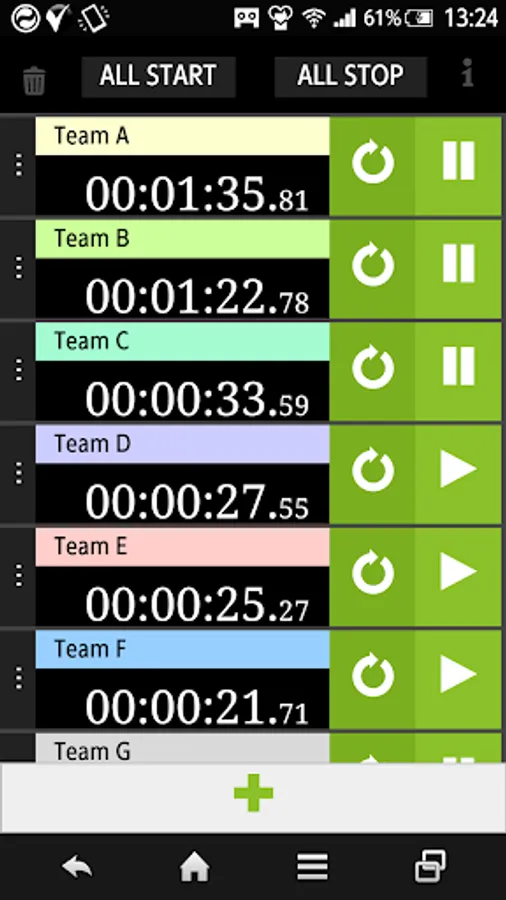
Title and color change, allowing multiple simultaneous measurement.
■How to use
【Measurement】
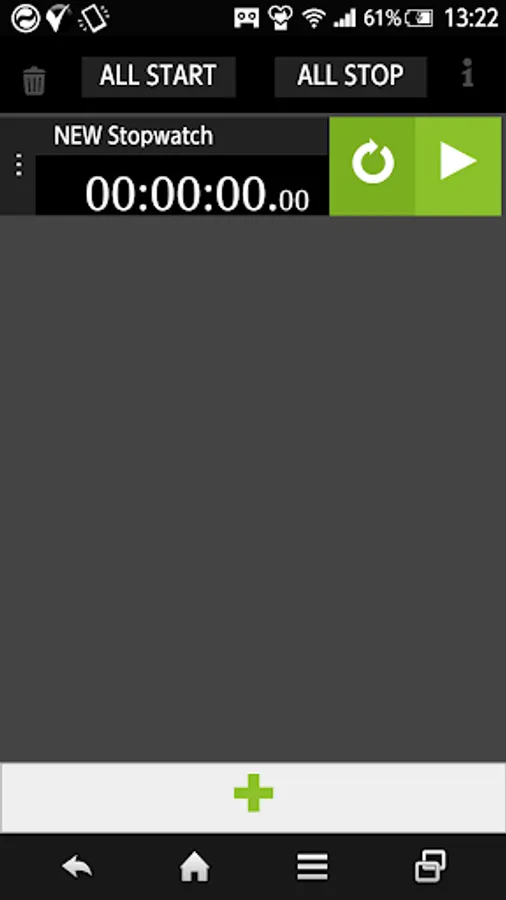
・Tap the [▶] button to start.
・Tap the [ll] button to stop.
・Tap the [↻] button to 0.
【Timer】
・Tap the [+] button at the bottom, and then add one timer.
※Scroll is compatible, it is possible to add up to 15.
・Tap the [trash can] button to remove all the timer.
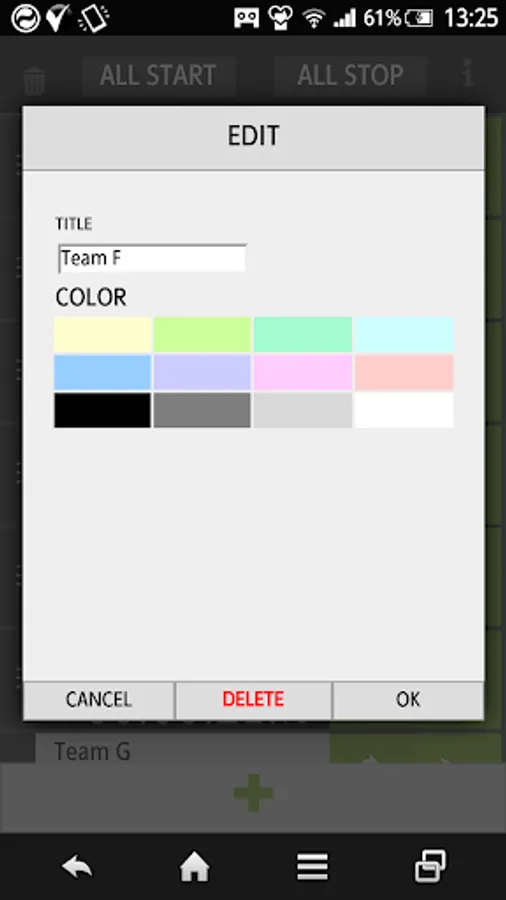
・Tap the [Delete] button on the edit screen, remove the timer.
【Title・Color Edit】
・Tap the [︙] button to display the edit screen.
・In the editing screen, you can change to any title.
・In the editing screen, you can change the color.(Select from 12 colors)
【Other】
・Tap the [ALL START] button to start all the timer.
・Tap the [ALL STOP] button to stop all the timer.
■Caution
・The maximum value is 99:99:99.99.
If more than the maximum value of 00: 00: 00: 00 to return to the count from.
・If you exit the app, the number of seconds and the timer is initialized.
※Initialization: The number of seconds is 0, the timer is one state.
■How to use
【Measurement】
・Tap the [▶] button to start.
・Tap the [ll] button to stop.
・Tap the [↻] button to 0.
【Timer】
・Tap the [+] button at the bottom, and then add one timer.
※Scroll is compatible, it is possible to add up to 15.
・Tap the [trash can] button to remove all the timer.
・Tap the [Delete] button on the edit screen, remove the timer.
【Title・Color Edit】
・Tap the [︙] button to display the edit screen.
・In the editing screen, you can change to any title.
・In the editing screen, you can change the color.(Select from 12 colors)
【Other】
・Tap the [ALL START] button to start all the timer.
・Tap the [ALL STOP] button to stop all the timer.
■Caution
・The maximum value is 99:99:99.99.
If more than the maximum value of 00: 00: 00: 00 to return to the count from.
・If you exit the app, the number of seconds and the timer is initialized.
※Initialization: The number of seconds is 0, the timer is one state.
MultiStopWatch Screenshots
Tap to Rate:
Reviews for MultiStopWatch
Ibrahim Muhammad
12/19/2024
Awesome
Karla
12/10/2024
Love this app, but I can't no longer use it on my new phone. I hope it gets updated soon :(