About DICOM Snap
It is an application that converts image files taken inside and outside the facility into DICOM files and sends them to the DICOM server (PACS).
You can send the captured image to the DICOM server (PACS) in the following 3 steps.
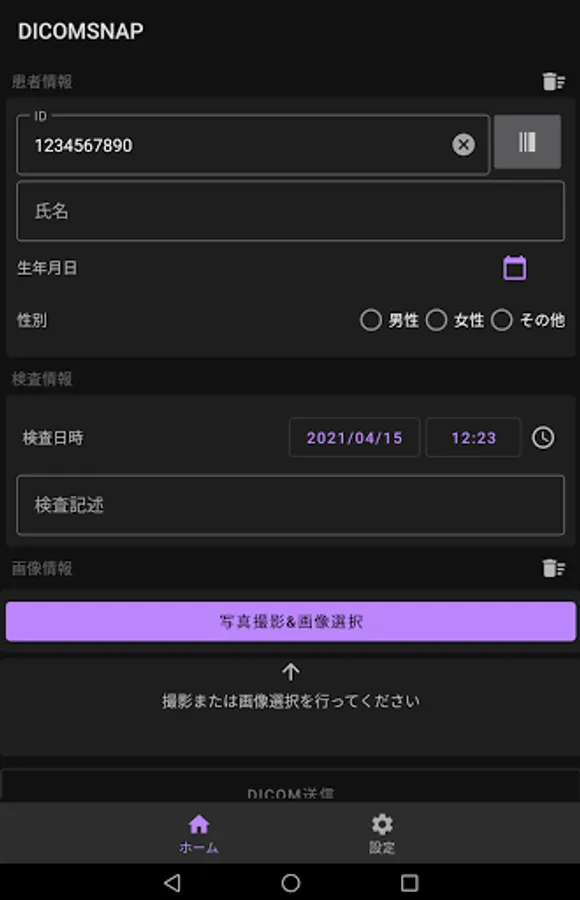
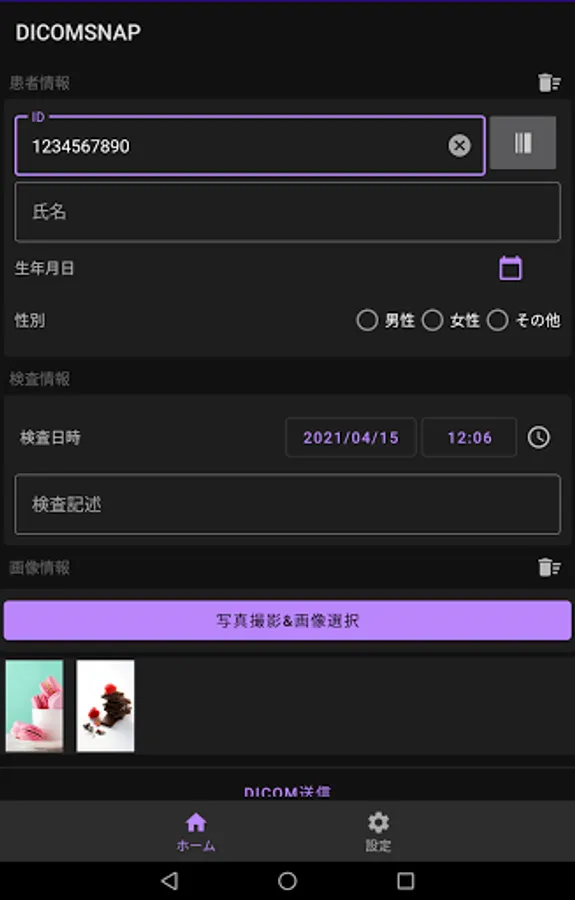
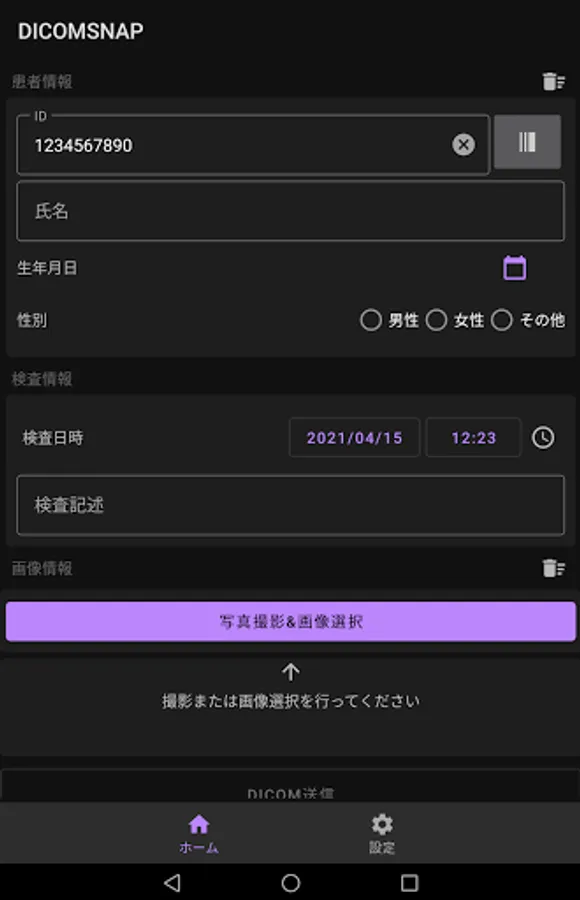
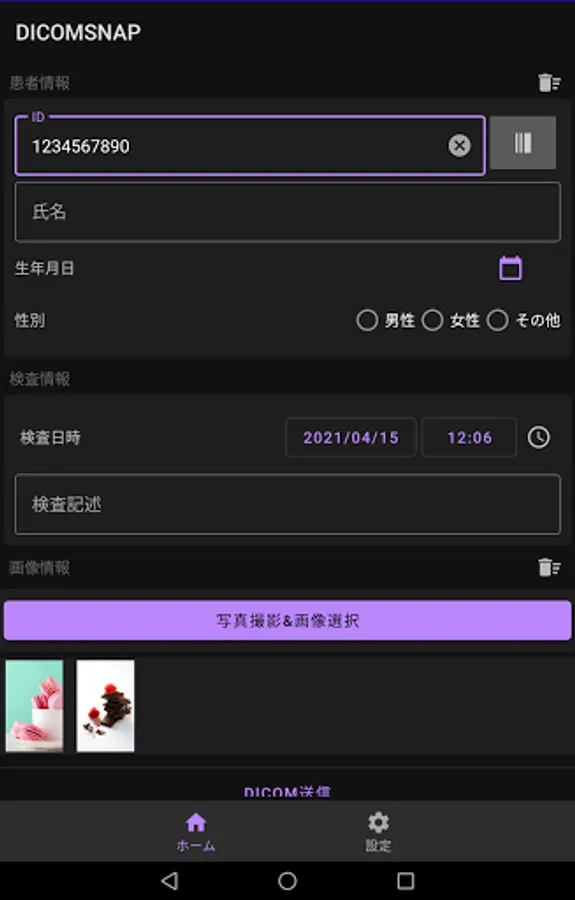
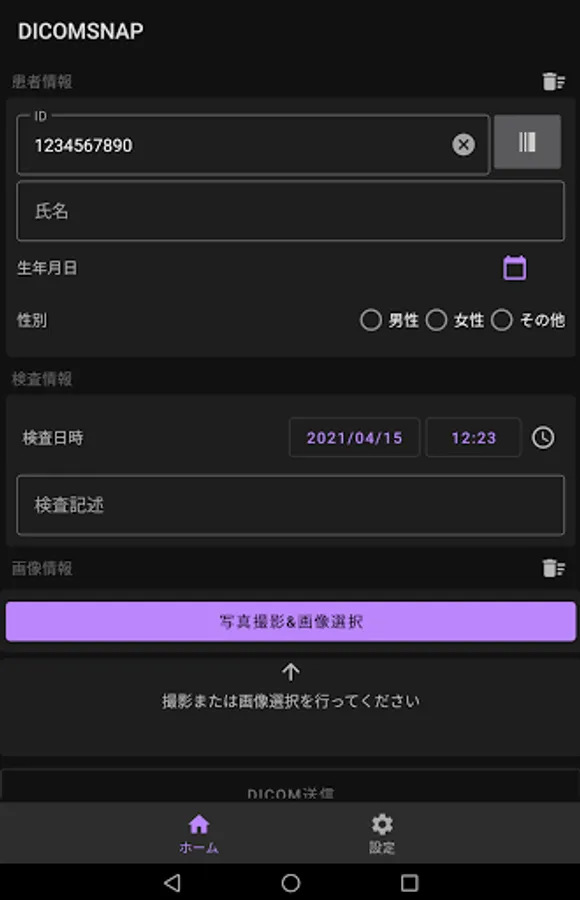
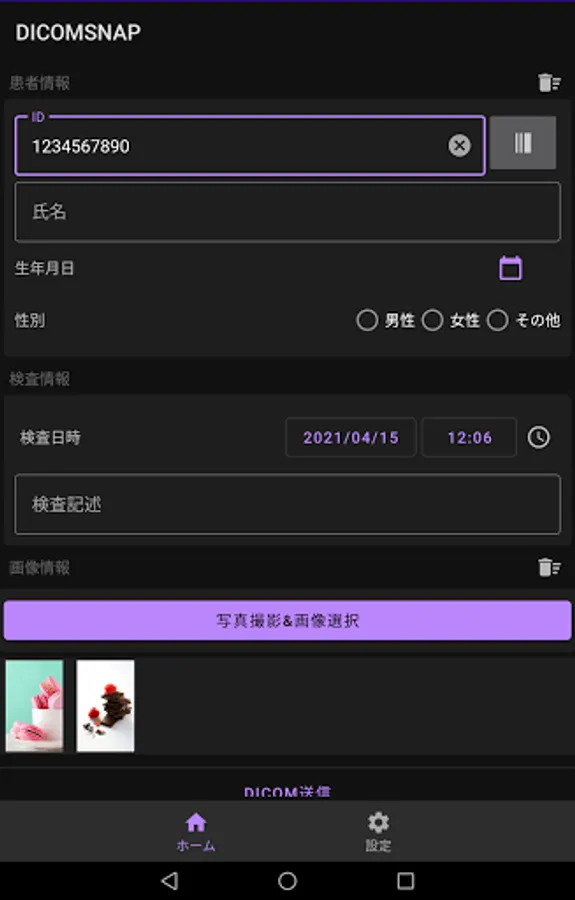
1. Enter patient / examination information (Patient ID can also be entered by reading the barcode)
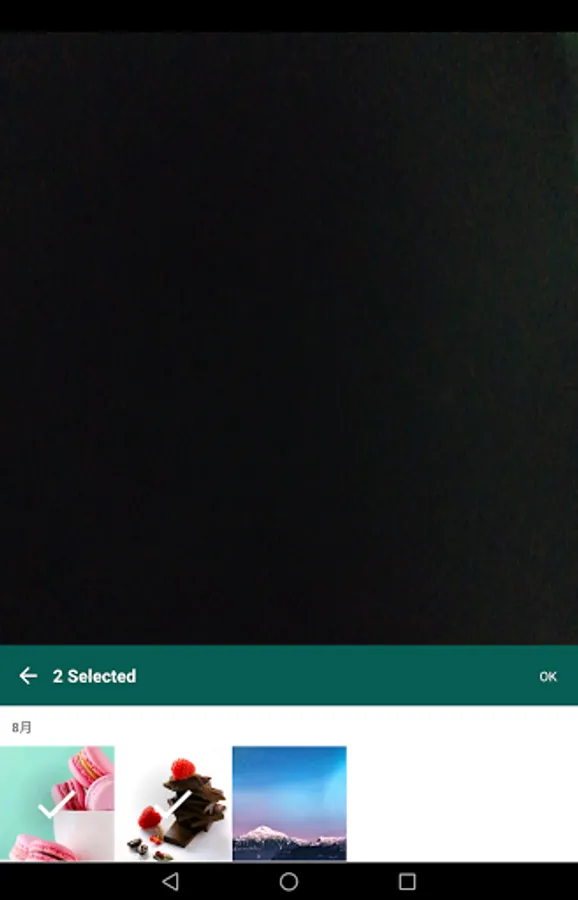
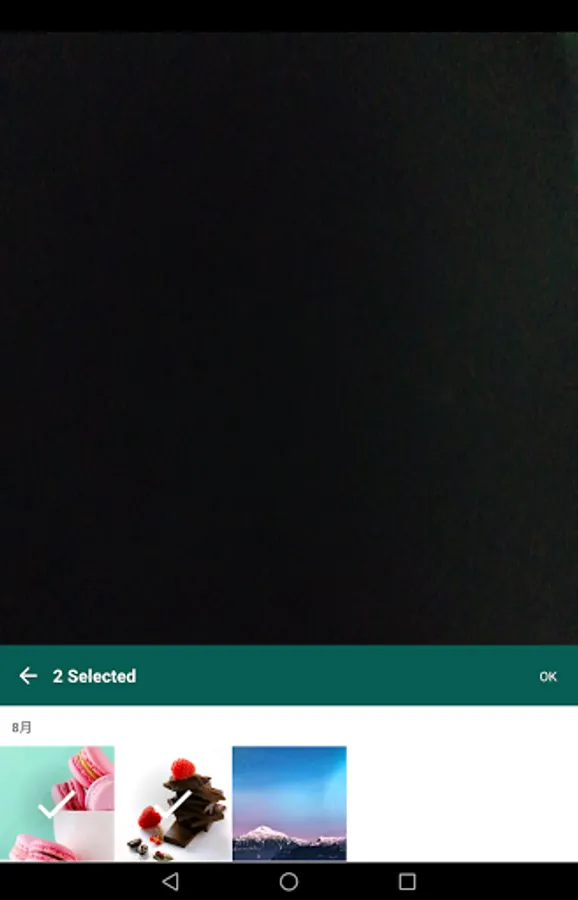
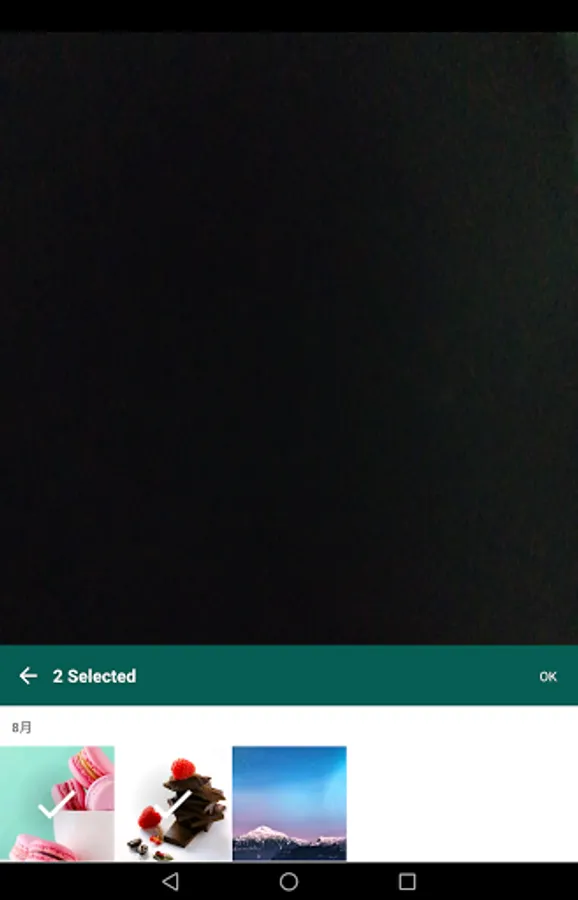
2. Take a picture from the shooting button (you can also select a shot image from the camera roll)
3. Tap the DICOM submit button
Features
1. Since it complies with the DICOM communication standard, it can be sent by any manufacturer as long as it is a server (PACS) that supports the DICOM communication protocol.
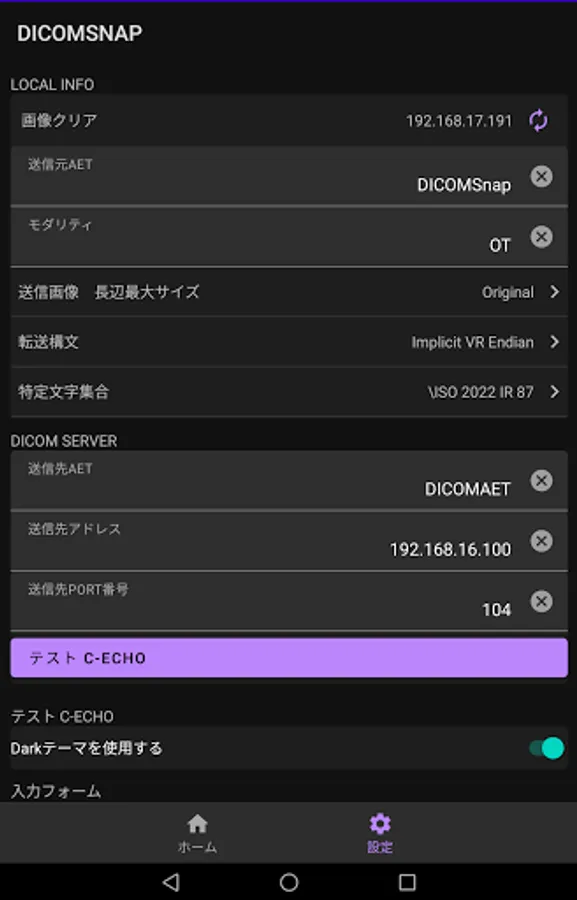
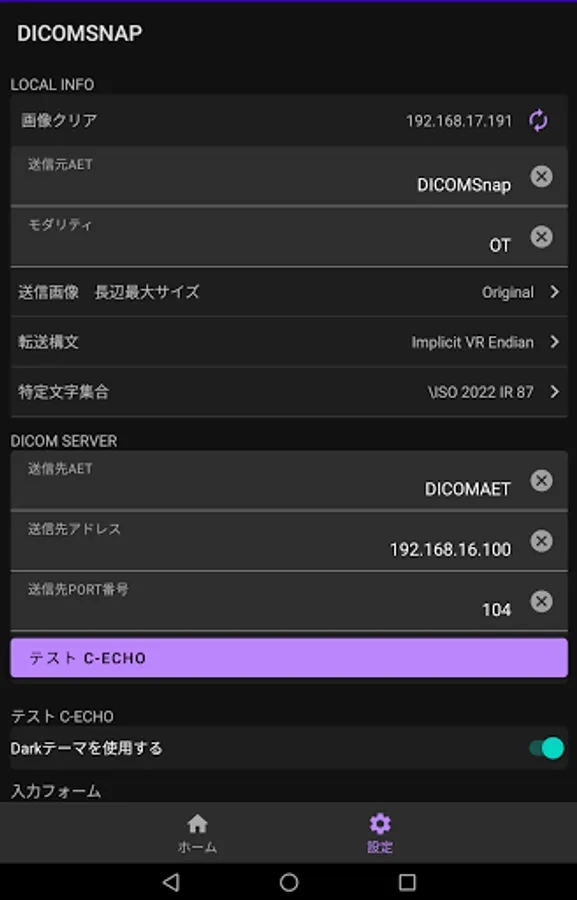
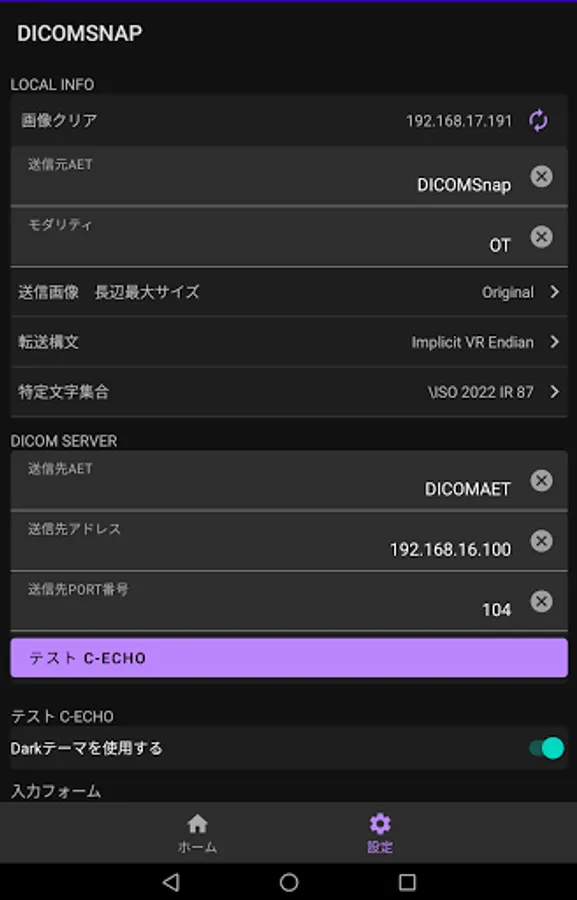
2. The transfer syntax, specific character set, image size, etc. can be changed according to the destination server.
3. It is possible to manage information related to patients by taking not only examination images but also documents and sending them to DICOM.
You can send the captured image to the DICOM server (PACS) in the following 3 steps.
1. Enter patient / examination information (Patient ID can also be entered by reading the barcode)
2. Take a picture from the shooting button (you can also select a shot image from the camera roll)
3. Tap the DICOM submit button
Features
1. Since it complies with the DICOM communication standard, it can be sent by any manufacturer as long as it is a server (PACS) that supports the DICOM communication protocol.
2. The transfer syntax, specific character set, image size, etc. can be changed according to the destination server.
3. It is possible to manage information related to patients by taking not only examination images but also documents and sending them to DICOM.