In this sound frequency measurement app, you can record audio, detect steady frequencies, and view waveform visuals. Includes adjustable settings for measurement stability, waveform zoom, and data management.
AppRecs review analysis
AppRecs rating 2.5. Trustworthiness 0 out of 100. Review manipulation risk 0 out of 100. Based on a review sample analyzed.
★★☆☆☆
2.5
AppRecs Rating
Ratings breakdown
5 star
27%
4 star
4%
3 star
11%
2 star
4%
1 star
54%
What to know
✓
Authentic reviews
Natural distribution, no red flags
⚠
Mixed user feedback
Average 2.5★ rating suggests room for improvement
⚠
High negative review ratio
58% of sampled ratings are 1–2 stars
About Frequency measurement app
It is a tool to measure the frequency of a sound source with a constant frequency such as belt tension measurement.
The scale (just intonation) is also displayed.
Operation explanation
1, Press the "Start" button to start collecting sounds.
--The waveform of the collected sound is displayed in gray at intervals of 200ms (0.2 seconds).
2, Detect a constant frequency.
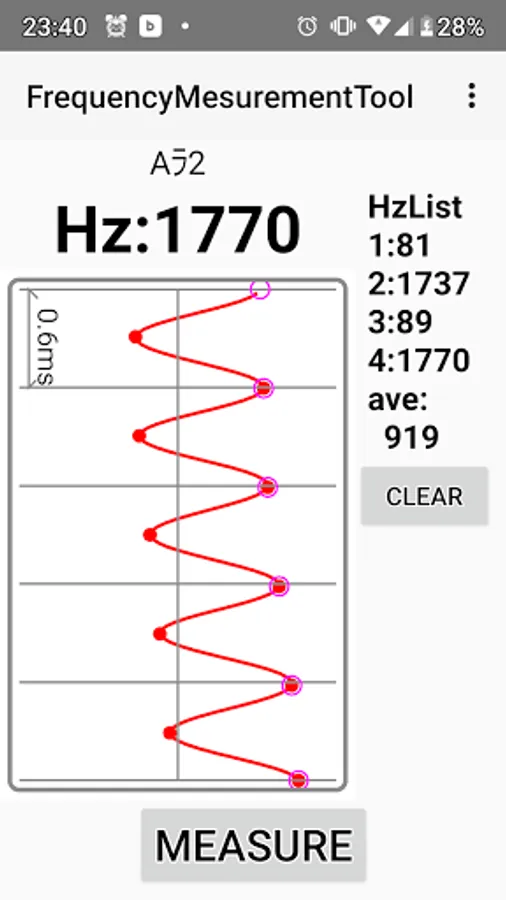
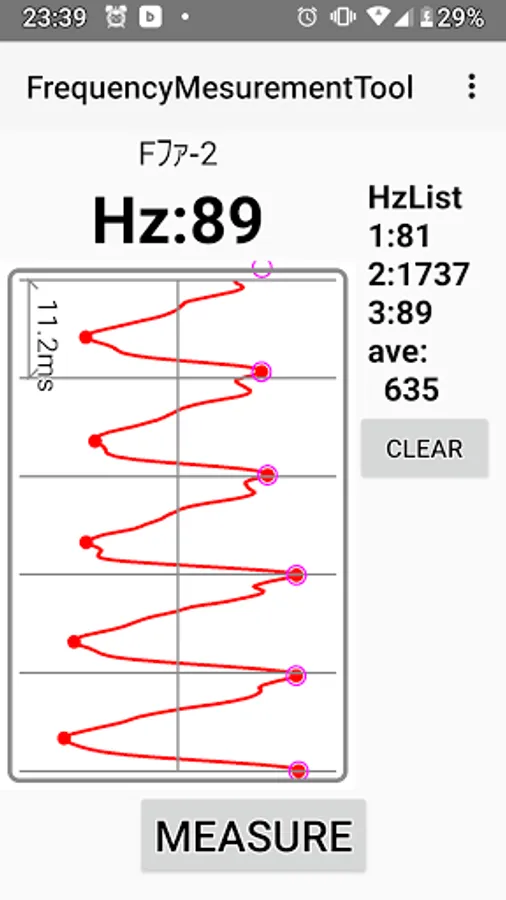
--Displays 6 wavelengths of the detected constant frequency waveform in red.
You can visually check whether the measured sound is correct.
--The frequency and scale are displayed at the top of the screen.
--You can tap the measured waveform to zoom in / out and scroll.
3, The measurement results are listed on the right side and the average value is displayed.
--Up to 10 lists are retained and deleted from oldest to newest.
--Press the "CLEAR" button to clear all list data.
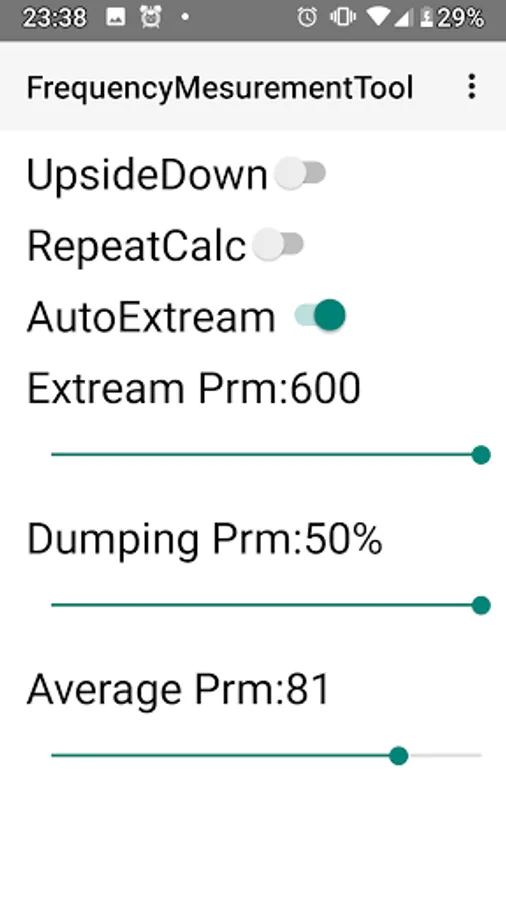
The following settings can be made.
1, "upside down"
-The screen flips upside down.
――When flipped, you can measure with the call port facing up.
2, "Continuous measurement"
--Continuously measure the waveform.
3, "Automatic extremum calculation"
--The extreme value of the waveform is calculated automatically.
4, "Extreme judgment threshold"
--If automatic extremum calculation is off, the extremum is calculated with the set value.
5, "Dumping parameter"
――It is easier to detect the frequency even when the volume is attenuated, such as when you hit the sound.
6, "Average number"
--Set the number to average the measured raw waveforms.
—— For treble, lower the average number, and for bass, increase the average number for better results.
The detectable frequency is generally in the range of 70-2000Hz.
Note: This tool uses the recording function of android, and the measurement accuracy is
Since it depends on the model, we do not guarantee the accuracy of the measured frequency.
The scale (just intonation) is also displayed.
Operation explanation
1, Press the "Start" button to start collecting sounds.
--The waveform of the collected sound is displayed in gray at intervals of 200ms (0.2 seconds).
2, Detect a constant frequency.
--Displays 6 wavelengths of the detected constant frequency waveform in red.
You can visually check whether the measured sound is correct.
--The frequency and scale are displayed at the top of the screen.
--You can tap the measured waveform to zoom in / out and scroll.
3, The measurement results are listed on the right side and the average value is displayed.
--Up to 10 lists are retained and deleted from oldest to newest.
--Press the "CLEAR" button to clear all list data.
The following settings can be made.
1, "upside down"
-The screen flips upside down.
――When flipped, you can measure with the call port facing up.
2, "Continuous measurement"
--Continuously measure the waveform.
3, "Automatic extremum calculation"
--The extreme value of the waveform is calculated automatically.
4, "Extreme judgment threshold"
--If automatic extremum calculation is off, the extremum is calculated with the set value.
5, "Dumping parameter"
――It is easier to detect the frequency even when the volume is attenuated, such as when you hit the sound.
6, "Average number"
--Set the number to average the measured raw waveforms.
—— For treble, lower the average number, and for bass, increase the average number for better results.
The detectable frequency is generally in the range of 70-2000Hz.
Note: This tool uses the recording function of android, and the measurement accuracy is
Since it depends on the model, we do not guarantee the accuracy of the measured frequency.