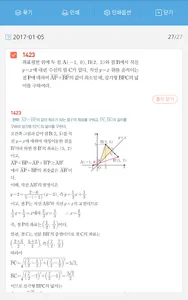
The answer sheet in your hand, the answer sheet!
An answer sheet linked to the textbooks released by Genius Education!
Scanning the QR code on the answer sheet allows you to easily study the textbook and the questions on your smartphone.
■ How to Use the Answer Sheet App ■
1. After installing the app, scan the answer sheet QR code on the textbook to register the textbook.
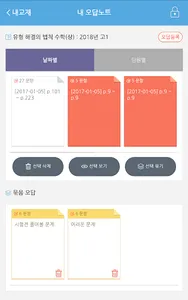
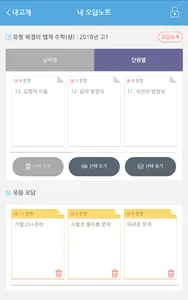
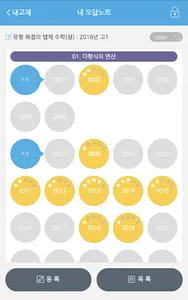
2. Select and register the incorrect answer questions from the registered textbook.
3. You can create your own test sheets using the registered incorrect answer questions.
4. You can print the test sheets by connecting to a printer via Bluetooth.
※ Note
1. A Wi-Fi, 4G, or LTE wireless network connection is required to run the app.
2. The app screen is locked in portrait orientation.
3. The answer sheet app can be accessed by logging in with your Genius Education ID.
4. You can print the answer sheet to a printer on the same wireless network. 5. Depending on the textbook's availability, some textbooks may be restricted from use in the Answer Note app.
An answer sheet linked to the textbooks released by Genius Education!
Scanning the QR code on the answer sheet allows you to easily study the textbook and the questions on your smartphone.
■ How to Use the Answer Sheet App ■
1. After installing the app, scan the answer sheet QR code on the textbook to register the textbook.
2. Select and register the incorrect answer questions from the registered textbook.
3. You can create your own test sheets using the registered incorrect answer questions.
4. You can print the test sheets by connecting to a printer via Bluetooth.
※ Note
1. A Wi-Fi, 4G, or LTE wireless network connection is required to run the app.
2. The app screen is locked in portrait orientation.
3. The answer sheet app can be accessed by logging in with your Genius Education ID.
4. You can print the answer sheet to a printer on the same wireless network. 5. Depending on the textbook's availability, some textbooks may be restricted from use in the Answer Note app.
Show More