BEEMS
리테일테크
100+
downloads
Free
About BEEMS
***
main function
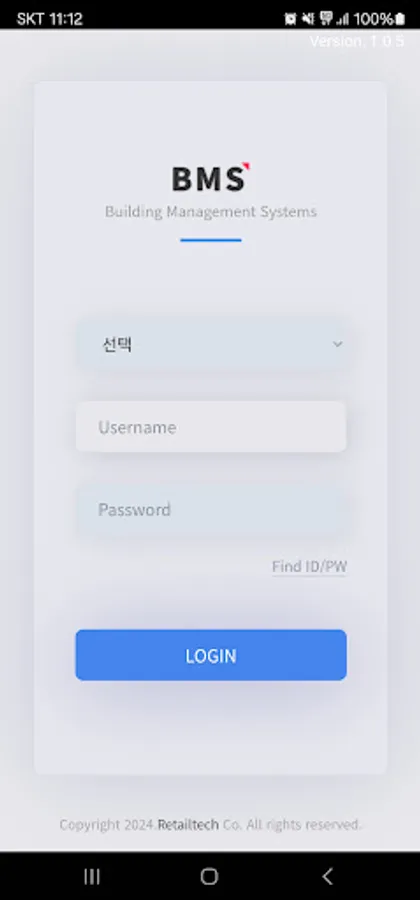
[We provide mobile pass service]
You can easily authenticate access using a mobile pass without entering a password or fingerprint.
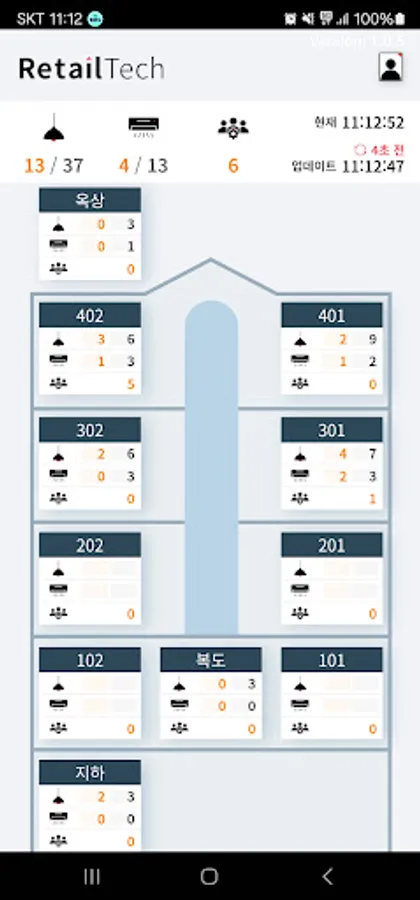
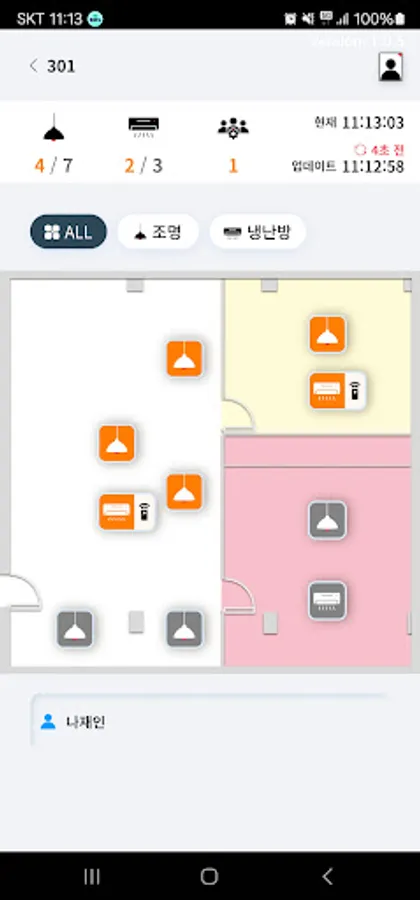
[Control lighting and air conditioning]
You can check the status of lights and air conditioners installed in the building by zone and easily control them with your mobile phone.
[Check the locations of your colleagues]
Through beacon scanning, you can see the number and list of people in each area within the building.
***
Smartphone app access permission information
▶Guide by access rights
When using the app, access permission is requested to provide the following services.
[Required access rights]
doesn't exist
[Optional access rights]
-Storage space access: Permission to store beacon data for location scanning.
-Notification: Permission to display background service notifications.
-Location: Permission to collect mobile employee ID, check number of employees, and collect commuting data.
-Search for nearby devices: Permission for Bluetooth scanning.
※ Even if you do not agree to granting optional access rights, you can use the service except for functions related to those rights.
※ Background location access permission may be requested to provide the service.
※ If you are using Android version 6.0 or lower, you cannot set optional access rights individually, so we recommend upgrading to Android 6.0 or higher.
▶How to revoke access rights
After agreeing to access rights, you can reset or revoke access rights as follows.
[Operating system 6.0 or higher]
Settings > Application Management > Select the app > Permissions > Select to agree or withdraw access rights
[Under operating system 6.0]
Upgrade the operating system to revoke access rights or delete the app.
main function
[We provide mobile pass service]
You can easily authenticate access using a mobile pass without entering a password or fingerprint.
[Control lighting and air conditioning]
You can check the status of lights and air conditioners installed in the building by zone and easily control them with your mobile phone.
[Check the locations of your colleagues]
Through beacon scanning, you can see the number and list of people in each area within the building.
***
Smartphone app access permission information
▶Guide by access rights
When using the app, access permission is requested to provide the following services.
[Required access rights]
doesn't exist
[Optional access rights]
-Storage space access: Permission to store beacon data for location scanning.
-Notification: Permission to display background service notifications.
-Location: Permission to collect mobile employee ID, check number of employees, and collect commuting data.
-Search for nearby devices: Permission for Bluetooth scanning.
※ Even if you do not agree to granting optional access rights, you can use the service except for functions related to those rights.
※ Background location access permission may be requested to provide the service.
※ If you are using Android version 6.0 or lower, you cannot set optional access rights individually, so we recommend upgrading to Android 6.0 or higher.
▶How to revoke access rights
After agreeing to access rights, you can reset or revoke access rights as follows.
[Operating system 6.0 or higher]
Settings > Application Management > Select the app > Permissions > Select to agree or withdraw access rights
[Under operating system 6.0]
Upgrade the operating system to revoke access rights or delete the app.