Mobile IDentification App
행정안전부
4.1 ★
9K ratings
5,000,000+
downloads
Free
This app allows users to store and manage government-issued IDs on smartphones. Includes security encryption, biometric authentication, and QR issuance options.
AppRecs review analysis
AppRecs rating 4.1. Trustworthiness 0 out of 100. Review manipulation risk 0 out of 100. Based on a review sample analyzed.
★★★★☆
4.1
AppRecs Rating
Ratings breakdown
5 star
66%
4 star
10%
3 star
6%
2 star
2%
1 star
16%
What to know
✓
High user satisfaction
76% of sampled ratings are 4+ stars (4.1★ average)
✓
Authentic reviews
Natural distribution, no red flags
About Mobile IDentification App
※If the app is not updated, errors may occur during app operation.
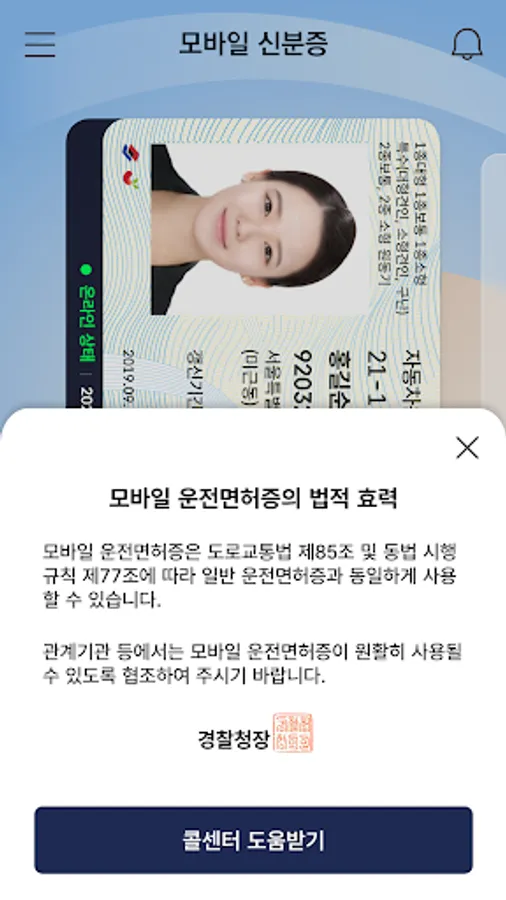
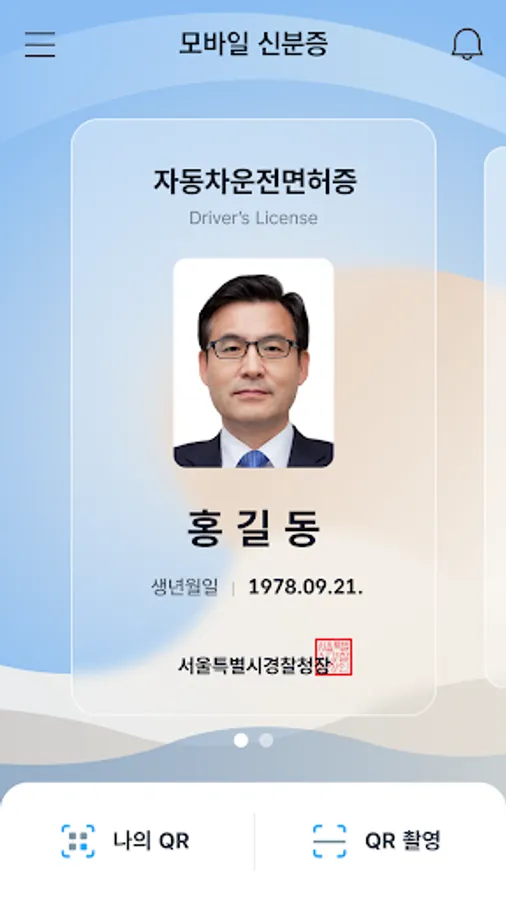
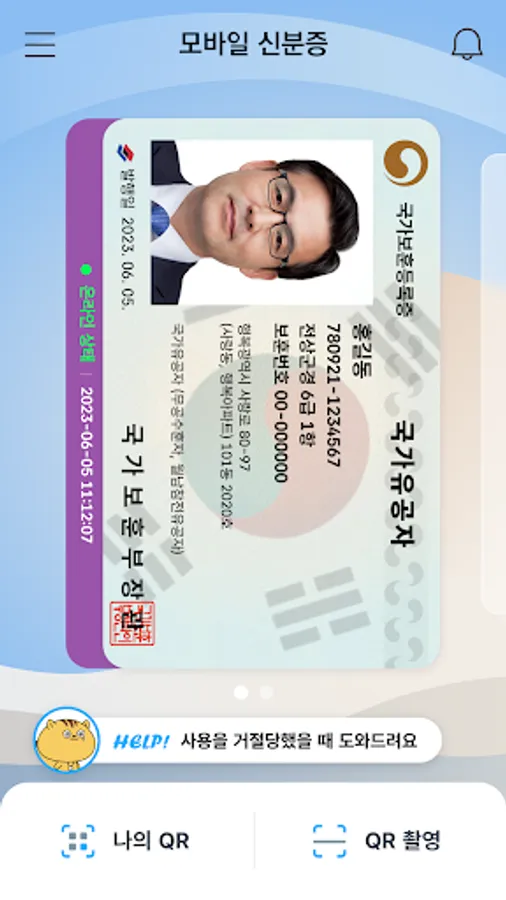
Mobile ID, Mobile Resident Registration Card, Mobile Driver’s License, Mobile National Veterans Registration Card, and Mobile Overseas Koreans Identity Verification Card are IDs that can be issued on personal smartphones and have same legal effect as traditional IDs.
[Mobile ID App Introduction]
Mobile ID, Mobile Resident Registration Card, Mobile Driver’s License, Mobile National Veterans Registration Card, and Mobile Overseas Koreans Identity Verification Card are government-issued IDs stored securely on personal smartphones, carrying the same legal effect as traditional IDs and provides convenient usage.
[Introduction to Mobile Resident Registration Card and Driver’s License]
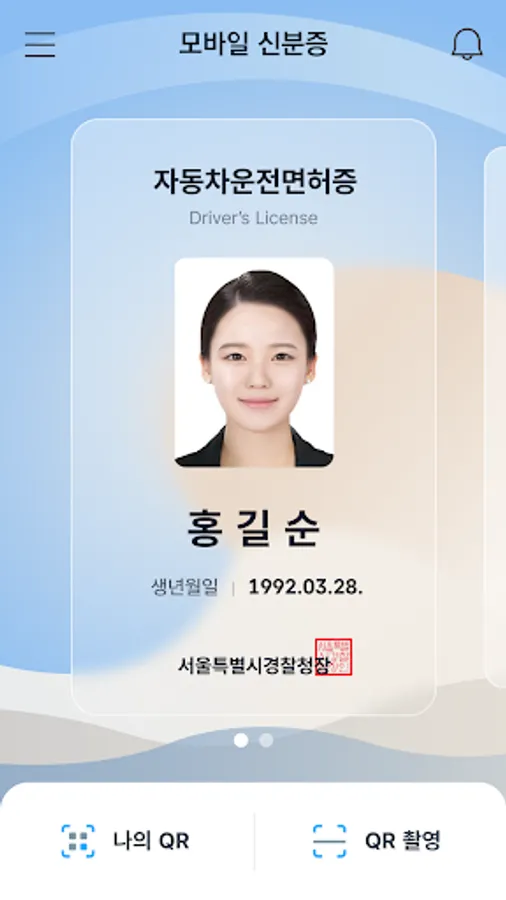
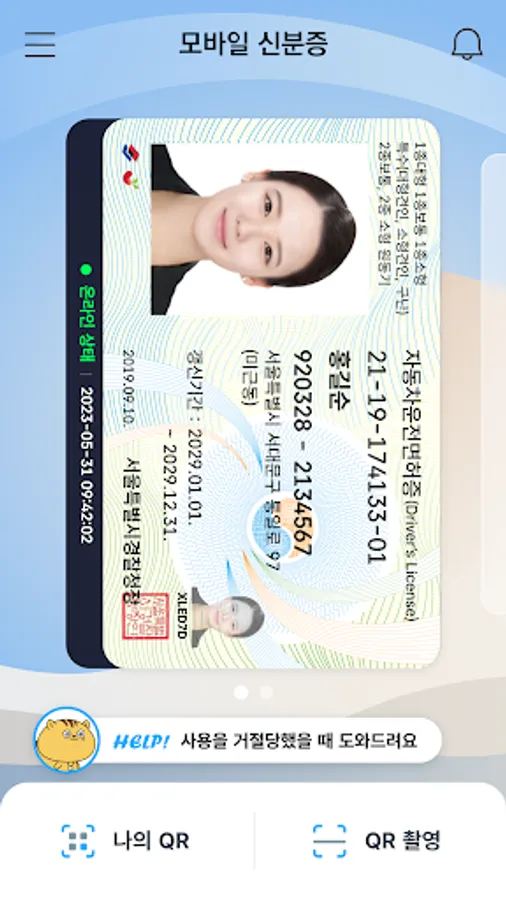
The Mobile Resident Registration Card and Driver’s License are legal IDs securely encrypted and stored on personal smartphones, issued by the Ministry of the Interior and Safety and the Korean National Police Agency.
[Eligibility and Requirements]
- Holders of a Resident Registration Card or Driver’s License, or new applicants
- Smartphone registered under the applicant’s name
- Subscriber to a domestic mobile network enabling personal identity verification
Android OS 8.0 or higher, with biometric authentication and NFC support
※For non-IC ID holders, QR issuance is available at community centers (Resident Registration Card) or driver’s license test centers (Driver’s License).
※Subscriber of mobile virtual network operator (MVNOs) can also apply.
(Excluding TPlus (KCT – Korea Cable Telecom))
※Corporate-issued phone or anonymous prepaid phones currently cannot be used.
[How to Apply for a Mobile Driver’s License]
To issue your Mobile Driver’s License quickly, bring your physical driver’s license and a smartphone with the Mobile ID app installed to a driver’s license test center. Applications can also be submitted at police department offices or through the Korea Road Traffic Authority's Integrated Driver’s License Services website for online IC driver’s license requests.
▶Issuance Methods (Resident Registration Card, Driver’s License):
- Method 1: Replace your physical ID with an IC ID and issue the mobile ID directly by scanning (tagging) it with your smartphone.
- Method 2: Use on-site QR issuance at community centers (Resident Registration Card) or driver’s license test centers (Driver’s License) without replacing the physical ID.
※ Mobile IDs (Resident Registration Card, Driver’s License) are legal IDs, and at least one in-person identity verification process is required at the issuing agency.
※ If a physical ID is replaced with an IC ID, future reissuance of a mobile ID upon changing smartphones will not require a revisit to the issuing agency.
※ IC Resident Registration Card: Application is available only at community centers, and it takes about 15 days for issuance.
※ IC Driver’s License: Issuance is available on the same day at license test centers or takes approximately 15 days when applying through police departments.
※ For online applications of IC driver’s licenses, select a date for receipt at least 15 days after the application date (excluding public holidays).
※ For details on IC Driver’s License issuance, visit the Korea Road Traffic Authority’s website (www.safedriving.or.kr).
[Precautions]
- Tagging IC IDs (Resident Registration Card, Driver’s License): Remove the smartphone case, place the IC ID on a flat surface, and ensure contact for 3–4 seconds.
※ Tagging area: Back upper section (near the camera).
※ Avoid overlapping IC IDs with other items like transit cards, as it may cause duplicate recognition.
- Facial Recognition Procedure: Clean the smartphone's front camera and position it in a well-lit area. Keep your face about 40–50 cm (arm’s length) away, look straight ahead, and follow the instructions (e.g., blink, turn your head right and left).
[Inquiries]
Mobile ID Call Center: 1688-0990
Mobile ID, Mobile Resident Registration Card, Mobile Driver’s License, Mobile National Veterans Registration Card, and Mobile Overseas Koreans Identity Verification Card are IDs that can be issued on personal smartphones and have same legal effect as traditional IDs.
[Mobile ID App Introduction]
Mobile ID, Mobile Resident Registration Card, Mobile Driver’s License, Mobile National Veterans Registration Card, and Mobile Overseas Koreans Identity Verification Card are government-issued IDs stored securely on personal smartphones, carrying the same legal effect as traditional IDs and provides convenient usage.
[Introduction to Mobile Resident Registration Card and Driver’s License]
The Mobile Resident Registration Card and Driver’s License are legal IDs securely encrypted and stored on personal smartphones, issued by the Ministry of the Interior and Safety and the Korean National Police Agency.
[Eligibility and Requirements]
- Holders of a Resident Registration Card or Driver’s License, or new applicants
- Smartphone registered under the applicant’s name
- Subscriber to a domestic mobile network enabling personal identity verification
Android OS 8.0 or higher, with biometric authentication and NFC support
※For non-IC ID holders, QR issuance is available at community centers (Resident Registration Card) or driver’s license test centers (Driver’s License).
※Subscriber of mobile virtual network operator (MVNOs) can also apply.
(Excluding TPlus (KCT – Korea Cable Telecom))
※Corporate-issued phone or anonymous prepaid phones currently cannot be used.
[How to Apply for a Mobile Driver’s License]
To issue your Mobile Driver’s License quickly, bring your physical driver’s license and a smartphone with the Mobile ID app installed to a driver’s license test center. Applications can also be submitted at police department offices or through the Korea Road Traffic Authority's Integrated Driver’s License Services website for online IC driver’s license requests.
▶Issuance Methods (Resident Registration Card, Driver’s License):
- Method 1: Replace your physical ID with an IC ID and issue the mobile ID directly by scanning (tagging) it with your smartphone.
- Method 2: Use on-site QR issuance at community centers (Resident Registration Card) or driver’s license test centers (Driver’s License) without replacing the physical ID.
※ Mobile IDs (Resident Registration Card, Driver’s License) are legal IDs, and at least one in-person identity verification process is required at the issuing agency.
※ If a physical ID is replaced with an IC ID, future reissuance of a mobile ID upon changing smartphones will not require a revisit to the issuing agency.
※ IC Resident Registration Card: Application is available only at community centers, and it takes about 15 days for issuance.
※ IC Driver’s License: Issuance is available on the same day at license test centers or takes approximately 15 days when applying through police departments.
※ For online applications of IC driver’s licenses, select a date for receipt at least 15 days after the application date (excluding public holidays).
※ For details on IC Driver’s License issuance, visit the Korea Road Traffic Authority’s website (www.safedriving.or.kr).
[Precautions]
- Tagging IC IDs (Resident Registration Card, Driver’s License): Remove the smartphone case, place the IC ID on a flat surface, and ensure contact for 3–4 seconds.
※ Tagging area: Back upper section (near the camera).
※ Avoid overlapping IC IDs with other items like transit cards, as it may cause duplicate recognition.
- Facial Recognition Procedure: Clean the smartphone's front camera and position it in a well-lit area. Keep your face about 40–50 cm (arm’s length) away, look straight ahead, and follow the instructions (e.g., blink, turn your head right and left).
[Inquiries]
Mobile ID Call Center: 1688-0990
Mobile IDentification App Screenshots
Tap to Rate:
Reviews for Mobile IDentification App
Soonkwun Na
12/3/2025
구더기 같은 앱. 안면인식 될 때까지 해보자 하고 계속 했는데도 절대 안 됨.
ORIBJONOV KOZIMJON
11/19/2025
드디어 외국인들도 모바일 ID(외국인등록증)를 이용할 수 있게 되어 정말 기쁘고 잘 된 일이라고 생각합니다! 그동안 한국인 친구들이 스마트폰으로 간편하게 신분증을 사용하는 모습을 보면서, "우리 외국인들도 이용할 수 있다면 얼마나 편할까!" 하고 생각했었는데, 이제 그 바람이 현실이 되었네요. 모두의 생활이 훨씬 편리해질 수 있도록 이러한 좋은 제도를 마련해 주셔서 진심으로 감사합니다! 대한민국 🇰🇷 화이팅! 그리고 더 편리해진 한국 생활을 응원합니다! 👍