Partitions Backup & Restore
Wanam
4.2 ★
1K ratings
100,000+
downloads
Free
+ in-app
In this data management app, you can detect and back up various device partitions, including sensitive ones like EFS. Includes support for multiple backup formats and external storage options.
AppRecs review analysis
AppRecs rating 4.2. Trustworthiness 0 out of 100. Review manipulation risk 0 out of 100. Based on a review sample analyzed.
★★★★☆
4.2
AppRecs Rating
Ratings breakdown
5 star
62%
4 star
15%
3 star
12%
2 star
3%
1 star
9%
What to know
✓
High user satisfaction
77% of sampled ratings are 4+ stars (4.2★ average)
✓
Authentic reviews
Natural distribution, no red flags
About Partitions Backup & Restore
☆Root required☆
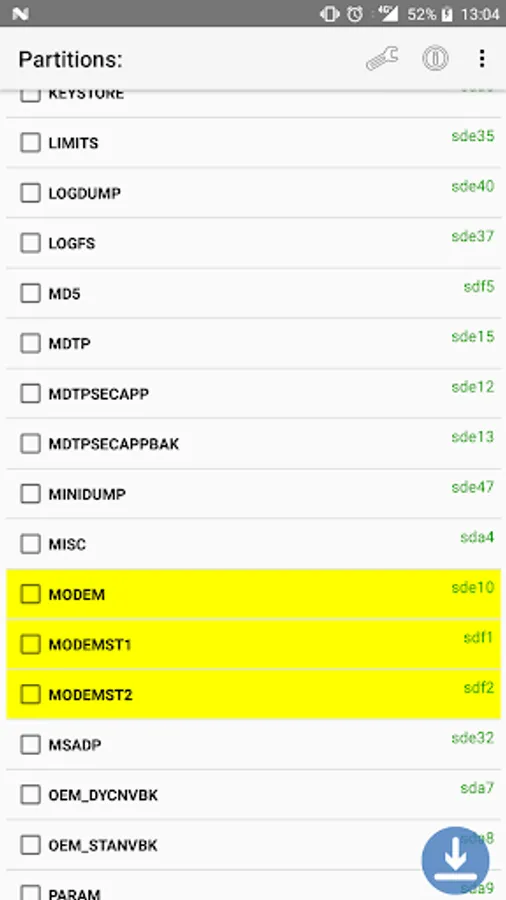
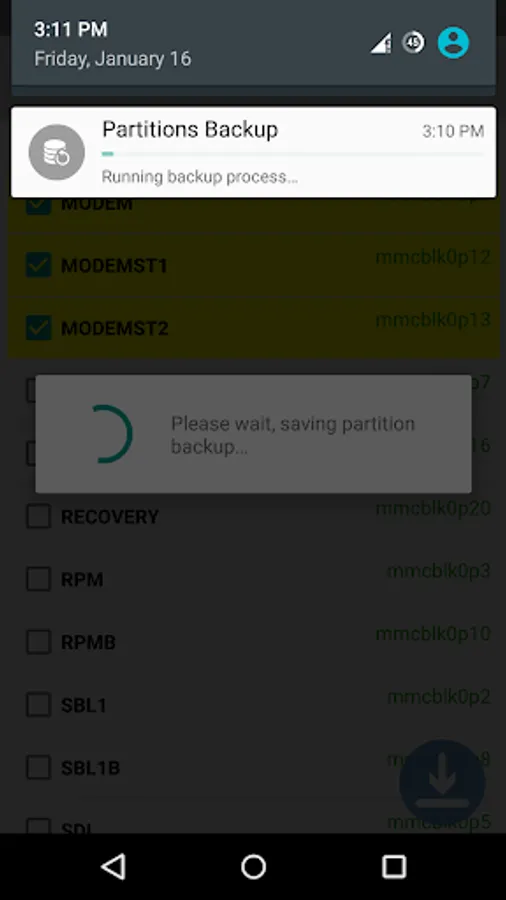
Partitions backup detects all your device partitions, including Bootloader, Kernel (Boot) and any sensitive partitions like the EFS (IMEI) and Modem partition, and let you easily make a backup of them.
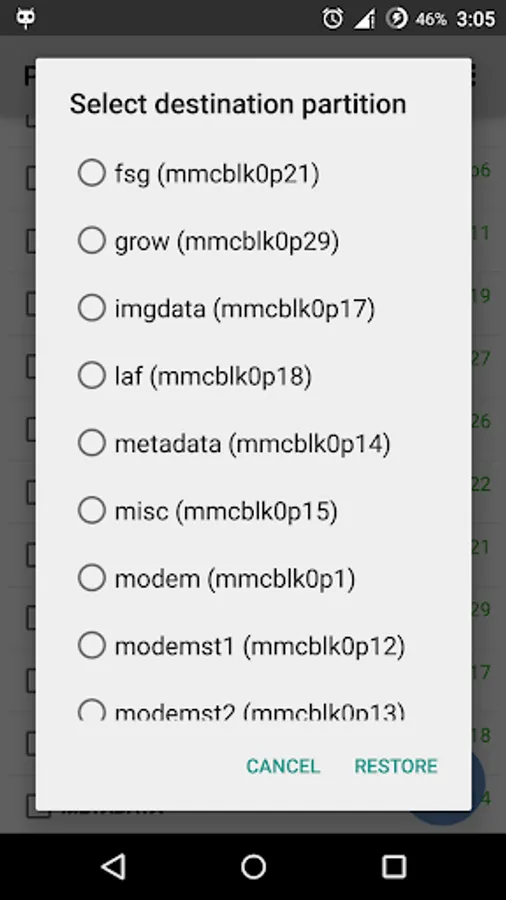
Partitions restoration is also supported, but recommended only for small partitions (Boot, Recovery, EFS, Modems...)
Features:
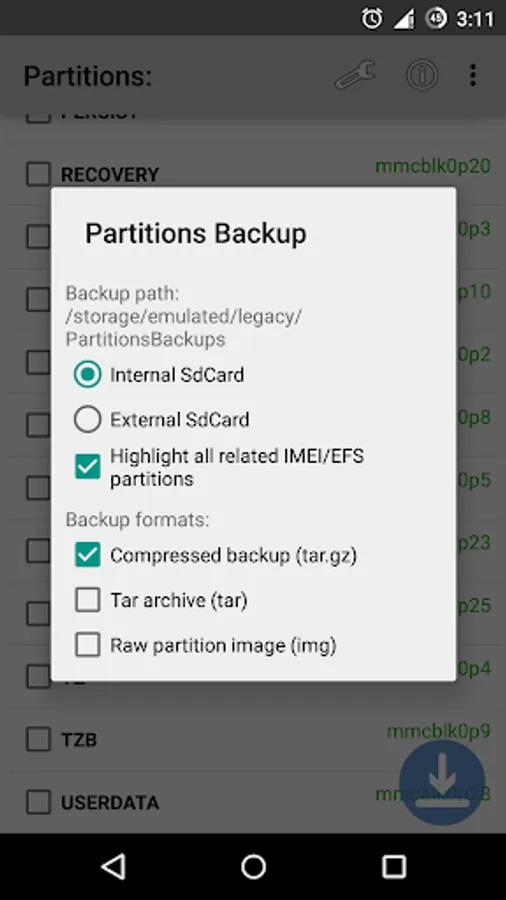
☆ Backup to SdCard or External SdCard
☆ Restore raw partition images
☆ Highlight all related IMEI/EFS partitions
☆ Support 3 backup formats :
☆☆☆ Raw partition image (Can be restored through the application)
☆☆☆ Tar archived image
☆☆☆ Compressed GZ image
Reviews:
☆ Phonearena http://www.phonearena.com/news/How-to-easily-make-a-complete-backup-of-your-Android-system-partitions_id65218
☆ Wonderhowto http://android.wonderhowto.com/how-to/back-up-any-partition-your-android-device-0159713/
Notes:
☆ The backups are saved on /Sdcard/PartitionsBackups.
☆ Do NOT leave the EFS/Modems backups on your Sdcard, make sure you keep them on a safe place
☆ It supports stock and custom Roms (CM, Omni...)
☆ Do NOT use the restoration feature for tests purposes, it is recommended to use it for small partitions only (Boot, Recovery, EFS, Modems...), you can restore other partitions backups with Fastboot, adb dd, Odin or any other flashing tool depending on which device you are using.
☆ Partial support for Mediatek devices: some partitions are not displayed because they do NOT have a specific block number for device mapping.
Bugs reports::
http://forum.xda-developers.com/android/apps-games/app-partitions-backup-t3003599
Thanks to GadgetHacks/Wonderhowto team for the video.
Partitions backup detects all your device partitions, including Bootloader, Kernel (Boot) and any sensitive partitions like the EFS (IMEI) and Modem partition, and let you easily make a backup of them.
Partitions restoration is also supported, but recommended only for small partitions (Boot, Recovery, EFS, Modems...)
Features:
☆ Backup to SdCard or External SdCard
☆ Restore raw partition images
☆ Highlight all related IMEI/EFS partitions
☆ Support 3 backup formats :
☆☆☆ Raw partition image (Can be restored through the application)
☆☆☆ Tar archived image
☆☆☆ Compressed GZ image
Reviews:
☆ Phonearena http://www.phonearena.com/news/How-to-easily-make-a-complete-backup-of-your-Android-system-partitions_id65218
☆ Wonderhowto http://android.wonderhowto.com/how-to/back-up-any-partition-your-android-device-0159713/
Notes:
☆ The backups are saved on /Sdcard/PartitionsBackups.
☆ Do NOT leave the EFS/Modems backups on your Sdcard, make sure you keep them on a safe place
☆ It supports stock and custom Roms (CM, Omni...)
☆ Do NOT use the restoration feature for tests purposes, it is recommended to use it for small partitions only (Boot, Recovery, EFS, Modems...), you can restore other partitions backups with Fastboot, adb dd, Odin or any other flashing tool depending on which device you are using.
☆ Partial support for Mediatek devices: some partitions are not displayed because they do NOT have a specific block number for device mapping.
Bugs reports::
http://forum.xda-developers.com/android/apps-games/app-partitions-backup-t3003599
Thanks to GadgetHacks/Wonderhowto team for the video.