
With this app, you can customize individual application settings such as screen orientation, timeout, and volume. Includes options for font size adjustments, CPU speed control, and input method management.
AppRecs review analysis
AppRecs rating 1.9. Trustworthiness 53 out of 100. Review manipulation risk 32 out of 100. Based on a review sample analyzed.
★☆☆☆☆
1.9
AppRecs Rating
Ratings breakdown
5 star
14%
4 star
0%
3 star
14%
2 star
14%
1 star
58%
What to know
✓
Authentic reviews
Natural distribution, no red flags
⚠
Mixed user feedback
Average 2.0★ rating suggests room for improvement
⚠
High negative review ratio
72% of sampled ratings are 1–2 stars
About PerApp
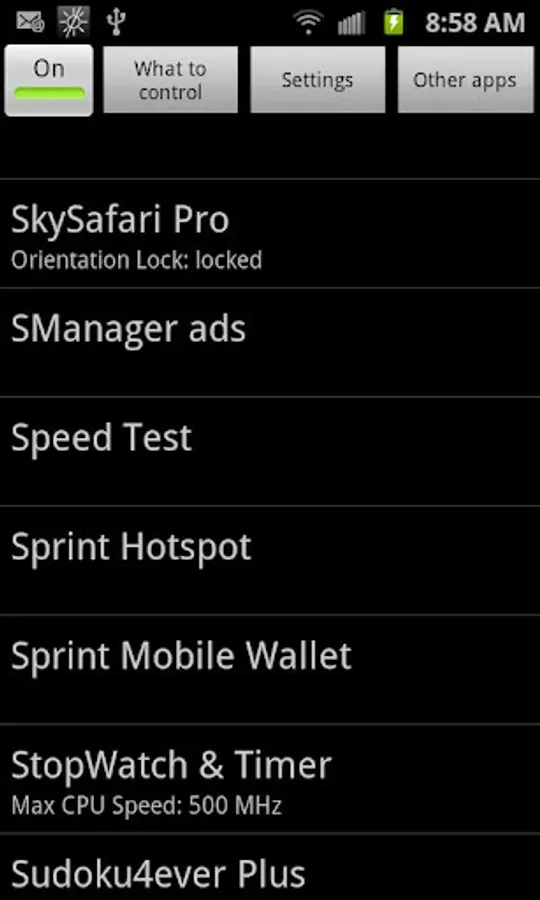
PerApp lets you customize your device with per-application individualized settings.
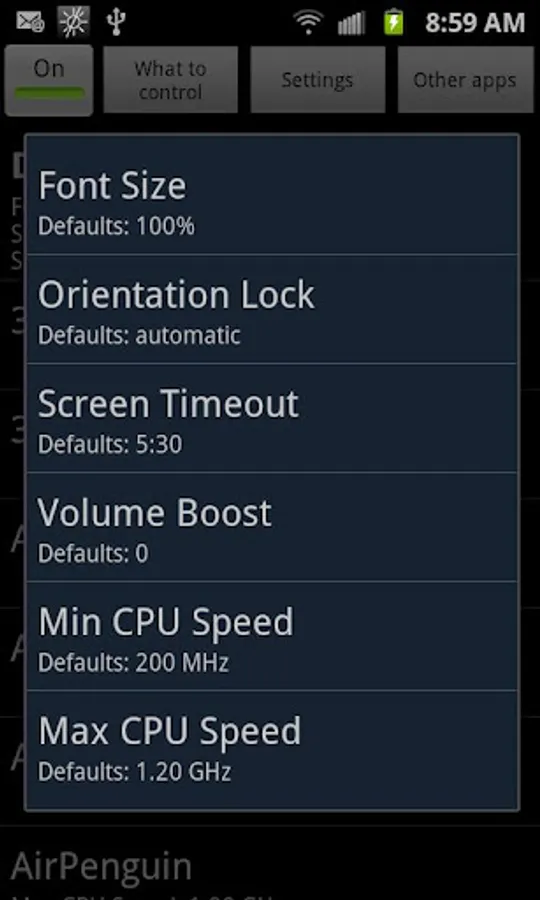
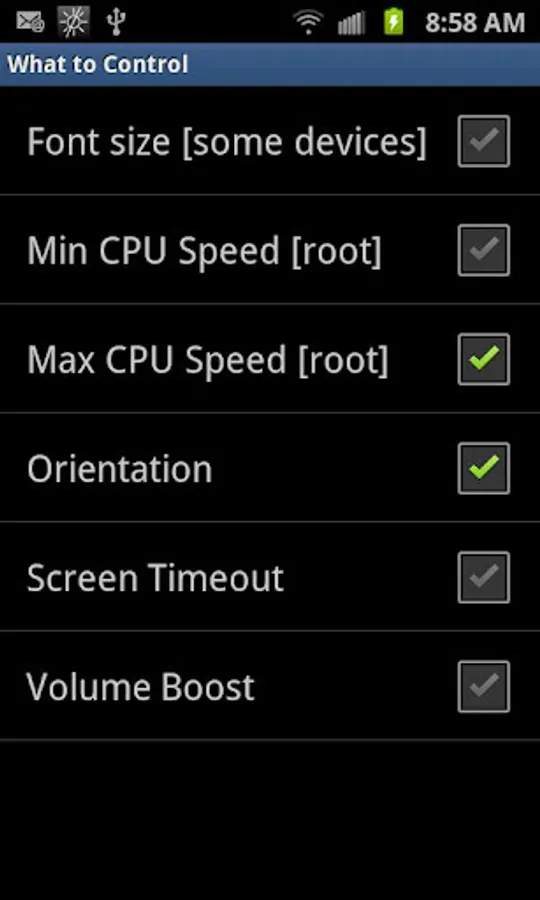
Currently you can vary the following settings on a per-app basis:
- Screen orientation
- Screen timeout
- Volume boost [needs Android 2.3 and higher] [Note: Volume boost can destroy your speakers and/or headphones and/or hearing if you set it too high]
- Font size [only some apps and devices are compatible]
- Minimum CPU speed [needs root]
- Maximum CPU speed [needs root]
- Input method [needs root]
On Android 4.1 and higher, this application needs root due to a change in the READ_LOGS permission.
PerApp requests many permissions because it has to control many settings as well as watch the log files for application launch. If you are concerned about privacy issues, PerApp is an open source application and you are welcome to peruse the source code at code.google.com/p/perapp and build it from source yourself.
Currently you can vary the following settings on a per-app basis:
- Screen orientation
- Screen timeout
- Volume boost [needs Android 2.3 and higher] [Note: Volume boost can destroy your speakers and/or headphones and/or hearing if you set it too high]
- Font size [only some apps and devices are compatible]
- Minimum CPU speed [needs root]
- Maximum CPU speed [needs root]
- Input method [needs root]
On Android 4.1 and higher, this application needs root due to a change in the READ_LOGS permission.
PerApp requests many permissions because it has to control many settings as well as watch the log files for application launch. If you are concerned about privacy issues, PerApp is an open source application and you are welcome to peruse the source code at code.google.com/p/perapp and build it from source yourself.

![RootDim [root] icon](https://apprecs.org/gp/img/icons/webp/150/mobi.pruss.superdim/z-UXOfEduTNkBok0bsWxNEpPPW3j26OcIcCRVbUXo-E-icon)




![UI Tuner Enable [root] icon](https://apprecs.org/gp/img/icons/webp/150/mobi.pruss.tuner/JTT2bGuN7erMriAvmE01mT22-0Bb8V2ofs-nAxQQ7lo-icon)




![Color Changer Lite [root] icon](https://apprecs.org/gp/img/icons/webp/150/mobi.omegacentauri.red/qrWOV-MzqoNq9MEhzBkGh2El2pdCG31LGhDxek3Nl9E-icon)