
In this task management app, you can pin apps, toggle settings, and access features via a customizable sidebar. Includes app launching, widget support, and gesture controls.
AppRecs review analysis
AppRecs rating 3.5. Trustworthiness 0 out of 100. Review manipulation risk 0 out of 100. Based on a review sample analyzed.
★★★☆☆
3.5
AppRecs Rating
Ratings breakdown
5 star
37%
4 star
23%
3 star
9%
2 star
12%
1 star
19%
What to know
✓
Authentic reviews
Natural distribution, no red flags
⚠
High negative review ratio
31% of sampled ratings are 1–2 stars
About Sidebar Pro
Sidebar Pro - Brilliant multitasking & task management on Android
"Minimalistic, non-intrusive, and very functional" - XDA Developer TV
"The greatest discovery you will make" - Android Authority
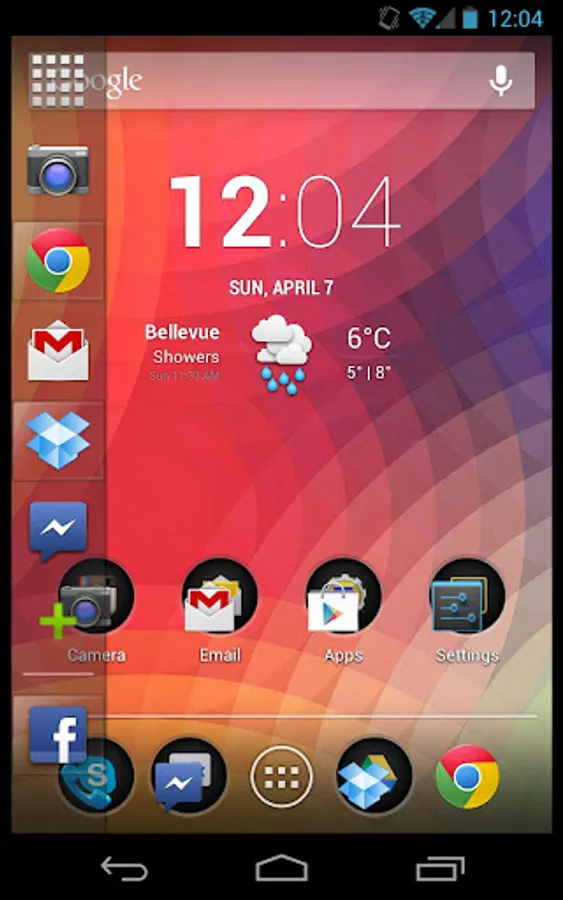
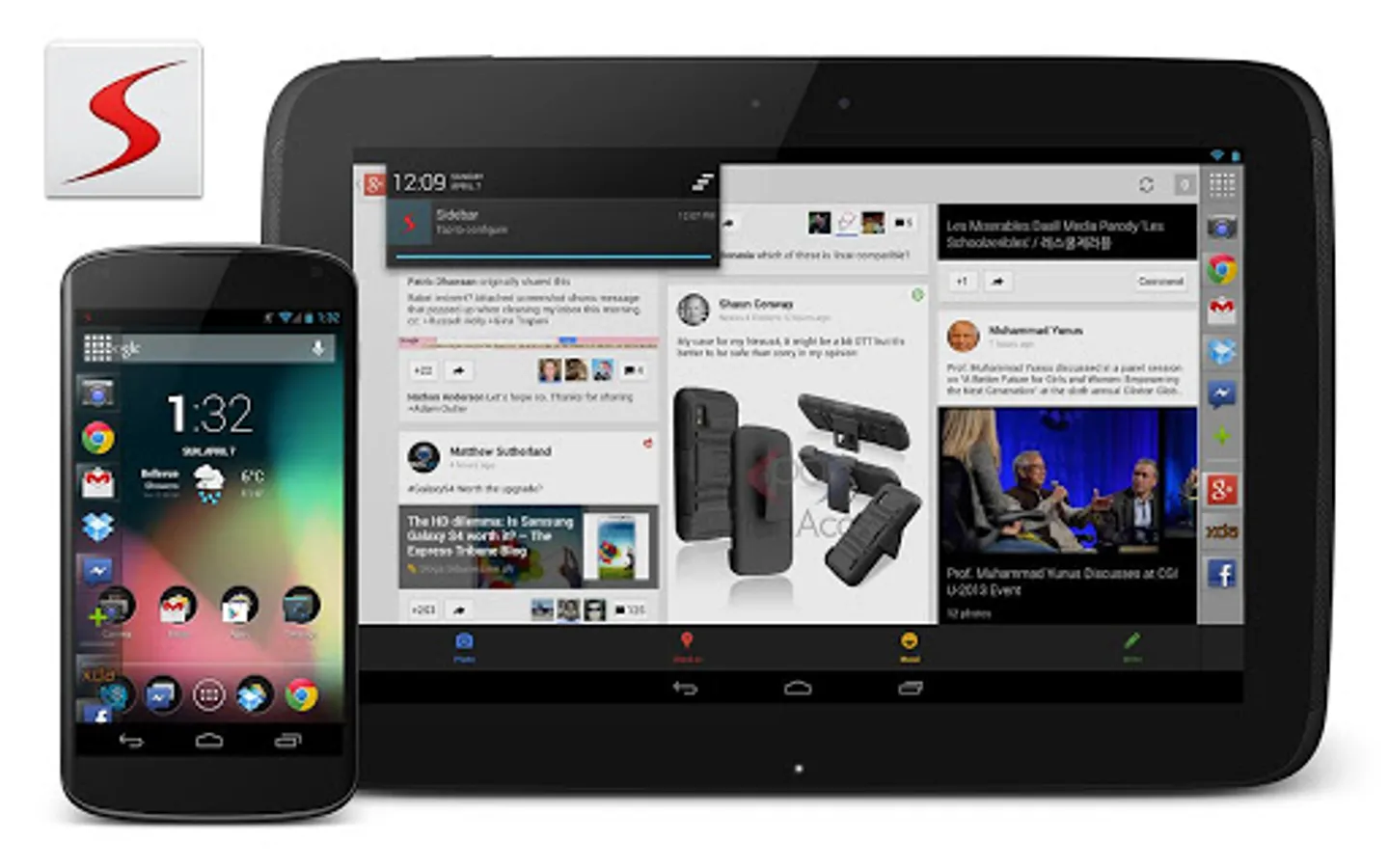
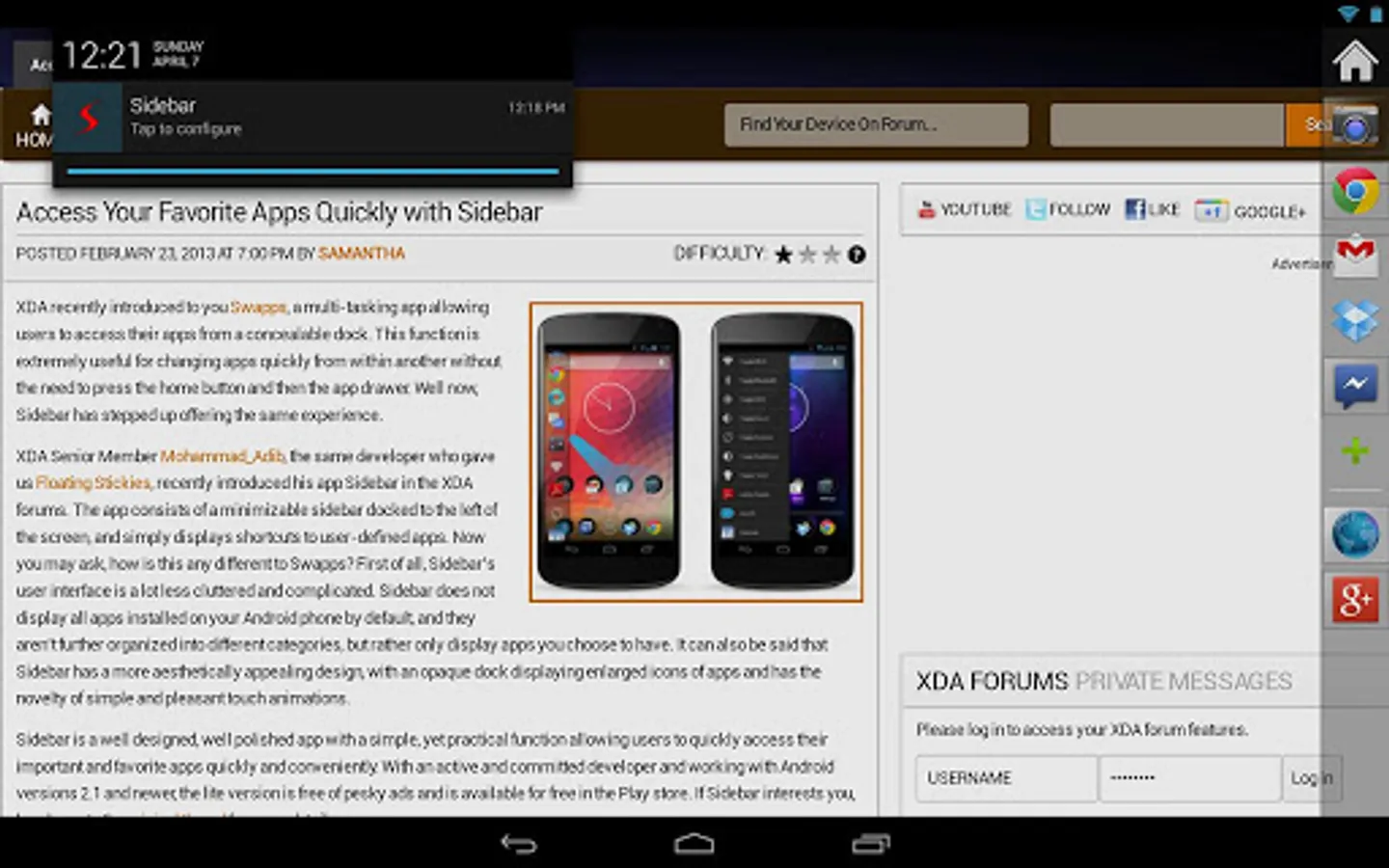
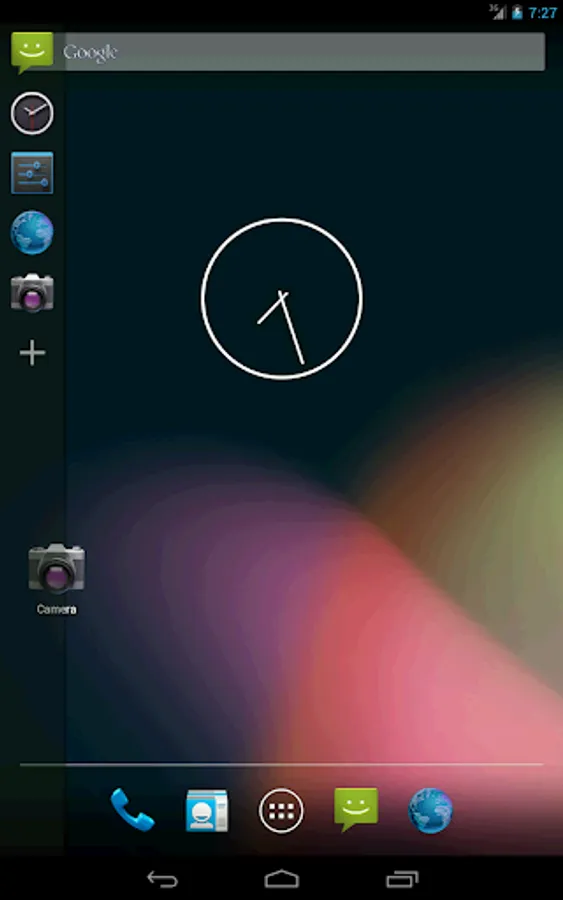
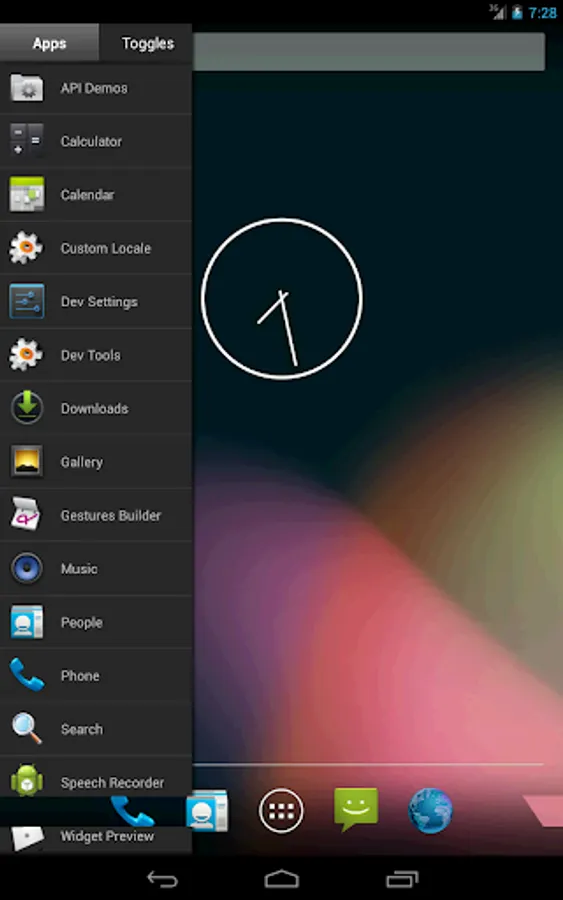
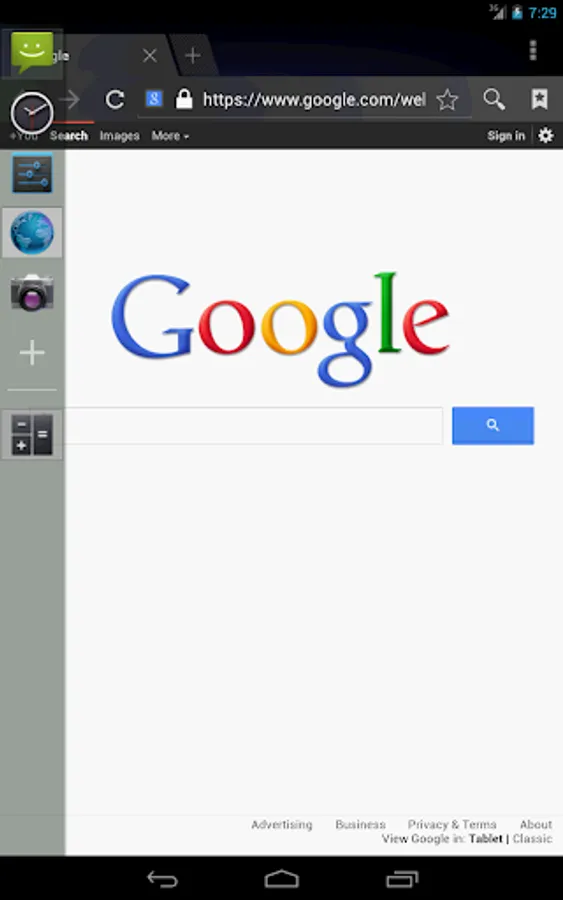
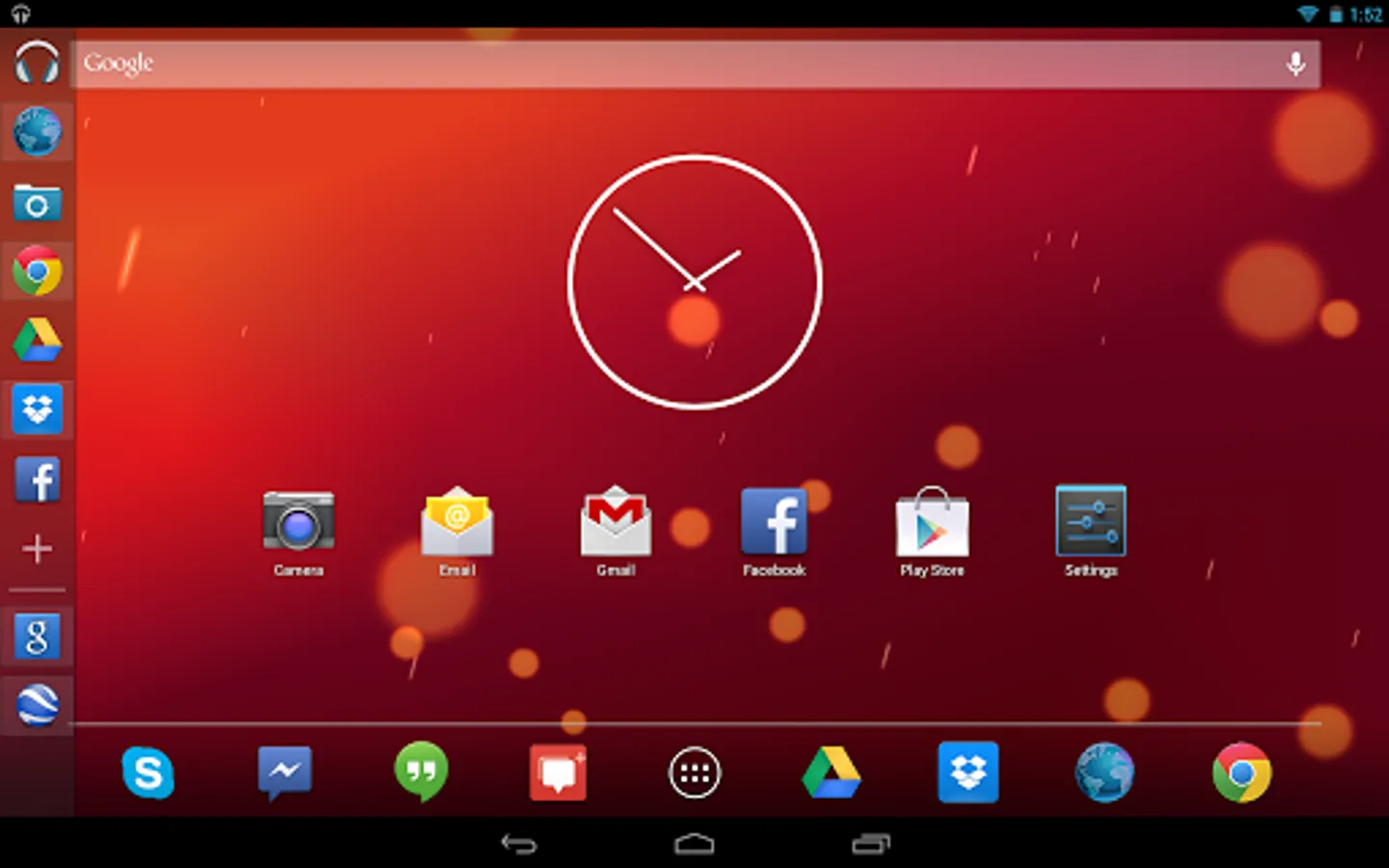
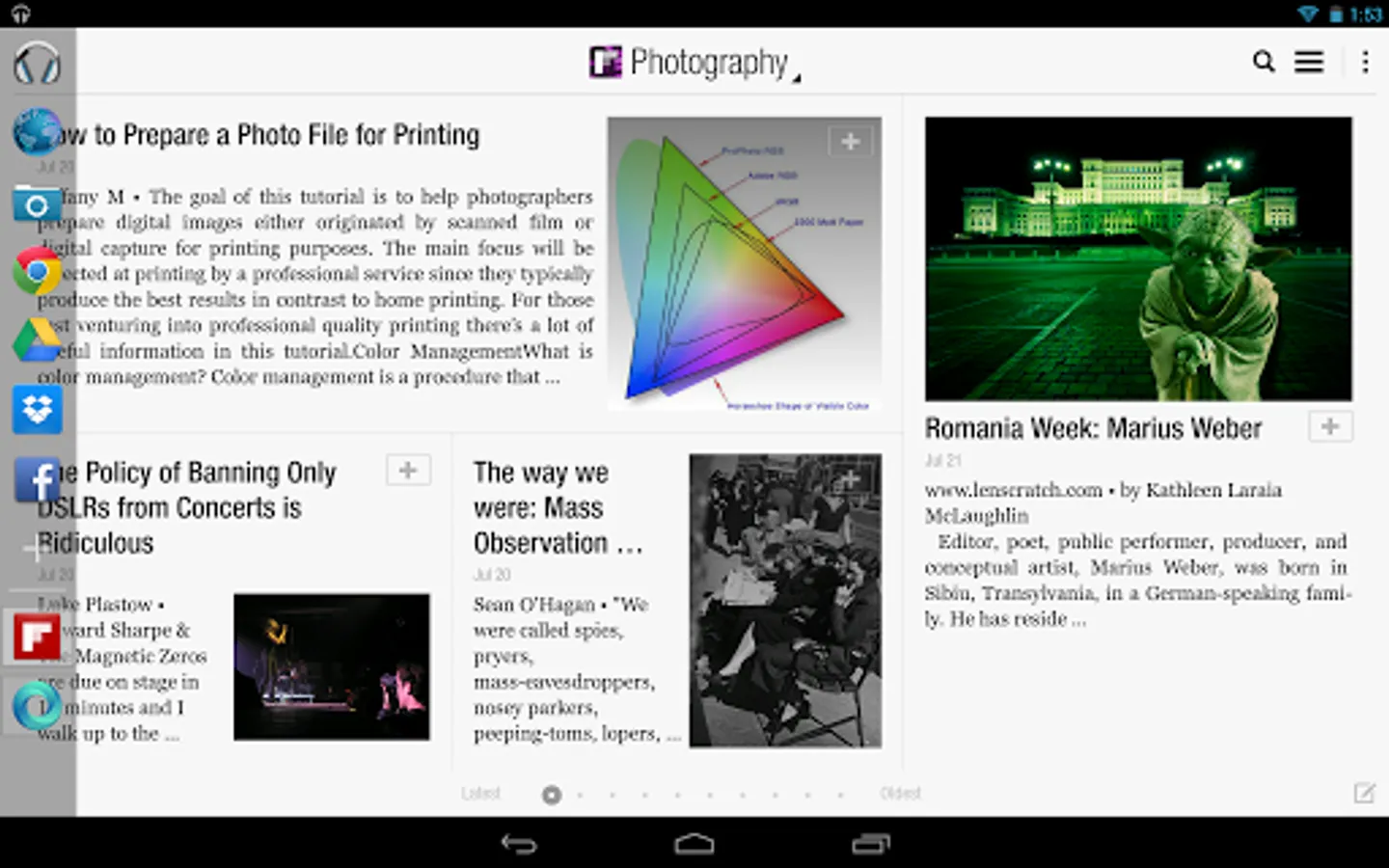
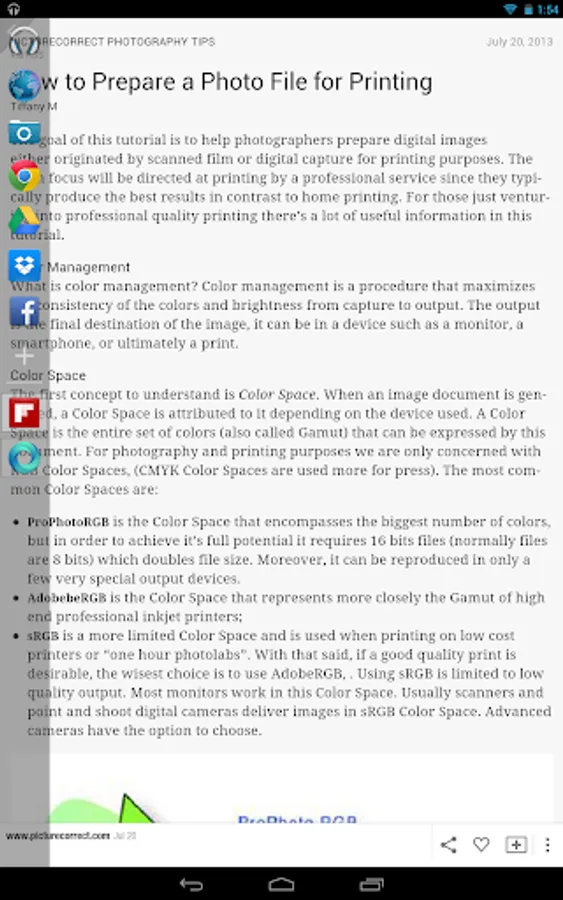
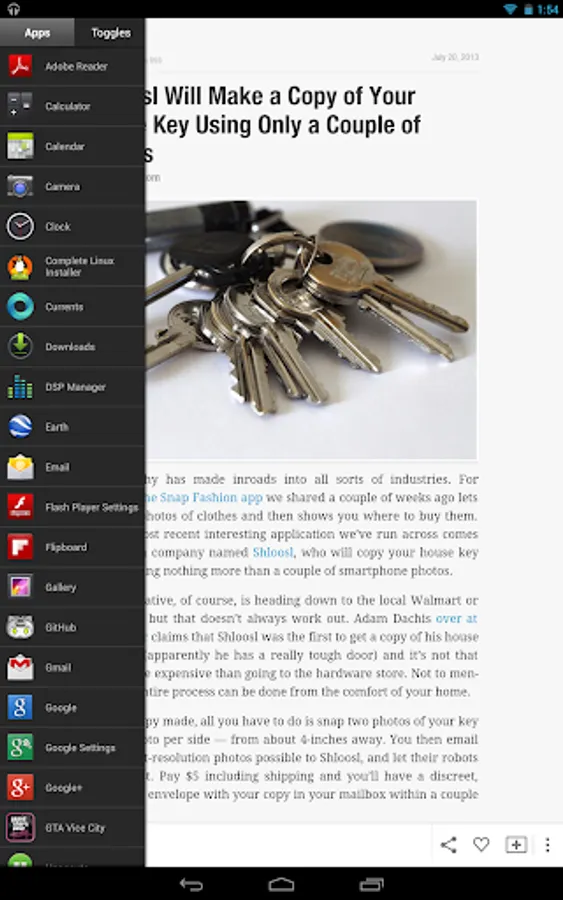
It's fast, functional, fluid, and customizable to your liking. Populate the sidebar with your favorite apps, and simply swipe in from the edge of the screen to gain instant access to the apps you use most. Simple - yet elegant.
Features
- Pin as many apps & toggles to the Sidebar
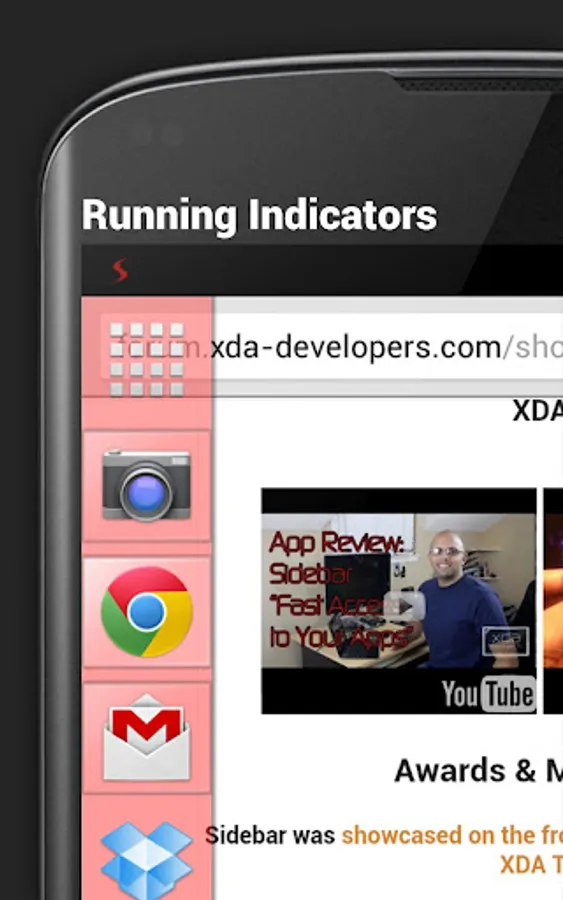
- Live running apps and running indicators
- Task management allows killing running apps (swipe running apps out to kill them)
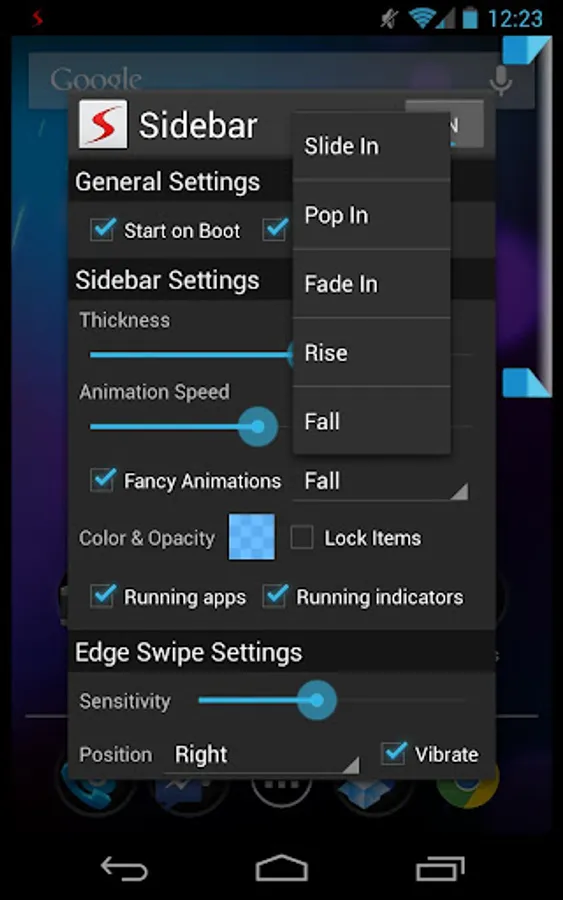
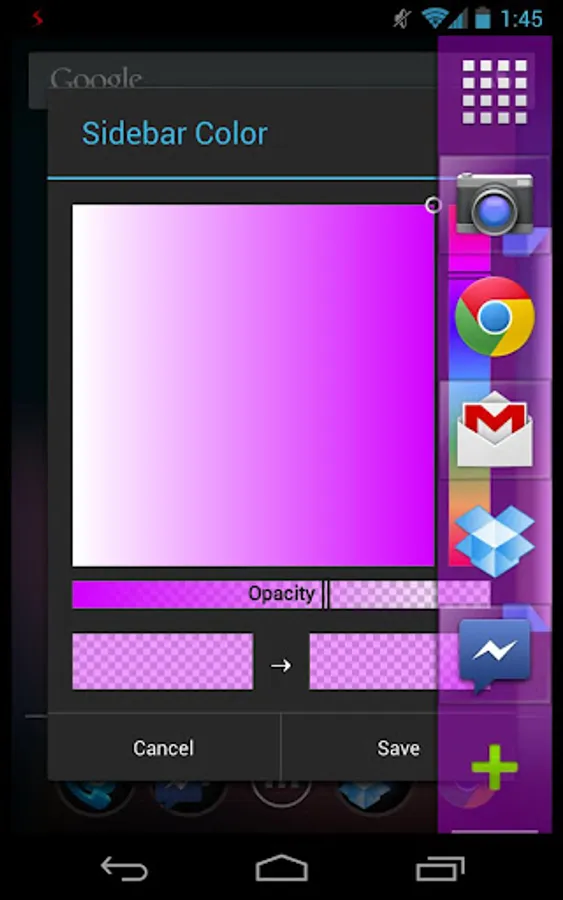
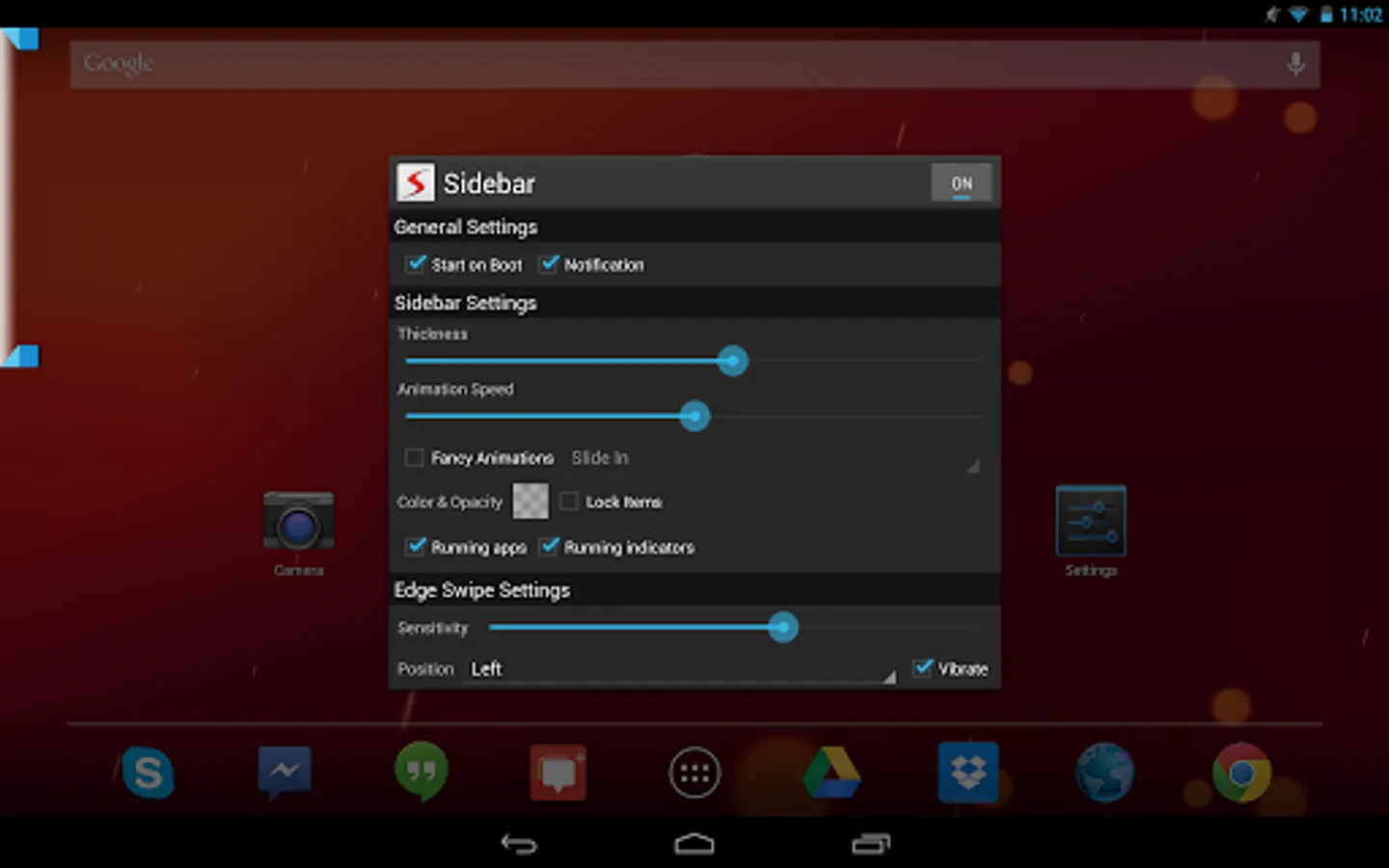
- Customized colors, opacity, sizes, and positions
- Starts on boot
- Minimal RAM fingerprint and affect on battery life
- Ongoing notification can be disabled(4.1+) / made invisible
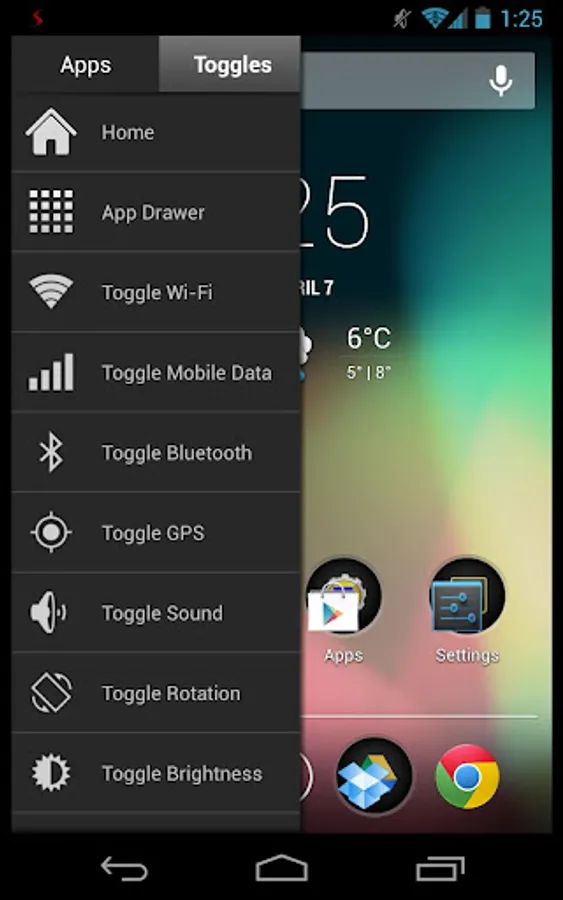
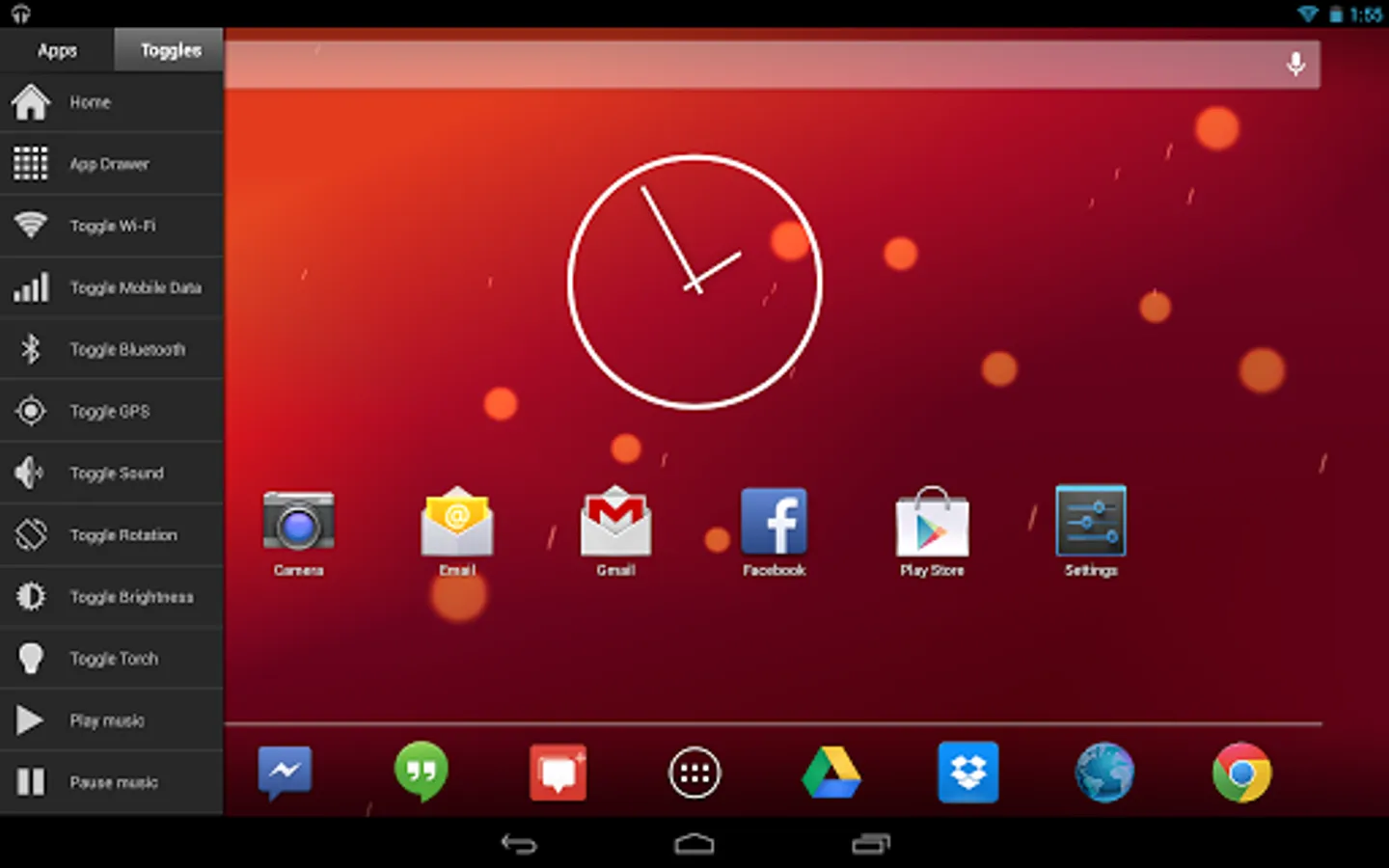
- Many widgets to choose from (Home, App Drawer, Wi-Fi, Mobile Data, Bluetooth, GPS, Sound, Rotation, Brightness, Torch, Play/Pause/Skip music)
Sidebar Pro
Sidebar Pro lifts the limitations put on the lite version and opens access to new customizability as well as functionality - elevating sidebar, to its most impeccable and pure state.
Sidebar Pro offers the full set of features.
These include:
- Unlimited items!
- Right side swipe!
- Live Running apps!
- Live Running indicators!
- Task Management!
- Lock items!
- Custom icons!
- Full settings!
- Adjust width!
- Adjust opacity!
- Choose color scheme!
- Disable notification! (Hidden by default on rooted devices)
Development
Sidebar is in constant development. Development began as soon as the idea stemmed well before the debut of Ubuntu Phone and recent such apps. The developer ensures a smooth and polished experience. User experience & simplicity are key tp making Sidebar the perfect multitasking app for Android. Follow the development on XDA: http://forum.xda-developers.com/showthread.php?t=2152373
Awards
- Sidebar won Best Application at CodeDay Seattle hosted by StudentRND.
- Sidebar was showcased on the front page of XDA as well as on XDA TV
- Sidebar was also the best among Android Authority's Top 7 Apps of the week
- Sidebar was reviewed by AddictiveTips
- Sidebar was reviewed by LifeHacker
- Sidebar won the showdown with a competitor on XDA TV!
The Notification
It prevents Android from killing Sidebar. Without it, sidebar could not run forever in the foreground and would eventually be closed.
Permissions
Camera: The torch widget requires full access to the camera in order to function.
Network: The toggles for Wi-Fi and Mobile Network require network permissions
Kill Background Processes: Task management on Sidebar requires this permission (swipe running apps away to kill them)
"Minimalistic, non-intrusive, and very functional" - XDA Developer TV
"The greatest discovery you will make" - Android Authority
It's fast, functional, fluid, and customizable to your liking. Populate the sidebar with your favorite apps, and simply swipe in from the edge of the screen to gain instant access to the apps you use most. Simple - yet elegant.
Features
- Pin as many apps & toggles to the Sidebar
- Live running apps and running indicators
- Task management allows killing running apps (swipe running apps out to kill them)
- Customized colors, opacity, sizes, and positions
- Starts on boot
- Minimal RAM fingerprint and affect on battery life
- Ongoing notification can be disabled(4.1+) / made invisible
- Many widgets to choose from (Home, App Drawer, Wi-Fi, Mobile Data, Bluetooth, GPS, Sound, Rotation, Brightness, Torch, Play/Pause/Skip music)
Sidebar Pro
Sidebar Pro lifts the limitations put on the lite version and opens access to new customizability as well as functionality - elevating sidebar, to its most impeccable and pure state.
Sidebar Pro offers the full set of features.
These include:
- Unlimited items!
- Right side swipe!
- Live Running apps!
- Live Running indicators!
- Task Management!
- Lock items!
- Custom icons!
- Full settings!
- Adjust width!
- Adjust opacity!
- Choose color scheme!
- Disable notification! (Hidden by default on rooted devices)
Development
Sidebar is in constant development. Development began as soon as the idea stemmed well before the debut of Ubuntu Phone and recent such apps. The developer ensures a smooth and polished experience. User experience & simplicity are key tp making Sidebar the perfect multitasking app for Android. Follow the development on XDA: http://forum.xda-developers.com/showthread.php?t=2152373
Awards
- Sidebar won Best Application at CodeDay Seattle hosted by StudentRND.
- Sidebar was showcased on the front page of XDA as well as on XDA TV
- Sidebar was also the best among Android Authority's Top 7 Apps of the week
- Sidebar was reviewed by AddictiveTips
- Sidebar was reviewed by LifeHacker
- Sidebar won the showdown with a competitor on XDA TV!
The Notification
It prevents Android from killing Sidebar. Without it, sidebar could not run forever in the foreground and would eventually be closed.
Permissions
Camera: The torch widget requires full access to the camera in order to function.
Network: The toggles for Wi-Fi and Mobile Network require network permissions
Kill Background Processes: Task management on Sidebar requires this permission (swipe running apps away to kill them)
Sidebar Pro Screenshots
Tap to Rate: