Vibration
red-fish
3.3 ★
store rating
500,000+
downloads
Free
AppRecs review analysis
AppRecs rating 2.8. Trustworthiness 49 out of 100. Review manipulation risk 39 out of 100. Based on a review sample analyzed.
★★☆☆☆
2.8
AppRecs Rating
Ratings breakdown
5 star
39%
4 star
14%
3 star
11%
2 star
4%
1 star
32%
What to know
✓
Authentic reviews
Natural distribution, no red flags
⚠
High negative review ratio
36% of sampled ratings are 1–2 stars
About Vibration
☆ The strength of vibration varies depending on the model.
You can freely set the vibration pattern, so you can enjoy your favorite vibration massage.
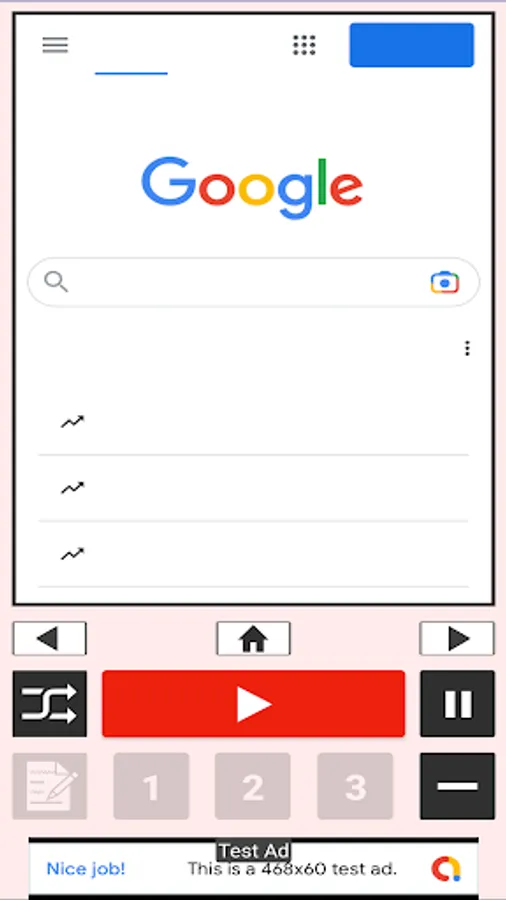
You can also browse websites within the app while using it.
On some devices you may be able to strengthen vibration by:
[Settings] > [Sound/Vibration] > [Vibration intensity] > > Set to the strongest level
* This application cannot strengthen the vibration of the device native.
* This application cannot be used on devices without a vibration function.
≪How to use≫
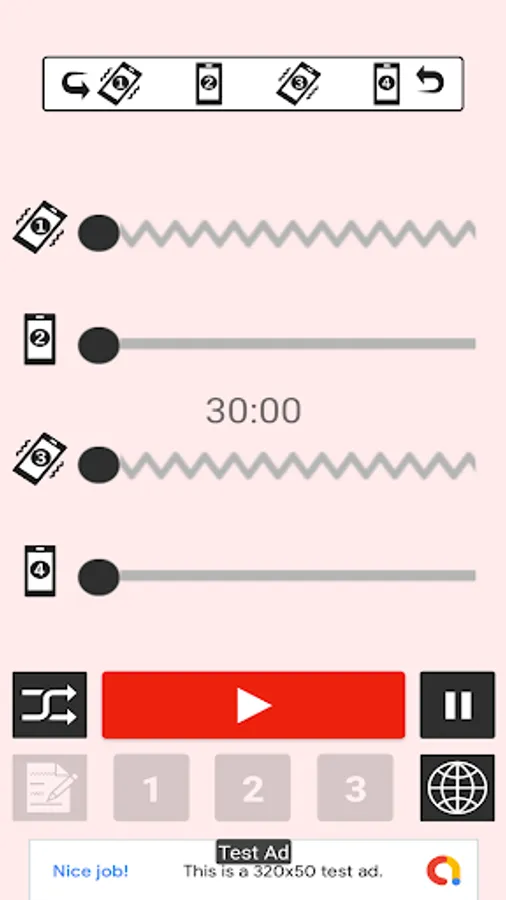
Click the [red button] to start vibrating.
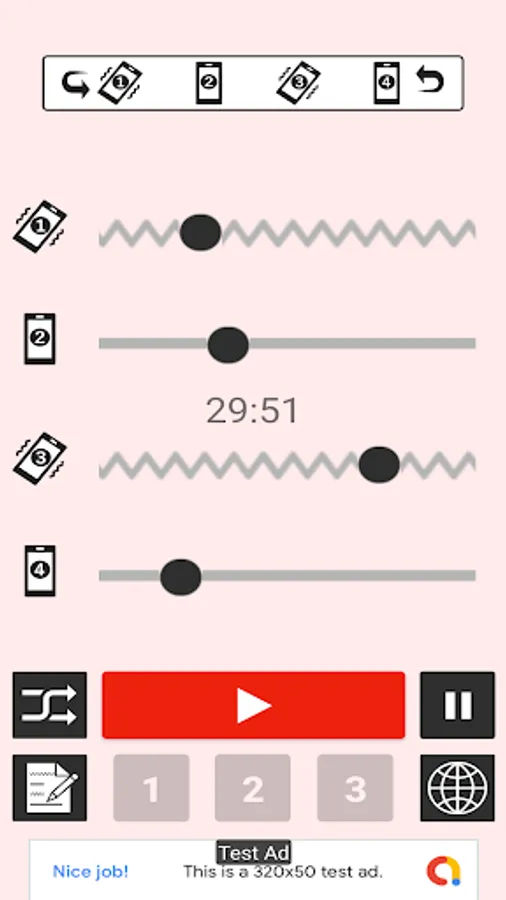
Adjust the length of the vibrator with the [1st] and [3rd] bars.
Use the [2nd] and [4th] bars to adjust the distance between the vibrators.
Tap the [Pause button] to stop the vibration.
Randomly create a vibration pattern with the [Random button].
If you press the "memo button" while vibrating with a custom pattern, the vibration pattern will be saved. Then "[1]-[3] button" becomes active, and when you tap it, it vibrates with the saved pattern.
You can browse the website within the app by tapping the [Global Button].
Find the optimal vibration pattern and enjoy this app for a long time.
☆Please note that continuous use for a long time will put a strain on the main unit.
☆Please be careful of the temperature rise of the main unit when using it against the body.
You can freely set the vibration pattern, so you can enjoy your favorite vibration massage.
You can also browse websites within the app while using it.
On some devices you may be able to strengthen vibration by:
[Settings] > [Sound/Vibration] > [Vibration intensity] > > Set to the strongest level
* This application cannot strengthen the vibration of the device native.
* This application cannot be used on devices without a vibration function.
≪How to use≫
Click the [red button] to start vibrating.
Adjust the length of the vibrator with the [1st] and [3rd] bars.
Use the [2nd] and [4th] bars to adjust the distance between the vibrators.
Tap the [Pause button] to stop the vibration.
Randomly create a vibration pattern with the [Random button].
If you press the "memo button" while vibrating with a custom pattern, the vibration pattern will be saved. Then "[1]-[3] button" becomes active, and when you tap it, it vibrates with the saved pattern.
You can browse the website within the app by tapping the [Global Button].
Find the optimal vibration pattern and enjoy this app for a long time.
☆Please note that continuous use for a long time will put a strain on the main unit.
☆Please be careful of the temperature rise of the main unit when using it against the body.