In this app, drivers can set speed limits for highway, road, and street levels and receive alerts when exceeding them. Includes customizable backgrounds, gauges, and speed units.
AppRecs review analysis
AppRecs rating 3.0. Trustworthiness 0 out of 100. Review manipulation risk 0 out of 100. Based on a review sample analyzed.
★★★☆☆
3.0
AppRecs Rating
Ratings breakdown
5 star
20%
4 star
20%
3 star
20%
2 star
20%
1 star
20%
About SpeedLimit
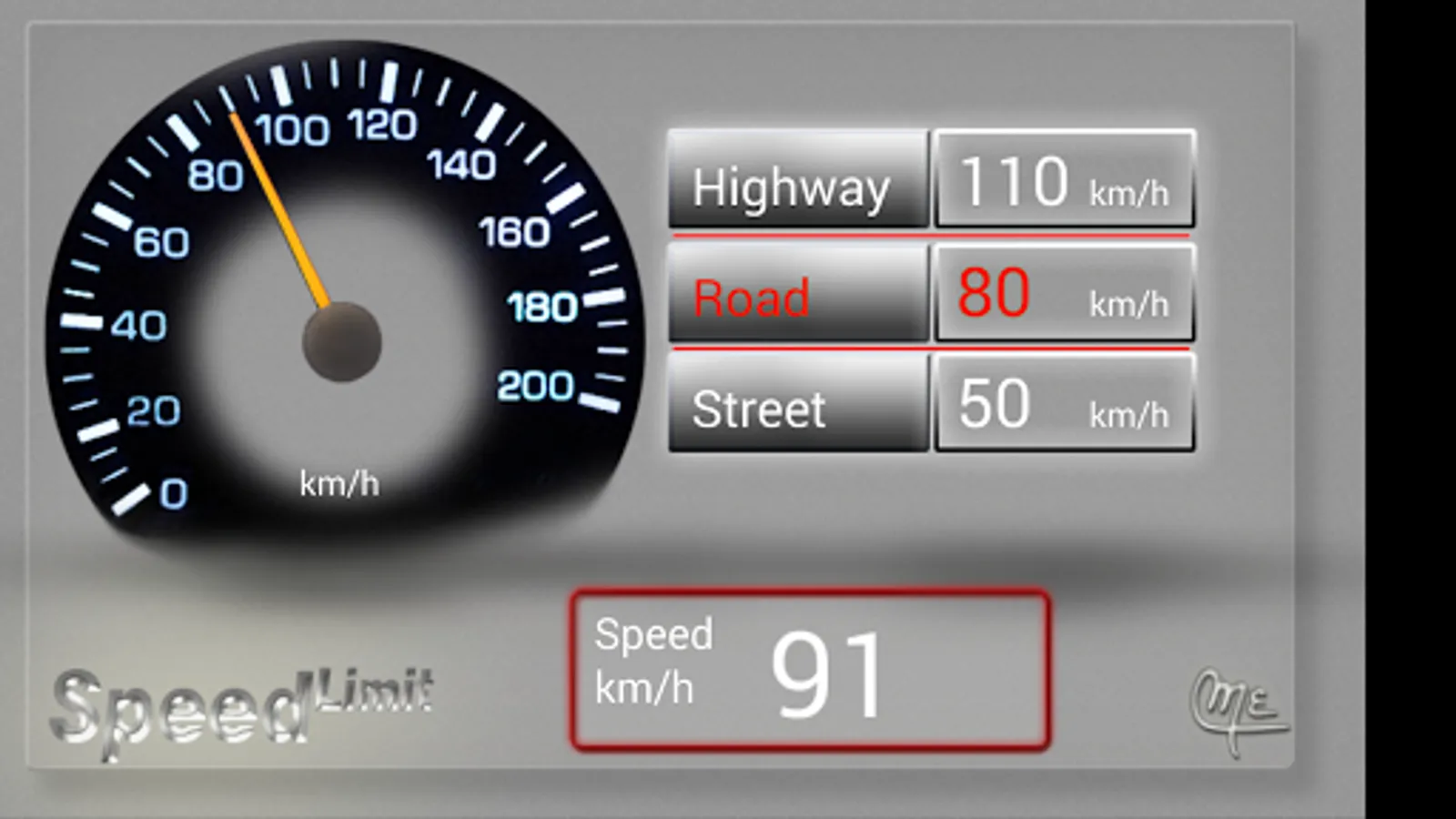
Speed Limit is an android application to assist drivers in keeping vehicles speed within the limits allowed.
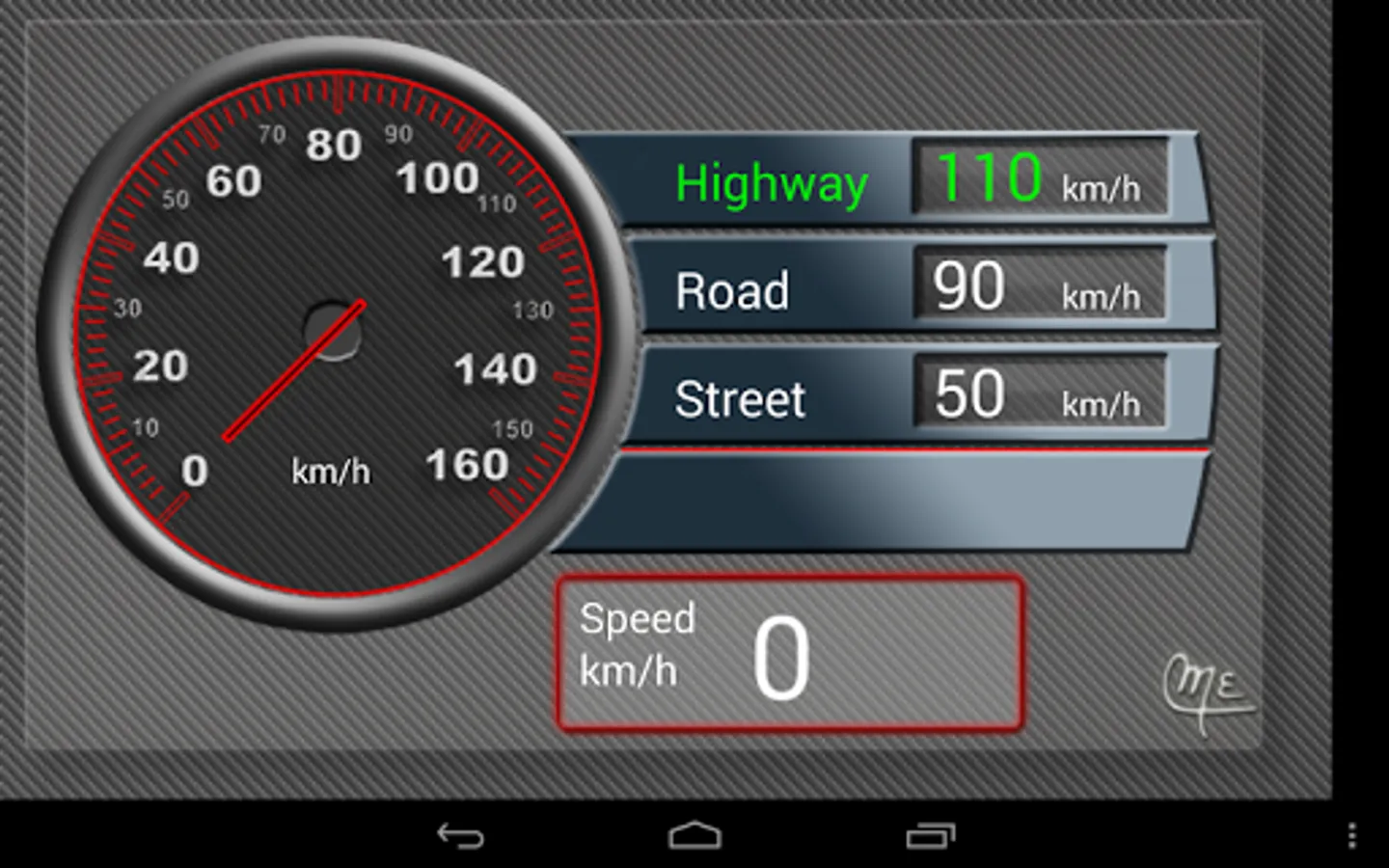
You can set your own limit references for three different levels; Highway, Road and Street.
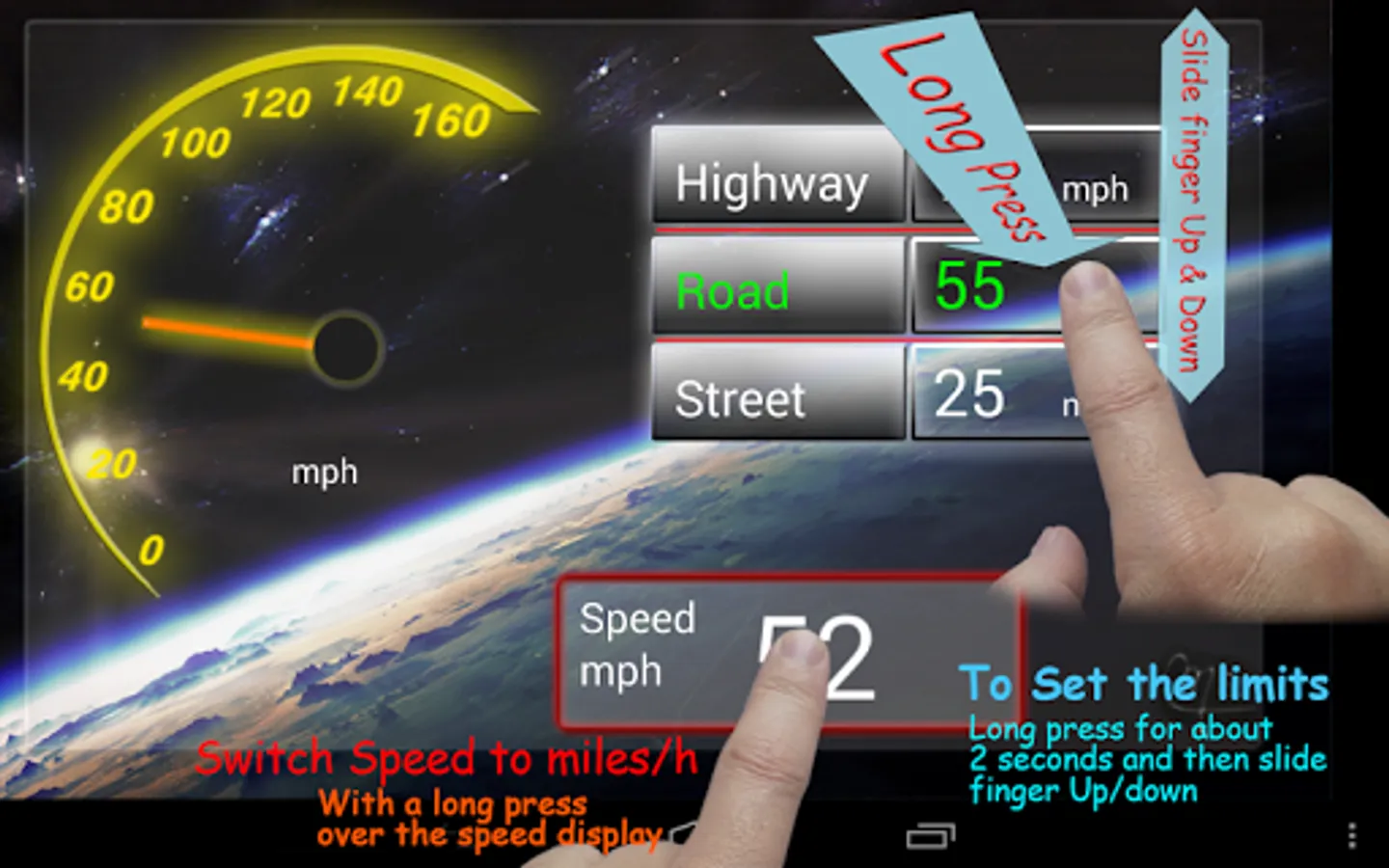
Long press on the correspondent level number for about 2 seconds and slide your finger up and down to modify it.
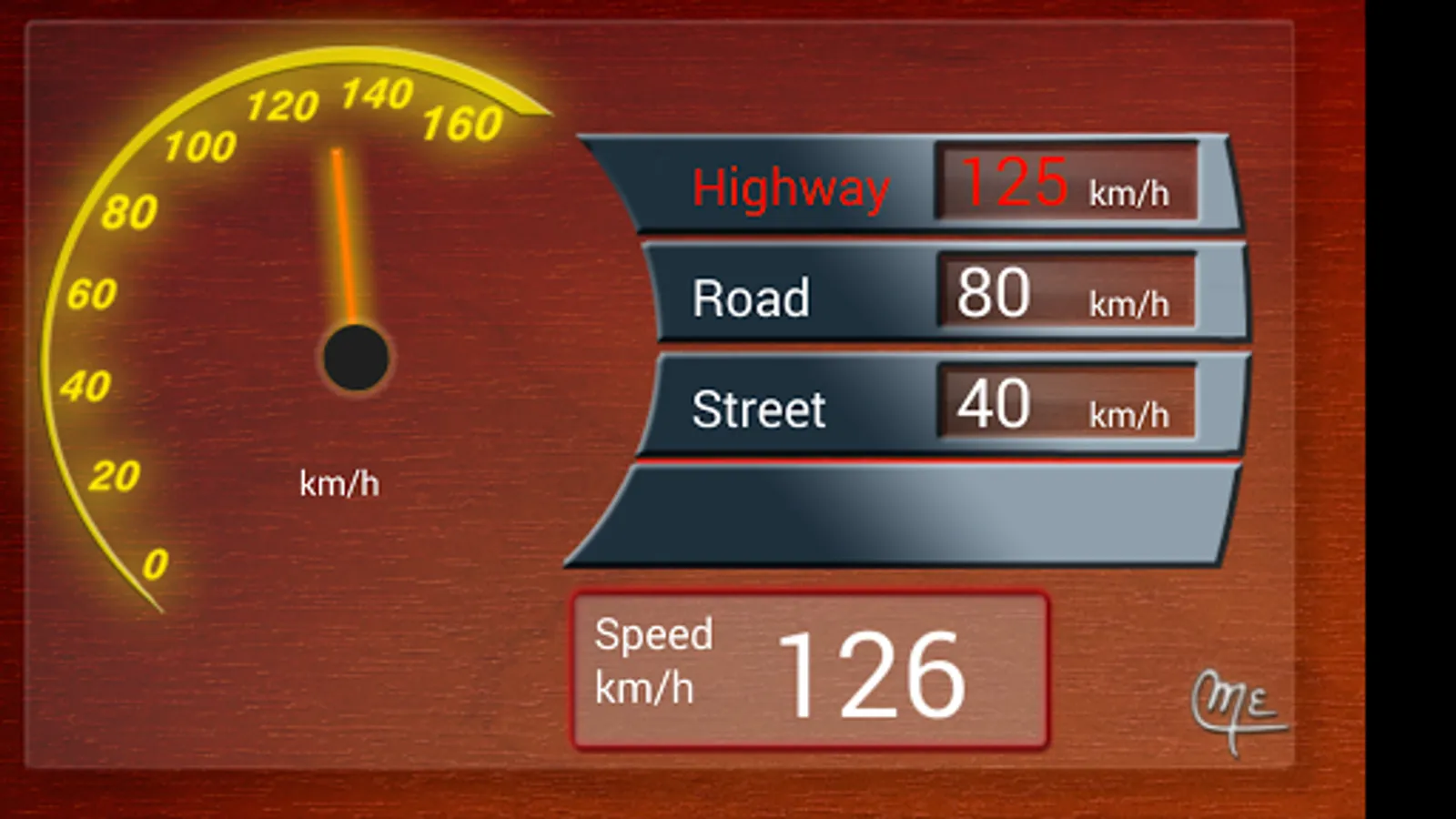
Select the level by pressing the correspondent button and it will turn green. When the speed is exceeded, the label will switch to red and the alarm will turn on.
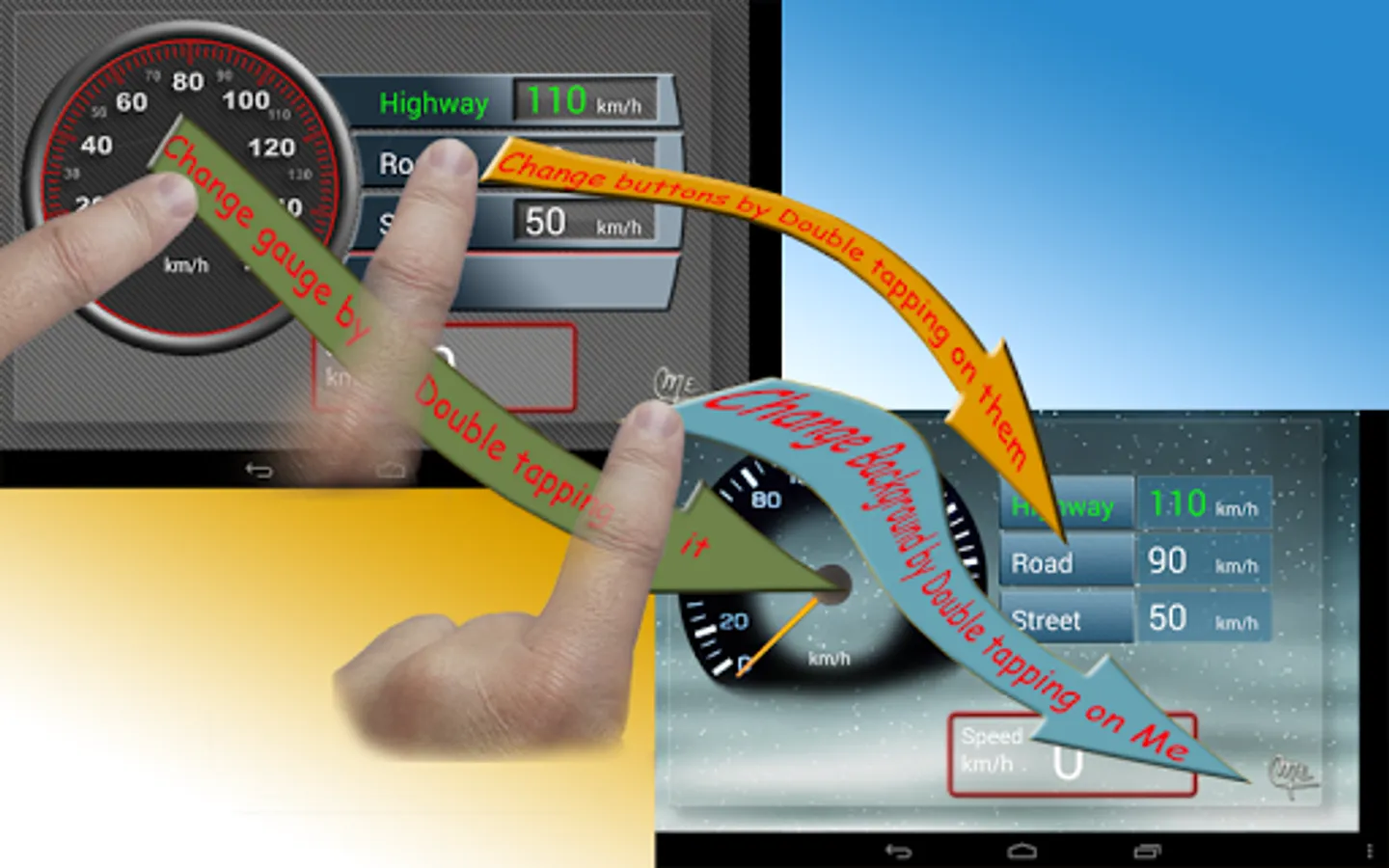
Choose the combination of background, gauge and buttons of your preference !
Just Double tap on the center of the gauge or the buttons to change their model respectively.
and on Me (logo) to change the background.
You can also change the speed units from metrics Km/hr to miles/hr by long pressing over the speed display.
All your settings will be saved when you leave the application.
Requisites:
The device should have GPS receiver.
Known issues & limitations:
In old Android versions (2.3.3) the application may hang up when returning from sleep mode.
The app works only in landscape mode. Future versions will be also for portrait orientation.
You can set your own limit references for three different levels; Highway, Road and Street.
Long press on the correspondent level number for about 2 seconds and slide your finger up and down to modify it.
Select the level by pressing the correspondent button and it will turn green. When the speed is exceeded, the label will switch to red and the alarm will turn on.
Choose the combination of background, gauge and buttons of your preference !
Just Double tap on the center of the gauge or the buttons to change their model respectively.
and on Me (logo) to change the background.
You can also change the speed units from metrics Km/hr to miles/hr by long pressing over the speed display.
All your settings will be saved when you leave the application.
Requisites:
The device should have GPS receiver.
Known issues & limitations:
In old Android versions (2.3.3) the application may hang up when returning from sleep mode.
The app works only in landscape mode. Future versions will be also for portrait orientation.