AppRecs review analysis
AppRecs rating 1.8. Trustworthiness 77 out of 100. Review manipulation risk 25 out of 100. Based on a review sample analyzed.
★☆☆☆☆
1.8
AppRecs Rating
Ratings breakdown
5 star
20%
4 star
0%
3 star
0%
2 star
20%
1 star
60%
What to know
✓
Low review manipulation risk
25% review manipulation risk
✓
Credible reviews
77% trustworthiness score from analyzed reviews
⚠
Mixed user feedback
Average 2.0★ rating suggests room for improvement
About NET.mede
Is your Internet connection performing poorly?
NET.mede is the app of ANACOM - the communications regulator in Portugal - that allows you to analyze the performance of your Internet connection quickly and without exemption.
Install the NET.mede app on the devices (smarthpone, tablet, and computer) you commonly use to connect to your internet accesses (home, office, or other locations) and evaluate connection performance when connecting to the internet through the router, Wi-Fi -Fi or when using mobile data.
How is your internet connection performance evaluated?
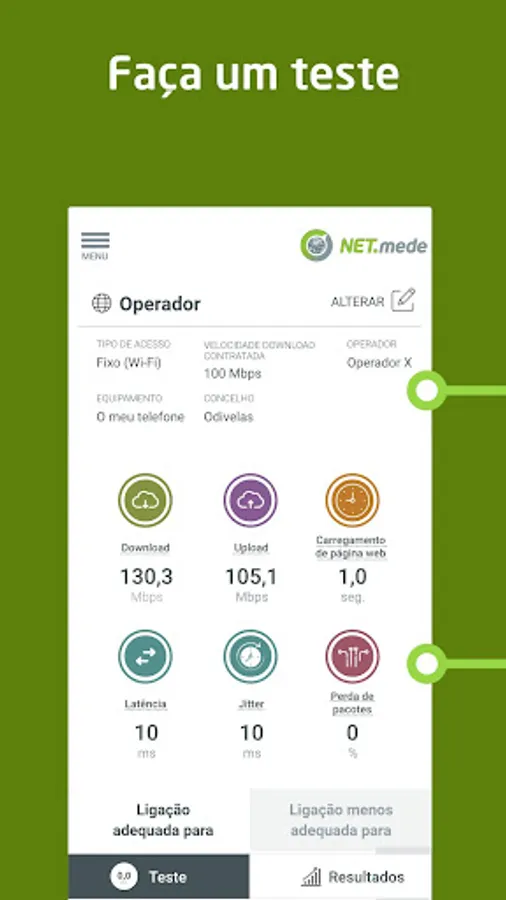
In each test app NET.mede evaluates 6 parameters of your internet connection:
- download speed (Mbps)
- upload speed (Mbps)
- latency (milliseconds)
- jitter (milliseconds)
- packet loss (%)
- loading a webpage (seconds)
Where and how can you check test results?
You can see individual test results in the app itself.
To see the results of all tests you perform from all devices, on all accesses and within a maximum of 2 years, you have two options:
1. choose the “Results” option directly in the app, or
2. access via browser to the reserved area My NET.mede (https://app.netmede.pt). The access credentials are the same as those you use to access the app.
To start using the app and access the My NET.mede area you must first create a user registration. This is a very fast step, you just have to enter an email address, choose a username and a password.
What applications and services does your connection allow you to use?
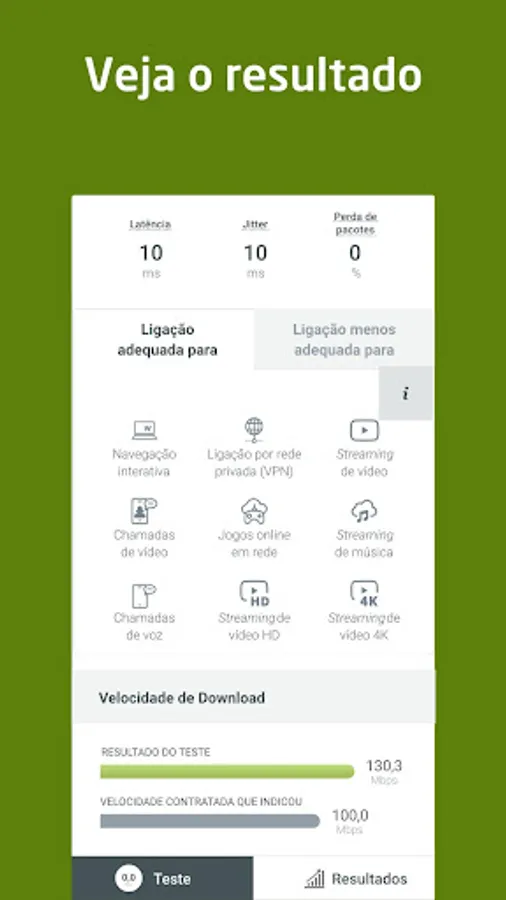
At the end of each test you will find a list of examples of more and less suitable applications / services for your connection at that time.
Talk to ANACOM
If you have questions, suggestions or would like to report a problem, use one of the contacts available under the "Contacts" option.
NET.mede is the app of ANACOM - the communications regulator in Portugal - that allows you to analyze the performance of your Internet connection quickly and without exemption.
Install the NET.mede app on the devices (smarthpone, tablet, and computer) you commonly use to connect to your internet accesses (home, office, or other locations) and evaluate connection performance when connecting to the internet through the router, Wi-Fi -Fi or when using mobile data.
How is your internet connection performance evaluated?
In each test app NET.mede evaluates 6 parameters of your internet connection:
- download speed (Mbps)
- upload speed (Mbps)
- latency (milliseconds)
- jitter (milliseconds)
- packet loss (%)
- loading a webpage (seconds)
Where and how can you check test results?
You can see individual test results in the app itself.
To see the results of all tests you perform from all devices, on all accesses and within a maximum of 2 years, you have two options:
1. choose the “Results” option directly in the app, or
2. access via browser to the reserved area My NET.mede (https://app.netmede.pt). The access credentials are the same as those you use to access the app.
To start using the app and access the My NET.mede area you must first create a user registration. This is a very fast step, you just have to enter an email address, choose a username and a password.
What applications and services does your connection allow you to use?
At the end of each test you will find a list of examples of more and less suitable applications / services for your connection at that time.
Talk to ANACOM
If you have questions, suggestions or would like to report a problem, use one of the contacts available under the "Contacts" option.