
FlickBoard
Natalie Klestrup Röijezon
4.8 ★
121 ratings
1,000+
downloads
Free
With this keyboard app, you can type by tapping or swiping to select keys, reducing typos and improving touch typing speed. Includes customizable gestures, open-source code, and adjustable layout options.
AppRecs review analysis
AppRecs rating 4.8. Trustworthiness 79 out of 100. Review manipulation risk 16 out of 100. Based on a review sample analyzed.
★★★★☆
4.8
AppRecs Rating
Ratings breakdown
5 star
82%
4 star
13%
3 star
6%
2 star
0%
1 star
0%
What to know
✓
Low review manipulation risk
16% review manipulation risk
✓
Credible reviews
79% trustworthiness score from analyzed reviews
✓
High user satisfaction
82% of sampled ratings are 5 stars
About FlickBoard
It doesn't have an opinion on the correct spelling or tone. It certainly doesn't use any AI.
Because it trusts you to write what you meant to write.
Instead, FlickBoard uses swipes to get away with using vastly fewer (and larger!) buttons than a traditional QWERTY keyboard, helping you build muscle memory, minimize typos, and touch type faster.
Type the letters in the center of a key by tapping it. Type the keys in the corners by swiping in that direction. It's that simple!
FlickBoard is inspired by MessagEase and Thumb-Key. It is also open source, see https://codeberg.org/natkr/flickboard!
FlickBoard Screenshots
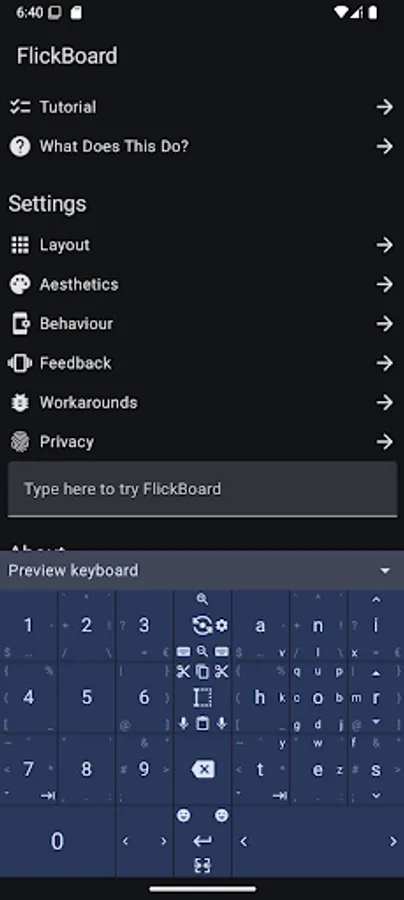
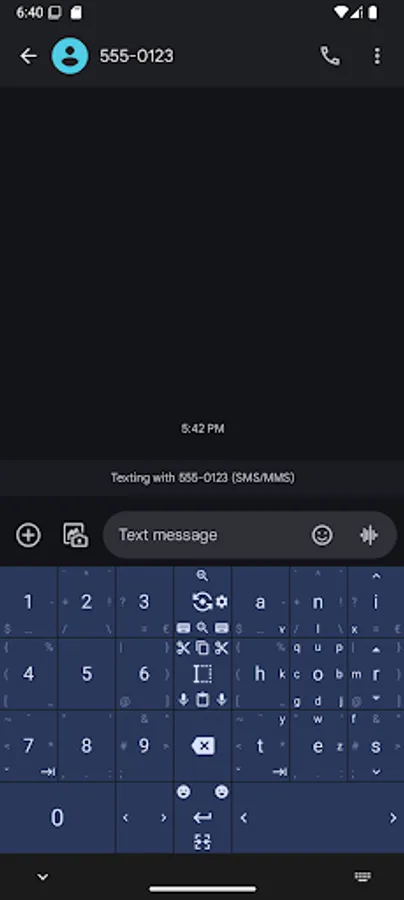
Tap to Rate:
Reviews for FlickBoard
Eric Carlsen
12/15/2025
I love the macros and layouts and abundance of settings. It looks nice. I have an issue with frequent attempts at spaces not working and registering as swiping up on the spacebar. I wish it would auto capitalize after punctuation or go from numbers to letters after space following numbers. I'm not sure I'll ever get good enough to make this layout work. It's been over a month and I'm painfully slow.
Luise Flesch
12/6/2025
it's exactly what i needed and i really love it!! complaints: the non-letter symbols are way too hard to see (the colour customisation could be more like mse imo); zalgo needs an option to be sticky; the control section mode opt straight up doesn't work; for portrait instead of a nice contained square it just stretches to cover the width of the screen. i also used mse's quick adjust sideways position options a LOT so i'd be v v grateful if you added those :)