Text Compare and Difference
Webtoweb
3.6 ★
63 ratings
1,000+
downloads
Free
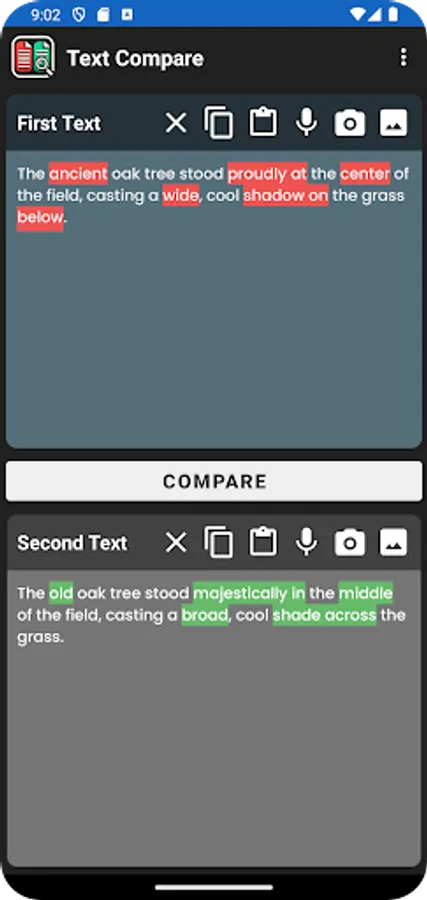
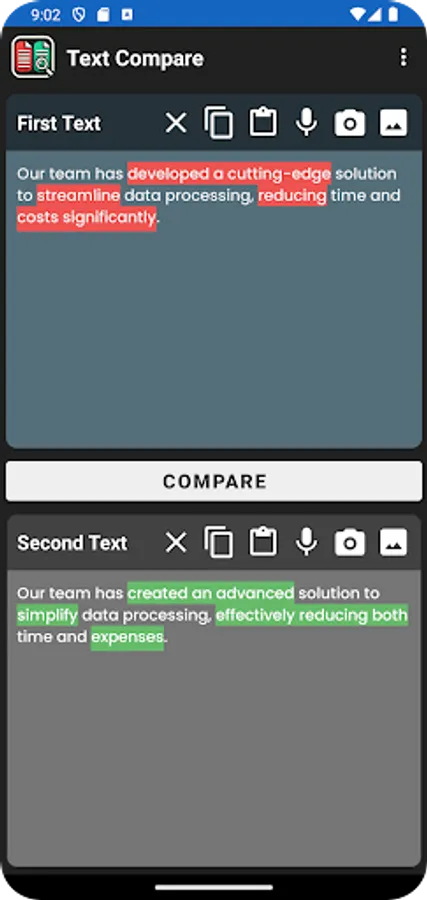
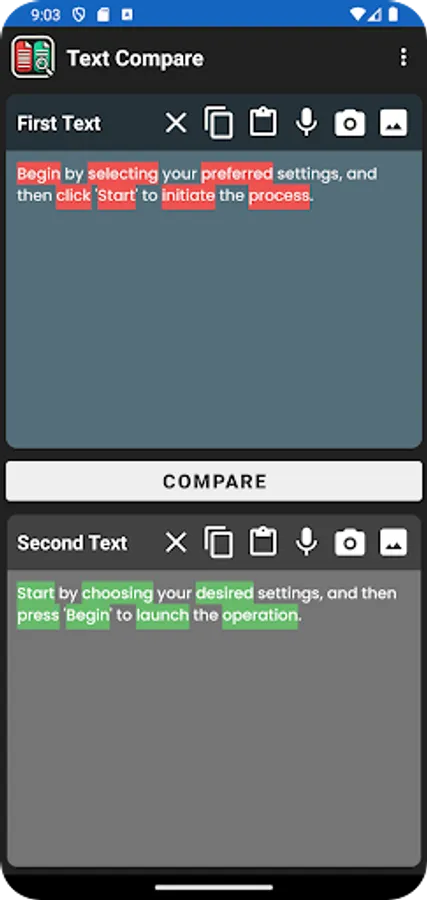
In this text comparison app, users can upload or input two texts to identify differences with highlighted variations. Includes voice input, text extraction from images, and easy copy and paste functions.
AppRecs review analysis
AppRecs rating 3.6. Trustworthiness 89 out of 100. Review manipulation risk 16 out of 100. Based on a review sample analyzed.
★★★☆☆
3.6
AppRecs Rating
Ratings breakdown
5 star
38%
4 star
38%
3 star
0%
2 star
0%
1 star
25%
What to know
✓
Low review manipulation risk
16% review manipulation risk
✓
Credible reviews
89% trustworthiness score from analyzed reviews
✓
Good user ratings
75% positive sampled reviews
About Text Compare and Difference
Key Features:
- Highlight Differences: Compare two texts and see differences highlighted instantly after clicking the "Compare" button. Unique text in the first input is highlighted in red, and unique text in the second input is highlighted in green.
- Voice Input: Use the microphone feature to input text via voice recognition, making data entry faster and hands-free.
- Copy, Paste, and Clear Functions: Easily manage your text inputs with convenient copy, paste, and clear buttons for each text field.
- Text Extraction from Images: Extract text directly from images or photos, simplifying the process of comparing printed documents or screenshots.
- User-Friendly Interface: Navigate through a clean and intuitive design that makes text comparison straightforward for everyone.
Who Can Benefit:
- Students and Educators: Compare essays, assignments, or research papers for similarities and differences.
- Writers and Editors: Quickly identify changes between document versions or drafts.
- Professionals: Examine reports, contracts, or any text documents for alterations.
Enhance your productivity by simplifying the way you compare texts. Download Text Compare and Difference today and make text analysis more efficient.
Text Compare and Difference Screenshots
Tap to Rate:
Reviews for Text Compare and Difference
Rick Enmordee
10/8/2025
Please optimize the app for landscape view, preferably with a side-by-side layout. Overall, the app is excellent for spotting differences in text.
Alan Humiston
8/29/2025
Only used this a bit so far, but I like it - it works well. I'd like to see synchronized scrolling, some visual sidebar showing difference locations, and something showing where text was missing (not just added). Just a dream list, really.