Pedometer - step counter
Wako Development
4.2 ★
11K ratings
1,000,000+
downloads
Free
In this pedometer app, users can track their steps, distance traveled, and calories burned using the device's hardware sensor. Includes step counting, distance measurement, and calorie tracking features.
AppRecs review analysis
AppRecs rating 3.9. Trustworthiness 80 out of 100. Review manipulation risk 21 out of 100. Based on a review sample analyzed.
★★★☆☆
3.9
AppRecs Rating
Ratings breakdown
5 star
65%
4 star
15%
3 star
6%
2 star
5%
1 star
9%
What to know
✓
Low review manipulation risk
21% review manipulation risk
✓
Credible reviews
80% trustworthiness score from analyzed reviews
⚠
Ad complaints
Many low ratings mention excessive ads
About Pedometer - step counter
💪 Exercise is important for good health. 👣 Walking or running is a good way to get moving. It is recommended to walk at least 10,000 steps daily. This way you keep moving and stay healthy and in shape. You also keep your fitness level. This app is suitable for both 🚶♀️ walking and 🏃♀️ running.
🔥 Calorie counter included
When you are on a diet or want to lose weight this app also has an calorie counter included. It shows the daily amount of calories burned while you were walking.
🔋 Low battery use
Unlike many other pedometer or step counter apps, this free pedometer – calorie counter app uses the hardware step sensor of your mobile phone. In this way the number of steps can be displayed very accurately. This also applies to the distance traveled. This free pedometer – calorie counter app does not use the movement of your mobile phone or your location. Using the hardware step sensor ensures that the use of your battery is very low.
📊 Easy to use
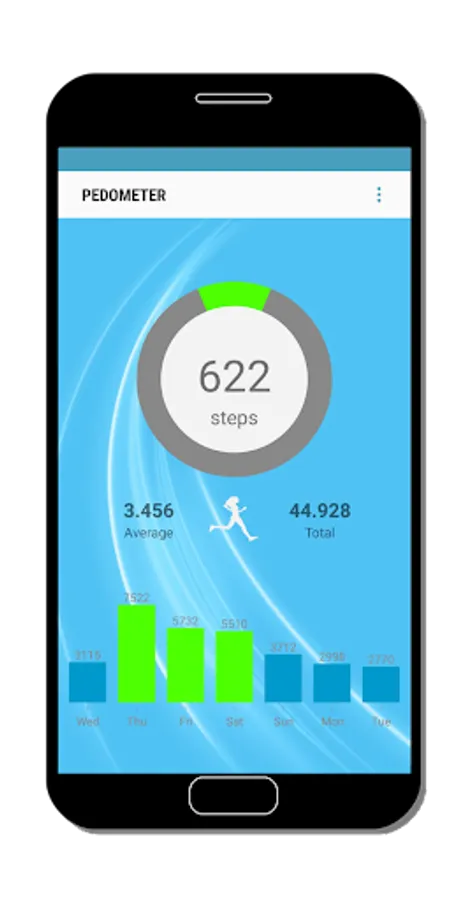
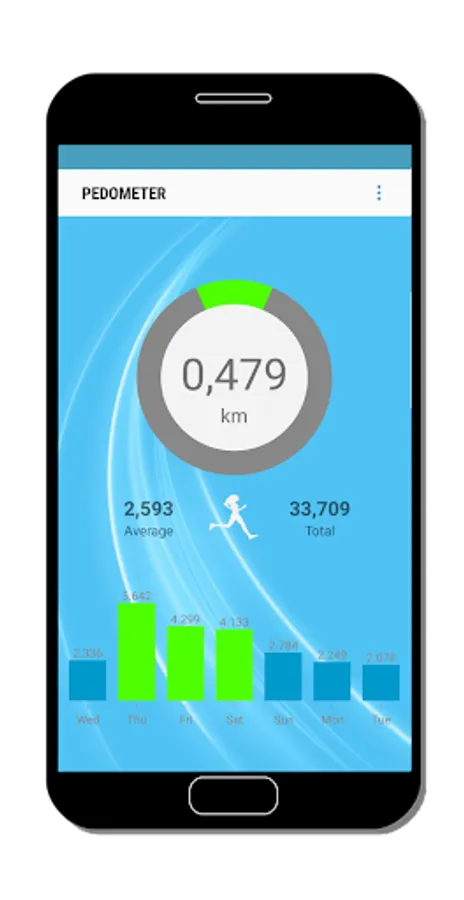
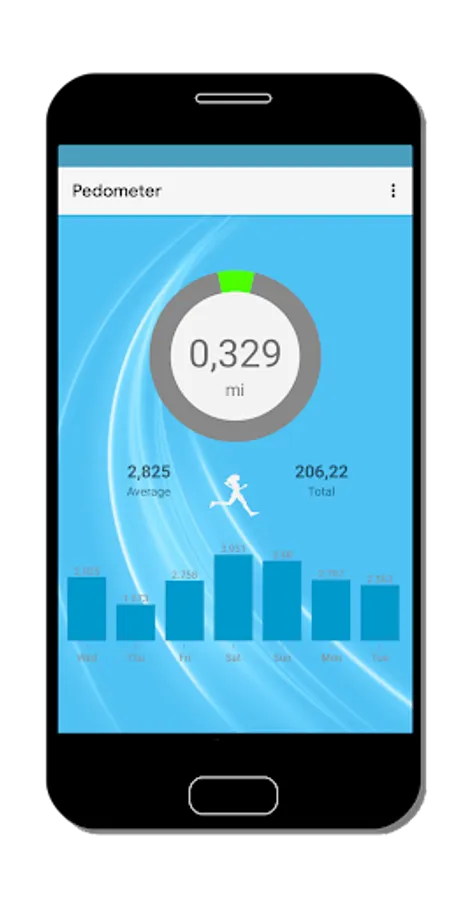
This app records your steps automatically so you can’t forget to turn it on. To see the distance you have walked you can tap the round switch that shows your total amount of steps. Please tap it again to switch back to see the steps taken. To see weekly and monthly charts please tap the daily charts on the bottom of the screen.
❓ How to use
For the best experience we recommend that you take a little time to adjust the settings to your personal preferences. This will only take a minute but it will give you very accurate results on the total number of steps, the distance you have walked and the amount of calories you have burned.
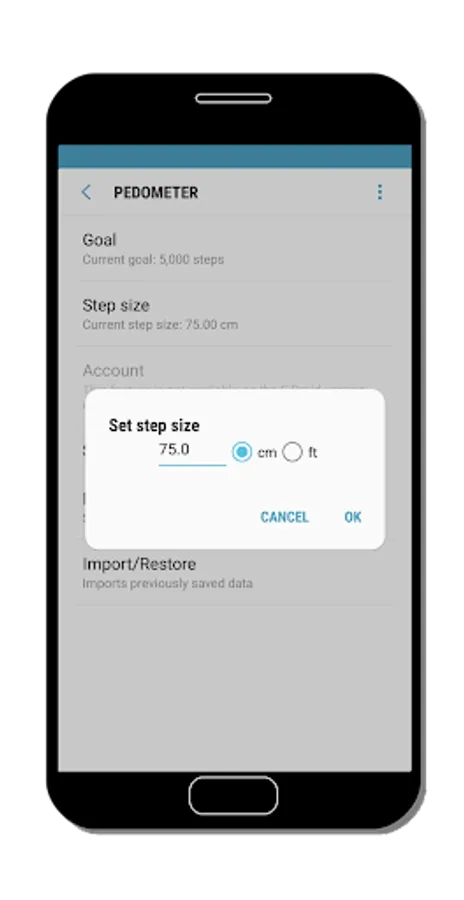
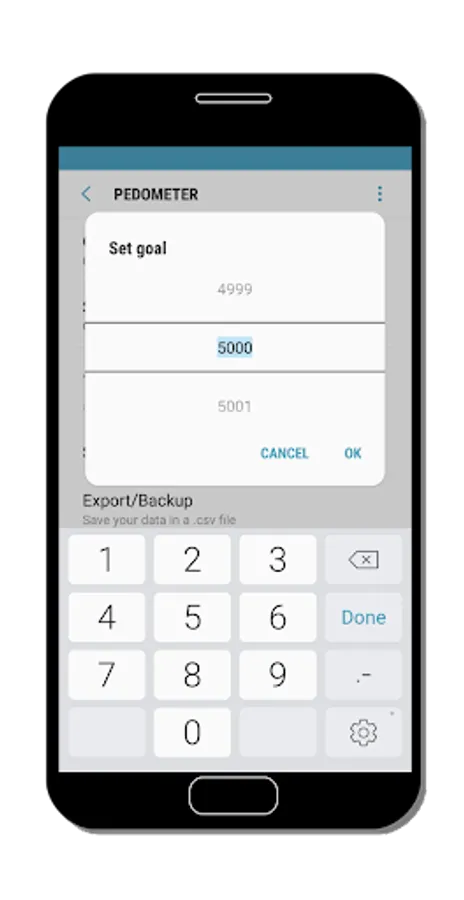
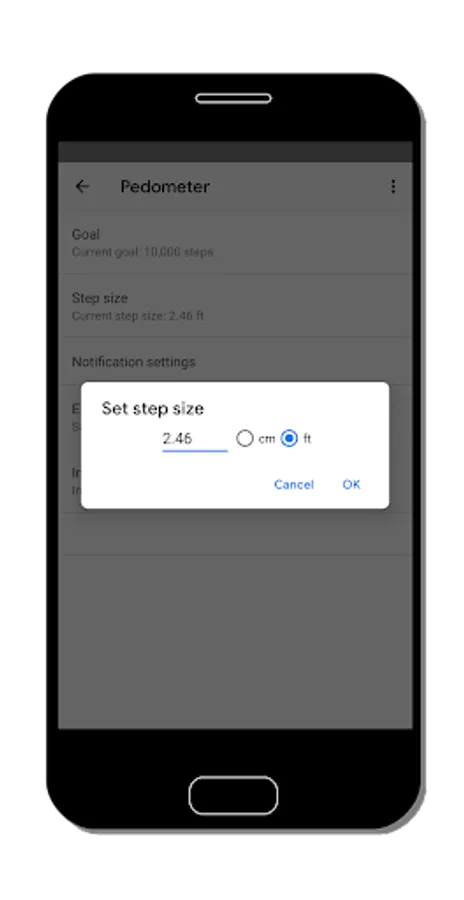
It is recommended to set the pedometer – step counter for the first use. Determine your personal daily goal and indicate how many steps you want to walk each day. You can also set the step size. This ensures a good display of your distance traveled. At default it is set to 75 centimeters or 2,46 feet.
So start moving and working on your fitness with this walking app. Get in shape, walk 10,000 steps daily and burn some calories.
🔢 Split count
if you want to know the distance of a separate walk instead of just the daily number of steps you can use the split count function in the menu.
🔒 Private and free
This is a 100% free walking app and it wil stay this way and you don’t need an account to sign in to use this app.
❗️ Important
Some phones may stop the app from working when battery saving mode is on. Please exclude this app from battery saving mode in your phone settings. For further assistance please feel free to contact us or visit or website.
⭐️ Please rate this pedometer – step counter - calorie counter if you are satisfied or if you have advice for improving the app. Your response will always be answered.
🔥 Calorie counter included
When you are on a diet or want to lose weight this app also has an calorie counter included. It shows the daily amount of calories burned while you were walking.
🔋 Low battery use
Unlike many other pedometer or step counter apps, this free pedometer – calorie counter app uses the hardware step sensor of your mobile phone. In this way the number of steps can be displayed very accurately. This also applies to the distance traveled. This free pedometer – calorie counter app does not use the movement of your mobile phone or your location. Using the hardware step sensor ensures that the use of your battery is very low.
📊 Easy to use
This app records your steps automatically so you can’t forget to turn it on. To see the distance you have walked you can tap the round switch that shows your total amount of steps. Please tap it again to switch back to see the steps taken. To see weekly and monthly charts please tap the daily charts on the bottom of the screen.
❓ How to use
For the best experience we recommend that you take a little time to adjust the settings to your personal preferences. This will only take a minute but it will give you very accurate results on the total number of steps, the distance you have walked and the amount of calories you have burned.
It is recommended to set the pedometer – step counter for the first use. Determine your personal daily goal and indicate how many steps you want to walk each day. You can also set the step size. This ensures a good display of your distance traveled. At default it is set to 75 centimeters or 2,46 feet.
So start moving and working on your fitness with this walking app. Get in shape, walk 10,000 steps daily and burn some calories.
🔢 Split count
if you want to know the distance of a separate walk instead of just the daily number of steps you can use the split count function in the menu.
🔒 Private and free
This is a 100% free walking app and it wil stay this way and you don’t need an account to sign in to use this app.
❗️ Important
Some phones may stop the app from working when battery saving mode is on. Please exclude this app from battery saving mode in your phone settings. For further assistance please feel free to contact us or visit or website.
⭐️ Please rate this pedometer – step counter - calorie counter if you are satisfied or if you have advice for improving the app. Your response will always be answered.
Pedometer - step counter Screenshots
Tap to Rate:
Reviews for Pedometer - step counter
satpal satta
4/11/2025
very good apps
Jimice Allen
3/26/2025
get this app if you wanna keep track of your steps