
AppRecs review analysis
AppRecs rating 2.5. Trustworthiness 80 out of 100. Review manipulation risk 19 out of 100. Based on a review sample analyzed.
★★☆☆☆
2.5
AppRecs Rating
Ratings breakdown
5 star
26%
4 star
9%
3 star
11%
2 star
9%
1 star
47%
What to know
✓
Low review manipulation risk
19% review manipulation risk
✓
Credible reviews
80% trustworthiness score from analyzed reviews
⚠
Mixed user feedback
Average 2.6★ rating suggests room for improvement
About Sage Expense Management
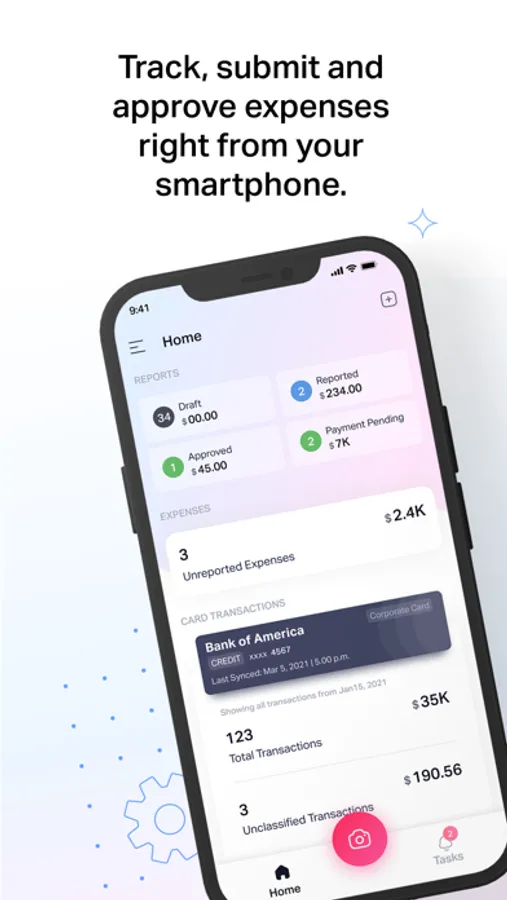
With the Sage Expense Management (formerly Fyle) mobile app, you can capture receipts, track, manage, and submit expense reports in seconds. Built for employees and finance teams alike, it helps you stay compliant and makes expense reporting effortless.
Here’s what you can do:
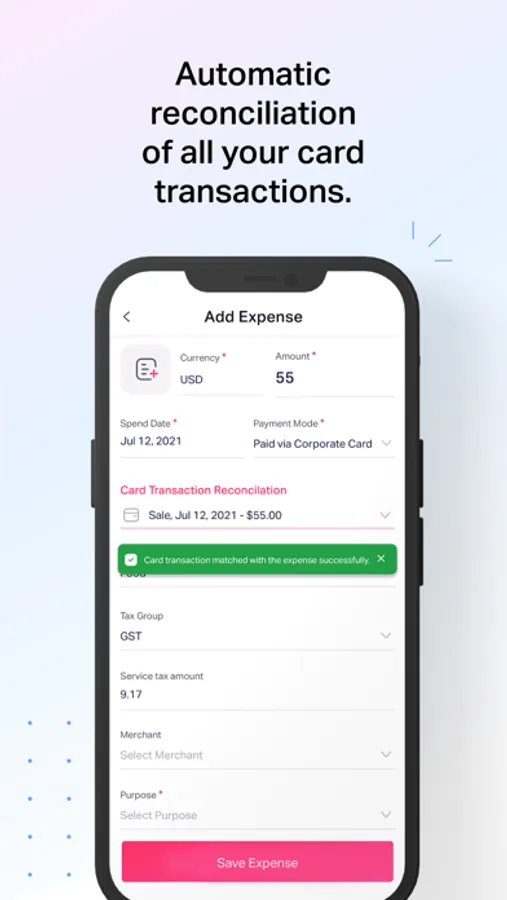
- Sync your cards: Connect your corporate or business card and let Sage Expense Management auto-import every transaction.
- Instant receipt capture: Snap a photo of your receipt, and our AI automatically extracts the date, amount, and vendor details.
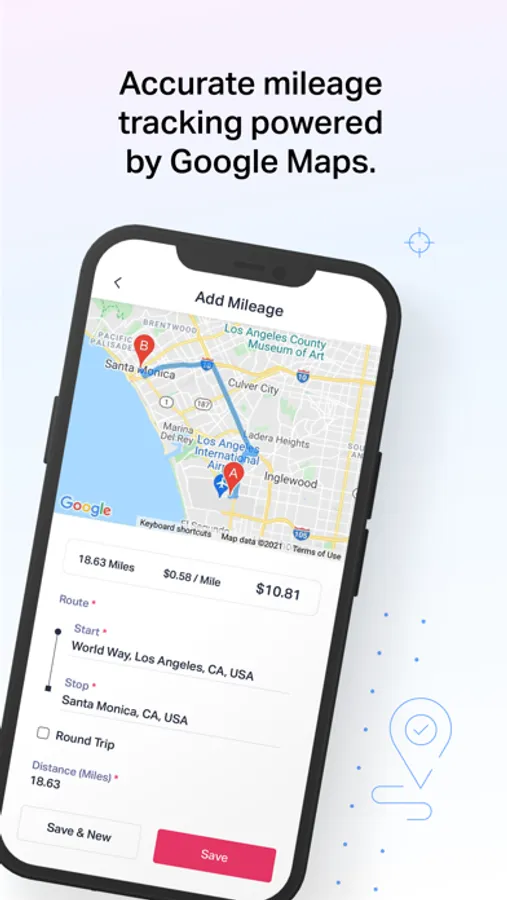
- Track mileage with ease: Use GPS or enter distances manually for automated, quick mileage reporting.
- Travel globally: Log expenses in multiple currencies with automatic conversion.
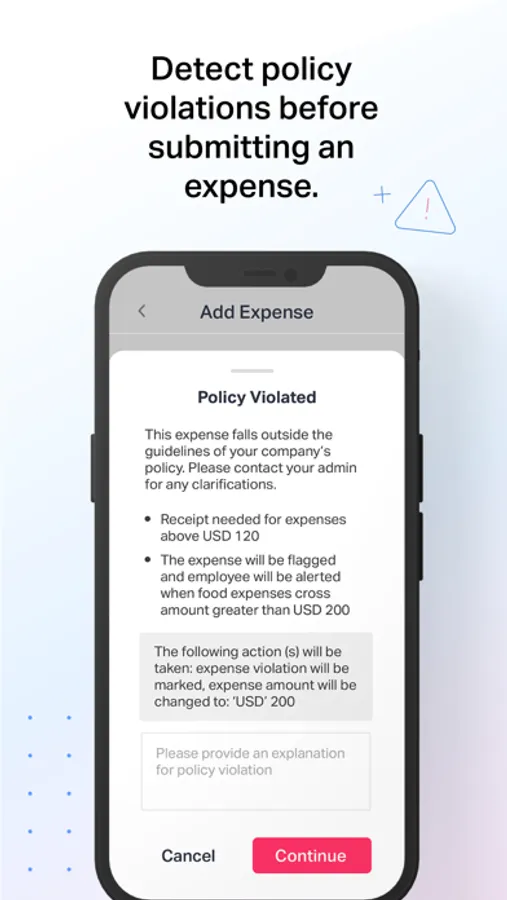
- Stay compliant: Get instant alerts for out-of-policy expenses before you submit.
- Work anywhere: Capture and save expenses offline, everything syncs automatically when you’re back online.
- Stay updated: Get real-time notifications for approvals, submissions, and reimbursements
For finance teams:
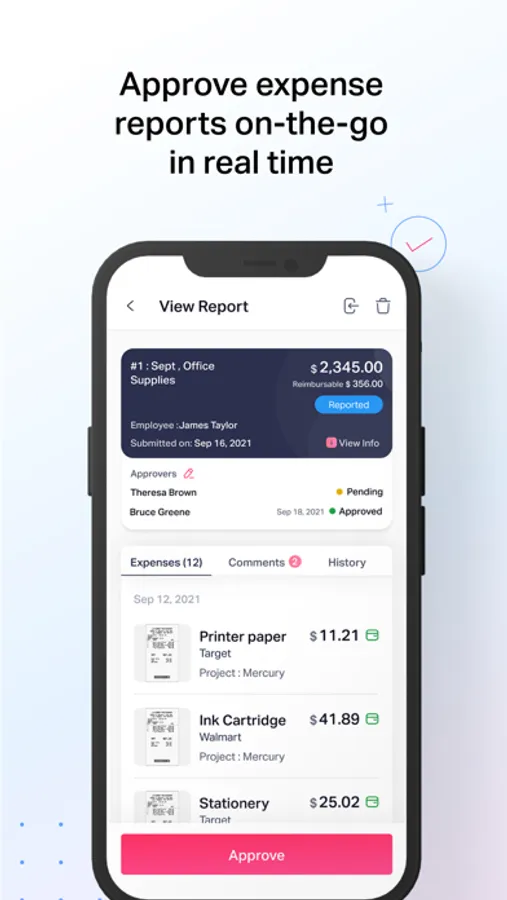
- Approve on the go: Review and approve expense reports directly from your mobile app
- Maintain control: Monitor spend in real time across departments, projects, and employees.
- Stay audit-ready: Every approval, expense, and policy check is tracked automatically.
- Enterprise-grade security: Built with SOC 2 Type I & II, PCI DSS, and GDPR compliance.
Sage Expense Management takes the hassle out of expense reporting — so you can focus on work, not your paperwork.
Note: You’ll need a Sage Expense Management account from your organization to use the app.
Here’s what you can do:
- Sync your cards: Connect your corporate or business card and let Sage Expense Management auto-import every transaction.
- Instant receipt capture: Snap a photo of your receipt, and our AI automatically extracts the date, amount, and vendor details.
- Track mileage with ease: Use GPS or enter distances manually for automated, quick mileage reporting.
- Travel globally: Log expenses in multiple currencies with automatic conversion.
- Stay compliant: Get instant alerts for out-of-policy expenses before you submit.
- Work anywhere: Capture and save expenses offline, everything syncs automatically when you’re back online.
- Stay updated: Get real-time notifications for approvals, submissions, and reimbursements
For finance teams:
- Approve on the go: Review and approve expense reports directly from your mobile app
- Maintain control: Monitor spend in real time across departments, projects, and employees.
- Stay audit-ready: Every approval, expense, and policy check is tracked automatically.
- Enterprise-grade security: Built with SOC 2 Type I & II, PCI DSS, and GDPR compliance.
Sage Expense Management takes the hassle out of expense reporting — so you can focus on work, not your paperwork.
Note: You’ll need a Sage Expense Management account from your organization to use the app.
Sage Expense Management Screenshots
Tap to Rate:
Reviews for Sage Expense Management
Xcacel
Sign in sucks
How do I sign in? Won't accept my Google sign in. Keeps asking me for password of other email Address, when. I have never had one for this app. 👎
Hemar_0440
Great app and easy to use and learn
One of the best expense management tools I’ve used till date. Easy to create and report expenses.